
Essential Sodium
The best essential Modpack to replace the Feather Client
Screenshots
About this Modpack
⚡Essential Sodium
"Extreme Performance. Enhanced Aesthetics. Zero Configuration."
This modpack is a meticulously curated personal client that bridges the gap between Sodium’s raw power and the essential features every player needs. Designed for seamless server play and maximum convenience, it works perfectly out of the box—no tedious settings required.
✨ Key Features
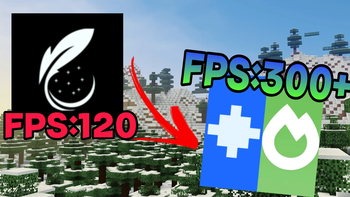
- 🚀 Next-Gen Optimization: Powered by Sodium for high FPS and stutter-free gameplay on any server.
- 🛠️ Plug & Play: Skip the menus. Everything is pre-configured for the best experience the moment you launch.
- 💎 Optifine Parity: Enjoy your favorite Optifine-exclusive features through lightweight, modern client-side mods.
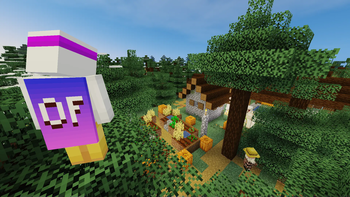
- 🕺 Immersive Animations: Featuring dynamic player movements, fluid water physics, and overhauled explosion effects. (Available on supported versions)
🛠️ Built-in Utilities
We’ve integrated the most requested quality-of-life enhancements:
- Max Brightness (Fullbright): Crystal clear vision in the darkest caves.
- No-Fog: Removes obstructive fog for a cleaner, infinite-feeling horizon.
- Logical Zoom: High-precision cinematic zoom at your fingertips.
- Auto-Sprint: Save your pinky finger—toggle or hold, it's always ready.
🎨 Essential Resource Packs (Included)
To ensure a polished look and feel, the following packs are supported by default:
- 🌐 Translations for Sodium - Full localization support.
- 🌙 Default Dark Mode - A sleek, eye-friendly UI.
- 💬 Fresh Animations - Bringing your mobs to life with expressive animations.
- 🏃 Fresh Animations: Player Extension - Bringing your character to life with expressive animations.
Note: This is a 100% client-side modpack. It does not require server-side installation and is compatible with almost all multiplayer environments.
Stop tweaking. Start playing. Download now and experience Minecraft as it should be.
Available Versions
How to Set Up a Essential Sodium Server
Order Server
Choose at least 4 GB RAM (6 GB recommended for Essential Sodium). Based on player count: per 8 players.
Install Modpack in Dashboard
Open the modpack browser in the dashboard, search for "Essential Sodium" and click "Install". The fabric loader and Minecraft 26.3 are configured automatically.
Start Server & Play
Start the server – all mods are loaded automatically. Share the server IP with friends and play together!
Frequently Asked Questions
Essential Sodium server crashes or won't start – what to do?
Most common causes: insufficient RAM or wrong fabric loader. Check latest.log for "OutOfMemoryError" → increase RAM to at least 6 GB. For "Mixin" or "ClassNotFoundException" errors: modpack version and loader don't match. With Mado Hosting, loader and Minecraft version are auto-configured on modpack install – preventing most startup issues.
How much RAM does a Essential Sodium server really need?
Minimum 4 GB, recommended 6 GB for stable performance. per 8 players. Important: Minecraft modpacks need more RAM than vanilla – plan extra per additional player. With Mado Hosting, you can scale RAM up live at any time without data loss (from €5.2/month).
Can I add custom mods to Essential Sodium without conflicts?
Yes, but check compatibility: only use mods for the same loader (fabric) and same Minecraft version (26.3). Common issues: ID conflicts with recipe mods and incompatible coremod versions. The Mado dashboard mod browser only shows compatible mods and warns about known conflicts.
Essential Sodium server lagging – performance tips
1) Increase RAM to 6 GB+. 2) Reduce server view-distance to 8 (server.properties). 3) Pre-generate chunks with the "Chunky" plugin. 4) Use /spark profiler to check which mods consume the most tick time. With Mado Hosting, all servers run on NVMe SSDs with dedicated CPU cores – eliminating hardware as a bottleneck.
Similar Modpacks

![Cobblemon Official Modpack [Fabric]](https://cdn.modrinth.com/data/5FFgwNNP/e7f9ee2e9d361623847853fe2ddce42f519ee64f.png)
![COBBLEVERSE - Pokemon Adventure [Cobblemon]](https://cdn.modrinth.com/data/Jkb29YJU/581ecf54530972afb18a04660afd820f2f24f6c7.png)
![Better MC [FABRIC] - BMC2](https://cdn.modrinth.com/data/shFhR8Vx/a19c2bcb51d38f32f138d3607e91cb2b7b8e387f_96.webp)


Rent Essential Sodium Server
Start your own server with automatic modpack installation.
Supported Versions
Start your Essential Sodium Server now
From €5.20/month; 6 GB RAM is recommended for best performance.
Configure Server →