
Hydrogen
A very fast client modpack with couple hand-picked features and small visual improvements to enhance your gameplay
Screenshots
About this Modpack
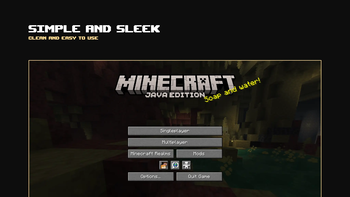
Hydrogen is a high performance modpack with addition improvements and QoL to help with your gameplay, work out of the box. The pack was first intended to be used on my minecraft server, The Castle and also for making my cinematic replaymod YouTube videos!

Current supported version: 26.1.2, 26.2 and 26.3
This page is currently being rework! Sorry for the inconvenience
Stable!
Made to focus on stability as it is being use as my daily driver which mean it is designed to be simple and handle whatever you put it through. A series of test and check is done for every update before it being roll out.
Features
- Pre-configured and ready to play once installed
- Ability to zoom with c key
- Pin any favorite worlds or servers on the top of the menu
- Install resource packs and shaders directly from in-game menu
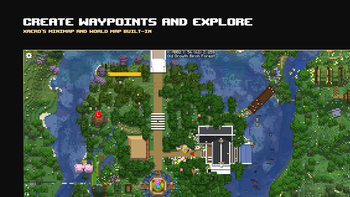
- Create quick waypoints and view the map of the world via m key
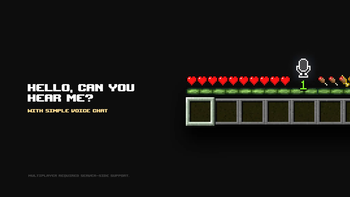
- Voice chat integration with Simple Voice Chat
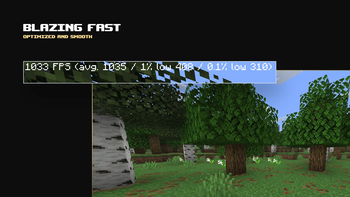
- Heavily optimized, fast and smooth
- Variety of shaders support via Iris
- See player heads in chat (just like in tab)
- Saturation indicator on the hotbar
- Connected glass texture just like on OptiFine
- Full brightness toggle with g key
Special thanks!
These people supported and tested the project since its early days
- MarbDeWcEend
- Sven_NL
- coasil
- Alextr33432
Made with 🩷 by Luca
Available Versions
How to Set Up a Hydrogen Server
Order Server
Choose at least 4 GB RAM (6 GB recommended for Hydrogen). Based on player count: per 8 players.
Install Modpack in Dashboard
Open the modpack browser in the dashboard, search for "Hydrogen" and click "Install". The fabric loader and Minecraft 26.3 are configured automatically.
Start Server & Play
Start the server – all mods are loaded automatically. Share the server IP with friends and play together!
Frequently Asked Questions
Hydrogen server crashes or won't start – what to do?
Most common causes: insufficient RAM or wrong fabric loader. Check latest.log for "OutOfMemoryError" → increase RAM to at least 6 GB. For "Mixin" or "ClassNotFoundException" errors: modpack version and loader don't match. With Mado Hosting, loader and Minecraft version are auto-configured on modpack install – preventing most startup issues.
How much RAM does a Hydrogen server really need?
Minimum 4 GB, recommended 6 GB for stable performance. per 8 players. Important: Minecraft modpacks need more RAM than vanilla – plan extra per additional player. With Mado Hosting, you can scale RAM up live at any time without data loss (from €5.2/month).
Can I add custom mods to Hydrogen without conflicts?
Yes, but check compatibility: only use mods for the same loader (fabric) and same Minecraft version (26.3). Common issues: ID conflicts with recipe mods and incompatible coremod versions. The Mado dashboard mod browser only shows compatible mods and warns about known conflicts.
Hydrogen server lagging – performance tips
1) Increase RAM to 6 GB+. 2) Reduce server view-distance to 8 (server.properties). 3) Pre-generate chunks with the "Chunky" plugin. 4) Use /spark profiler to check which mods consume the most tick time. With Mado Hosting, all servers run on NVMe SSDs with dedicated CPU cores – eliminating hardware as a bottleneck.
Similar Modpacks

![Cobblemon Official Modpack [Fabric]](https://cdn.modrinth.com/data/5FFgwNNP/e7f9ee2e9d361623847853fe2ddce42f519ee64f.png)
![COBBLEVERSE - Pokemon Adventure [Cobblemon]](https://cdn.modrinth.com/data/Jkb29YJU/581ecf54530972afb18a04660afd820f2f24f6c7.png)
![Better MC [FABRIC] - BMC2](https://cdn.modrinth.com/data/shFhR8Vx/a19c2bcb51d38f32f138d3607e91cb2b7b8e387f_96.webp)


Rent Hydrogen Server
Start your own server with automatic modpack installation.
Details
- License
- LicenseRef-All-Rights-Reserved
- Server-side
- Unsupported
- Client-side
- Required
Supported Versions
Start your Hydrogen Server now
From €5.20/month; 6 GB RAM is recommended for best performance.
Configure Server →