
Iron Frost
Build a city and survive in a steampunk frozen world | Create, Minecolonies, TerraSnow
Screenshots
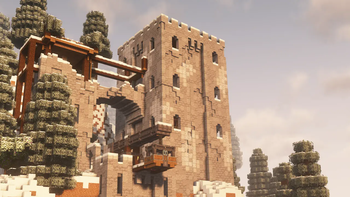
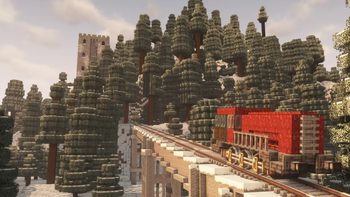
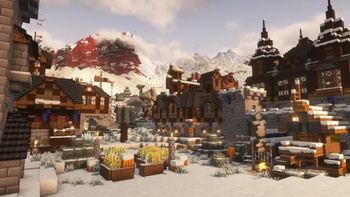
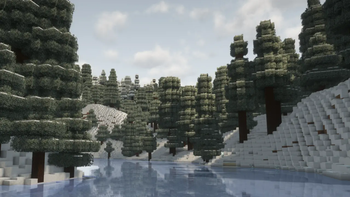
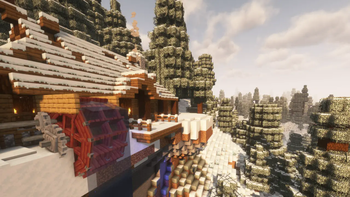
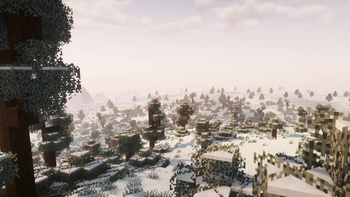
About this Modpack
Iron Frost
Survive the cold in the Iron Frost. Here in the cold you can hire and manage citizens to build your city and with the power of steam you might just conquer the snow.
This is built around 3 core mods.
Create for its steampunk automation
Minecolonies to build and manage your own city
Terralith with some added config mods to turn everything to snow
These together with many other mod additions create a snowy winter wonderland to explore and survive in. This is more of a laid back experience without harsh weather or overly challenging mobs creating a unique experience for a casual cold play through.

Shaders
Resource Packs
Torches Reimagined,
Unique Dark,
Rainbow's Foliage
Mods
Create:
Create,
Aeronautics,
Copycats,
Slice & Dice,
Deco,
Enchantment Industry,
Connected,
Power Loader,
Big Cannons,
CBC Advanced Technologies,
The Factory Must Grow,
Radars,
Blocks & Bogies,
Molten Vents,
Cold Sweat and Aeronautics
Minecolonies:
Minecolonies,
Structurize,
Multi Piston,
BlockUI,
Domum Ornamentum
TerrainGeneration:
Terralith,
Techtonic,
Biome Replacer,
Snow Under Trees,
Snow Real Magic
Environment:
Particle Rain,
Presence Footsteps,
Sounds,
Naturalist,
ColdSweat
Performance:
Soldium,
FerriteCore,
Immediately Fast
Extra Addons:
Jade,
Jade Addons,
WorldEdit,
JEI,
JER,
Remove Stardust Labs Intro Message,
Xaero's World Map,
Cosmetic Armor Reworked,
Freecam,
More Chect Variants,
Torch Master,
Trimmable Tools,
Chipped,
Polymorph,
Farmers Delight,
Sophisticated Backpacks,
Sophisticated Backpacks Create Integration,
Natures Compass,
Yeetus Experiments,
AppleSkin,
Controlling
Library:
Polytone,
MRU,
YetAnotherConfigLibrary,
Lithostitched,
Kiwi,
Quad,
Sophisticated Core,
Resourceful Librart,
Athena,
Sable,
Create Dragons Plus,
Kotlin for Forge,
Ritchies Projectile Library,
Geckolib,
Searchables
Available Versions
How to Set Up a Iron Frost Server
Order Server
Choose at least 6 GB RAM (8 GB recommended for Iron Frost). Based on player count: per 5 players.
Install Modpack in Dashboard
Open the modpack browser in the dashboard, search for "Iron Frost" and click "Install". The forge loader and Minecraft 1.21.1 are configured automatically.
Start Server & Play
Start the server – all mods are loaded automatically. Share the server IP with friends and play together!
Frequently Asked Questions
Iron Frost server crashes or won't start – what to do?
Most common causes: insufficient RAM or wrong forge loader. Check latest.log for "OutOfMemoryError" → increase RAM to at least 8 GB. For "Mixin" or "ClassNotFoundException" errors: modpack version and loader don't match. With Mado Hosting, loader and Minecraft version are auto-configured on modpack install – preventing most startup issues.
How much RAM does a Iron Frost server really need?
Minimum 6 GB, recommended 8 GB for stable performance. per 5 players. Important: Minecraft modpacks need more RAM than vanilla – plan extra per additional player. With Mado Hosting, you can scale RAM up live at any time without data loss (from €7.800000000000001/month).
Can I add custom mods to Iron Frost without conflicts?
Yes, but check compatibility: only use mods for the same loader (forge) and same Minecraft version (1.21.1). Common issues: ID conflicts with recipe mods and incompatible coremod versions. The Mado dashboard mod browser only shows compatible mods and warns about known conflicts.
Iron Frost server lagging – performance tips
1) Increase RAM to 8 GB+. 2) Reduce server view-distance to 8 (server.properties). 3) Pre-generate chunks with the "Chunky" plugin. 4) Use /spark profiler to check which mods consume the most tick time. With Mado Hosting, all servers run on NVMe SSDs with dedicated CPU cores – eliminating hardware as a bottleneck.
Similar Modpacks
![Cobblemon Official Modpack [Fabric]](https://cdn.modrinth.com/data/5FFgwNNP/e7f9ee2e9d361623847853fe2ddce42f519ee64f.png)
![COBBLEVERSE - Pokemon Adventure [Cobblemon]](https://cdn.modrinth.com/data/Jkb29YJU/581ecf54530972afb18a04660afd820f2f24f6c7.png)
![Better MC [FABRIC] - BMC2](https://cdn.modrinth.com/data/shFhR8Vx/a19c2bcb51d38f32f138d3607e91cb2b7b8e387f_96.webp)


![Better MC [FORGE] - BMC4](https://cdn.modrinth.com/data/4BV47HRn/7f5ef7cc61b2593609aabef3ed07a866a4f11b73_96.webp)
Rent Iron Frost Server
Start your own server with automatic modpack installation.
Supported Versions
Start your Iron Frost Server now
From €7.80/month; 8 GB RAM is recommended for best performance.
Configure Server →