
LifeMC
A lightweight open-source client-side modpack. 1.21.1 stable and 1.21.4 is out!
Screenshots

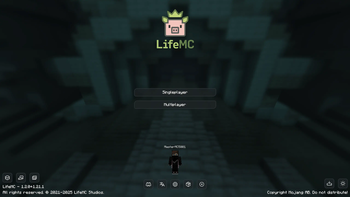
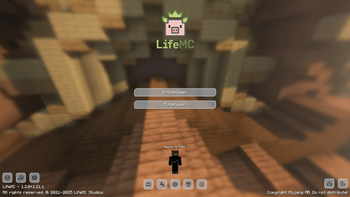
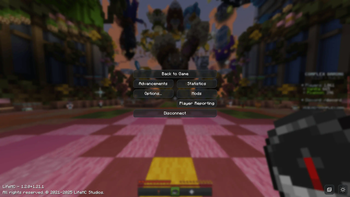
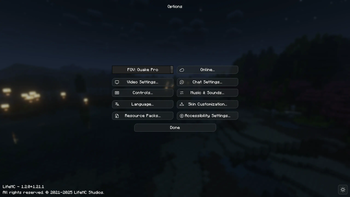
About this Modpack
LifeMC
A lightweight open-source client-side modpack.






📊 Why LifeMC?
| Feature / Aspect | Vanilla / OptiFine | Traditional Modpacks | LifeMC |
|---|---|---|---|
| FPS & Performance | Standard | Variable | Optimized (Sodium Core) |
| Shader Compatibility | Limited | Requires Setup | Out-of-the-Box (Iris) |
| RAM Consumption | High | Heavy | Ultra-Lightweight |
| Open Source | ❌ | ⚠️ Partial | 100% Open Source (GPLv3) |
| Platform Availability | ❌ | Proprietary | Modrinth |
⚙️ Installation
LifeMC can be easily installed on any modern Minecraft launcher that supports Modrinth modpacks (such as Prism Launcher, Modrinth App, ATLauncher, etc.).
🔥 Performance & Features
LifeMC is engineered to provide the ultimate alternative to OptiFine and heavy client mods. By leveraging modern rendering engines and memory optimizations, it delivers a massive FPS boost and lower RAM usage without sacrificing graphical fidelity.
Key Features:
- ⚡ Maximum Optimization: Powered by Sodium for peak rendering efficiency.
- 👕 Free Cosmetics: Integrated cosmetic support via Cosmetica.
- ☀️ Shader Compatibility: Native shader engine with Iris Shaders (full support for OptiFine shaders).
- 🌅 Custom Skies: Full OptiFine skybox support powered by FabricSkyBoxes & FabricSkyBoxes Interop.
- 🔭 Precision Zoom: Smooth and customizable zoom features via Zoomify.
- 🪟 Connected Textures: Seamless glass and connected block rendering with Continuity.
- 🕯️ Dynamic Lighting: Efficient dynamic lighting system powered by LambDynamicLights.
- 🗺️ Multi-Language Support: Over 60 languages supported across custom menus and interface elements.
- 🌐 Instant World Hosting: Host local singleplayer worlds for friends easily via e4mc.
- 🌳 Better Leaf Rendering: Smart leaf culling and performance tweaks via MoreCulling.
- 🎨 Customized UI: Modern main menu featuring light/dark mode toggles and built-in update notifications.
- 🎮 Controller Support: Plug-and-play controller compatibility powered by Controlify.
❓ Why Choose LifeMC?
In two words: performance and reliability.
LifeMC is crafted to deliver high frame rates without sacrificing quality or stability. We are confident in our optimization: if you want a clean, fast, and feature-rich client experience out of the box, LifeMC provides everything you need with zero bloat. At LifeMC Studios, we continuously refine and test every update to maintain the highest quality standard for our community.
➕ Updates
We strongly recommend keeping the modpack updated to the latest available version to benefit from performance improvements, security patches, and new features.
- In-Game Notifications: The main menu includes built-in update notifications when a new release is available.
- Official Sources: Always download updates through official platforms (Modrinth, GitHub, or supported launchers).
- Support Us: Consider following the project on Modrinth and starring the GitHub Repository to support development!
🛡️ Security
Your safety is our priority.
- Verified Platforms: We only source mods from trusted platforms (Modrinth and GitHub).
- Structured Tooling: Pack building and dependency management are handled via packwiz for total transparency.
- Testing & Quality Assurance: Every release is thoroughly tested before public distribution to ensure stability and eliminate mod conflicts.
- Feedback & Issues: Want a new feature or found a bug? Feel free to open an Issue so our team can review and test it safely.
For more details on our security practices, see SECURITY.md.
⛔ Terms of Use & Policies
Welcome to LifeMC! Before diving in, please review our core operational principles:
- Server Compatibility: LifeMC is designed for maximum compatibility with third-party servers. However, players remain fully responsible for complying with individual server rules when using any client-side modifications.
- Privacy First: We care about online privacy. Telemetry and analytical data collection (including Mojang default tracking) have been strictly disabled.
- Official Disclaimer:
[!WARNING]
LifeMC is an independent open-source project and is NOT AN OFFICIAL MINECRAFT PRODUCT. It is not approved by or affiliated with Mojang Studios or Microsoft in any way.
For full terms and privacy details, refer to TERMS.md and PRIVACY.md.
📦 Bundled & Recommended Content
Included Resource Packs
- 🌟 Reimagined GUI Light by AmongstReality
- 🌑 Reimagined GUI Dark by AmongstReality
Recommended Resource Packs
- 🎨 Dramatic Skys by thebaum64
- 🏡 Faithful 32x / 64x by Faithful Team
- 🟨 Pixlli 128x by illystray
- 🟨 rotrBLOCKS 128/256x by illystray
- 🏛️ Alacrity by Satellence
Recommended Shaderpacks
- 🌟 BSL Shaders by CaptTatsu
- 🌟 Complementary Shaders (v4 & Reimagined) by EminGT
- 🌟 Shrimple by Null
- 🌟 Rethinking Voxels by gri573
- 🌟 Super Duper Vanilla by Eldeston
- 🌟 Solas Shader by septonious
🤝 Contributing
We welcome contributions from the community! Whether you want to report bugs, suggest new optimizations, or submit code via Pull Requests, our team reviews every submission to ensure security and stability.
For guidelines on how to contribute, check out CONTRIBUTING.md.
📝 License
This project is distributed under the GNU General Public License v3.0. For complete license details, see the LICENSE file.
For intellectual property and copyright details, consult COPYING.md.
All rights reserved. © 2021-2026 LifeMC Studios.
Available Versions
How to Set Up a LifeMC Server
Order Server
Choose at least 4 GB RAM (6 GB recommended for LifeMC). Based on player count: per 8 players.
Install Modpack in Dashboard
Open the modpack browser in the dashboard, search for "LifeMC" and click "Install". The fabric loader and Minecraft 1.21.4 are configured automatically.
Start Server & Play
Start the server – all mods are loaded automatically. Share the server IP with friends and play together!
Frequently Asked Questions
LifeMC server crashes or won't start – what to do?
Most common causes: insufficient RAM or wrong fabric loader. Check latest.log for "OutOfMemoryError" → increase RAM to at least 6 GB. For "Mixin" or "ClassNotFoundException" errors: modpack version and loader don't match. With Mado Hosting, loader and Minecraft version are auto-configured on modpack install – preventing most startup issues.
How much RAM does a LifeMC server really need?
Minimum 4 GB, recommended 6 GB for stable performance. per 8 players. Important: Minecraft modpacks need more RAM than vanilla – plan extra per additional player. With Mado Hosting, you can scale RAM up live at any time without data loss (from €5.2/month).
Can I add custom mods to LifeMC without conflicts?
Yes, but check compatibility: only use mods for the same loader (fabric) and same Minecraft version (1.21.4). Common issues: ID conflicts with recipe mods and incompatible coremod versions. The Mado dashboard mod browser only shows compatible mods and warns about known conflicts.
LifeMC server lagging – performance tips
1) Increase RAM to 6 GB+. 2) Reduce server view-distance to 8 (server.properties). 3) Pre-generate chunks with the "Chunky" plugin. 4) Use /spark profiler to check which mods consume the most tick time. With Mado Hosting, all servers run on NVMe SSDs with dedicated CPU cores – eliminating hardware as a bottleneck.
Similar Modpacks

![Cobblemon Official Modpack [Fabric]](https://cdn.modrinth.com/data/5FFgwNNP/e7f9ee2e9d361623847853fe2ddce42f519ee64f.png)
![COBBLEVERSE - Pokemon Adventure [Cobblemon]](https://cdn.modrinth.com/data/Jkb29YJU/581ecf54530972afb18a04660afd820f2f24f6c7.png)
![Better MC [FABRIC] - BMC2](https://cdn.modrinth.com/data/shFhR8Vx/a19c2bcb51d38f32f138d3607e91cb2b7b8e387f_96.webp)


Rent LifeMC Server
Start your own server with automatic modpack installation.
Details
- License
- GNU General Public License v3.0 or later
- Server-side
- Unsupported
- Client-side
- Required
Supported Versions
Start your LifeMC Server now
From €5.20/month; 6 GB RAM is recommended for best performance.
Configure Server →