![The Monster Spawned Official Pack [Vanilla Edition]](https://cdn.modrinth.com/data/bZTl2BXX/65d70fd0156d68ed1c017cedb32ab5c0b39d7d41_96.webp)
The Monster Spawned Official Pack [Vanilla Edition]
The official Monster Spawned modpack for the vanilla side of things...
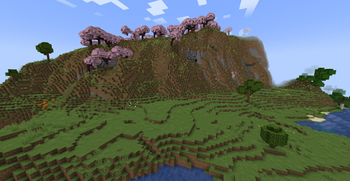
Screenshots
About this Modpack
Monster Spawned [Vanilla Edition]
What It Is
This is the official modpack for the Monster Spawned: Minecraft [Vanilla Edition] server. In conjunction with the Modrinth App (or a similar client), you will be able to download, update, and load the necessary mods needed to play the server and still be able to enjoy Minecraft as in its days of glory.
This pack features some QOL (quality of life) tweaks, gameplay stability improvements, as well as various tweaks and fixes to make the game more enjoyable and stable.
Who It's For
This pack was designed with the ease of distribution for the players of the Monster Spawned server in mind, in addition being able to comply with not uploading and redistributing mods in a manner that was against the mod author's and mod platform's permission.
It aims to provide a sense of fill for the nostalgic player that misses the golden age of Minecraft, yet still wants to play casually and not be overly competitive in a world driven mad by the competitive nature of eSports.
It is completely optional to use, and was made with the intent to not mess with the Minecraft multiplayer mode in any game-changing fashion, outside of disabling chat reporting (for the good of all players).
Mod/Resource Pack List
The modpack is built using the mods, resource packs, and other data found on the latest version of the "Dependency" list, found at this page: link. The above-mentioned link will always contain the latest version of the pack's dependencies and data included.
Plans/To-Do:
- Do performance profiling job on the pack and see how it can be improved (in terms of performance)
- Add a custom mod to help with various aspects of the project (update notifications, in-game news, etc.)
Contact
If you have any questions, please feel free to contact me via my website's contact page here. I am also on Discord at: TheModdersDen (Please mention the pack when reaching out on this platform).
I will do my best to respond in a reasonable time. :)
Available Versions
How to Set Up a The Monster Spawned Official Pack [Vanilla Edition] Server
Order Server
Choose at least 6 GB RAM (8 GB recommended for The Monster Spawned Official Pack [Vanilla Edition]). Based on player count: per 5 players.
Install Modpack in Dashboard
Open the modpack browser in the dashboard, search for "The Monster Spawned Official Pack [Vanilla Edition]" and click "Install". The fabric loader and Minecraft 1.21.8 are configured automatically.
Start Server & Play
Start the server – all mods are loaded automatically. Share the server IP with friends and play together!
Frequently Asked Questions
The Monster Spawned Official Pack [Vanilla Edition] server crashes or won't start – what to do?
Most common causes: insufficient RAM or wrong fabric loader. Check latest.log for "OutOfMemoryError" → increase RAM to at least 8 GB. For "Mixin" or "ClassNotFoundException" errors: modpack version and loader don't match. With Mado Hosting, loader and Minecraft version are auto-configured on modpack install – preventing most startup issues.
How much RAM does a The Monster Spawned Official Pack [Vanilla Edition] server really need?
Minimum 6 GB, recommended 8 GB for stable performance. per 5 players. Important: Minecraft modpacks need more RAM than vanilla – plan extra per additional player. With Mado Hosting, you can scale RAM up live at any time without data loss (from €7.800000000000001/month).
Can I add custom mods to The Monster Spawned Official Pack [Vanilla Edition] without conflicts?
Yes, but check compatibility: only use mods for the same loader (fabric) and same Minecraft version (1.21.8). Common issues: ID conflicts with recipe mods and incompatible coremod versions. The Mado dashboard mod browser only shows compatible mods and warns about known conflicts.
The Monster Spawned Official Pack [Vanilla Edition] server lagging – performance tips
1) Increase RAM to 8 GB+. 2) Reduce server view-distance to 8 (server.properties). 3) Pre-generate chunks with the "Chunky" plugin. 4) Use /spark profiler to check which mods consume the most tick time. With Mado Hosting, all servers run on NVMe SSDs with dedicated CPU cores – eliminating hardware as a bottleneck.
Similar Modpacks


![Better MC [FABRIC] - BMC2](https://cdn.modrinth.com/data/shFhR8Vx/a19c2bcb51d38f32f138d3607e91cb2b7b8e387f_96.webp)
![Better MC [FORGE] - BMC4](https://cdn.modrinth.com/data/4BV47HRn/7f5ef7cc61b2593609aabef3ed07a866a4f11b73_96.webp)


Rent The Monster Spawned Official Pack [Vanilla Edition] Server
Start your own server with automatic modpack installation.
Supported Versions
Start your The Monster Spawned Official Pack [Vanilla Edition] Server now
From €7.80/month; 8 GB RAM is recommended for best performance.
Configure Server →