
Nvidium Performance (Full)
ModPack mainly for Nvidia GPUs to give better Chunk times and Higher Render Distance. This uses Fabric as a base to load the Mods.
Screenshots
About this Modpack
ModPack mainly for Nvidia GPUs to give better Chunk times and Higher Render Distance. This uses Fabric as a base to load the Mods. This is a optimised ModPack for High Chunk count and FPS, designed around Nvidium. This is mainly for MC 1.21.1 as of Nvidium not being supported on any newer versions of Minecraft.
Version Notes:
MC 1.21.6 and UP: Nvidium mod for these versions is EXPEREMENTAL as its currently in BETA for these MC versions. For these versions, Nvidium is from GITHUB or from MODRINTH. This is why these Versions of the Mod Pack are marked as BETA.
MC 1.21.6 and UP: Modern Fix isnt Supported/Updated for these MC versions yet, so they wont be included in the Mod Pack for these MC Versions.
MC 1.21.7 and UP: Noisium isnt Supported/Updated for these MC versions yet, so they wont be included in the Mod Pack for these MC Versions.
MC 26.2 and UP: Nvidium will Crash on Vulkan Graphics API, so leave the Graphics API on the defualt option shipped with this Modpack.
Mods Used:
BadOptimizations
Bobby
Cloth Config
Debugify
Fabric API
Mod Menu
Model Gap Fix
Nvidium
Noisium
Place Holder API
Sodium
Lithium
Modern Fix
More Culling
Ferrite Core
Entity Culling
Immediately Fast
Krypton
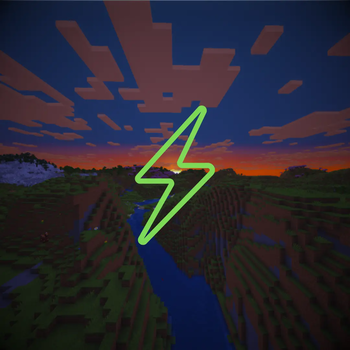
Logo made with the help of Canva.
Licensing Note: This modpack is an independent project and is NOT officially associated with or endorsed by the original developers of Nvidium, Sodium, or any other included mod. All mods included in this ModPack are open-source and used under their respective licenses (mostly MIT or GPL).
Available Versions
How to Set Up a Nvidium Performance (Full) Server
Order Server
Choose at least 4 GB RAM (6 GB recommended for Nvidium Performance (Full)). Based on player count: per 8 players.
Install Modpack in Dashboard
Open the modpack browser in the dashboard, search for "Nvidium Performance (Full)" and click "Install". The fabric loader and Minecraft 26.2 are configured automatically.
Start Server & Play
Start the server – all mods are loaded automatically. Share the server IP with friends and play together!
Frequently Asked Questions
Nvidium Performance (Full) server crashes or won't start – what to do?
Most common causes: insufficient RAM or wrong fabric loader. Check latest.log for "OutOfMemoryError" → increase RAM to at least 6 GB. For "Mixin" or "ClassNotFoundException" errors: modpack version and loader don't match. With Mado Hosting, loader and Minecraft version are auto-configured on modpack install – preventing most startup issues.
How much RAM does a Nvidium Performance (Full) server really need?
Minimum 4 GB, recommended 6 GB for stable performance. per 8 players. Important: Minecraft modpacks need more RAM than vanilla – plan extra per additional player. With Mado Hosting, you can scale RAM up live at any time without data loss (from €5.2/month).
Can I add custom mods to Nvidium Performance (Full) without conflicts?
Yes, but check compatibility: only use mods for the same loader (fabric) and same Minecraft version (26.2). Common issues: ID conflicts with recipe mods and incompatible coremod versions. The Mado dashboard mod browser only shows compatible mods and warns about known conflicts.
Nvidium Performance (Full) server lagging – performance tips
1) Increase RAM to 6 GB+. 2) Reduce server view-distance to 8 (server.properties). 3) Pre-generate chunks with the "Chunky" plugin. 4) Use /spark profiler to check which mods consume the most tick time. With Mado Hosting, all servers run on NVMe SSDs with dedicated CPU cores – eliminating hardware as a bottleneck.
Similar Modpacks

![Cobblemon Official Modpack [Fabric]](https://cdn.modrinth.com/data/5FFgwNNP/e7f9ee2e9d361623847853fe2ddce42f519ee64f.png)
![COBBLEVERSE - Pokemon Adventure [Cobblemon]](https://cdn.modrinth.com/data/Jkb29YJU/581ecf54530972afb18a04660afd820f2f24f6c7.png)

![Better MC [FABRIC] - BMC2](https://cdn.modrinth.com/data/shFhR8Vx/a19c2bcb51d38f32f138d3607e91cb2b7b8e387f_96.webp)

Rent Nvidium Performance (Full) Server
Start your own server with automatic modpack installation.
Supported Versions
Start your Nvidium Performance (Full) Server now
From €5.20/month; 6 GB RAM is recommended for best performance.
Configure Server →