
One-Way
One-Way is an optimization and PvP-focused modpack designed to offer a seamless, out-of-the-box experience.
Screenshots
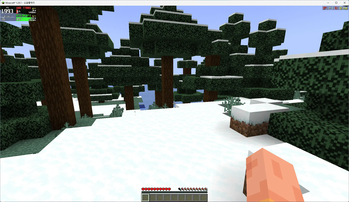
About this Modpack
One-Way 는 설치 후 추가 설정 없이 깔끔한 경험을 제공하는 것을 목표로 하는 최적화 및 PvP 지향 모드팩입니다.
One-Way is an optimization and PvP-focused modpack designed to offer a seamless, out-of-the-box experience.
뭐가 좋은건가요?
멀티플레이에 맞췄습니다! 이 모드팩은 핵이나 서버에서 금지할 만한 모드 및 기능이 들어있지 않습니다. 어느 서버에서나 안심하고 사용할 수 있습니다.
설치하고 바로 사용할 수 있습니다. 마인크래프트를 설치하고 나서 각종 모드 설정들을 설정하는데 시간을 쓸 필요가 없습니다. 그냥 설치하고, 서버에 들어가 즐겨보세요!
쓸모없는 잡다한 기능이 없습니다. 화려한 이펙트, 3D 효과같이 플레이에 방해만 되는 것들이 포함되어 있지 않습니다. 기본적인 바닐라 경험에서 시작해 필요하면 본인이 마음대로 꾸며나갈 수 있습니다
What's Good About It?
Optimized for Multiplayer! This modpack doesn't include any cheats or features that would be banned on servers. You can safely use it on any server without worry.
Ready to Use Right After Installation. No need to spend time configuring various mods after installing Minecraft. Just install it, join the server, and start enjoying!
No Useless Features. It doesn't include flashy effects or 3D effects that only serve to disrupt gameplay. It starts with a basic vanilla experience, allowing you to customize it as you wish.
Available Versions
How to Set Up a One-Way Server
Order Server
Choose at least 4 GB RAM (6 GB recommended for One-Way). Based on player count: per 8 players.
Install Modpack in Dashboard
Open the modpack browser in the dashboard, search for "One-Way" and click "Install". The fabric loader and Minecraft 1.21.11 are configured automatically.
Start Server & Play
Start the server – all mods are loaded automatically. Share the server IP with friends and play together!
Frequently Asked Questions
One-Way server crashes or won't start – what to do?
Most common causes: insufficient RAM or wrong fabric loader. Check latest.log for "OutOfMemoryError" → increase RAM to at least 6 GB. For "Mixin" or "ClassNotFoundException" errors: modpack version and loader don't match. With Mado Hosting, loader and Minecraft version are auto-configured on modpack install – preventing most startup issues.
How much RAM does a One-Way server really need?
Minimum 4 GB, recommended 6 GB for stable performance. per 8 players. Important: Minecraft modpacks need more RAM than vanilla – plan extra per additional player. With Mado Hosting, you can scale RAM up live at any time without data loss (from €5.2/month).
Can I add custom mods to One-Way without conflicts?
Yes, but check compatibility: only use mods for the same loader (fabric) and same Minecraft version (1.21.11). Common issues: ID conflicts with recipe mods and incompatible coremod versions. The Mado dashboard mod browser only shows compatible mods and warns about known conflicts.
One-Way server lagging – performance tips
1) Increase RAM to 6 GB+. 2) Reduce server view-distance to 8 (server.properties). 3) Pre-generate chunks with the "Chunky" plugin. 4) Use /spark profiler to check which mods consume the most tick time. With Mado Hosting, all servers run on NVMe SSDs with dedicated CPU cores – eliminating hardware as a bottleneck.
Similar Modpacks

![Cobblemon Official Modpack [Fabric]](https://cdn.modrinth.com/data/5FFgwNNP/e7f9ee2e9d361623847853fe2ddce42f519ee64f.png)
![COBBLEVERSE - Pokemon Adventure [Cobblemon]](https://cdn.modrinth.com/data/Jkb29YJU/581ecf54530972afb18a04660afd820f2f24f6c7.png)
![Better MC [FABRIC] - BMC2](https://cdn.modrinth.com/data/shFhR8Vx/a19c2bcb51d38f32f138d3607e91cb2b7b8e387f_96.webp)


Rent One-Way Server
Start your own server with automatic modpack installation.
Details
- License
- GNU General Public License v3.0 only
- Server-side
- Unsupported
- Client-side
- Required
Supported Versions
Start your One-Way Server now
From €5.20/month; 6 GB RAM is recommended for best performance.
Configure Server →