
Modrinth · Fabric, Forge, NeoForge, Quilt · Client pack
ROG Ally Modpack
This pack is client-only. Install it on your computer; it is not a server distribution. Multiplayer needs a compatible Minecraft server.
A simple modpack that improves overall performance and enables controller support for the Asus ROG Ally. Also adds now extra content.
- Downloads
- 6.5K
- Followers
- 0
- Loader
- Fabric, Forge, NeoForge, Quilt
- Minecraft
- 1.20.1 – 26.3
- Updated
- –
Screenshots
What ROG Ally Modpack looks like
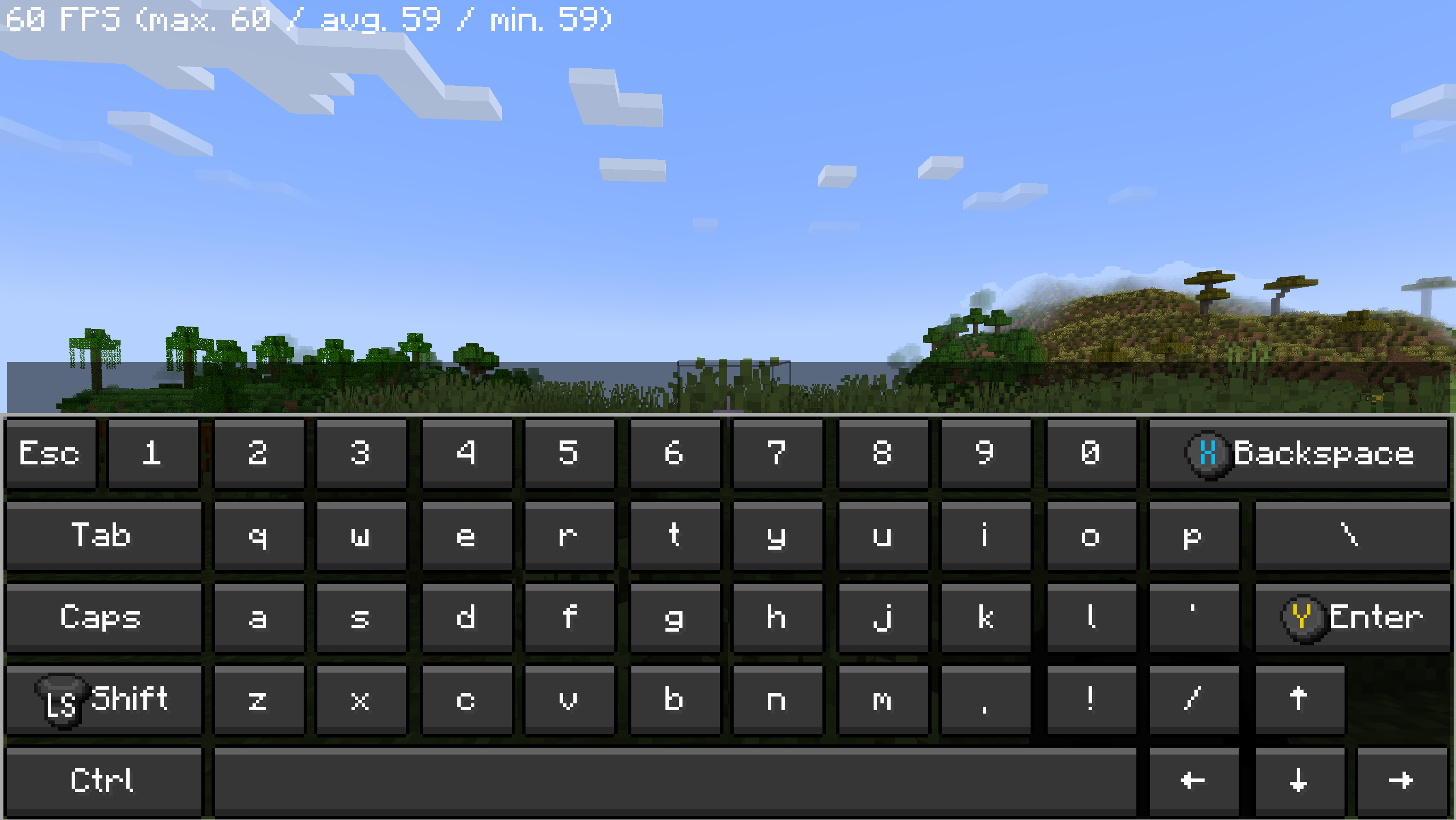
Images: ROG Ally Modpack on Modrinth, published by the project team.
Releases
Published pack releases
The server and players need the same pack release. Pick it in the modpack browser to match your group’s clients.
ROG Ally Modpack · ModrinthOriginal description by the project author
🎮 Asus ROG Ally Modpack


✅ Minecraft 26.3 Ready
Optimized for Maximum Performance on Handheld Devices
This modpack is specifically designed for the Asus ROG Ally and thoroughly tested on the hardware. It combines maximum FPS with native controller support for a seamless console-like experience — no mouse or keyboard required.
📦 Version Tags Explained
Low— Optimized for maximum battery life on the go.FabVoxy— Fabric version including Voxy (LOD rendering for massive view distances).Fab— Standard Fabric performance build.Neo— NeoForge version (legacy/alternative builds).
📊 Expected Performance
- Standard Gameplay: 150 – 350 FPS (depending on your Windows/Armoury Crate TDP Power Mode and background apps).
- With Shaders (BSL on High @ 10W Silent Mode): 30 – 50 FPS.
⚙️ Setup Guide
- Switch your ROG Ally to Gamepad Mode via Command Center.
- Select at least the 15W Performance Mode (Recommended).
- Launch the game and wait for Controlify to download and configure the controller layouts automatically.
- (Optional) Restart the game if the controller bindings do not apply immediately.
Troubleshooting Controls: If the controller still doesn't respond, go to
Options->Controls->Controller Settingsand click Use.
✨ Highlights
🚀 Handheld-Tuned Performance
Every included mod and config file is hand-picked and tuned specifically for the ROG Ally's AMD Z1 Extreme architecture to eliminate stutters and maximize frame rates.
🎮 Native Gamepad Support
Full controller navigation, radial menus, and an on-screen keyboard make playing from the couch or on the go effortless.

⚡ Faster World Generation
Use the /chunky start command in-game to pre-generate up to 500 chunks, drastically reducing world-loading lag while exploring.
🌅 Full Shader Support
Comes pre-configured with Iris so you can drop in any shader pack you like without additional setup.
📝 Important Notes & Battery Tips
- Hardware Baseline: Tested extensively on the Asus ROG Ally Z1 Extreme.
- Battery Saving: If you are playing unplugged and want to extend battery life, consider disabling the Async mod.
- Extra FPS: Enabling CPU Boost in Armoury Crate can help stabilize framerates in heavy areas, though it will drain the battery faster.
If you are a mod developer and do not want your mod included in this pack, please reach out via my Modrinth Profile and I will remove it promptly.
Disclaimer: Not affiliated with ASUS.
Similar packs
More server-ready modpacks
 Server-ready

Better MC [FABRIC] - BMC2
by SHXRKIE
Version 1.20 | A Proper Vanilla+ Modpack | Don't play Vanilla play this!
 Server-ready

Better MC [FORGE] - BMC4
by SHXRKIE
Version 1.20.1 | A Proper Vanilla+ Modpack | Don't play Vanilla play this!
 Server-ready

Pokemon Elysium
by Chubblezap
Modpack originally made for the Pokemon Elysium server, a Cobblemon-focused pack with hints of low-tech steampunk.
 Server-ready
Re-Console
by omo50
A continued Legacy Console Edition experience, expanded upon with modern Java Edition content and QoL! (An Official Legacy4J Project)
Looking for a pack for your own server?
The catalog lists modpacks with confirmed server support.