
AxolotlClient - Customizable HUD & Client QoL Features
The most configurable HUD mod combined with everything else you might need to play - Your mod for the optimal PvP experience.
Screenshots



About this Mod
AxolotlClient
Your customizable alternative to popular pvp clients like Lunar/Badlion and Feather/Dawn.
Features
Features include:
- Friends system
- Freelook (Disabled on some servers)
- Nametag
- Beacon Beams
- Low Fire / Low Shield
- Hit Color
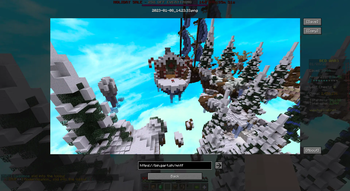
- Screenshot Manager
- Screenshot uploading
- Zoom
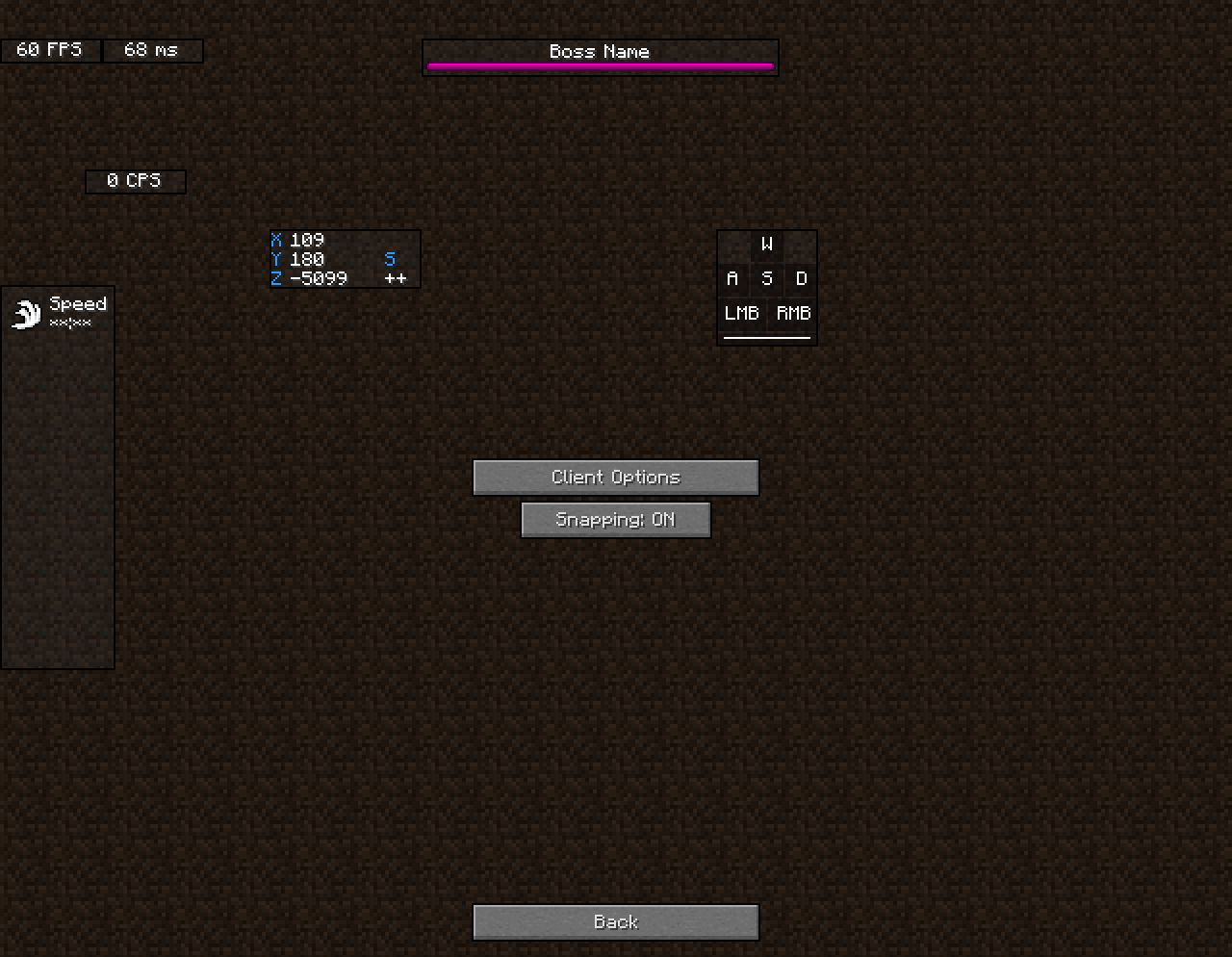
- Various Hud Modules (port/integration of KronHUD)
- including, but not limited to:
- Ping
- FPS
- CPS
- Armor
- Potions
- Keystrokes
- ToggleModifiers
- Server IP
- Icon
- Speed
- Scoreboard
- Crosshair
- Coordinates
- ActionBar
- BossBar
- Arrow
- Item Update
- Pack Display
- Real Time
- Hotbar
- Memory
- PlayerCount
- Compass
- TPS (Ticks per second)
- Player
- Chat (1.8.9 only)
- including, but not limited to:
- Hypixel Features
- AutoGG / GF / GLHF
- LevelHead
- Nick Hider
- Skyblock
- AutoTip
- AutoBoop
- Custom Block Outlines
- Time Changer
- Fullbright
- Motion Blur
- TNT Time
- Scrollable Tooltips
- Particles
- Discord RPC
- Custom Badges
- and many more!
Dependencies
Before downloading, please also download the respective API package for your version:
| Minecraft Version | 1.8.9 | >= 1.16 | >= 1.19 |
|---|---|---|---|
| AxolotlClient <= 3.0.6 | Legacy Fabric API | Fabric API | QSL |
| AxolotlClient >= 3.1.0 | OSL and legacy-lwjgl3
|
Fabric API
|
Fabric API |
Disclaimers
Disclaimers
We do not endorse nor support cheats/hacks. If you feel like one or more options packaged by this mod could be regarded as one of the above, please let us know and we'll remove said options or prevent people from using them.
A pvp client in the context used above are launcher + game modifications combinations widely used on popular servers such as Hypixel and others. This is not meant in the context of cheats and/or hacks.
Some features of this mod require communication to a backend located at https://api.axolotlclient.com. The usage of these features is governed by our Terms of Service and Privacy policy, available here. You will be asked for your consent to these terms before said features are enabled.
Credits
Credits
Credit to these wonderful people who create open-source mods.
DarkKronicle, the creator of KronHUD on which the hud modules in this mod are based.
AMereBagatelle, the author of the wonderful FabricSkyBoxes mod.
Available Versions
How to Install AxolotlClient - Customizable HUD & Client QoL Features on Your Client
Install the Mod Loader Locally
Install fabric for your local Minecraft version.
Download the Matching File
Choose the AxolotlClient - Customizable HUD & Client QoL Features file for fabric and Minecraft 26.2.
Install Mod
Place the .jar file in your local .minecraft/mods folder and restart Minecraft. No server-side installation is required.
Compatibility
Mod Loaders
Minecraft Versions
26.2, 26.1.2, 26.1.1 (+24 more)
Server-side
✗ UnsupportedRecommended RAM
4 GB(min. 3 GB)Frequently Asked Questions
Does AxolotlClient - Customizable HUD & Client QoL Features need to be installed on the Minecraft server?
No. Modrinth marks AxolotlClient - Customizable HUD & Client QoL Features as unsupported on the server side. Install it only in your local Minecraft mods folder. Your server can remain unchanged unless the mod page lists an additional dependency.
Which version and loader does AxolotlClient - Customizable HUD & Client QoL Features require?
Use a file for fabric, legacy-fabric, ornithe, quilt and your exact Minecraft version. Supported versions include 26.2, 26.1.2, 26.1.1. Files for different loaders are not interchangeable.
AxolotlClient - Customizable HUD & Client QoL Features is not working – what should I check?
First check the Minecraft version, loader version and required dependencies. Put the .jar file in your local .minecraft/mods folder and remove older duplicates. Because this mod is client-side, adding server RAM will not fix it.
Similar Mods






Minecraft Server for Your Group
AxolotlClient - Customizable HUD & Client QoL Features stays on your client. Host a compatible world for your group.