
FireHud
Customize the visuals of fire to your exact needs and beyond
Screenshots
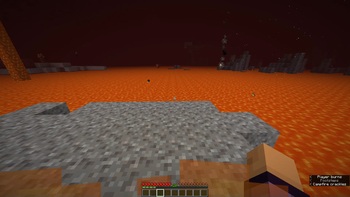
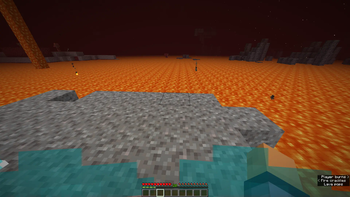
About this Mod
FireHud
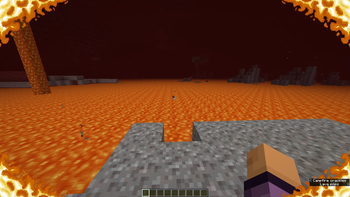
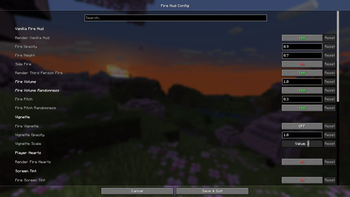
This is a client only mod which provides more settings than you'll ever need to customize the onscreen effect when on fire.
Everything is on vanilla settings by default
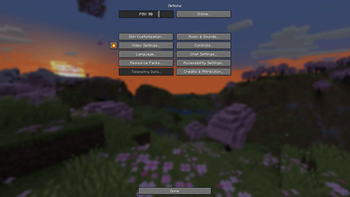
The config, made using Cloth Config, is accessable through either ModMenu or, I have added a button in the game options beside the videos settings button. This button is toggleable and you may move it around as well.
This mod was made as a passion project after I went netherite mining and remembered how annoying fire was.
You may also adjust the volume and pitch of fire blocks in the config.
Believe me when I say I have really gone overkill on customization. Chances are that I'll also add more features in the future. If you have any good ideas for additions to this mod, don't hesitate to go to the issues page on the github and make a suggestion. I will most likely read it and consider it.
Some features of note:
- Adjusting the position of vanilla fire.
- Adjusting the opactity of vanilla fire.
- Disabling vanilla fire entirely.
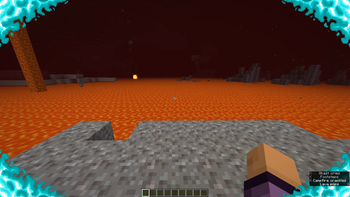
- Enabling other customizable redesigns of the hud.
- Adjusting the in-lava fog. Making it easier to see under lava.
- Player ignites on soul fire rather than normal, orange fire when in soul fire.
- And many other useful, but completely optional features.
Available Versions
How to Install FireHud on Your Client
Install the Mod Loader Locally
Install fabric for your local Minecraft version.
Download the Matching File
Choose the FireHud file for fabric and Minecraft 26.2.
Install Mod
Place the .jar file in your local .minecraft/mods folder and restart Minecraft. No server-side installation is required.
Compatibility
Mod Loaders
Minecraft Versions
26.2, 1.21.11, 1.21.10 (+14 more)
Server-side
✗ UnsupportedRecommended RAM
4 GB(min. 3 GB)Frequently Asked Questions
Does FireHud need to be installed on the Minecraft server?
No. Modrinth marks FireHud as unsupported on the server side. Install it only in your local Minecraft mods folder. Your server can remain unchanged unless the mod page lists an additional dependency.
Which version and loader does FireHud require?
Use a file for fabric and your exact Minecraft version. Supported versions include 26.2, 1.21.11, 1.21.10. Files for different loaders are not interchangeable.
FireHud is not working – what should I check?
First check the Minecraft version, loader version and required dependencies. Put the .jar file in your local .minecraft/mods folder and remove older duplicates. Because this mod is client-side, adding server RAM will not fix it.
Similar Mods






Minecraft Server for Your Group
FireHud stays on your client. Host a compatible world for your group.