Mod List Scroll Fix
Fixes the scroll bar being out of bounds when searching in the Forge Mod List!
About this Mod

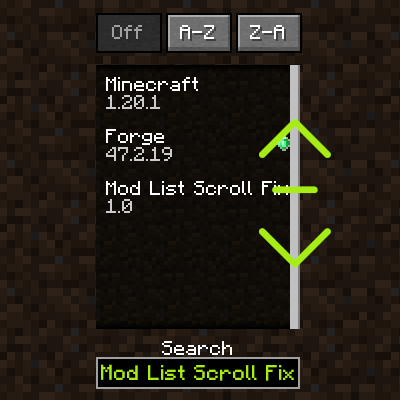
Mod List Scroll Fix is a very simple mod that fixes an issue in Forge's mod list where the scroll bar is technically scrolled down, but there is no scroll bar anymore because you entered something into the search bar.
This issue is annoying if you're looking at mods that a given modpack has, and then decide to search for a particular mod - even if it is there, it might not show up due to this issue unless you use the scroll wheel once.
The mod fixes this issue by making sure the mod list's scroll is kept within bounds when using the search box.

Would you like to support me, or the mod?
Here is how you can do that:
- Donate on Ko-Fi!
- Use my on for 25% off!
- Contribute code, let me know of issues or add a star on the mod's GitHub page!
Thanks a lot!
Whether you're looking for a server for your modpack, or just to mess around with your friends - is one of the most reliable and affordable options you can get! It makes installing modpacks just a couple of clicks. 25% off with code khajiitos!
Available Versions
How to Install Mod List Scroll Fix on Your Client
Install the Mod Loader Locally
Install forge for your local Minecraft version.
Download the Matching File
Choose the Mod List Scroll Fix file for forge and Minecraft 1.20.1.
Install Mod
Place the .jar file in your local .minecraft/mods folder and restart Minecraft. No server-side installation is required.
Compatibility
Mod Loaders
Minecraft Versions
1.20.1
Server-side
✗ UnsupportedRecommended RAM
4 GB(min. 3 GB)Frequently Asked Questions
Does Mod List Scroll Fix need to be installed on the Minecraft server?
No. Modrinth marks Mod List Scroll Fix as unsupported on the server side. Install it only in your local Minecraft mods folder. Your server can remain unchanged unless the mod page lists an additional dependency.
Which version and loader does Mod List Scroll Fix require?
Use a file for forge and your exact Minecraft version. Supported versions include 1.20.1. Files for different loaders are not interchangeable.
Mod List Scroll Fix is not working – what should I check?
First check the Minecraft version, loader version and required dependencies. Put the .jar file in your local .minecraft/mods folder and remove older duplicates. Because this mod is client-side, adding server RAM will not fix it.
Similar Mods






Minecraft Server for Your Group
Mod List Scroll Fix stays on your client. Host a compatible world for your group.