
SDM Shop (Legacy)
A multifunctional shop for creating an economy on an modpack or server
Screenshots
About this Mod
What a SDM Shop?
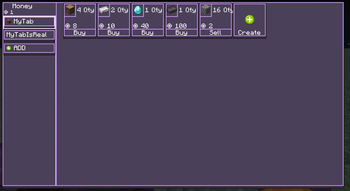
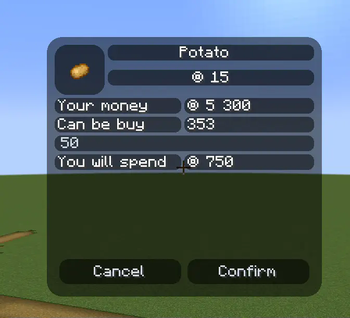
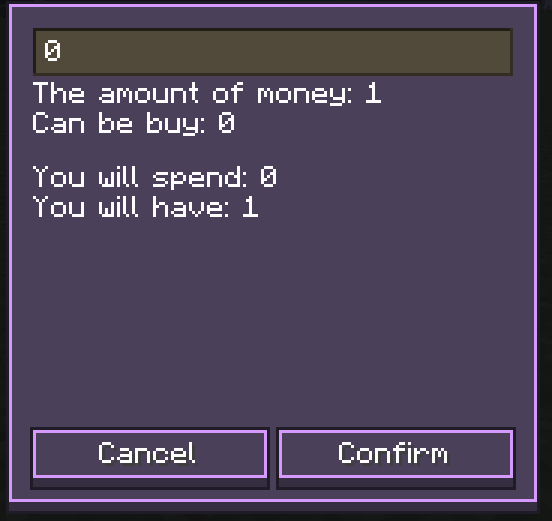
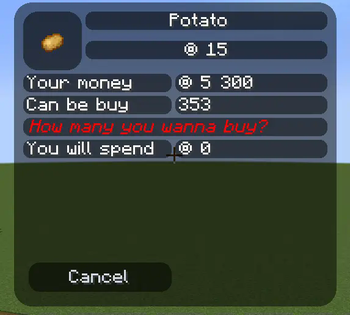
The mod adds an in-game store with which you can build your economy
The mod is inspired by FTB Money and Oxygen Shop
What can I sell or buy?
- Items
- Item By Tag
- Commands
- Achivments
- Locate Biome/Structure
- XP or Level
Integrations
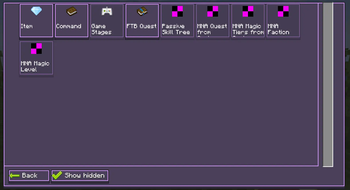
- Stages (Game Stages)
- Quests (FTB Quests)
- Skill Points (Passive Skill Tree)
- MNA Faction (Mana And Artifice)
- MNA Level (Mana And Artifice)
- MNA Progression (Mana And Artifice)
- MNA Tier(Mana And Artifice)
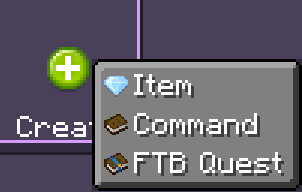
How i can edit shop?
- To customize the content, use
/sdmshop edit_mode
How i can set or send money?
- If you have administrator rights, then you can use the command /sdmshop set
; - Use
/sdmshop balanceto view your balance,/sdmshop payto pay someone money from your balance.
How open shop ?
- Use key bind (Default key
O) - Use the button in the upper-left inventory screen
Can I change the style of the store if I like it?
- The mod has the ability to customize the interface style for yourself. To do this, go to the
SDMShop/sdmshop-clientconfig file - If you have administrator rights you can reload style
/sdmshop reloadClient
If I want to use it on a server ?
You can disable key binding on the server so that players can't open the store. If you are an administrator, you can open the store to the player using the /sdmshop open_screen command. This is useful if you are creating an NPC.
My Information
Available Versions
How to Install SDM Shop (Legacy) on Your Server
Order Server
Order a Minecraft Java server with at least 3 GB RAM (4 GB recommended).
Set fabric Loader
In the panel under "Egg", select the fabric loader and matching Minecraft version (1.21.3).
Install Mod
Open the mod browser in the dashboard and search for "SDM Shop (Legacy)". Click "Install" – done! Alternatively, upload the .jar via SFTP to the /mods folder.
Compatibility
Mod Loaders
Minecraft Versions
1.21.3, 1.21.2, 1.21.1 (+5 more)
Server-side
✓ RequiredRecommended RAM
4 GB(min. 3 GB)Frequently Asked Questions
SDM Shop (Legacy) server crashes on startup – what to do?
Most common cause: wrong fabric version or insufficient RAM. Check the server log (latest.log) for "OutOfMemoryError" or "Mixin" errors. With Mado Hosting: ensure at least 3 GB RAM is allocated and the loader matches the mod version (1.21.3). You can switch loaders with one click in the panel.
Is SDM Shop (Legacy) compatible with fabric and forge and neoforge?
SDM Shop (Legacy) officially supports fabric, forge, neoforge for Minecraft 1.21.3, 1.21.2, 1.21.1. Note: Forge and Fabric mods are NOT cross-compatible – pick one loader and stick with it. The Mado dashboard automatically detects incompatible loader combinations.
Server lagging with SDM Shop (Legacy) – how to optimize performance?
Recommended RAM: 4 GB (per 8 players). Use /spark profiler to check if SDM Shop (Legacy) consumes the most tick time. Common fixes: reduce server view-distance to 8-10, install "performant" or "starlight" as supplementary mods on Forge. With Mado Hosting, your server runs on NVMe SSDs with dedicated CPU cores for minimal latency.
Similar Mods


![CobbleDollars [Cobblemon Addon]](https://cdn.modrinth.com/data/s7N7AsqL/684040a264fc1d7f9b856ec5d2da39767398c7ad.png)

Rent Modded Server
Install SDM Shop (Legacy) with just one click on your server.