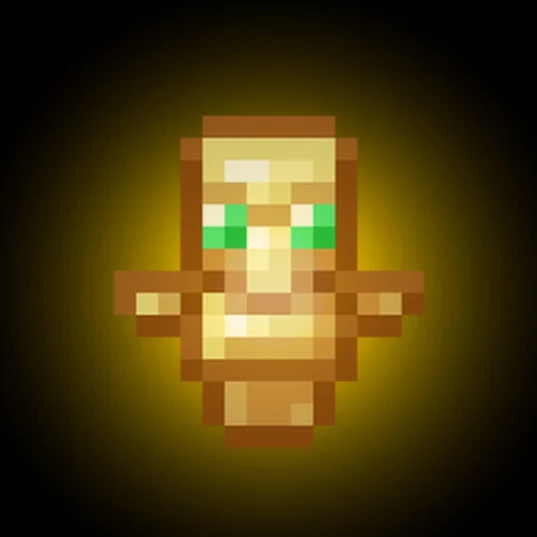
Totem Resize
The Totem Resizer is a client-side mod that lets you change the size of the "Totem of Undying" in your hand and on your screen. It’s perfect for clearing up your view during combat or just personalizing your game.
Screenshots
About this Mod
TotemScale is a sleek, lightweight, client-side utility designed to solve one of Minecraft’s oldest visual nuisances: the bulky "Totem of Undying" model. Whether you are a PVPer who needs a clear field of view or a casual player who wants a more minimalist aesthetic, TotemScale gives you total control over how the totem appears on your screen.
Built for the 1.21.x era, this mod integrates directly into the modern Minecraft engine, ensuring high performance and a "native" feel.
Key Features
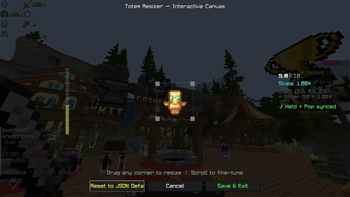
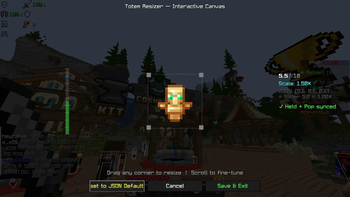
Precision Scaling (0.1x – 2.5x): Use an intuitive in-game slider to shrink the totem into a tiny charm or grow it into a massive icon.
Total Visual Coverage: The scaling logic applies to every state of the totem:
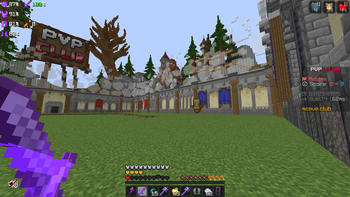
Main Hand: Keeps your right-side vision clear.
Off-Hand: Prevents the totem from blocking your peripheral view.
The "Pop" Animation: Shrinks the large on-screen animation that triggers when you cheat death, so you can keep fighting without a giant golden face in your way.
Fully Rebindable Controls: No more digging through config files. Access the customization menu with a single keypress (Default: 'J'). The keybinding is fully integrated into the standard Minecraft Options > Controls menu.
Vanilla & Server Compatible: Since the mod only changes how you see the totem, it is 100% Client-Side. You can use it on any vanilla server, SMP, or competitive network (like Hypixel) without any risk or extra server-side setup.
Technical Excellence
Modern Compatibility: Optimized for Java 21 and the 1.21.1 through 1.21.11 update cycle.
Data Component Ready: Uses the latest 1.21 item handling system, ensuring it works perfectly with custom resource packs and modded totems.
Seamless UI: Powered by a clean, modern interface that matches the updated 1.21 "Tricky Trials" and "Mounts of Mayhem" menu styles.
Zero Impact: Lightweight code ensures your FPS remains stable, even during intense combat or "totem popping" scenarios.
Available Versions
How to Install Totem Resize on Your Client
Install the Mod Loader Locally
Install fabric for your local Minecraft version.
Download the Matching File
Choose the Totem Resize file for fabric and Minecraft 1.21.11.
Install Mod
Place the .jar file in your local .minecraft/mods folder and restart Minecraft. No server-side installation is required.
Compatibility
Mod Loaders
Minecraft Versions
1.21.11, 1.21.10, 1.21.9 (+9 more)
Server-side
✗ UnsupportedRecommended RAM
4 GB(min. 3 GB)Frequently Asked Questions
Does Totem Resize need to be installed on the Minecraft server?
No. Modrinth marks Totem Resize as unsupported on the server side. Install it only in your local Minecraft mods folder. Your server can remain unchanged unless the mod page lists an additional dependency.
Which version and loader does Totem Resize require?
Use a file for fabric and your exact Minecraft version. Supported versions include 1.21.11, 1.21.10, 1.21.9. Files for different loaders are not interchangeable.
Totem Resize is not working – what should I check?
First check the Minecraft version, loader version and required dependencies. Put the .jar file in your local .minecraft/mods folder and remove older duplicates. Because this mod is client-side, adding server RAM will not fix it.
Similar Mods






Minecraft Server for Your Group
Totem Resize stays on your client. Host a compatible world for your group.