
WorldEdit CUI
WorldEdit CUI is a graphical user interface for WorldEdit, designed to assist in using WorldEdit and prevent accidental errors.
Screenshots
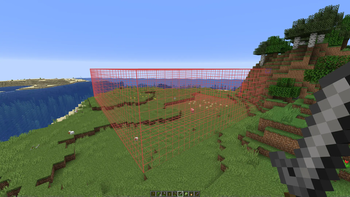
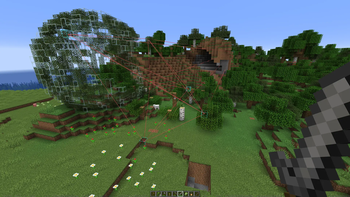
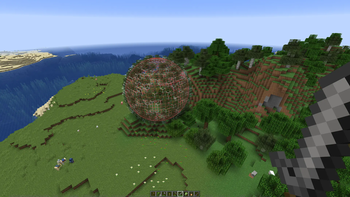
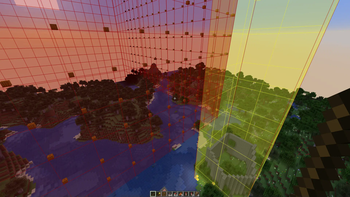
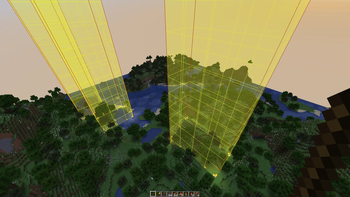
About this Mod
A graphical user interface for WorldEdit. WorldEditCUI is designed
to assist in using WorldEdit, as well as preventing accidental errors.
Please note that this is not WorldEdit, which allows you to make changes
to your world, but WorldEditCUI, a frontend for WorldEdit. You must have
WorldEdit installed on your server.
Installation
WorldEdit selections will be shown without any configuration necessary, but the colours used are configurable when Mod Menu is installed.
Misc
You can subscribe to updates either by watching this project, or by joining the EngineHub Discord guild. Support questions
belong in the #worldedit-cui channel.
Credits
- Mumfrey, yetanotherx, mikroskeem, and zml for maintaining WorldEditCUI previously
- lahwran - Creator of the original WorldEdit CUI!
- sk89q for writing the WorldEdit plugin!
- Mojang - for making such an awesome game!
Legal stuff
The code for WorldEditCUI (and therefore the compiled mod) is licensed under the Eclipse Public License v1.
Available Versions
How to Install WorldEdit CUI on Your Client
Install the Mod Loader Locally
Install fabric for your local Minecraft version.
Download the Matching File
Choose the WorldEdit CUI file for fabric and Minecraft 26.3.
Install Mod
Place the .jar file in your local .minecraft/mods folder and restart Minecraft. No server-side installation is required.
Compatibility
Mod Loaders
Minecraft Versions
26.3, 26.2, 26.1.2 (+31 more)
Server-side
✗ UnsupportedRecommended RAM
4 GB(min. 3 GB)Frequently Asked Questions
Does WorldEdit CUI need to be installed on the Minecraft server?
No. Modrinth marks WorldEdit CUI as unsupported on the server side. Install it only in your local Minecraft mods folder. Your server can remain unchanged unless the mod page lists an additional dependency.
Which version and loader does WorldEdit CUI require?
Use a file for fabric, quilt and your exact Minecraft version. Supported versions include 26.3, 26.2, 26.1.2. Files for different loaders are not interchangeable.
WorldEdit CUI is not working – what should I check?
First check the Minecraft version, loader version and required dependencies. Put the .jar file in your local .minecraft/mods folder and remove older duplicates. Because this mod is client-side, adding server RAM will not fix it.
Similar Mods






Minecraft Server for Your Group
WorldEdit CUI stays on your client. Host a compatible world for your group.