
Wynnventory
View Wynncraft trademarket data, lootrun and raid lootpools!
Screenshots

About this Mod
Wynnventory – Your Ultimate Wynncraft Loot Companion
Dive deeper into Wynncraft’s raids and lootruns with real-time data and powerful new in-game tools!
Key Features
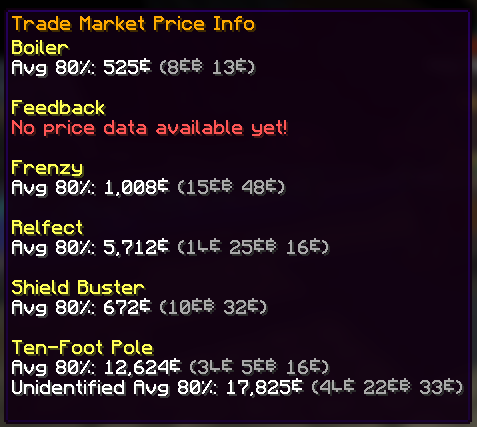
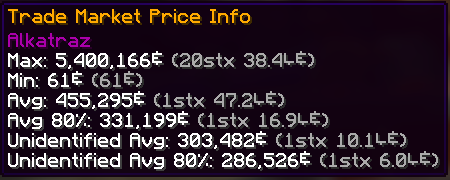
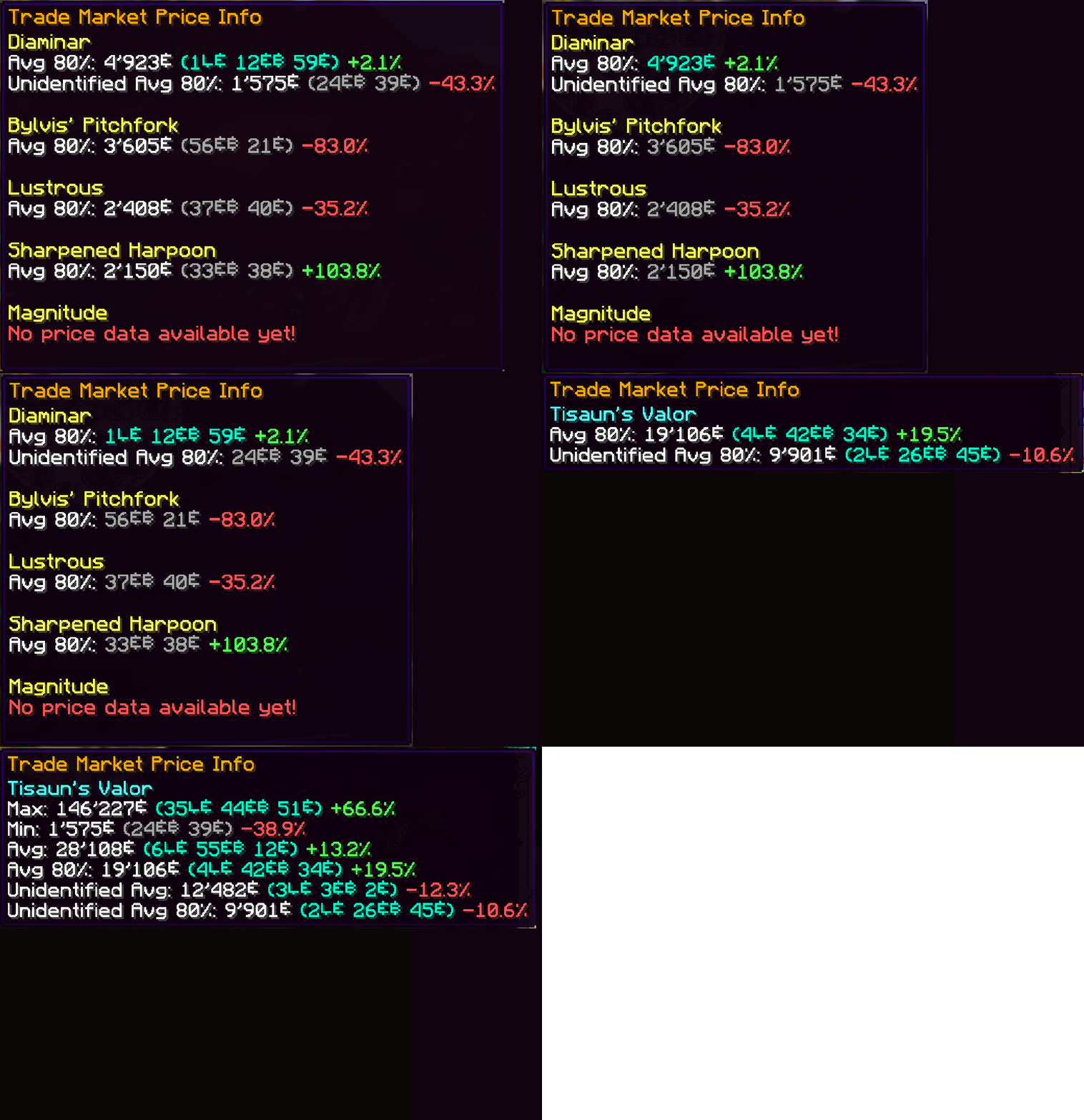
- Price Tooltips
Hover over any item—or even boxed items—to display price information from historic trademarket listings of the last 7 days. Crowdsourced data ensures you always know an item’s true value without leaving your inventory.
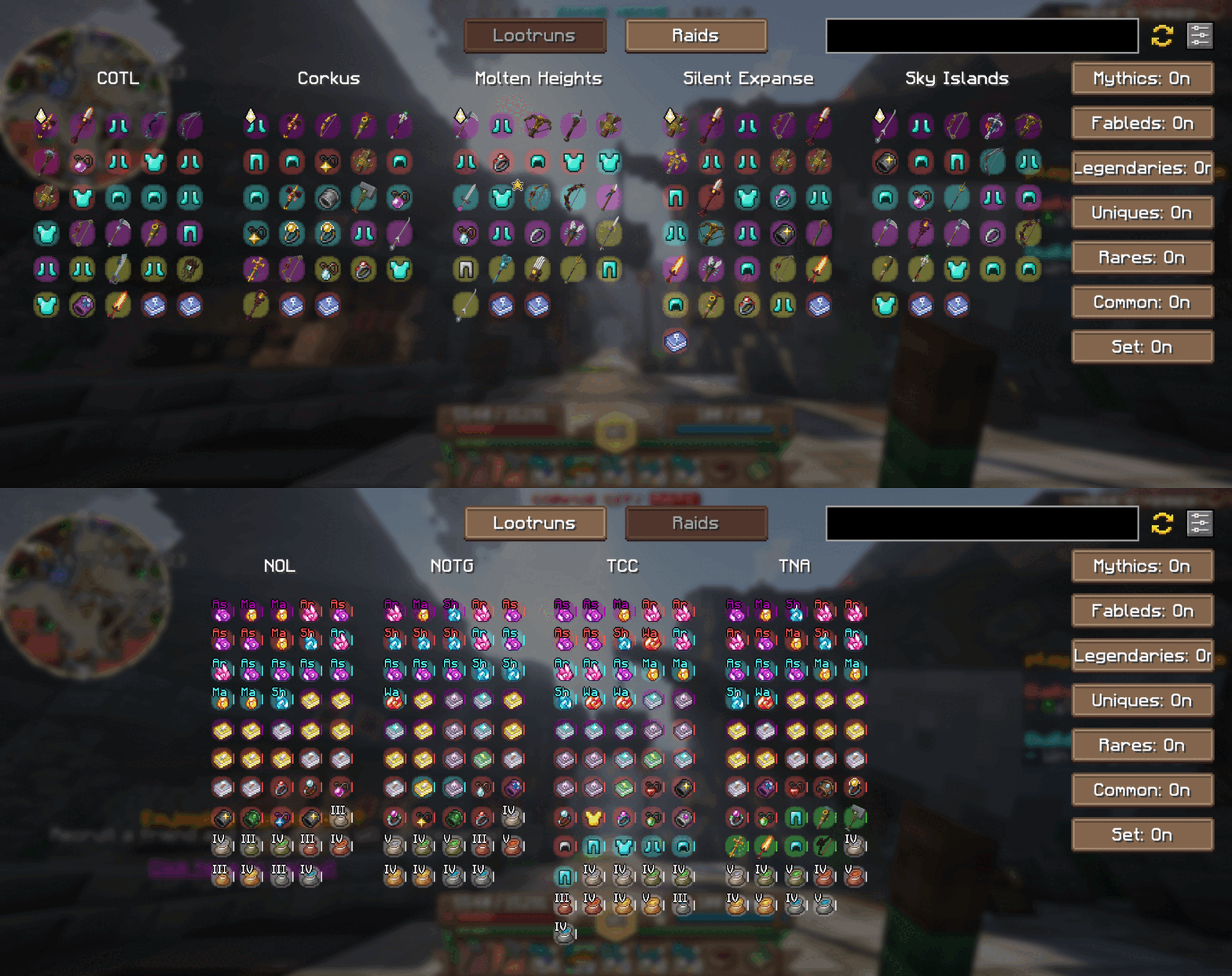
- In-Game Raid & Lootrun Screen
Press your the hotkey "N" to open our brand-new in-game screen from anywhere in the world. Quickly browse the current rewards available from raids and lootruns without tabbing out!
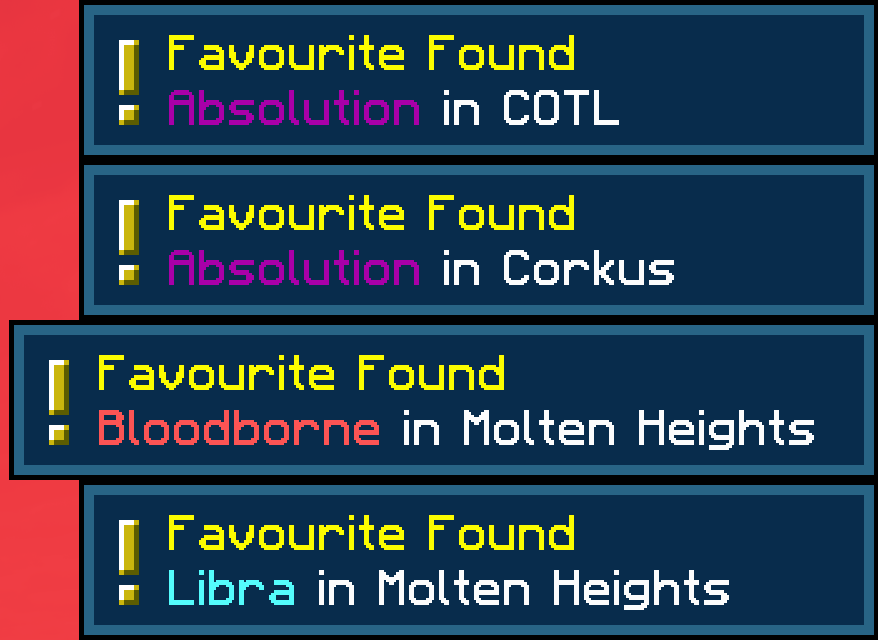
- Favorite Notifier
Get alerts for any of your Wynntils “favorited” items and you’ll receive an instant alert whenever it appears in the active raid or lootrun reward pools. Never miss out on that perfect drop!
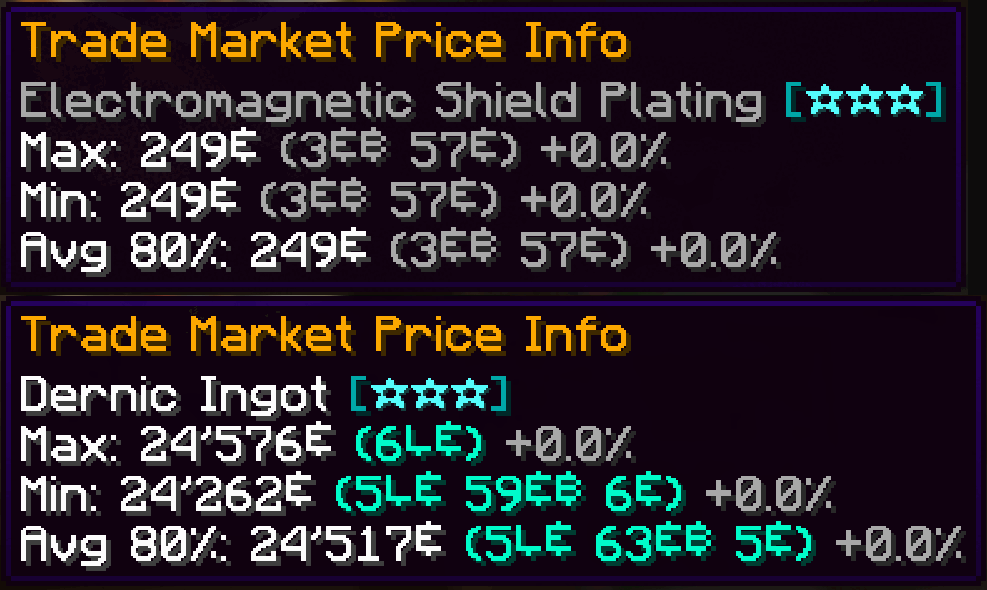
- Material & Ingredient Tooltips
We now support all material and ingredient items used in crafting and brewing. Hover over any ingredient to see recent price trends and demand insights at a glance.
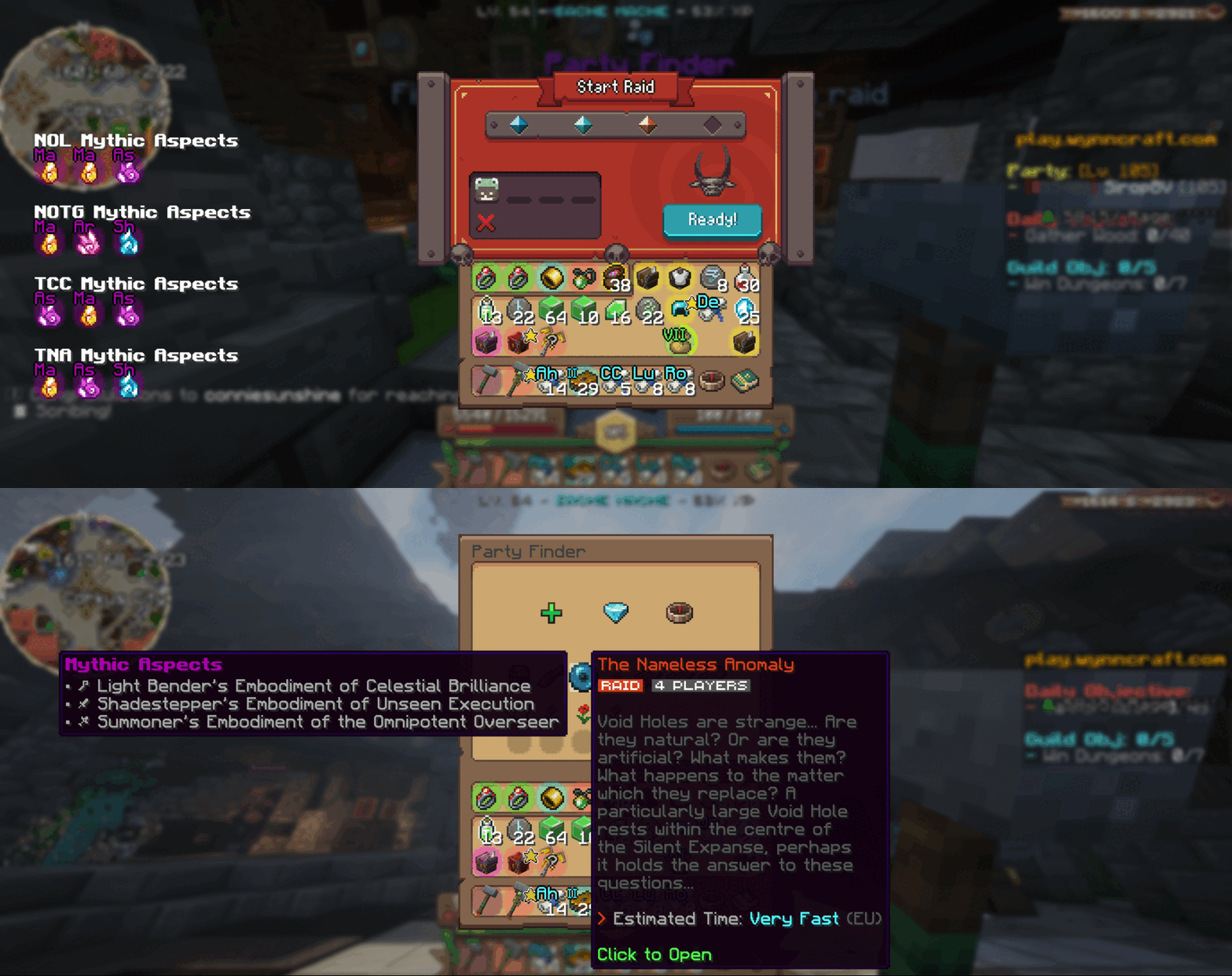
- Aspect Tooltips
Planning your next raid? Hover over any raid in the party finder to view its mythic aspects right there in the tooltip. While queueing, browse the full list of available mythic aspects to pick the perfect challenge.
How It Works
Data Collection
Every time you view the trademarket or inspect raid/lootrun reward chests, your client sends anonymized price and reward‐pool data to our backend. This crowdsourced approach powers both in-game tooltips and our website analytics.Customization
Tailor Wynnventory to your playstyle. Open the configuration menu (hotkey or Esc → Mods → Wynnventory) and choose exactly which stats, tooltips, and notifications you want to see.
Get Even More on wynnventory.com
For deep dives into price histories, trend charts, and community-driven analytics, visit our website at wynnventory.com.
Elevate your trading and raiding experience—install the new Wynnventory update today!
Available Versions
How to Install Wynnventory on Your Client
Install the Mod Loader Locally
Install fabric for your local Minecraft version.
Download the Matching File
Choose the Wynnventory file for fabric and Minecraft 1.21.11.
Install Mod
Place the .jar file in your local .minecraft/mods folder and restart Minecraft. No server-side installation is required.
Compatibility
Mod Loaders
Minecraft Versions
1.21.11, 1.21.4, 1.21.1 (+1 more)
Server-side
✗ UnsupportedRecommended RAM
4 GB(min. 3 GB)Frequently Asked Questions
Does Wynnventory need to be installed on the Minecraft server?
No. Modrinth marks Wynnventory as unsupported on the server side. Install it only in your local Minecraft mods folder. Your server can remain unchanged unless the mod page lists an additional dependency.
Which version and loader does Wynnventory require?
Use a file for fabric, neoforge and your exact Minecraft version. Supported versions include 1.21.11, 1.21.4, 1.21.1. Files for different loaders are not interchangeable.
Wynnventory is not working – what should I check?
First check the Minecraft version, loader version and required dependencies. Put the .jar file in your local .minecraft/mods folder and remove older duplicates. Because this mod is client-side, adding server RAM will not fix it.
Similar Mods


![CobbleDollars [Cobblemon Addon]](https://cdn.modrinth.com/data/s7N7AsqL/684040a264fc1d7f9b856ec5d2da39767398c7ad.png)

Minecraft Server for Your Group
Wynnventory stays on your client. Host a compatible world for your group.