
Simple-Warp-Tpa-Home-Back
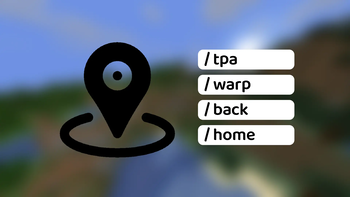
no pop-ups, no prerequisites, complete translation, lightweight teleport mod, supports TPA, home, back,and teleport
Screenshots
About this Mod
中文
Simple Warp TPA Home Back
一个轻量级 Fabric 模组,提供 TPA、Home、Warp、Back 四大功能。
没有弹窗,无需前置,完整翻译!装上就能用!
功能总览
| 分类 | 命令 | 权限 | 说明 |
|---|---|---|---|
| Back | /back |
所有人 | 返回死亡地点或上一次传送前的位置(支持跨维度) |
| TPA | /tpa <玩家> |
所有人 | 向目标玩家发送传送请求 |
/tpay |
所有人 | 接受传送请求 | |
/tpan |
所有人 | 拒绝传送请求 | |
| Home | /sethome <名称> |
所有人 | 在当前位置设置家(支持中文名) |
/home <名称> |
所有人 | 传送到指定的家 | |
/homes |
所有人 | 列出所有家(可点击传送) | |
/delhome <名称> |
所有人 | 删除一个家 | |
| Warp | /warp <名称> |
所有人 | 传送到指定传送点 |
/warps |
所有人 | 列出所有传送点(可点击传送) | |
/setwarp <名称> |
OP 专用 | 设置全局传送点(支持中文名) | |
/delwarp <名称> |
OP 专用 | 删除传送点 | |
| 配置 | /swthbconfig maxHomes <数量> |
OP 专用 | 修改每名玩家最大家的数量(默认 5 个) |
/swthbconfig maxWarps <数量> |
OP 专用 | 修改 Warp 最大数量(默认 5 个) | |
/swthbconfig teleportDelay <秒> |
OP 专用 | 修改传送倒计时(默认 0 秒) | |
/swthbconfig backEnabled true/false |
OP 专用 | 开启/关闭 Back 功能(默认关闭) | |
/swthbconfig teleportEffects true/false |
所有人 | 开启/关闭传送粒子效果(默认关闭) | |
/swthbconfig reload |
OP 专用 | 从磁盘重新加载配置 | |
/swthbconfig save |
OP 专用 | 手动保存配置到磁盘 |
功能详情
传送倒计时
- 默认关闭(
teleportDelay: 0) - 开启后,
/tpay、/home、/warp需等待指定秒数才会执行传送 - 等待期间移动则取消传送
- 倒计时显示在动作栏
传送粒子效果
- 默认关闭(
teleportEffectsEnabled: false) - 开启后,每次传送会播放末影人风格的音效和紫色粒子
- 所有人可通过
/swthbconfig teleportEffects true/false自行开关
TPA 传送请求
玩家 A 执行 /tpa 玩家B 后:
- 玩家 A 收到:"[玩家B] 的传送请求已发送,等待回应..."
- 玩家 B 收到:"[玩家A] 请求传送到你的位置 [接受] [拒绝]"
- 接受 / 拒绝 按钮可在聊天栏直接点击执行
- 请求超时时间:60 秒
- 支持跨维度传送
Home 家系统
- 每位玩家默认最多 5 个家(可通过
/swthbconfig修改) - 家名称支持中文(如
/sethome 工业区) - 家名相同自动更新坐标(不增加数量)
/homes列表中的家名可点击直接传送
Warp 全局传送点
- Warp 是管理员设置的全局公共传送点,所有玩家可用
/warps列出所有公共传送点,每条可点击传送- 支持中文名(如
/setwarp 出生点)
Back 返回
- 使用
/back返回到上一次传送前的位置;如没有传送记录,则返回上一次死亡地点 - 支持跨维度返回
- 功能默认关闭,需 OP 通过
/swthbconfig backEnabled true开启 - 玩家下线后 back 点自动清除
配置文件
所有数据保存在 saves/<存档>/data/simple-warp-tpa-home-back/data.json,
{
  "maxHomes": 5,
  "maxWarps": 5,
  "teleportDelay": 0,
  "teleportEffectsEnabled": false,
  "backEnabled": false,
  "homes": {
    "玩家UUID": [
      { "name": "home1", "world": "minecraft:overworld", "x": 100, "y": 64, "z": 200, "yaw": 0, "pitch": 0 }
    ]
  },
  "warps": {
    "spawn": { "world": "minecraft:overworld", "x": 0, "y": 70, "z": 0, "yaw": 0, "pitch": 0 }
  }
}
- 修改自动保存:每次使用
/sethome、/delhome、/setwarp、/delwarp、/swthbconfig自动写入文件 - 服务器关闭自动保存
- 服务器启动自动加载
多语言支持
内置简体中文、繁體中文、英文、西班牙文、印地語、阿拉伯語、法文、日文、俄文语言文件。
- 客户端装有 mod → 根据客户端语言显示翻译
- 客户端未装 mod → 显示简体中文
欢迎提交添加更多语言。
Simple Warp TPA Home Back
A lightweight Fabric mod featuring four core functions: TPA, Home, Warp, and Back.
No pop-up windows, no required dependencies, fully localized translations! Install and play instantly!
Feature Overview
| Category | Command | Permission | Description |
|---|---|---|---|
| Back | /back |
All Players | Return to your last death location or pre-teleport position (cross-dimension supported) |
| TPA | /tpa <player> |
All Players | Send a teleport request to the target player |
/tpay |
All Players | Accept an incoming teleport request | |
/tpan |
All Players | Decline an incoming teleport request | |
| Home | /sethome <name> |
All Players | Set a home at your current position |
/home <name> |
All Players | Teleport to the specified home | |
/homes |
All Players | List all your homes (clickable for instant teleport) | |
/delhome <name> |
All Players | Delete a specific home | |
| Warp | /warp <name> |
All Players | Teleport to the specified public warp |
/warps |
All Players | List all public warps (clickable for instant teleport) | |
/setwarp <name> |
OP Only | Create a global public warp point | |
/delwarp <name> |
OP Only | Delete a public warp point | |
| Config | /swthbconfig maxHomes <amount> |
OP Only | Adjust the maximum number of homes per player (default: 5) |
/swthbconfig maxWarps <amount> |
OP Only | Adjust the global maximum number of warps (default: 5) | |
/swthbconfig teleportDelay <seconds> |
OP Only | Change the teleport countdown (default: 0 seconds) | |
/swthbconfig backEnabled true/false |
OP Only | Enable/disable the Back feature (default: off) | |
/swthbconfig teleportEffects true/false |
All Players | Toggle teleport particle effects (default: off) | |
/swthbconfig reload |
OP Only | Reload configuration data from disk | |
/swthbconfig save |
OP Only | Manually save all configuration to disk |
Feature Details
Teleport Countdown
- Off by default (
teleportDelay: 0) - When enabled,
/tpay,/home, and/warpwait the specified number of seconds before teleporting - Moving during the countdown cancels the teleport
- Countdown is displayed on the action bar
Teleport Particle Effects
- Off by default (
teleportEffectsEnabled: false) - When enabled, plays an Enderman-style teleport sound and purple particles on every teleport
- All players can toggle this via
/swthbconfig teleportEffects true/false
TPA Teleport Request System
When Player A runs /tpa PlayerB:
- Player A receives: "Teleport request sent to [PlayerB], waiting for response..."
- Player B receives: "[PlayerA] requests to teleport to your location [Accept] [Deny]"
- The [Accept] and [Deny] buttons are clickable directly in chat
- Request timeout duration: 60 seconds
- Cross-dimension teleportation supported
Player Home System
- Each player has a default limit of 5 homes (adjustable via
/swthbconfig) - Home names support Chinese characters (e.g.
/sethome Industrial Zone) - Re-setting a home with an identical name overwrites coordinates without consuming an extra home slot
- Home names in the
/homeslist are clickable for instant teleport
Public Warp Points
- Warps are global public teleport locations created exclusively by server OPs, accessible to all players
- Run
/warpsto view all public warps; each entry is clickable for one-click teleport - Chinese names supported (e.g.
/setwarp spawn)
Back Command
- Run
/backto return to your position before the last teleport; if no teleport record exists, you will be sent to your last death location - Supports cross-dimension return
- This feature is disabled by default; OPs can enable it via
/swthbconfig backEnabled true - Back points are automatically cleared when a player disconnects
Configuration File
All data is stored in saves/<save>/data/simple-warp-tpa-home-back/data.json:
{
  "maxHomes": 5,
  "maxWarps": 5,
  "teleportDelay": 0,
  "teleportEffectsEnabled": false,
  "backEnabled": false,
  "homes": {
    "PlayerUUID": [
      { "name": "home1", "world": "minecraft:overworld", "x": 100, "y": 64, "z": 200, "yaw": 0, "pitch": 0 }
    ]
  },
  "warps": {
    "spawn": { "world": "minecraft:overworld", "x": 0, "y": 70, "z": 0, "yaw": 0, "pitch": 0 }
  }
}
- Auto-save on edits: Changes made via
/sethome,/delhome,/setwarp,/delwarp, and/swthbconfigare automatically written to the file - Auto-save on server shutdown
- Auto-load on server startup
Multilingual Support
Built-in language files: Simplified Chinese, Traditional Chinese, English, Spanish, Hindi, Arabic, French, Japanese, and Russian.
- If the client has this mod installed: text displays according to the client's game language setting
- If the client does not have this mod installed: text defaults to Simplified Chinese
Contributions for additional translations are welcome.
Available Versions
How to Install Simple-Warp-Tpa-Home-Back on Your Server
Order Server
Order a Minecraft Java server with at least 3 GB RAM (4 GB recommended).
Set fabric Loader
In the panel under "Egg", select the fabric loader and matching Minecraft version (26.3).
Install Mod
Open the mod browser in the dashboard and search for "Simple-Warp-Tpa-Home-Back". Click "Install" – done! Alternatively, upload the .jar via SFTP to the /mods folder.
Compatibility
Mod Loaders
Minecraft Versions
26.3, 26.2, 26.1.2 (+4 more)
Server-side
✓ RequiredRecommended RAM
4 GB(min. 3 GB)Frequently Asked Questions
Simple-Warp-Tpa-Home-Back server crashes on startup – what to do?
Most common cause: wrong fabric version or insufficient RAM. Check the server log (latest.log) for "OutOfMemoryError" or "Mixin" errors. With Mado Hosting: ensure at least 3 GB RAM is allocated and the loader matches the mod version (26.3). You can switch loaders with one click in the panel.
Is Simple-Warp-Tpa-Home-Back compatible with fabric and forge and neoforge?
Simple-Warp-Tpa-Home-Back officially supports fabric, forge, neoforge for Minecraft 26.3, 26.2, 26.1.2. Note: Forge and Fabric mods are NOT cross-compatible – pick one loader and stick with it. The Mado dashboard automatically detects incompatible loader combinations.
Server lagging with Simple-Warp-Tpa-Home-Back – how to optimize performance?
Recommended RAM: 4 GB (per 8 players). Use /spark profiler to check if Simple-Warp-Tpa-Home-Back consumes the most tick time. Common fixes: reduce server view-distance to 8-10, install "performant" or "starlight" as supplementary mods on Forge. With Mado Hosting, your server runs on NVMe SSDs with dedicated CPU cores for minimal latency.
Similar Mods






Rent Modded Server
Install Simple-Warp-Tpa-Home-Back with just one click on your server.