Container Screens and more
Before installing, check that this mod release supports your dedicated server and game version. A ficsit.app listing alone does not establish compatibility.
Installation and verification
- Read the original description, check SML version and dependencies and back up your save.
- Stop the server and choose the mod in your dashboard’s Satisfactory mods section. Verify source and version.
- Install required client mods in compatible versions. Start the server and inspect logs, connection and mod-dependent content.
Removal and updates may affect saves. Keep a backup of the working combination. Memory needs cannot reliably be inferred from one mod’s name.
Published releases
- 1.0.38 · Game version >=491125 · SML check project
Published targets: Windows
- 1.0.37 · Game version >=416835 · SML check project
Published targets: Windows
- 1.0.36 · Game version >=416835 · SML check project
Published targets: Windows
- 1.0.35 · Game version >=416835 · SML check project
Published targets: Windows
- 1.0.34 · Game version >=416835 · SML check project
Published targets: Windows
Original mod author description

Check out "ContainerWithScreen" for a multiplayer-compatible version.
Container Screen
Instantly identify your storage contents with automated digital displays on every container!
Adds small, automated screens to all standard Ficsit containers.
New buildable screen for Buffers, Sinks, Generators, and more!

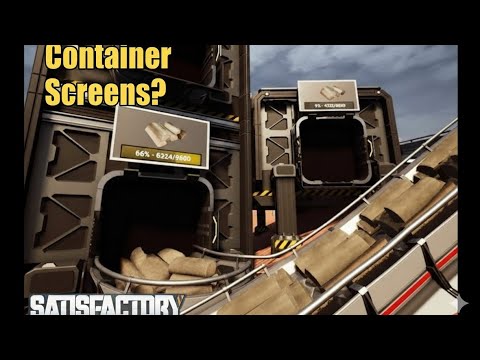


Chat Commands
/modscreen ON/OFF: Toggle screens on modded containers./modscreen big: Toggle "Big Info Screens" on the sides of vanilla containers./cstime [seconds]: Set info update frequency (Default: 10)./csdist [cm]: Set update activation distance (Default: 10000).
Customization
Interact with any screen to access the configuration menu. You can adjust Location, Rotation, and Scale for both front and back displays.
- Presets: Save and Load configurations to apply them to all containers of the same class instantly.
Info Screen
In addition to the automated container screens, you can now build info screens anywhere! These screens can display the contents of:
- Fluid Buffers
- Fabricators
- Sinks
- Generators
- Extractors
- Power Storages
- Storages


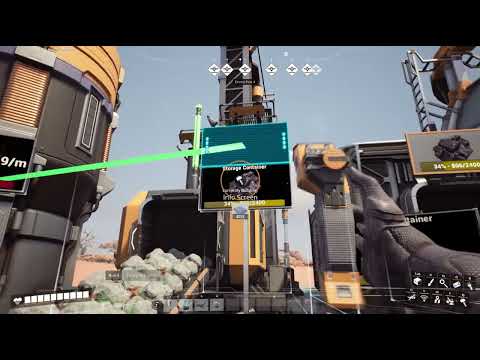
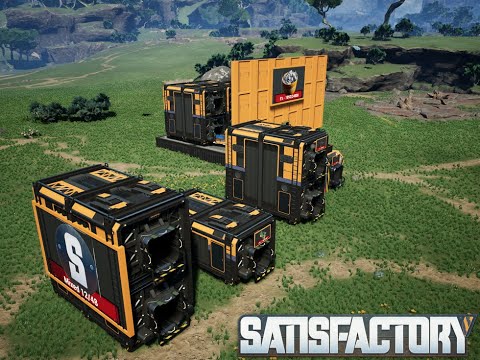
Recommended: MoreSignSpots & ShowMachineInfo
Honest note: This mod is a lifesaver for organization. No more opening every box to find your reinforced plates!
♥ I'm having a lot of fun making these mods! I hope you're enjoying them more than they make you angry! :)
AQUILA INDUSTRIAL // EXTERNAL MODDING DIVISION