Factory Skyline
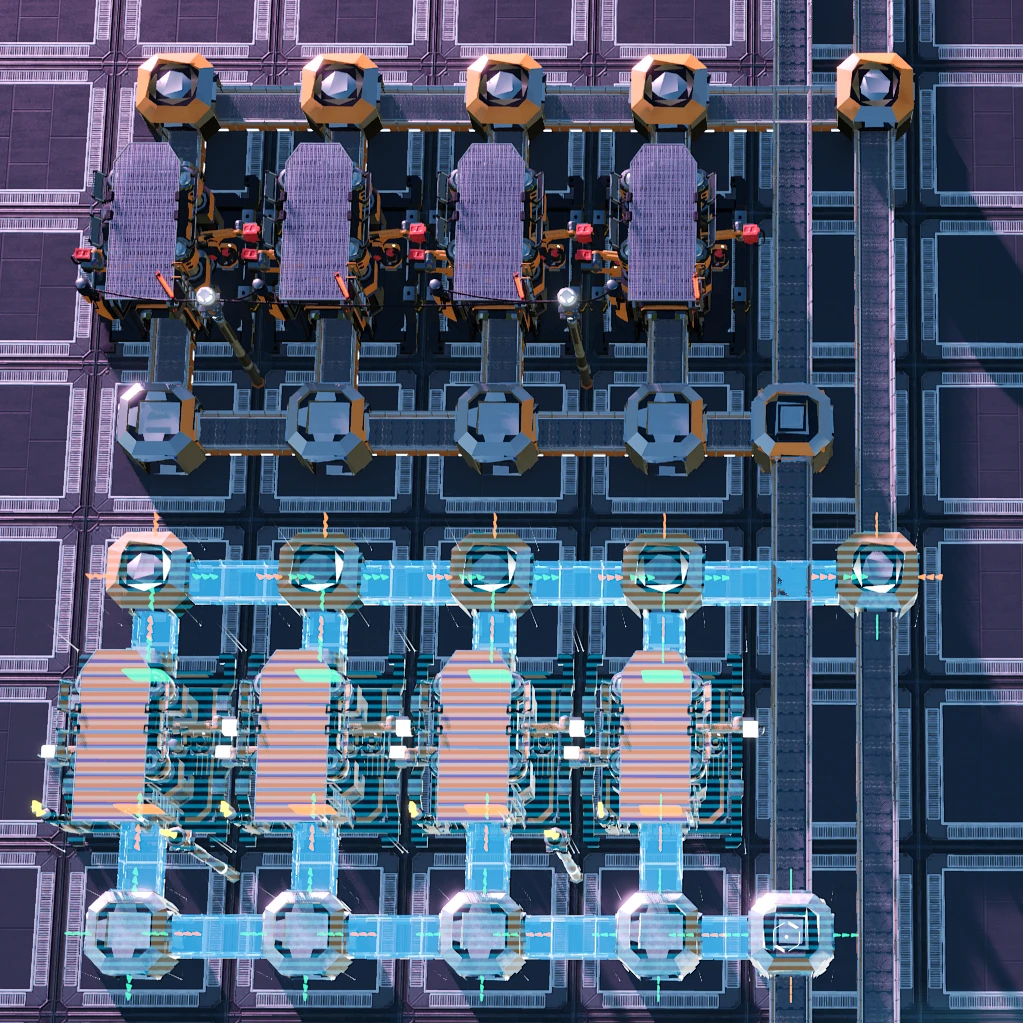
Factory Skyline provides a creative design mode in game, minimize the repeat works of building.
Description
[Bug Report and Suggestions](https://github.com/cepheidqq/FactorySkyline/issues)
<b>Fixed for 1.0:<br/></b>
Source code publicly available [here](https://github.com/Slecht-valk/FactorySkyline)
as a fork of officially shared and MIT licensed code by original author from [here](https://github.com/cepheidqq/FactorySkyline)<br/>
Special thanks to Roze#5628 for taking the first step and porting it to U4 first.
<br>Join the Discord server [here](https://discord.gg/vuFK7tsrE3)<br/>
Usage:
+ Press 'R' in game to call the menu
+ Right Click on the design file to rename it
Main Function:
+ Factory Skyline is designed for building extreme huge factorys
+ Blueprint editing: Add, Remove, Clear, Dismantle...
+ Selecting operation based on area and connection
+ Asynchronous Copy/Paste and auto Repeat based on custom displacement.
+ All basic buildings are supported
Assistant Tookit for Creative Mode:
+ Fly mode with Sprint
+ Invincible Player
+ Infinite Ammo
+ Fog Removal
Todo:
+ Design file Operation: Save, Move, Multi-Select...
+ Change settings/color for batch of factories
+ Railroad Switch Support
+ Stability Optimization
Know issus
+ Multiplayer unsupported
+ Can not Cut and Connect Pipelines when build Pump/Junction Cross on them
How to Change Key Map
+ First: You need to open the command system of SML (/config/SML.cfg, "enableSMLCommands": true)
+ Second: Type /Skyline command in the chat box to change the key setting
+ Note That: The Key-Mapping Hint of the Build Gun will not change after rebinding
Versions
How to Install Factory Skyline on Your Server
Order Satisfactory Server
Order a Satisfactory server with at least 4 GB RAM (6 GB recommended). For multiplayer: per 3 players.
Install Mod
Open the mod manager in the dashboard and search for "Factory Skyline". Installation dependencies are installed automatically.
Restart Server
Restart the server so the mod is loaded. Players need to have the mod installed locally as well.
Frequently Asked Questions
Factory Skyline not working after update – what to do?
After a Satisfactory update, mods need to be updated. Check ficsit.app whether Factory Skyline has been updated for the new game version. With Mado Hosting: open the mod manager and click "Update All". If the mod hasn't been updated yet, temporarily remove it so the server starts.
Factory Skyline causing crashes in multiplayer – solution
Most common cause: all players must have exactly the same mod version installed. Check server logs for "ModMismatch" or "Version Conflict". Ensure all players use Factory Skyline v0.4.0 and the same SML. With Mado Hosting, Satisfactory servers run with 6 GB RAM for stable multiplayer performance.
Is Factory Skyline compatible with other Satisfactory mods?
Factory Skyline uses the Satisfactory Mod Loader (SML). Generally, SML-based mods are cross-compatible, but mods modifying the same game systems can cause conflicts. Test new mod combinations on a backup save. The Mado dashboard automatically detects known conflicts and warns you.
Rent Factory Skyline Server
Play Factory Skyline on your own Satisfactory server with mod support.
Mod Information
- Author
- cepheidqq, Nuwisam, Slechtvalk
- Latest Version
- v0.4.0
- Created
- October 12, 2020
- Last Updated
- October 7, 2026
- Source Code
- GitHub →