Modular Load Balancers
Before installing, check that this mod release supports your dedicated server and game version. A ficsit.app listing alone does not establish compatibility.
Installation and verification
- Read the original description, check SML version and dependencies and back up your save.
- Stop the server and choose the mod in your dashboard’s Satisfactory mods section. Verify source and version.
- Install required client mods in compatible versions. Start the server and inspect logs, connection and mod-dependent content.
Removal and updates may affect saves. Keep a backup of the working combination. Memory needs cannot reliably be inferred from one mod’s name.
Published releases
- 1.20.0 · Game version >=520140 · SML check project
Published targets: LinuxServer, Windows, WindowsServer
- 1.19.0 · Game version >=502094 · SML check project
Published targets: LinuxServer, Windows, WindowsServer
- 1.18.0 · Game version >=491125 · SML check project
Published targets: LinuxServer, Windows, WindowsServer
- 1.17.0 · Game version >=491125 · SML check project
Published targets: LinuxServer, Windows, WindowsServer
- 1.16.0 · Game version >=416835 · SML check project
Published targets: LinuxServer, Windows, WindowsServer
Original mod author description
In cooperation with K.Mods
|
This mod is multiplayer compatible!
|
Make any sized or shape load balancer you want!

This mod adds a set of buildings, Modular Load Balancers. It is unlocked via a Tier 4 Milestone which costs 20 Motors and 20 Modular Frames.
Once unlocked, each Modular Load Balancer module can be found in the Build Menu under Logistics -> Modular Load Balancers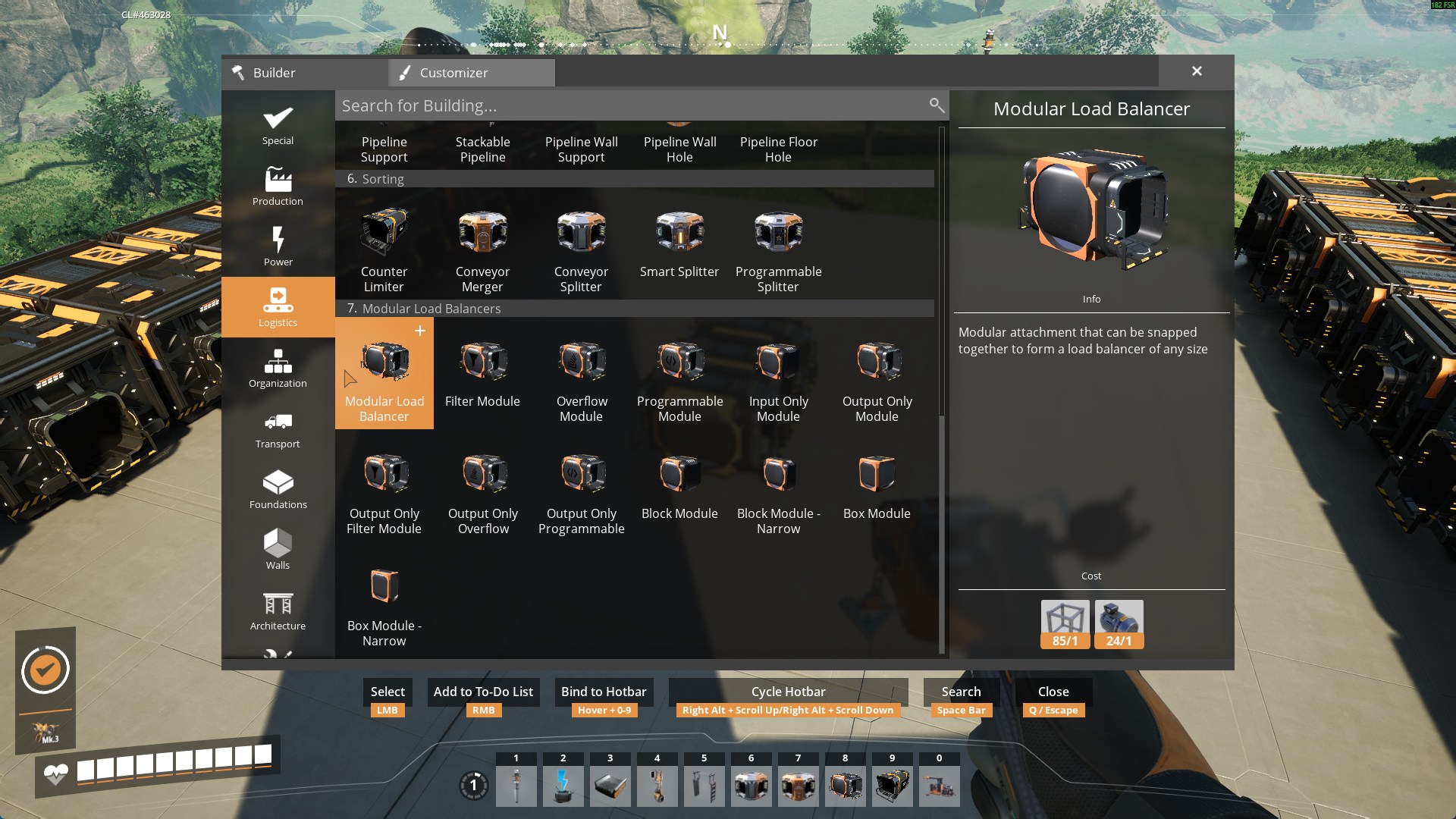
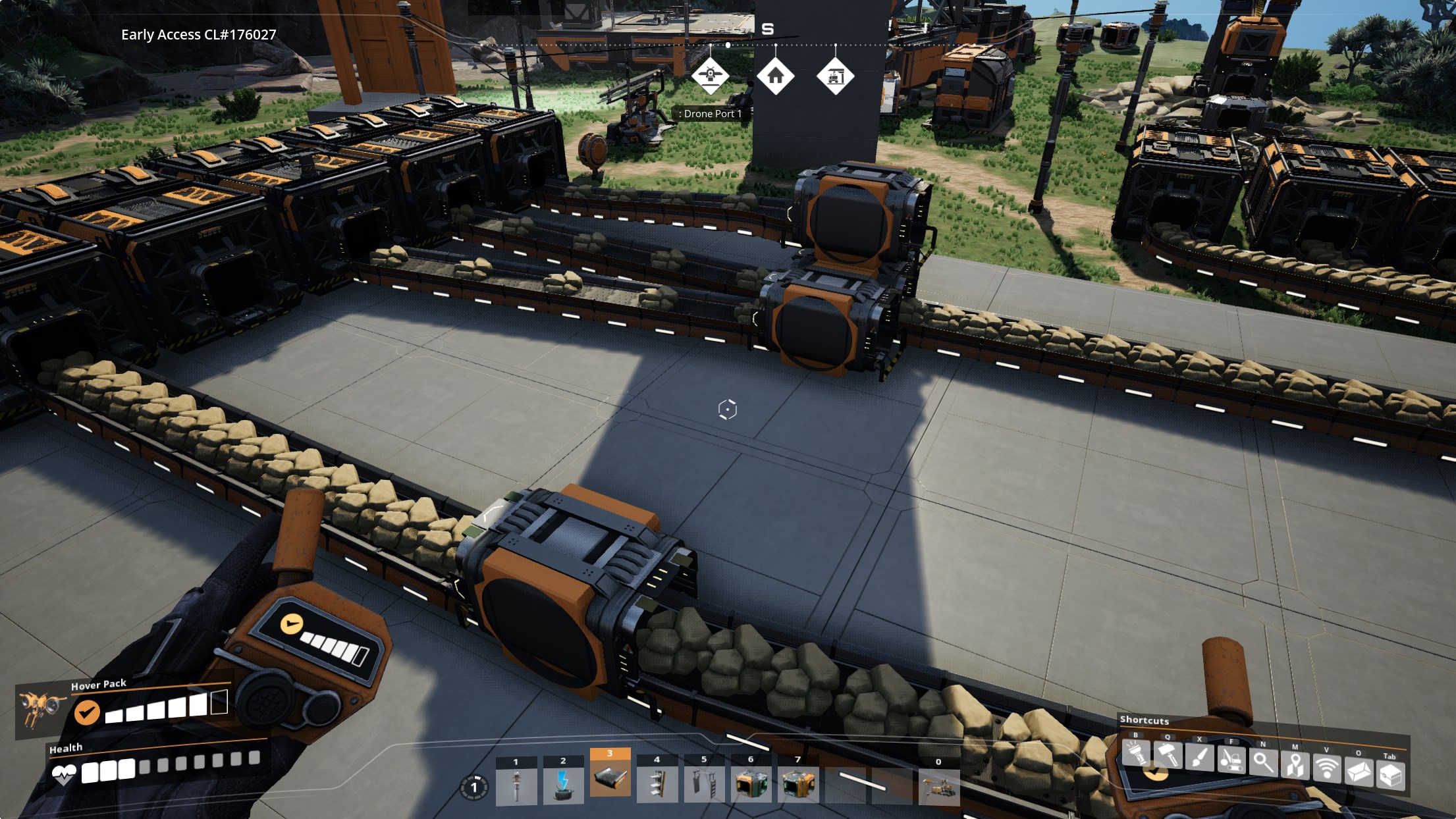
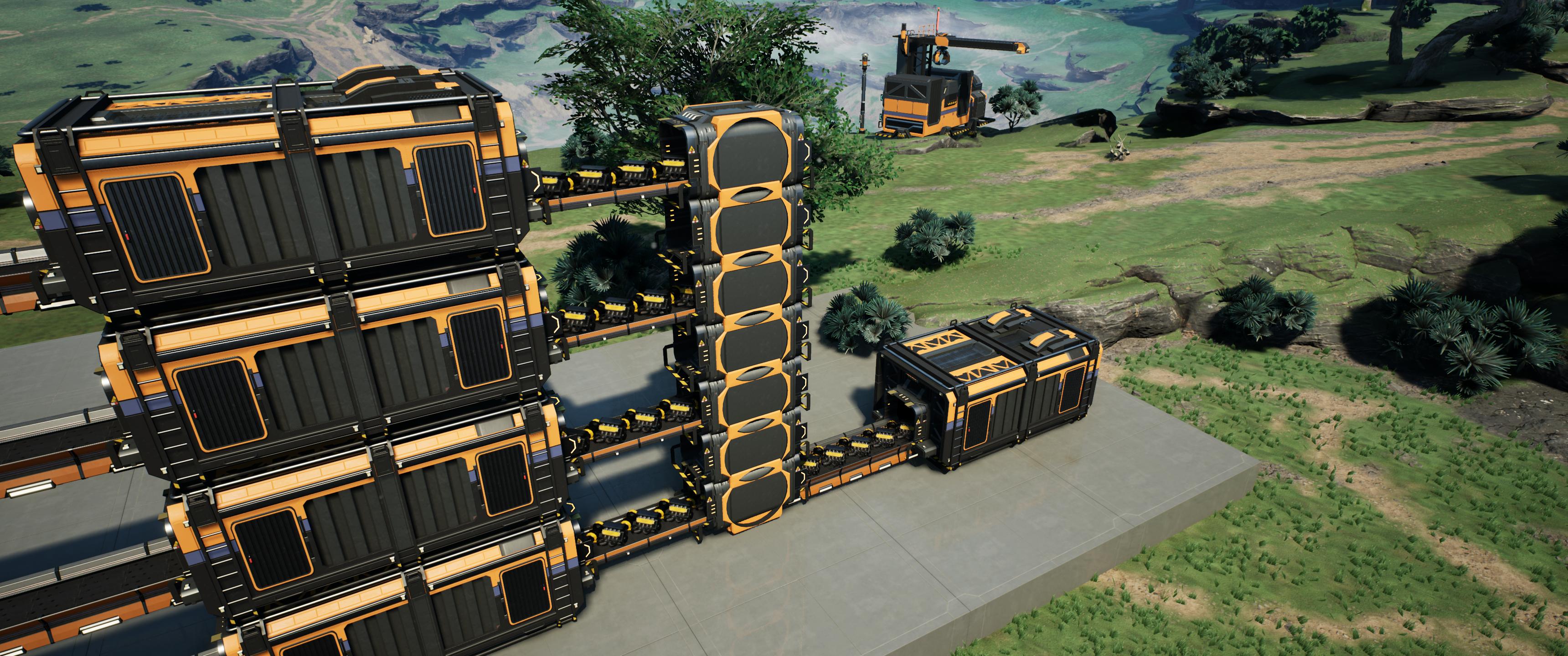
When balancer modules are snapped together via vanilla building snapping, they form a "Load Balancer Group" which combines all the inputs and outputs. It then divides all input items equally among the connected outputs.
There are a variety of balancer modules:
- Modular Load Balancer - Your standard module with 1 input and 1 output.
- Input Only Module - Only has an input, no output.
- Output Only Module - Only has an output, no input.
- Filter Module - Allows you to set a single item filter that will be sent to the output. Also comes in Output Only.
- Programmable Module - Allows you to set multiple items in a filter that will be sent to the output. Also comes in Output Only.
- Overflow Module - Items will only go to this output if all other outputs are full. Also comes in Output Only.
- Block/Box Module - Just a filler module in case you want to fill a space but don't want an input or output.
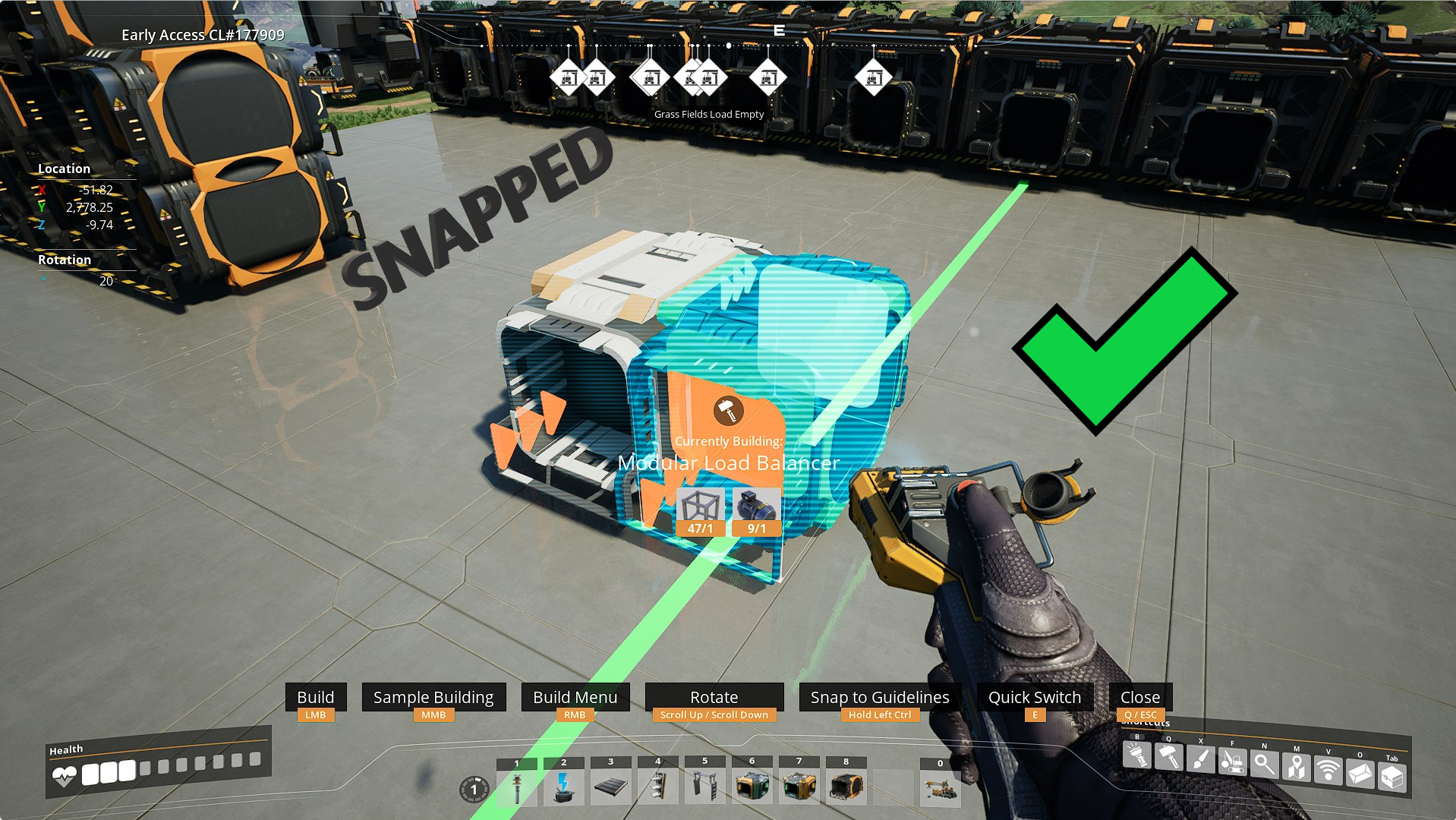
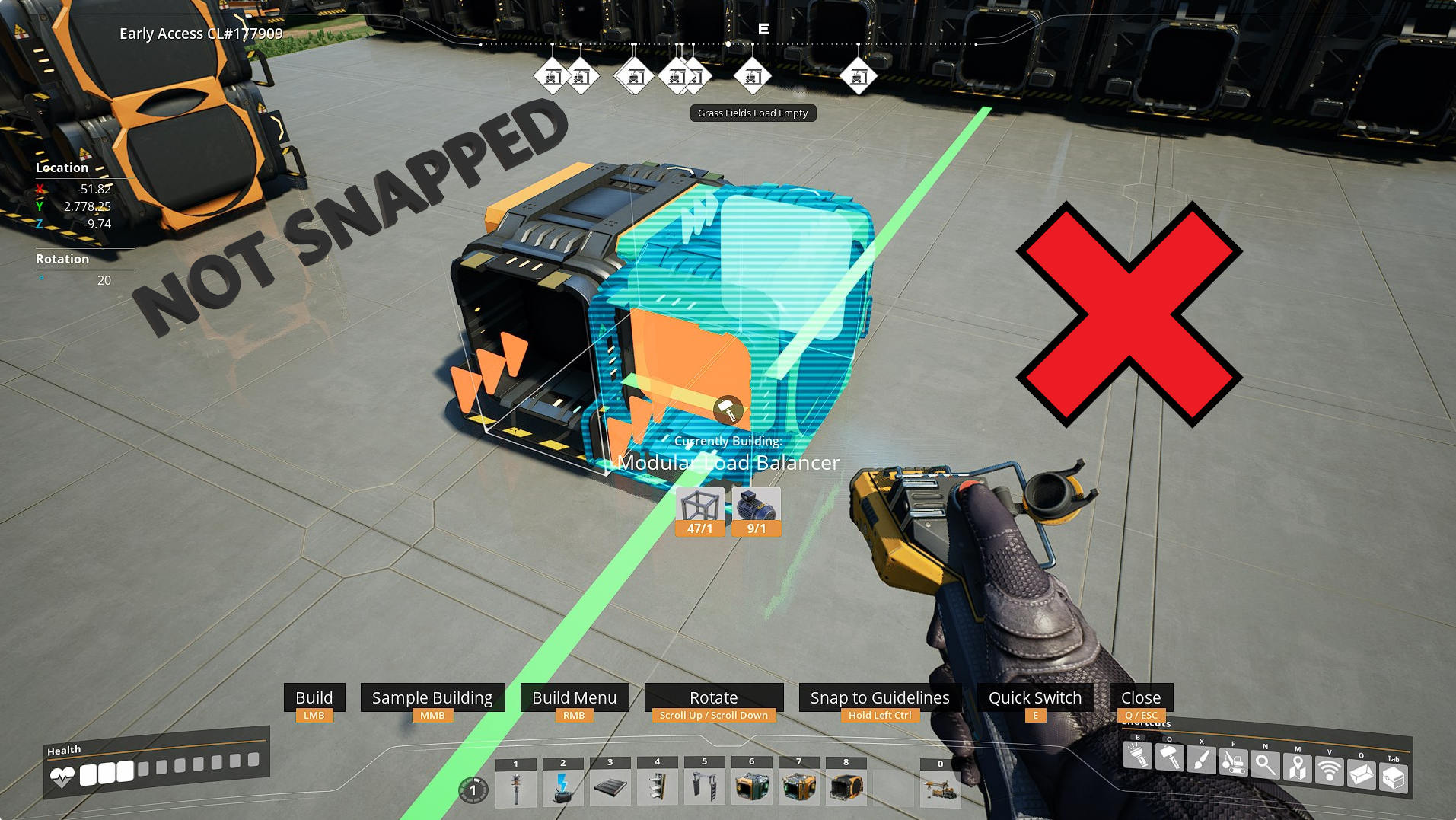
Additional Load Balancer Groups can be created by simply placing another Modular Load Balancer without snapping it to an existing one. This also means if you place a Modular Load Balancer next to an existing group but fail to snap it, it won't be part of that group even though it is right next to it and may appear to be connected.
When snapping, the group you are snapping to will be highlighted:
For additional functionality you can use the Digby Tool alongside Modular Load Balancers. This tool allows you to Split and Merge existing balancer groups.
Only want to balance 2 conveyors? No problem! 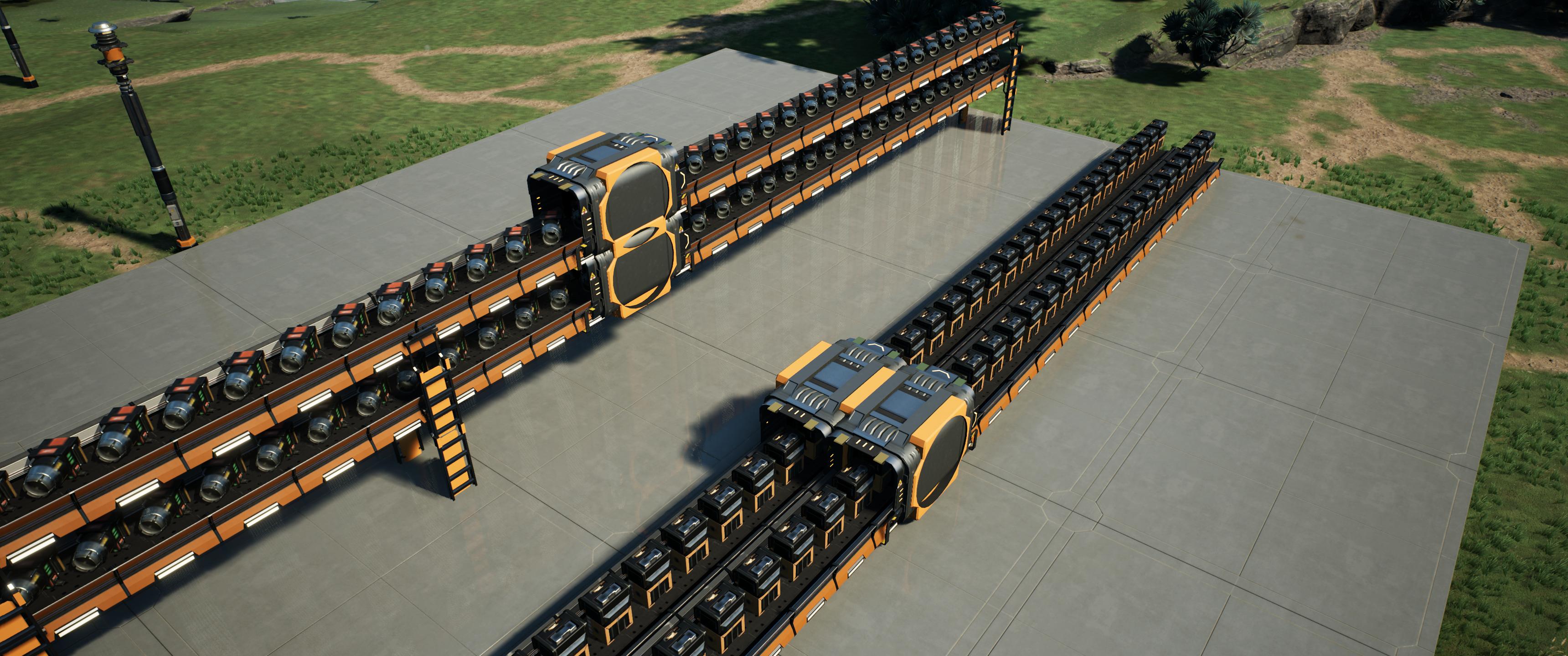
You want to balance 30? Sure thing! 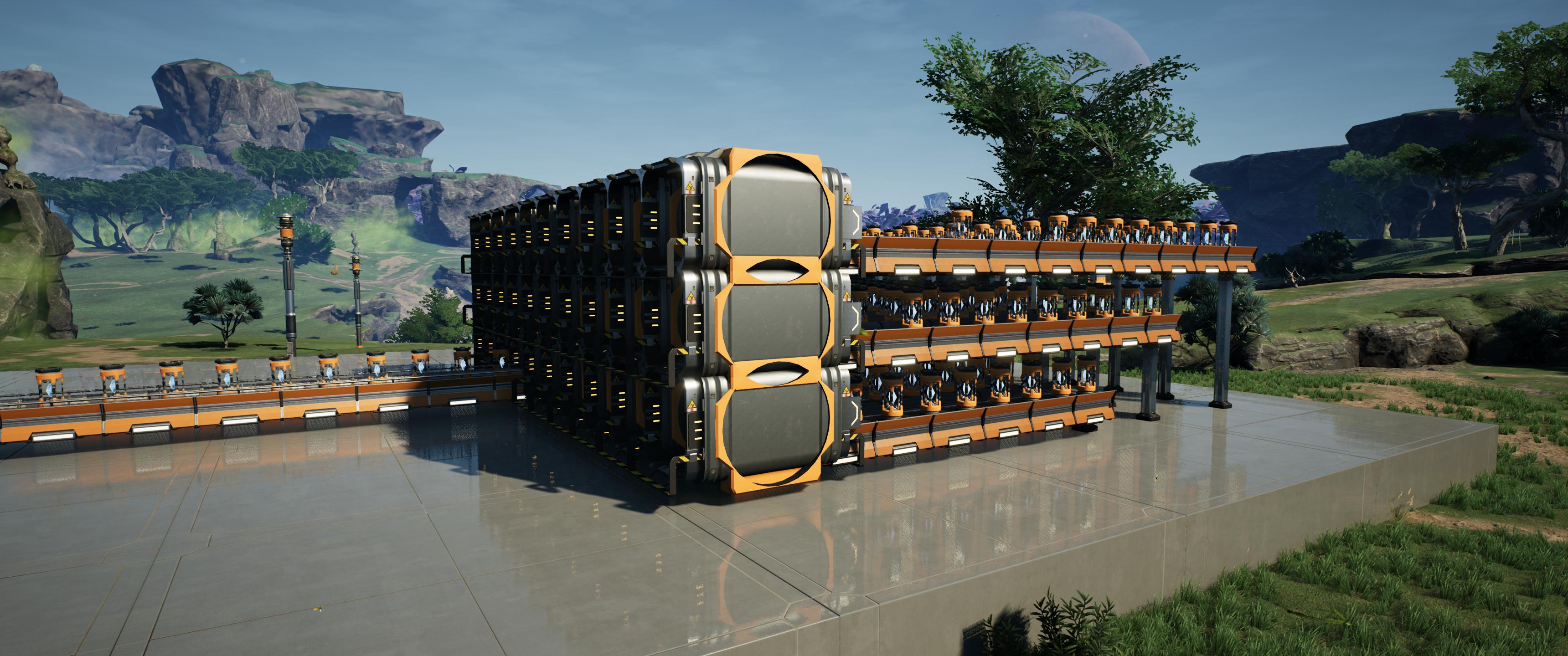
You thought you only needed to balance 3 but ended up needing 4? Just slap some more on it! 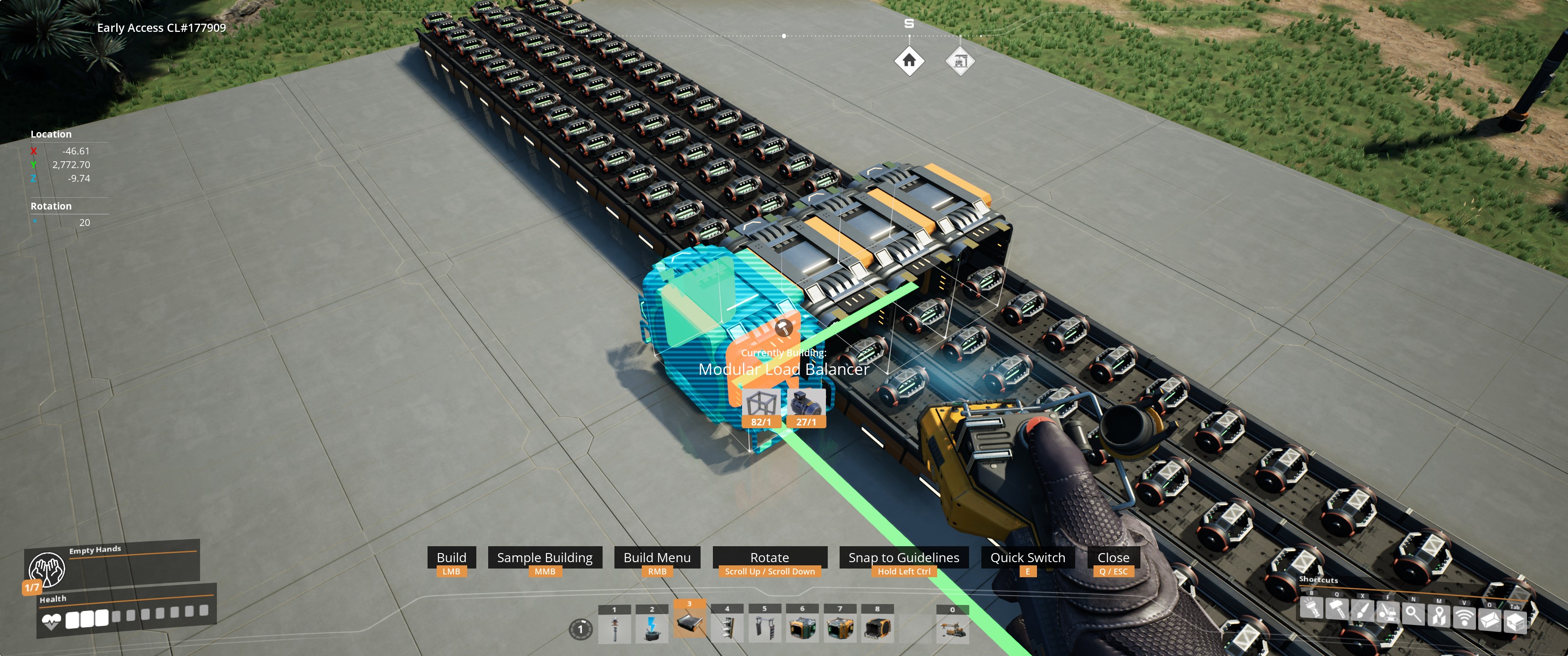
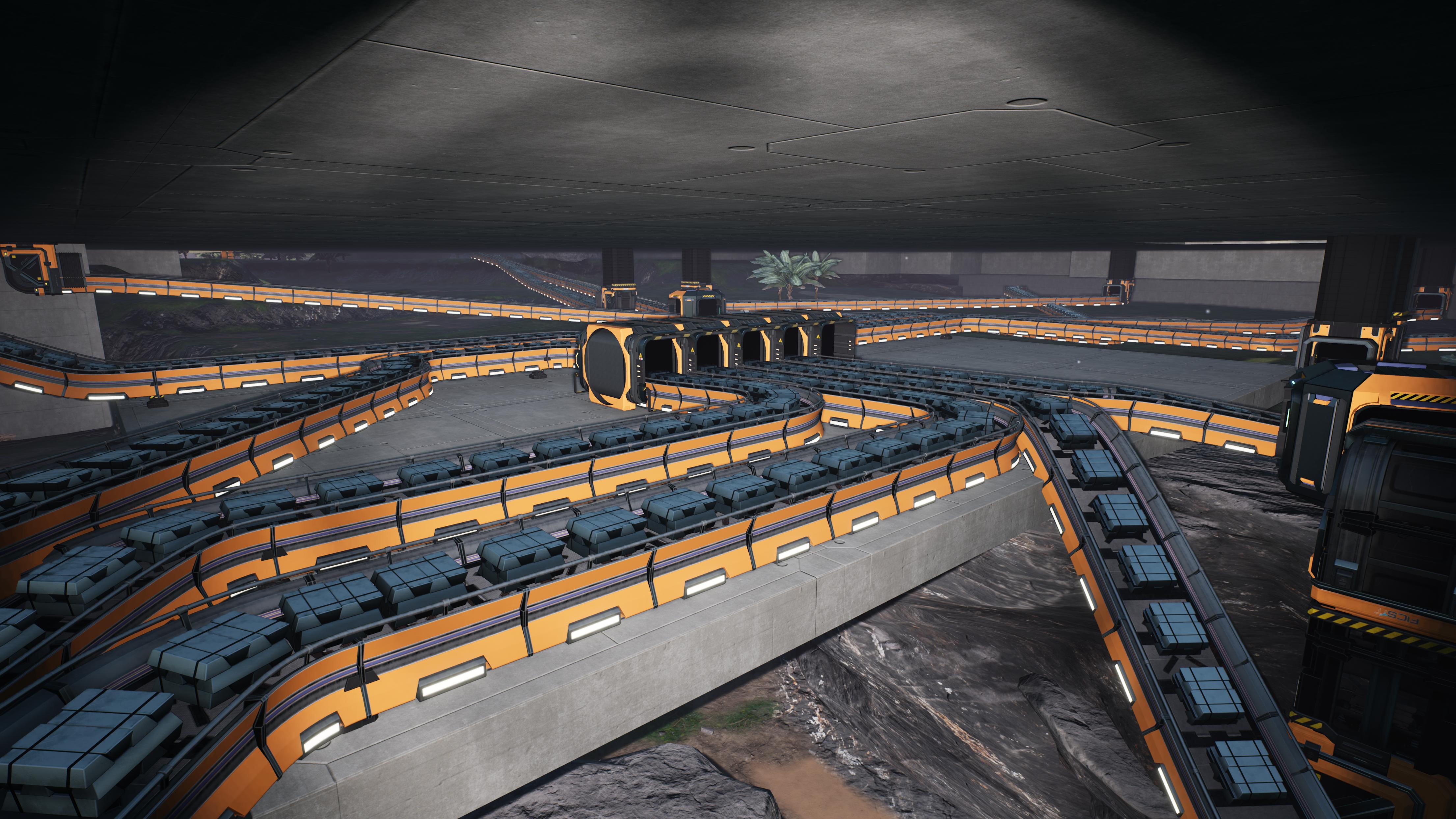
Additional Screenshots: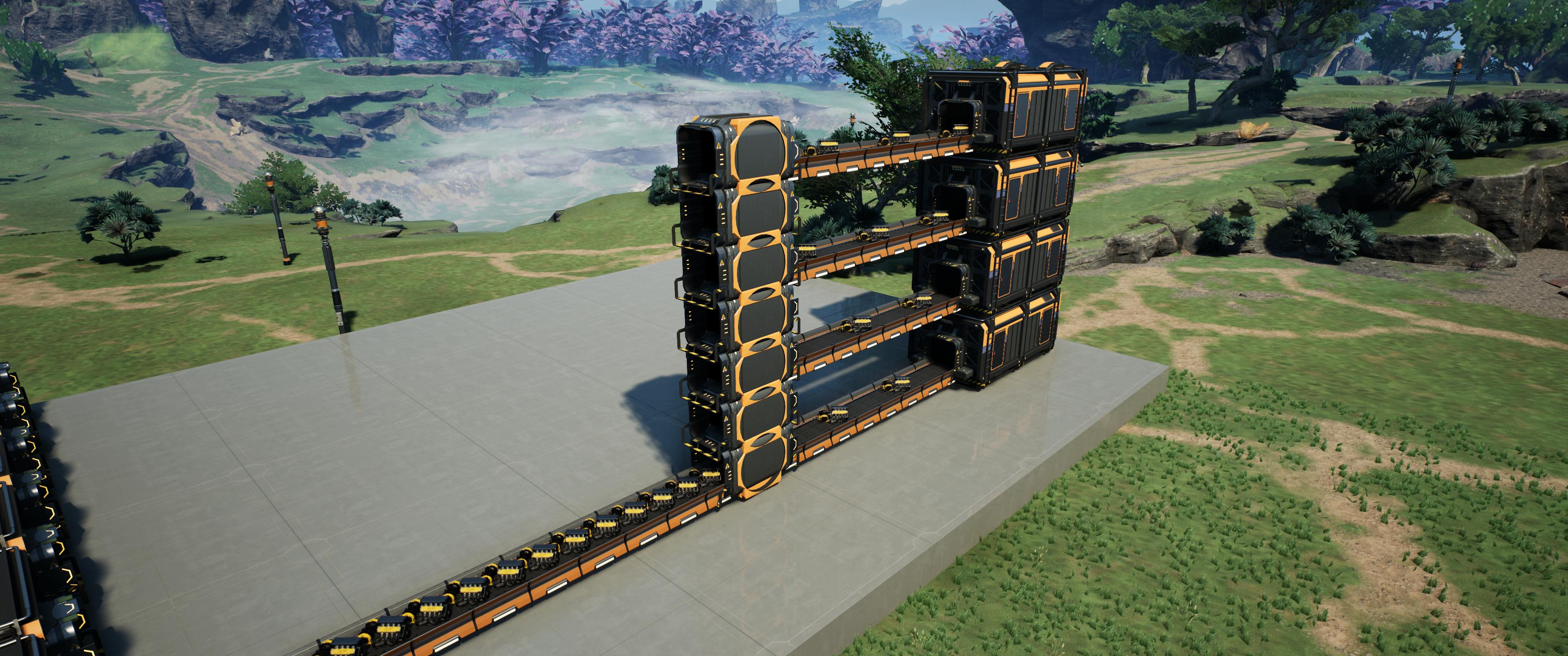
Before:

After:

Before:
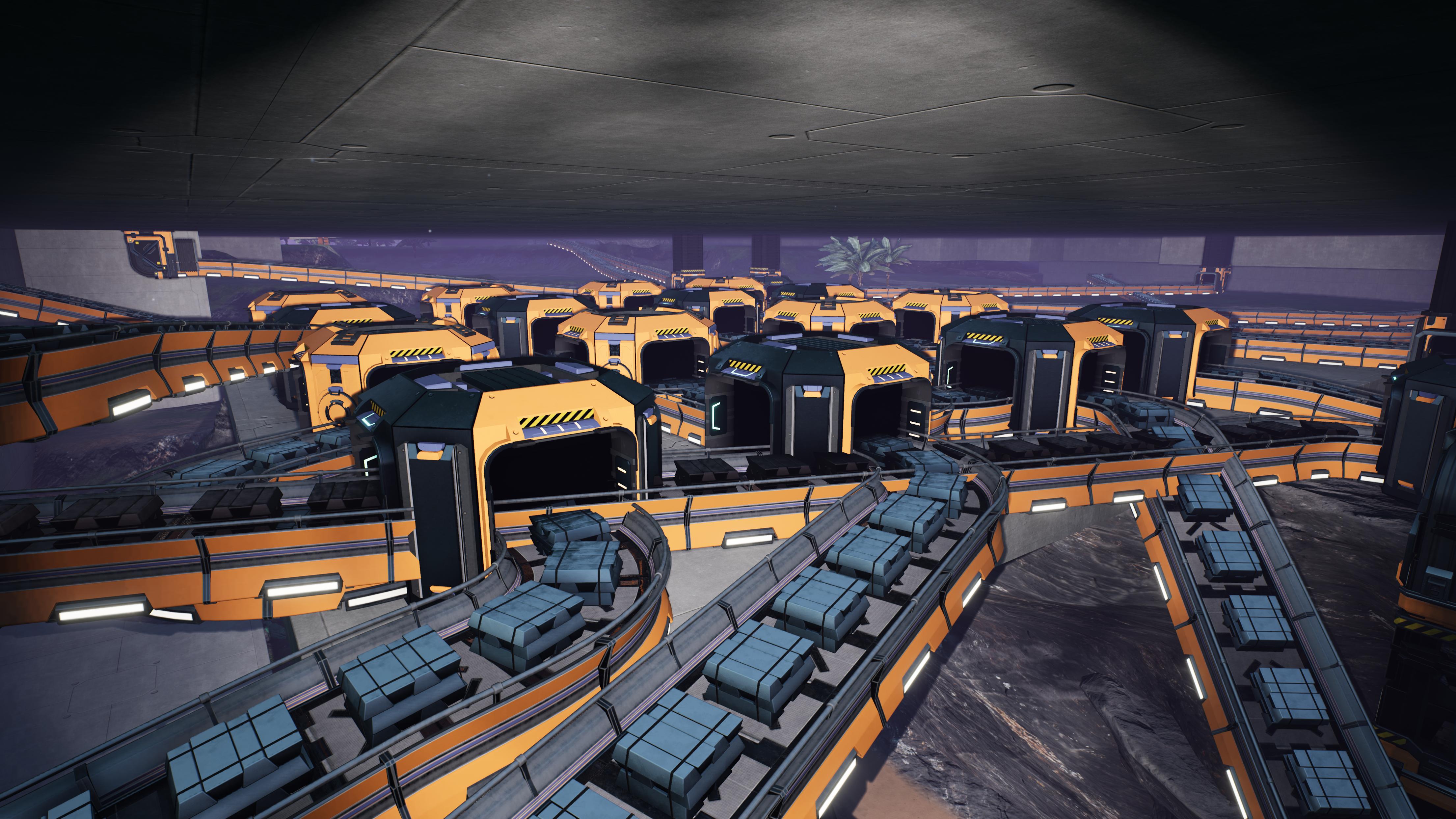
After:
Please report any issues on my Discord server
SirDigby's completely optional tip jar
Mod Logo by Deantendo#4265
Cube Module model fixed and improved by ZexMaxwell

Indifferent Broccoli provides the server I use to test Dedicated Server mod support, and I highly recommend them. If you're looking to host your own Satisfactory server , try indifferent broccoli's 2-day free trial.