The Empty Hands
Before installing, check that this mod release supports your dedicated server and game version. A ficsit.app listing alone does not establish compatibility.
Installation and verification
- Read the original description, check SML version and dependencies and back up your save.
- Stop the server and choose the mod in your dashboard’s Satisfactory mods section. Verify source and version.
- Install required client mods in compatible versions. Start the server and inspect logs, connection and mod-dependent content.
Removal and updates may affect saves. Keep a backup of the working combination. Memory needs cannot reliably be inferred from one mod’s name.
Published releases
- 2.0.11 · Game version >=491125 · SML check project
Published targets: LinuxServer, Windows, WindowsServer
- 2.0.10 · Game version >=410840 · SML check project
Published targets: LinuxServer, Windows, WindowsServer
- 2.0.9 · Game version >=365306 · SML check project
Published targets: LinuxServer, Windows, WindowsServer
- 2.0.8 · Game version >=273254 · SML check project
Published targets: LinuxServer, Windows, WindowsServer
Original mod author description

The Empty Hands
Unclutter your screen and expand your utility. Gain a permanent extra equipment slot and the ability to fully immerse yourself in your factory's beauty by hiding your hands and HUD.
A permanent upgrade to your carry capacity, allowing for more simultaneous tools.
Equippable item that clears your view of held tools while keeping slots active.
Workshop Integration
Both the "Empty Hands" and "Empty HUD" tools are crafted for free!

HUD Customization
Equip the Empty HUD item to strip away all on-screen elements, perfect for cinematic factory tours and high-fidelity screenshots.

Mod Showcase

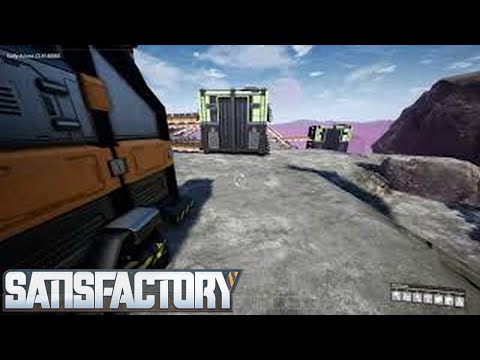

✨ Focus on the build, not the UI. See the world clearly, Pioneer!
AQUILA INDUSTRIAL // EXTERNAL MODDING DIVISION