Storage Stats Room
Before installing, check that this mod release supports your dedicated server and game version. A ficsit.app listing alone does not establish compatibility.
Installation and verification
- Read the original description, check SML version and dependencies and back up your save.
- Stop the server and choose the mod in your dashboard’s Satisfactory mods section. Verify source and version.
- Install required client mods in compatible versions. Start the server and inspect logs, connection and mod-dependent content.
Removal and updates may affect saves. Keep a backup of the working combination. Memory needs cannot reliably be inferred from one mod’s name.
Published releases
- 1.0.10 · Game version >=491125 · SML check project
Published targets: LinuxServer, Windows, WindowsServer
- 1.0.9 · Game version >=416835 · SML check project
Published targets: LinuxServer, Windows, WindowsServer
- 1.0.8 · Game version >=410840 · SML check project
Published targets: Windows
- 1.0.7 · Game version >=365306 · SML check project
Published targets: Windows
- 1.0.6 · Game version >=365306 · SML check project
Published targets: Windows
Original mod author description

⚠️
Multiplayer Warning
Untested - Likely Host Only
Storage Stats Room
Real-time inventory intelligence. Track every item and fluid across your entire factory with a global monitoring system that updates every 30 seconds.
📊 INVENTORY TRACKING: ONLINE 📊
📁 Global Scan
Automatically aggregates quantities from all storage containers and fluid tanks globally.
Automatically aggregates quantities from all storage containers and fluid tanks globally.
⚡ Logic Switch
Trigger power states based on your storage levels—perfect for overflow management.
Trigger power states based on your storage levels—perfect for overflow management.

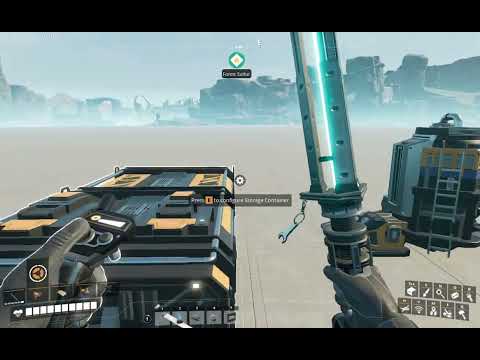


🖥️ Integrated HUD
Click the Satisfactory icon in the bottom-right of your screen to pull up your storage stats anywhere!
Click the Satisfactory icon in the bottom-right of your screen to pull up your storage stats anywhere!

🛠️ Technical Notes: The system scans the first item index of each container and skips personal storages to keep your data relevant.
Need to see inside a specific container? Check out Container Screen!
✨ Knowledge is power. Know exactly what's in your vaults!
AQUILA INDUSTRIALJoin our Discord for support and data-tracking tips!
HEXFACTORY ON STEAMCheck out the little game I built from scratch!
BECOME A PATRONFuel my coffee addiction so I can keep coding until 3 AM.
☕ BUY ME A COFFEE!Support with $1 — it will make my day!
▶ SUBSCRIBE TO MY YOUTUBE CHANNELSee mod showcases, factory tours, and development updates!
Donate with PayPalEvery bit helps keep the cpu humming and the updates coming. Thank you!
AQUILA INDUSTRIAL // LOGISTICS DIVISION