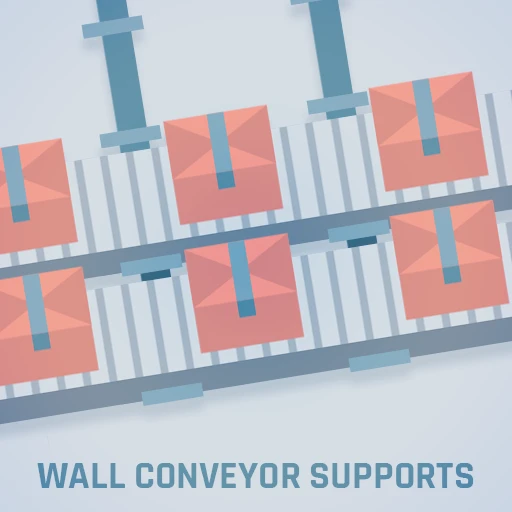
Wall Conveyor Supports
Additional variants of the wall conveyor support
Description
How to get it:
- After you purchase the vanilla wall support, the set from this mod will be released for purchase, too. Just close and reopen the shop and they will be there
Answering requests to continue/remake the now discontinued <a href="https://ficsit.app/mod/9MtaC1dPA4cANb">Wall Conveyors mod</a>, this mod adds six new wall conveyor support variations:
- One with three conveyor connections side by side
- One with two conveyor connections, with gap between the two connections
- One with two conveyor connections, far from the wall
- One with two conveyor connections, close to the wall
- One with a single conveyor connection, 6 m away from the wall
- One with a single conveyor connection, 4 m away from the wall
- The milestone for will be available at the AWESOME Shop, for 6 coupons
<img alt="Multiplayer compatible" src="https://raw.githubusercontent.com/deantendo/community/master/com_mp_yes.png"/>
<br/>
<br/>
This mod is completely free. But if you wish to donate a value as a “thank you”, feel free to click on the button below.
<a href="https://www.paypal.com/donate/?business=Y4X6QWYA9QYAU&no_recurring=1" target="_blank"><img src="https://www.paypalobjects.com/en_US/i/btn/btn_donateCC_LG.gif" border="0" name="submit" title="PayPal - The safer, easier way to pay online!" alt="Donate with PayPal button" ></a>
Find me at <a href="https://discord.gg/A9bFvkbav4">Satisfactory Modding</a> Discord server (@MarcioHuser)
<br/>
<br/>
Changelog
- Version 1.3.4- Satisfactory 1.2 and SML 3.12.0
- Version 2.3.3
- Satisfactory 1.1 and SML 3.11.1
- Version 1.3.2
- Recompiled to keep compatible with MarcioCommonLibs
- Recompiled due to new game patch
- Version 1.3.1
- Recompiled due to new game patch
- Version 1.3.0
- Satisfactory 1.0 and SML 3.8.0
- Reduced the cost of purchased to 6 coupons
- Version 1.2.2
- Mod updated due to changes in MarcioCommonLibs
- Version 1.2.1
- Mod updated due to changes in MarcioCommonLibs
- Version 1.2.0
- Update 8.2
- Version 1.1.1
- Adjusted schematics to be available at the Awesome Shop at the same category as the respective vanila wall support
- Version 1.1.0
- Update 5
- Version 1.0.3
- Fixed the ability to snap into foundations.
- WARNING: snapping to foundations does not garantee the correct alignment of belts as it would when snapping with walls. That is a game issue, not a mod issue
- Version 1.0.2
- Fixed wrong clearence that allowed for multiple belt connections to the same pole
- Version 1.0.1
- Fix categorization for the milestone at the AWESOME Shop
- Version 1.0.0
- Initial Release
Attributions:
Icons by Deantendo#4265All meshes are based from the original ones from the game; no content was copied from any other mod
<img src="https://raw.githubusercontent.com/MarcioHuser/WallConveyorSupports-SML3/master/Pictures/AWESOME-shop.png" width="512" />
<img src="https://raw.githubusercontent.com/MarcioHuser/WallConveyorSupports-SML3/master/Pictures/WallConveyorSupports-showcase.png" width="512" />
<img src="https://raw.githubusercontent.com/MarcioHuser/WallConveyorSupports-SML3/master/Content/Icons/WallConveyor123-512.png" width="512" />
<img src="https://raw.githubusercontent.com/MarcioHuser/WallConveyorSupports-SML3/master/Content/Icons/WallConveyor12-512.png" width="512" />
<img src="https://raw.githubusercontent.com/MarcioHuser/WallConveyorSupports-SML3/master/Content/Icons/WallConveyor23-512.png" width="512" />
<img src="https://raw.githubusercontent.com/MarcioHuser/WallConveyorSupports-SML3/master/Content/Icons/WallConveyor13-512.png" width="512" />
<img src="https://raw.githubusercontent.com/MarcioHuser/WallConveyorSupports-SML3/master/Content/Icons/WallConveyor2-512.png" width="512" />
<img src="https://raw.githubusercontent.com/MarcioHuser/WallConveyorSupports-SML3/master/Content/Icons/WallConveyor3-512.png" width="512" />
Versions
How to Install Wall Conveyor Supports on Your Server
Order Satisfactory Server
Order a Satisfactory server with at least 4 GB RAM (6 GB recommended). For multiplayer: per 4 players.
Install Mod
Open the mod manager in the dashboard and search for "Wall Conveyor Supports". Installation dependencies are installed automatically.
Restart Server
Restart the server so the mod is loaded. Players need to have the mod installed locally as well.
Frequently Asked Questions
Wall Conveyor Supports not working after update – what to do?
After a Satisfactory update, mods need to be updated. Check ficsit.app whether Wall Conveyor Supports has been updated for the new game version. With Mado Hosting: open the mod manager and click "Update All". If the mod hasn't been updated yet, temporarily remove it so the server starts.
Wall Conveyor Supports causing crashes in multiplayer – solution
Most common cause: all players must have exactly the same mod version installed. Check server logs for "ModMismatch" or "Version Conflict". Ensure all players use Wall Conveyor Supports v1.3.4 and the same SML. With Mado Hosting, Satisfactory servers run with 6 GB RAM for stable multiplayer performance.
Is Wall Conveyor Supports compatible with other Satisfactory mods?
Wall Conveyor Supports uses the Satisfactory Mod Loader (SML). Generally, SML-based mods are cross-compatible, but mods modifying the same game systems can cause conflicts. Test new mod combinations on a backup save. The Mado dashboard automatically detects known conflicts and warns you.
Rent Wall Conveyor Supports Server
Play Wall Conveyor Supports on your own Satisfactory server with mod support.
Mod Information
- Author
- MarcioHuser
- Latest Version
- v1.3.4
- Created
- June 3, 2021
- Last Updated
- October 7, 2026
- Source Code
- GitHub →