
Arsenal
A weapons mod focused on adding few but qualitative weapons
Screenshots
Über diese Mod
Arsenal



A weapons mod focused on adding few but qualitative weapons
Features
Weapons
- Scythe
- Reaps in and stuns entities (making them unable to attack for half a second), as well as disable shields, on critical hit
- Can be used as a hoe for mining blocks (Netherite level)
- Comes with custom full swing hit sound effects and sweep particles
- Special enchantments:
- Spewing: Using the Scythe will spew out a blood blade damaging you and transferring half the duration of your potion effects to any entity hit
- Obtained from Vindicators (6.5% chance of one to spawn with it)
- Anchorblade
- Right-click to throw the Anchorblade, can be used to significantly knock back hit entities or entities in the radius of the block hit
- Can be used as a pickaxe for mining blocks (Netherite level) and mines two times faster underwater
- Comes with custom full swing hit sound effects and sweep particles
- Special enchantments:
- Reeling: Using the Anchorblade will no longer knock back entities but instead reel you or the hit entity in like a grapple
- Obtained from Drowned (6.5% of chance one to spawn with it)
Other Items
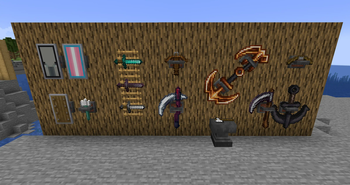
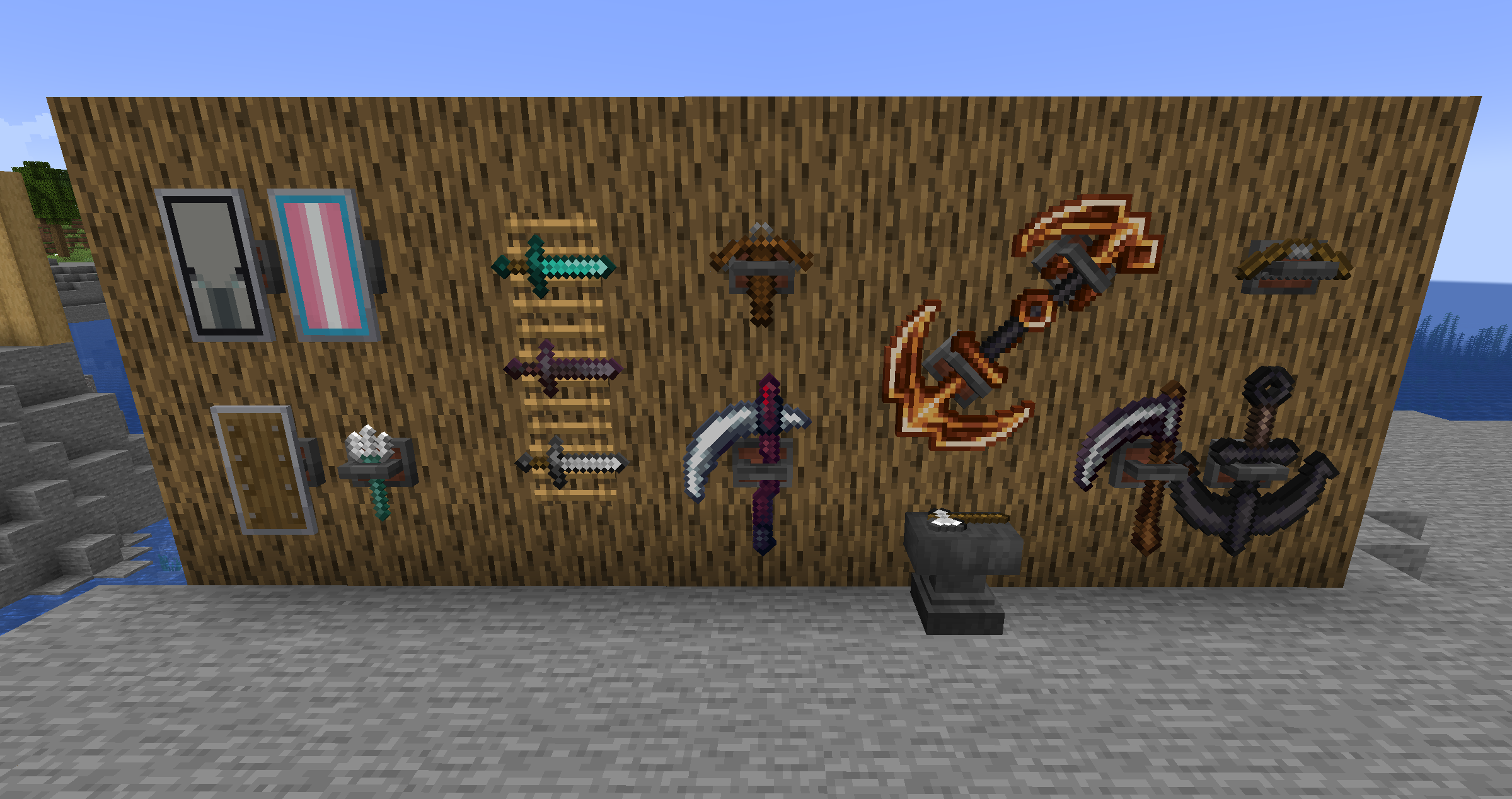
- Weapon racks
- Crafted like an item frame but replacing the two middle sticks with two iron ingots
- Can display weapons, tools and shields at their full size
- When placed:
- Right-click to orient
- Sneak-right-click to make invisible (if a weapon is racked)
- Punch to drop the weapon out of the rack
- Sneak-punch (with no weapon racked) to drop the rack
Tweaks / Additional Features
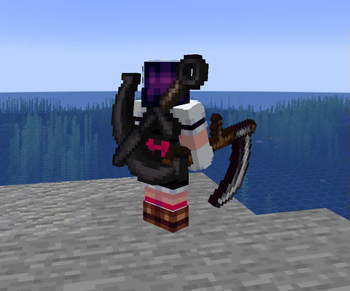
- Back slot
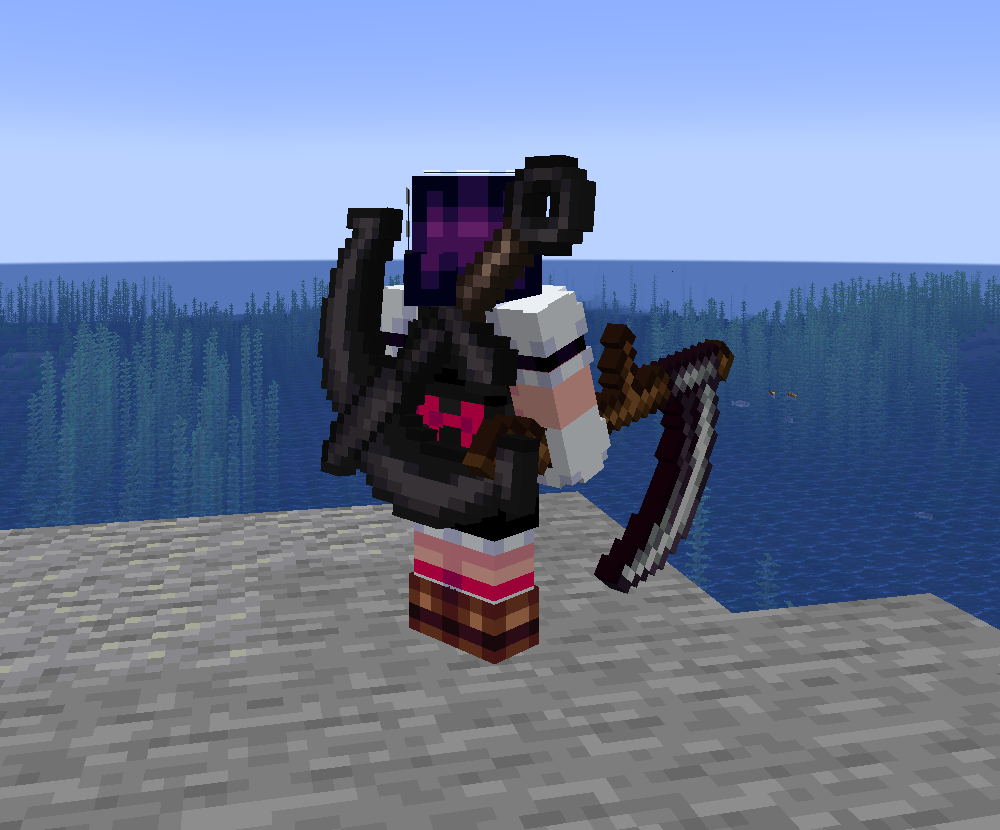
- Can be used to store an item for display on your back and quick access!
- Comes with two keybinds for storing an item in the back slot (by default and unsheathing it without removing it from the slot
- If you have a cape, its visual movement will be limited by the item on your back
- Fire charges can be thrown directly by using them
- Drowned with tridents are guaranteed to drop them, as well as with full durability
Supporter Bonuses
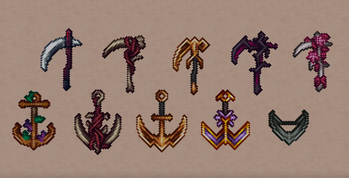
For Ko-Fi and YouTube members, you get weapon cosmetics:
- Your selected cosmetics are visible to other players.
- Can be changed by sneak-right-clicking an Arsenal weapon on either an anvil or smithing table
- Cosmetics are set per item stack name, not individual item stack, meaning they are synchronized across worlds.
- For example, if you have a Scythe named "Bingle" with a Guilded skin, any Scythe named "Bingle" you pick up or display in any world will have the Guilded skin (and change if you select another skin for it).
- This also means that if you change the skin of a weapon with no name, you will be changing the default skin you are seen with for that weapon, meaning you will not have to visit an anvil / smithing table to get that skin the moment you pick up any unnamed weapon of that type.
- As a result, if you give a skinned weapon to a non-supporter, the cosmetics will not show for them, but will show for you the moment you get it back.
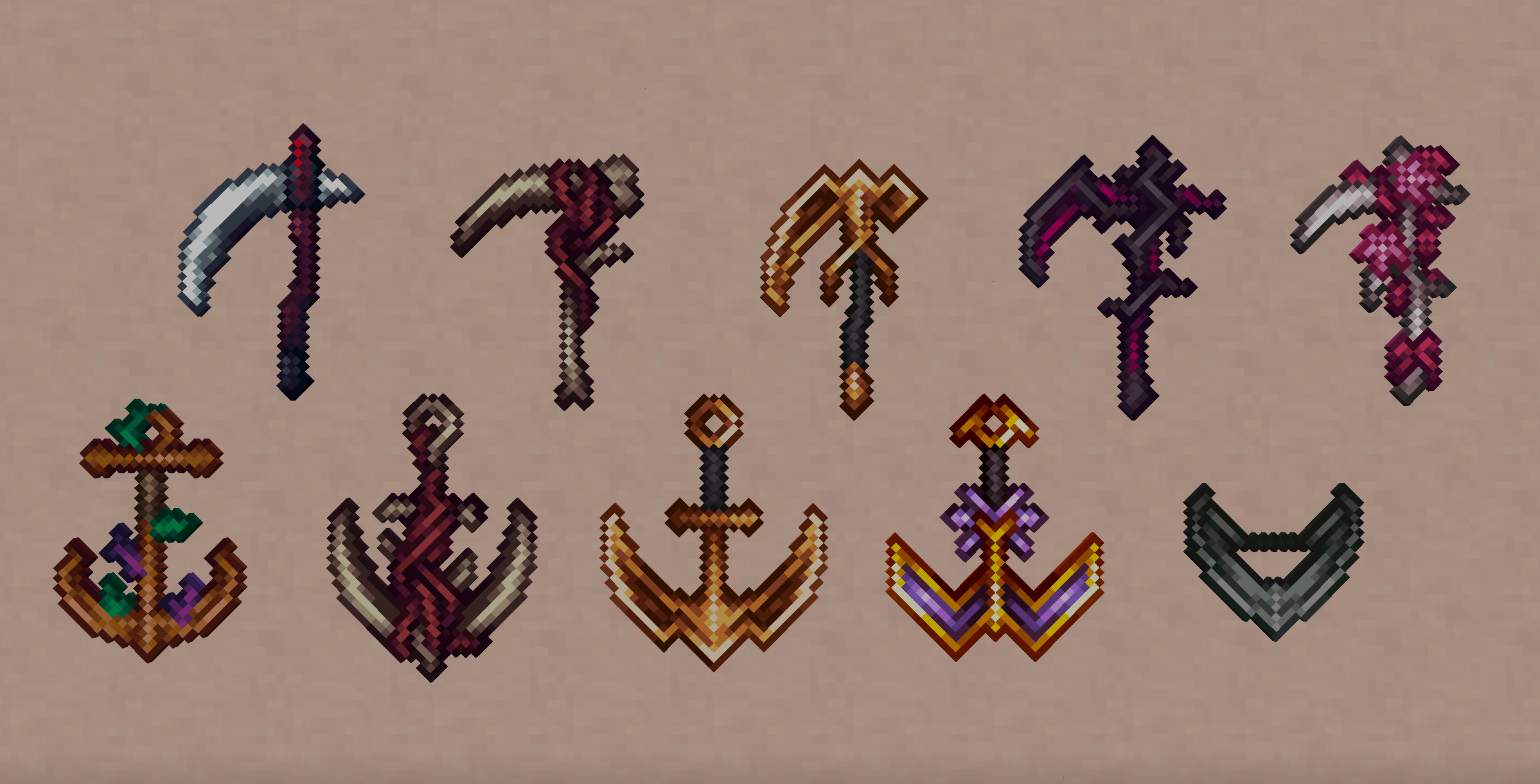
- Each weapon skin comes with its own custom colored hits (as well as chain for the Anchorblades)
Compatibility
If you want your weapon mod to be compatible and have your items display properly on weapon racks and back slots, Arsenal provides some tags to which you can add them:
- "displayable": What items can be displayed in a weapon rack. By default, contains the "tools" Vanilla tag and "big_weapons", "tridents", "shields" and "ranged_weapons" Arsenal tags.
- "big_weapons": Weapons that have a 32x32 handheld sprite and therefore should be displayed scaled up. By default, contains the Scythe and Anchorblade.
- "tridents": Tridents. By default, contains the Minecraft Trident item.
- "shields": Shields. By default, contains the Minecraft Shield item.
- "ranged_weapons": Ranged weapons. By default, contains the Minecraft Bow and Crossbow items.
Gallery
Verfügbare Versionen
Arsenal auf dem Server installieren
Server bestellen
Bestelle einen Minecraft Java Server mit mindestens 3 GB RAM (4 GB empfohlen).
fabric Loader setzen
Wähle im Panel unter "Egg" den fabric-Loader und die passende Minecraft-Version (1.21.3).
Mod installieren
Öffne den Mod-Browser im Dashboard und suche nach "Arsenal". Klicke "Installieren" – fertig! Alternativ: Lade die .jar via SFTP in den /mods Ordner.
Kompatibilität
Mod-Loader
Minecraft-Versionen
1.21.3, 1.20.1
Server-seitig
✓ ErforderlichEmpfohlener RAM
4 GB(min. 3 GB)Häufige Fragen
Arsenal Server crasht beim Start – was tun?
Häufigste Ursache: falsche fabric-Version oder zu wenig RAM. Prüfe im Server-Log (latest.log), ob ein "OutOfMemoryError" oder "Mixin"-Fehler auftritt. Bei Mado Hosting: Stelle sicher, dass mindestens 3 GB RAM zugewiesen sind und der Loader zur Mod-Version passt (1.21.3). Über das Panel kannst du den Loader mit einem Klick wechseln.
Ist Arsenal mit fabric und quilt kompatibel?
Arsenal unterstützt offiziell fabric, quilt für Minecraft 1.21.3, 1.20.1. Im Mado Dashboard werden inkompatible Loader-Kombinationen automatisch erkannt.
Server laggt mit Arsenal – wie optimiere ich die Performance?
Empfohlener RAM: 4 GB (+1 GB pro 8 Spieler). Prüfe mit /spark profiler, ob Arsenal den meisten Tick-Time verbraucht. Häufige Fixes: Server-View-Distance auf 8-10 reduzieren, bei Forge "performant" oder "starlight" als Zusatz-Mod installieren. Bei Mado Hosting läuft dein Server auf NVMe-SSDs mit dedizierten CPU-Kernen für minimale Latenz.
Ähnliche Mods

![[ETF] Entity Texture Features](https://cdn.modrinth.com/data/BVzZfTc1/af683d206d50b05258d865b0d6e4aa2f2cee12f2_96.webp)
![[EMF] Entity Model Features](https://cdn.modrinth.com/data/4I1XuqiY/6e5bbd0d06b1741bfdab6c0cfab6de8fdaf0064c_96.webp)



Modded Server mieten
Installiere Arsenal mit nur einem Klick auf deinem Server.