
Modrinth · Fabric, Quilt
Arsenal on your Minecraft server
Arsenal runs on Minecraft servers with Fabric or Quilt. Order your server, set the loader in the panel and install the mod with one click in the mod browser.
A weapons mod focused on adding few but qualitative weapons
- Downloads
- 231.2K
- Author
- RAT
- Loader
- Fabric, Quilt
- Minecraft
- 1.20.1 – 1.21.3
- Updated
- –
Screenshots
What Arsenal looks like
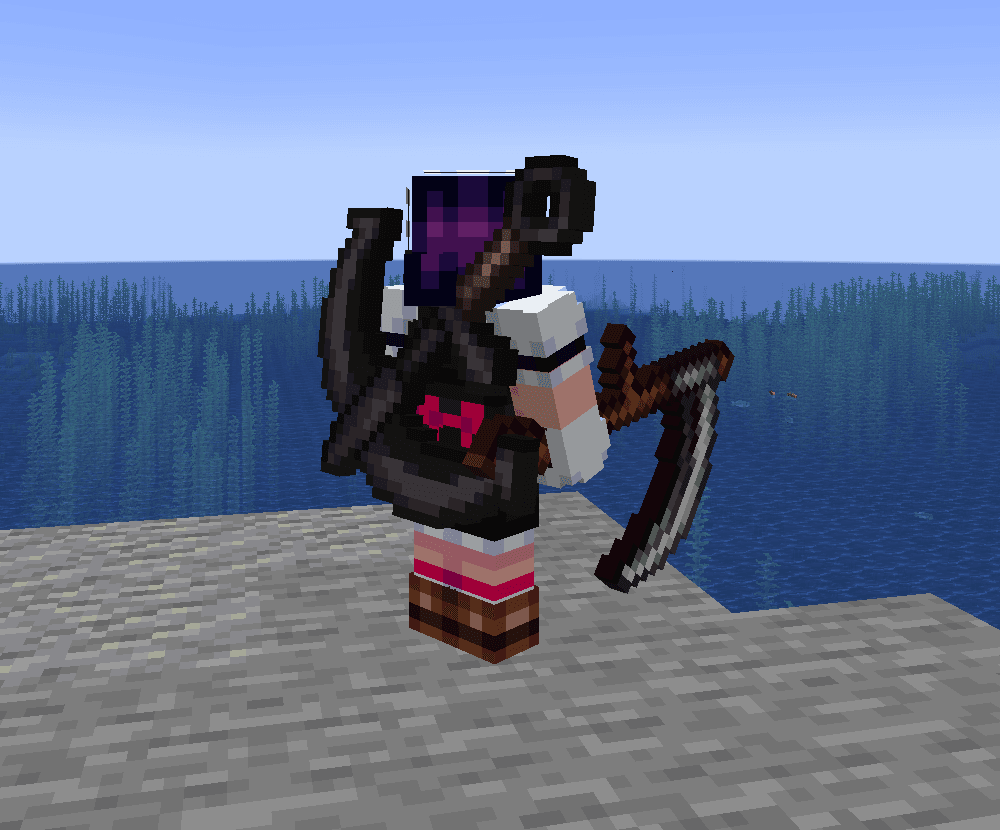
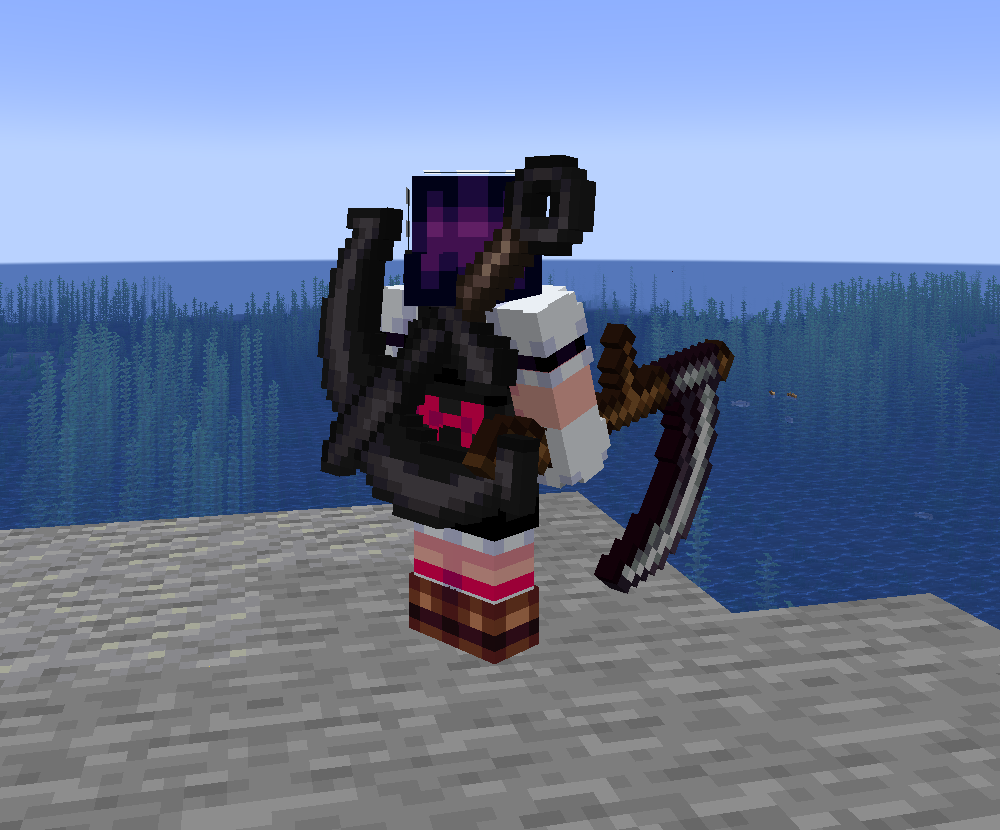 An Anchorblade in the back slot of a player holding a Scythe
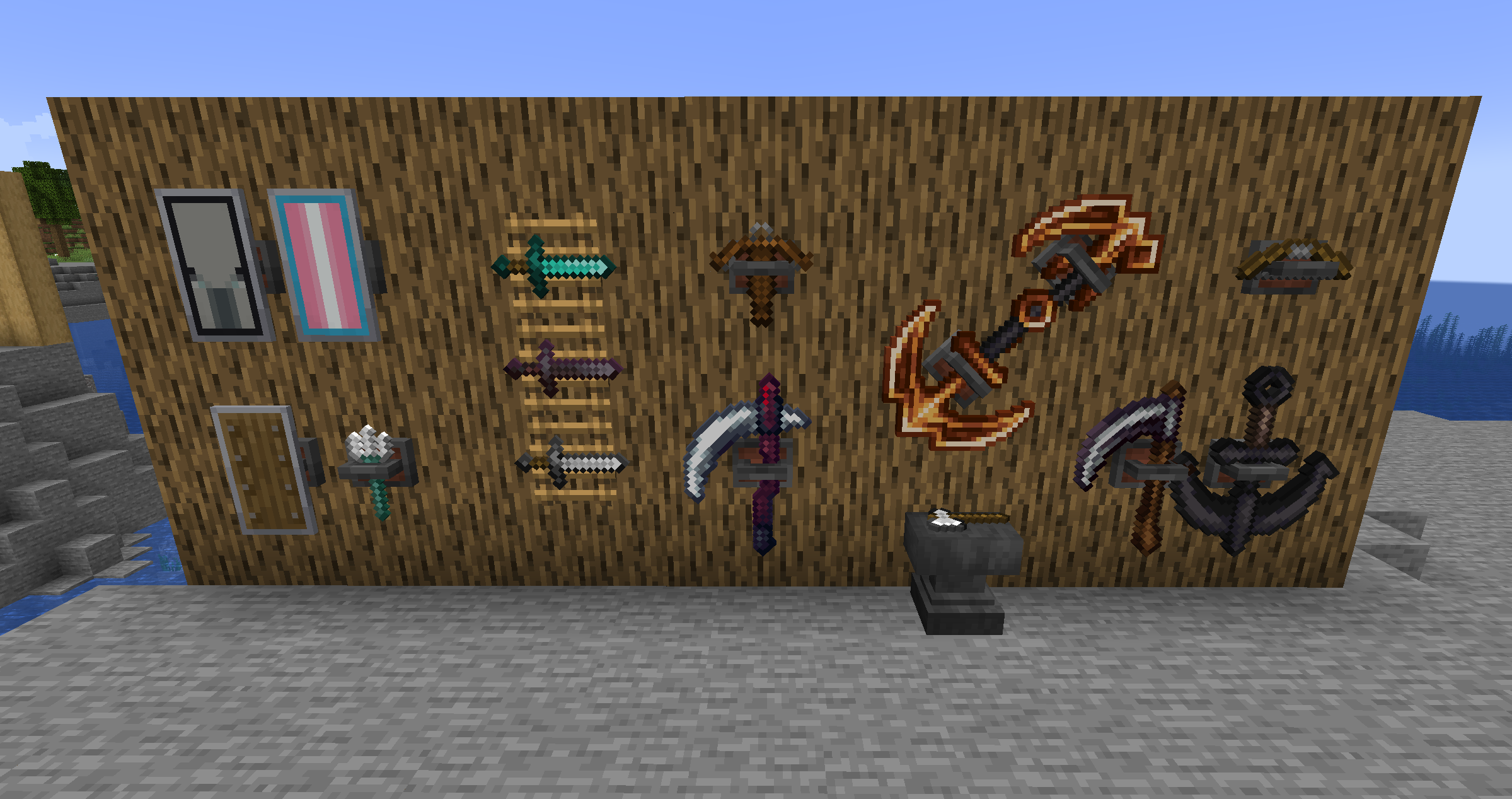 Weapon Racks
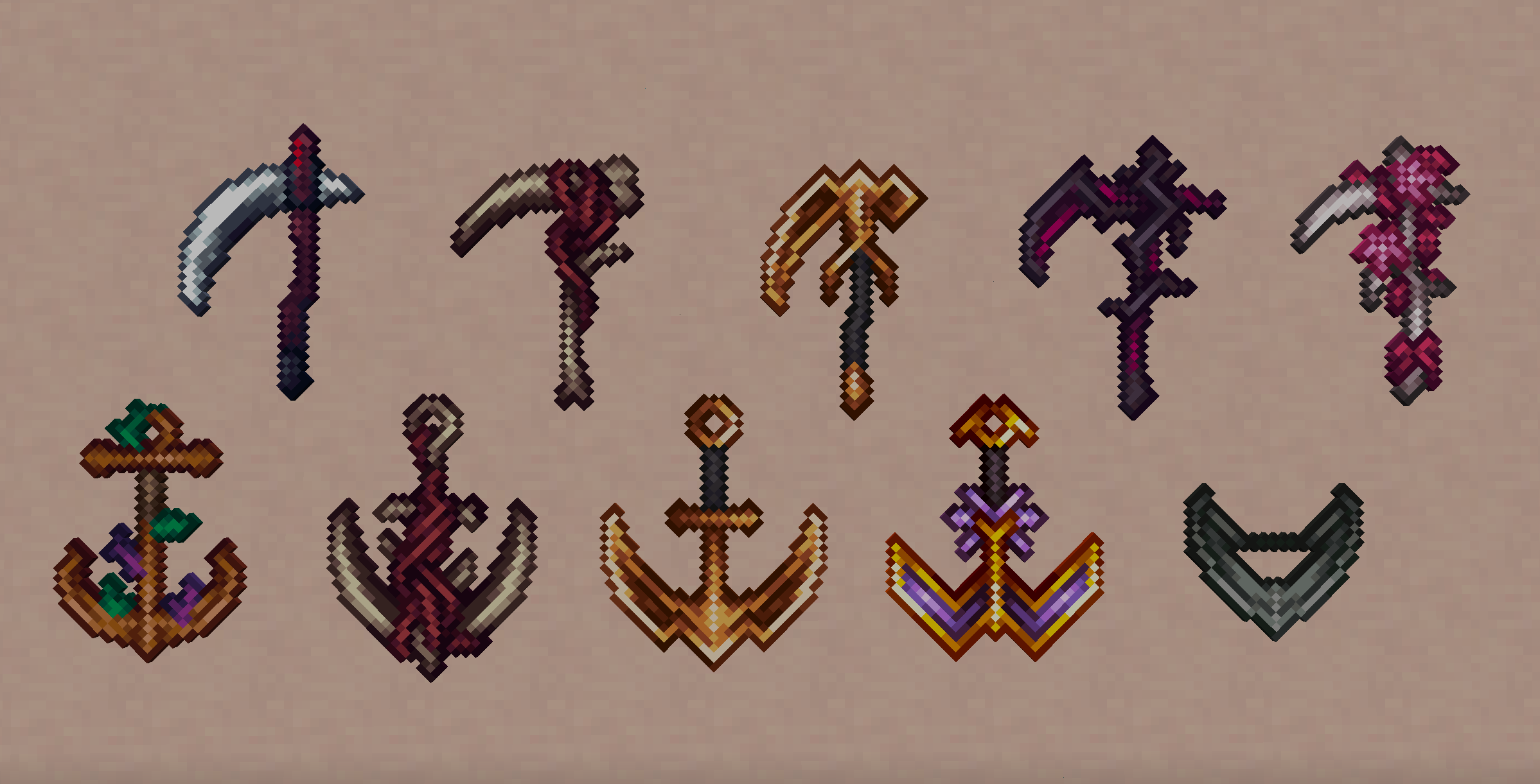 Some of the weapon cosmetics
Images: Arsenal on Modrinth, published by the project team.
Setup
Install Arsenal on your server
The server and players need the same loader and Minecraft version. Back up the world before adding or updating mods.
- 01
Configure
4 GB of RAM is preselected. You choose the term and add-ons and pay by credit card or PayPal.
- 02
Set the loader
In the panel, set the server software to Fabric or Quilt and choose the matching Minecraft version, for example 1.21.3.
- 03
Install the mod
Search the mod browser for “Arsenal” and install the release for your loader. Alternatively, upload the .jar to the mods folder via SFTP. Required dependencies are listed on the project page.
- 04
Connect
Every player installs the same Arsenal release locally and connects using the server address from the panel.
- On the server
- Required
- On the client
- Required
- Loader
- Fabric, Quilt
- Minecraft
- 1.21.3, 1.20.1
- License
- LicenseRef-All-Rights-Reserved
The panel
Install mods, find errors.
Real screenshots from the Mado panel. Both come with every Minecraft server.
Mod browser
Modrinth and CurseForge, right in the panel.
The browser filters by your Minecraft version. Install mods with one click, without uploading .jar files.

AI crash analysis
When a mod crashes, the analyzer reads the log.
Mods often fail on a wrong loader version, Java version or missing dependency. The analyzer names a likely cause and suggests a fix.

Releases
Published releases
Pick the file that matches your server’s loader and Minecraft version. The server and players need the same release.
Arsenal · Modrinth- 0.1.5-1.20.1betaDecember 16, 2024Minecraft 1.20.1 · Fabric, Quilt
- Winweapons-1.21.3alphaDecember 9, 2024Minecraft 1.21.3 · Fabric, Quilt
Original description by the project author
Arsenal


A weapons mod focused on adding few but qualitative weapons
Features
Weapons
- Scythe
- Reaps in and stuns entities (making them unable to attack for half a second), as well as disable shields, on critical hit
- Can be used as a hoe for mining blocks (Netherite level)
- Comes with custom full swing hit sound effects and sweep particles
- Special enchantments:
- Spewing: Using the Scythe will spew out a blood blade damaging you and transferring half the duration of your potion effects to any entity hit
- Obtained from Vindicators (6.5% chance of one to spawn with it)
- Anchorblade
- Right-click to throw the Anchorblade, can be used to significantly knock back hit entities or entities in the radius of the block hit
- Can be used as a pickaxe for mining blocks (Netherite level) and mines two times faster underwater
- Comes with custom full swing hit sound effects and sweep particles
- Special enchantments:
- Reeling: Using the Anchorblade will no longer knock back entities but instead reel you or the hit entity in like a grapple
- Obtained from Drowned (6.5% of chance one to spawn with it)
Other Items
- Weapon racks
- Crafted like an item frame but replacing the two middle sticks with two iron ingots
- Can display weapons, tools and shields at their full size
- When placed:
- Right-click to orient
- Sneak-right-click to make invisible (if a weapon is racked)
- Punch to drop the weapon out of the rack
- Sneak-punch (with no weapon racked) to drop the rack
Tweaks / Additional Features
- Back slot
- Can be used to store an item for display on your back and quick access!
- Comes with two keybinds for storing an item in the back slot (by default and unsheathing it without removing it from the slot
- If you have a cape, its visual movement will be limited by the item on your back
- Fire charges can be thrown directly by using them
- Drowned with tridents are guaranteed to drop them, as well as with full durability
Supporter Bonuses
For Ko-Fi and YouTube members, you get weapon cosmetics:
- Your selected cosmetics are visible to other players.
- Can be changed by sneak-right-clicking an Arsenal weapon on either an anvil or smithing table
- Cosmetics are set per item stack name, not individual item stack, meaning they are synchronized across worlds.
- For example, if you have a Scythe named "Bingle" with a Guilded skin, any Scythe named "Bingle" you pick up or display in any world will have the Guilded skin (and change if you select another skin for it).
- This also means that if you change the skin of a weapon with no name, you will be changing the default skin you are seen with for that weapon, meaning you will not have to visit an anvil / smithing table to get that skin the moment you pick up any unnamed weapon of that type.
- As a result, if you give a skinned weapon to a non-supporter, the cosmetics will not show for them, but will show for you the moment you get it back.
- Each weapon skin comes with its own custom colored hits (as well as chain for the Anchorblades)
Compatibility
If you want your weapon mod to be compatible and have your items display properly on weapon racks and back slots, Arsenal provides some tags to which you can add them:
- "displayable": What items can be displayed in a weapon rack. By default, contains the "tools" Vanilla tag and "big_weapons", "tridents", "shields" and "ranged_weapons" Arsenal tags.
- "big_weapons": Weapons that have a 32x32 handheld sprite and therefore should be displayed scaled up. By default, contains the Scythe and Anchorblade.
- "tridents": Tridents. By default, contains the Minecraft Trident item.
- "shields": Shields. By default, contains the Minecraft Shield item.
- "ranged_weapons": Ranged weapons. By default, contains the Minecraft Bow and Crossbow items.
Gallery
Arsenal server crashes on startup – what to do?
Common causes: the loader or Minecraft version does not match the mod file, a dependency is missing, or RAM is too low. Check the log (latest.log) for “OutOfMemoryError”, “Mixin” or missing mods. At Mado, the AI crash analysis reads the log and suggests a cause. You can change the loader and version in the panel.
Which loader does Arsenal run on?
According to Modrinth, Arsenal supports Fabric, Quilt for Minecraft 1.21.3, 1.20.1.
How much RAM does a server with Arsenal need?
As guidance, 3–4 GB for a server with this mod. This is an estimate, not a measured minimum. More mods, many players and long view distances need more. The spark profiler shows whether a mod is costing tick time.
Similar mods
Popular mods in the same category
 Client only

Iris Shaders
by coderbot
A modern shader pack loader for Minecraft intended to be compatible with existing OptiFine shader packs
 Client only

[ETF] Entity Texture Features
by Traben
Emissive, Random & Custom texture support for entities in resourcepacks just like Optifine but for Fabric
 Client only

[EMF] Entity Model Features
by Traben
EMF is an, OptiFine format, Custom Entity Model replacement mod available for Fabric and Forge.
 Client only

Not Enough Animations
by tr7zw
Bringing first-person animations to the third-person
Ready for your server with Arsenal?
4 GB of RAM from €8.00 per month. 35% off your first month with MADO35.