
Modrinth · NeoForge
Contraption Lights (Bi-directional Coloured Dynamic Lights) auf deinem Minecraft Server
Contraption Lights (Bi-directional Coloured Dynamic Lights) läuft auf Minecraft Servern mit NeoForge. Bestell deinen Server, stell den Loader im Panel ein und installiere die Mod mit einem Klick im Mod-Browser.
Adds coloured dynamic lights that move with your Create contraptions and Sable sub-levels, flowing both ways between your builds and the world.
- Downloads
- 44.6K
- Autor
- the_atmerek
- Loader
- NeoForge
- Minecraft
- 1.21.1
- Aktualisiert
- –
Screenshots
So sieht Contraption Lights (Bi-directional Coloured Dynamic Lights) aus
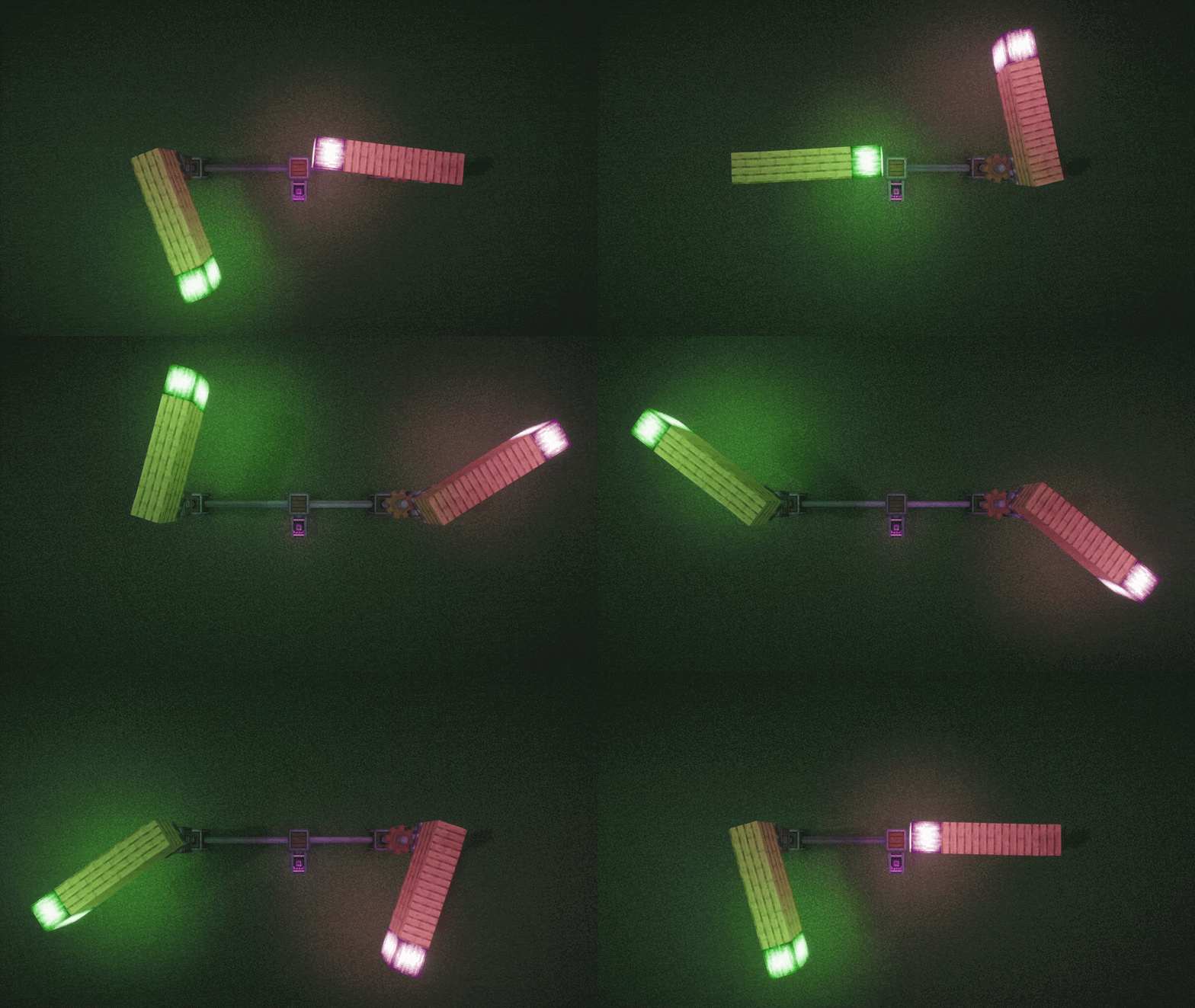 Structures Lighting the World - With Shaders
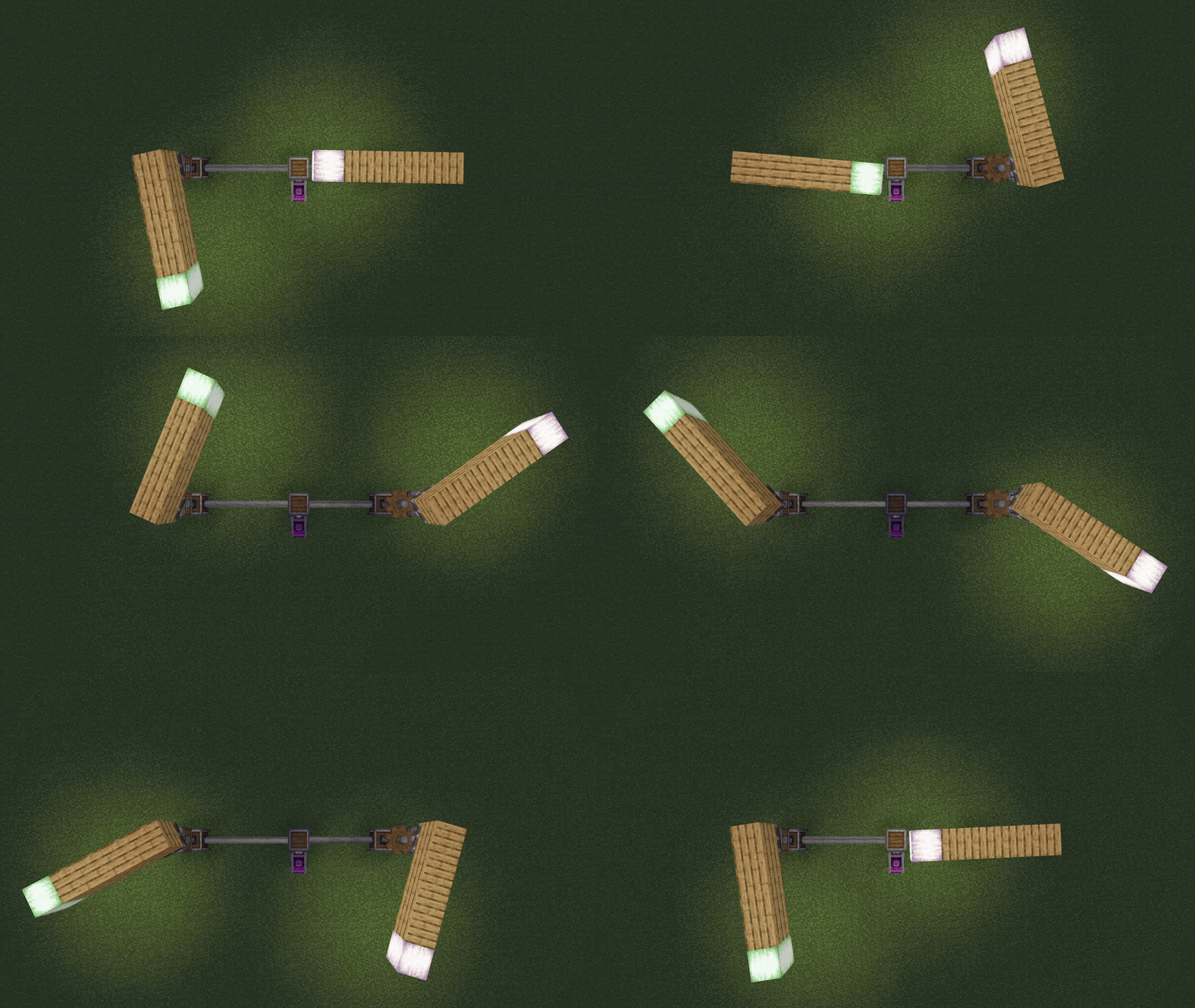 Structures Lighting the World
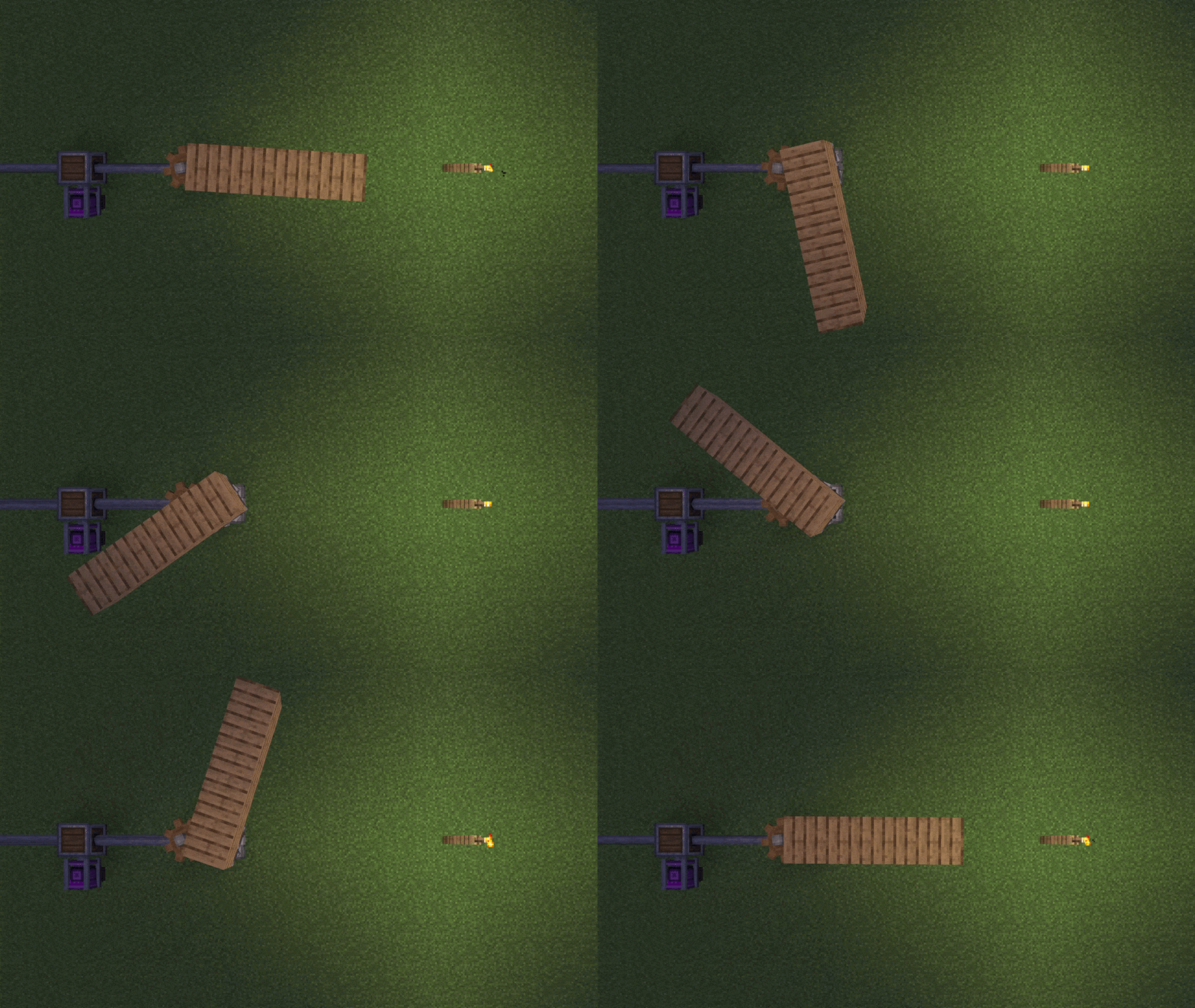 The World Lighting a Sub-Level
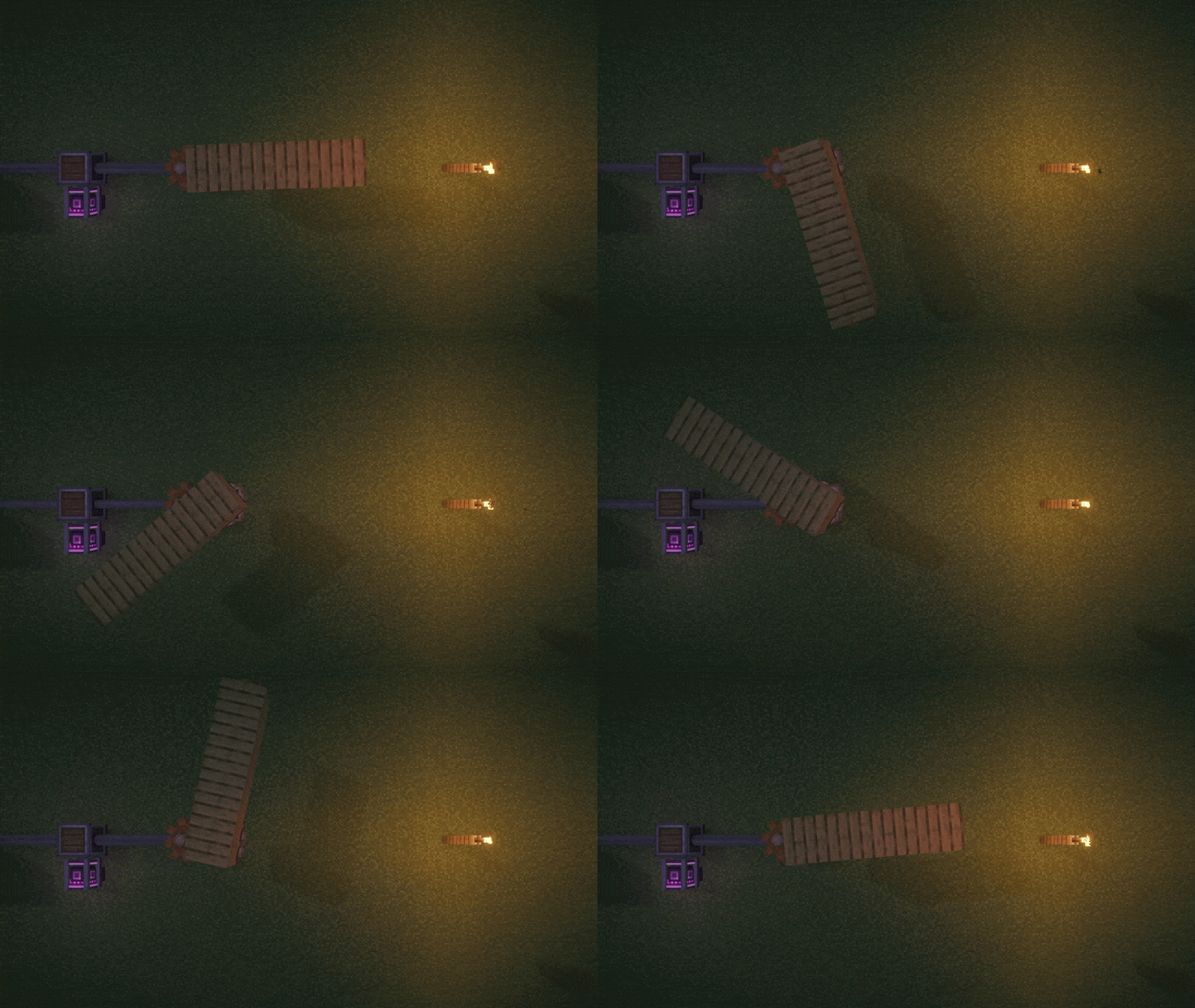 The World Lighting a Sub-Level - With Shaders
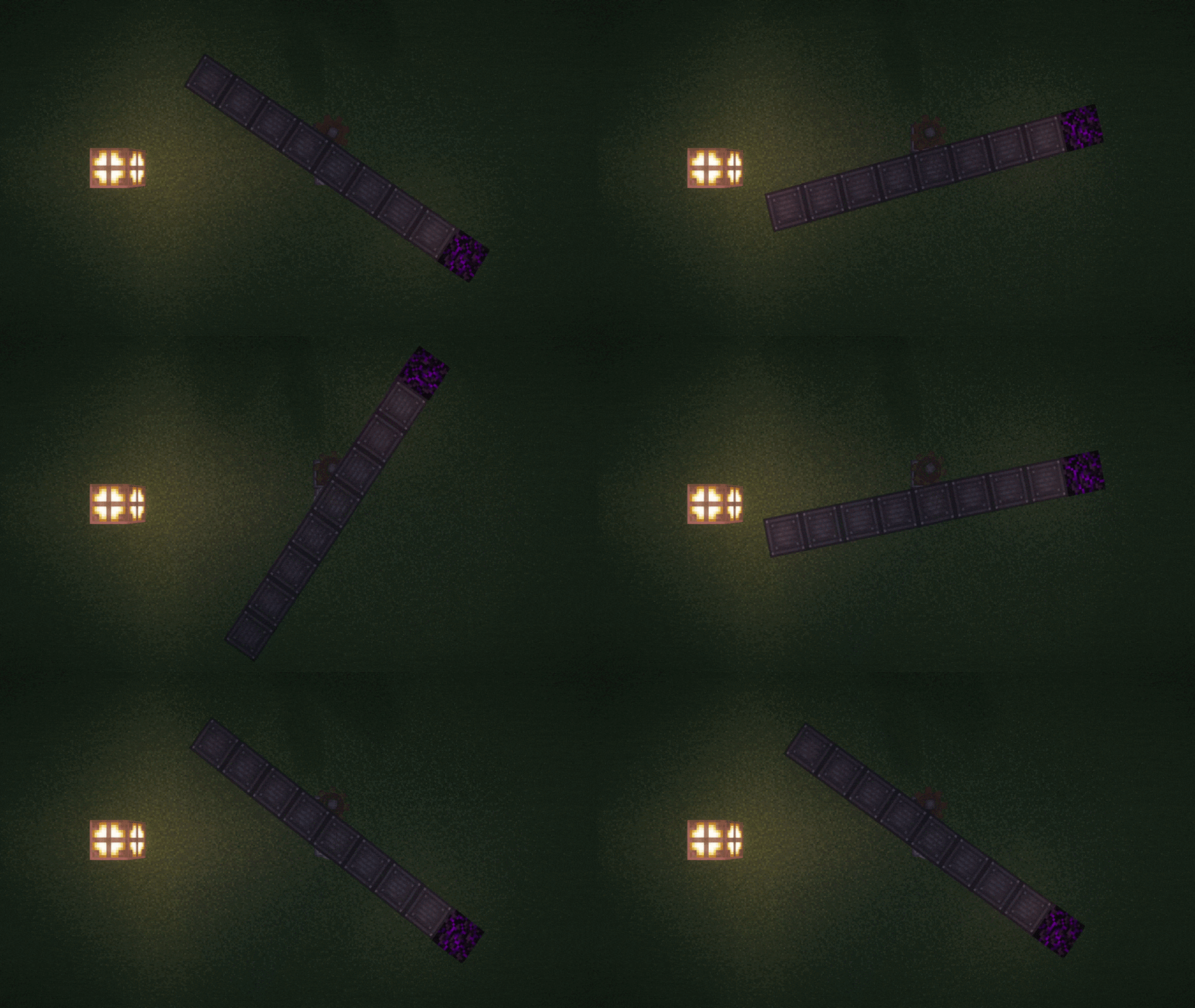 World lighting a Sub-Level and the Sub-Level lighting the world.
Bilder: Contraption Lights (Bi-directional Coloured Dynamic Lights) auf Modrinth, vom Projektteam veröffentlicht.
Einrichtung
Contraption Lights (Bi-directional Coloured Dynamic Lights) auf dem Server installieren
Server und Spieler brauchen denselben Loader und dieselbe Minecraft-Version. Sichere die Welt, bevor du Mods hinzufügst oder aktualisierst.
- 01
Konfigurieren
4 GB RAM sind vorausgewählt. Laufzeit und Add-ons wählst du selbst, bezahlt wird per Kreditkarte oder PayPal.
- 02
Loader einstellen
Stell im Panel die Serversoftware auf NeoForge und wähl die passende Minecraft-Version, zum Beispiel 1.21.1.
- 03
Mod installieren
Such im Mod-Browser nach „Contraption Lights (Bi-directional Coloured Dynamic Lights)“ und installiere die Version für deinen Loader. Alternativ lädst du die .jar per SFTP in den Ordner mods. Erforderliche Abhängigkeiten stehen auf der Projektseite.
- 04
Verbinden
Contraption Lights (Bi-directional Coloured Dynamic Lights) ist auf dem Client optional. Spieler verbinden sich über die Serveradresse aus dem Panel.
- Auf dem Server
- Optional
- Auf dem Client
- Optional
- Loader
- NeoForge
- Minecraft
- 1.21.1
- Lizenz
- LicenseRef-All-Rights-Reserved
Das Panel
Mods installieren, Fehler finden.
Echte Screenshots aus dem Mado Panel. Beides ist bei jedem Minecraft Server enthalten.
Mod-Browser
Modrinth und CurseForge direkt im Panel.
Der Browser filtert nach deiner Minecraft-Version. Mods installierst du mit einem Klick, ohne .jar-Dateien hochzuladen.

KI-Crash-Analyse
Wenn ein Mod crasht, liest die Analyse das Log.
Mods scheitern oft an einer falschen Loader-Version, Java-Version oder fehlenden Abhängigkeit. Die Analyse nennt eine wahrscheinliche Ursache und einen Lösungsvorschlag.

Versionen
Veröffentlichte Versionen
Nimm die Datei, die zu Loader und Minecraft-Version deines Servers passt. Server und Spieler brauchen dieselbe Version.
Contraption Lights (Bi-directional Coloured Dynamic Lights) · ModrinthOriginalbeschreibung des Projektautors
Contraption Lights


Bi-directional coloured dynamic lights for Create and Sable. Minecraft 1.21.1, NeoForge.
Put a lantern, glowstone or any glowing block on a Create contraption or a Sable sub-level, and its light travels with it as it drives, flies, rotates, tilts or sails. Light crosses between your builds and the world in both directions: a torch on the shore lights a passing ship, and the ship's lanterns light the shore. Every dependency is optional.
What carries light
- Create contraptions and kinetics: anything assembled and moving, plus shafts and cogs drawn by Flywheel.
- Sable sub-levels: physics-driven structures such as ships and dynamic trees.
- Other Flywheel content, such as Vanillin's, with no Create needed.
- Sable Ragdolls limbs: a ragdolled player's torch keeps lighting the scene.
- Hidden lights: glowing blocks inside Create copycats and FramedBlocks frames, items in placards, and lights placed with Offgrid.
How light travels
| Direction | What you see | Default |
|---|---|---|
| Build to world | Light follows every turn of a bearing and roll of a ship. A beacon on a sub-level becomes a steerable searchlight. | On |
| World to build | Torches, lava, glowing mobs, held lights and other mods' flashlights light a passing build. | On |
| Build to build | A lit ship lights a nearby contraption, and a contraption lights nearby kinetics. | Follows the two above |
| Builds riding builds | A lantern on a propeller spinning on a moving ship lights the deck and the world, and is lit by them, wherever it is drawn. | Follows the two above |
A sub-level's walls block light in both directions, so light only gets out of or into a room through its openings, and a closed room is sealed off completely. Solid blocks in the world stop held and moving light too, which still reaches round corners and through doorways.
Coloured light
Turn on enableColoredLight and every glowing block lights in its own colour: a torch warm, a soul lantern blue, a froglight the shade of its texture. Overlapping lights blend and fade smoothly with distance, on blocks, entities, particles, held items and everything the mod moves. Textures that glow on their own stay fully bright. It is off by default, and pauses while a shaderpack is loaded.
Colours come from data files that resource packs and mods can extend, as the wiki explains. For colours on other mods' blocks, add Contraption Lights Compat by DadamaldaDad, which has its own issue tracker.
Modes
| Mode | What you get | Needs |
|---|---|---|
| LAMB (default) | Smooth and cheap, works with shaders, every direction above, full coloured light. | LambDynamicLights |
| VEIL (experimental) | Crisp angled shadows from tilted sub-levels, but build-to-world only. Disables itself under Iris. | Veil |
| Server light blocks | Real light blocks that every player sees, with no client mod. Off by default, meant for server admins. | Nothing on the client |
Setup
Install a backend (LambDynamicLights for almost everyone) and the mods you want lit:
| Mod | Adds |
|---|---|
| Create 0.6+ | Contraptions, kinetics, copycats and placards |
| Sable | Sub-levels, on any mode |
| Sable Ragdolls 0.7+ | A ragdolled player's held light |
| FramedBlocks | Light and colour from glowing frames |
| Sodium 0.8.12+ | The options in Video Settings. Not needed for anything else |
Has specific support for Iris, Chunks Fade In, Entity Texture Features, Snow! Real Magic!, AsyncParticles, Fusion, Copycats+, Amendments, Offgrid, Curios, Accessories, Gadgets & Gizmos and Create Deep Seas.
Options
The defaults suit most players. Options are in the in-game config screen, the config file and Sodium's Video Settings, and every one is explained on the Options wiki page. The ones people look for: mode, enableColoredLight, enableSubLevelOcclusion, and the server's enableContraptionLightBlock and enableSubLevelLightBlock.
FAQ
Which mode should I use?
LAMB. VEIL is experimental and only worth it for shadows on tilted sub-levels.
Do other players need the mod?
For LAMB and VEIL, yes. For server light blocks, only the server.
My Sable sub-levels look flat, too bright, or stay lit underground.
That is how Sable renders whenever Iris is installed. A bundled "Contraption Lights Fixes" mod repairs it when Sable, Iris and Veil are all installed; check the three fixSubLevel... options are on.
Coloured light does nothing.
It is off by default and pauses under a shaderpack. If only one block looks wrong, Contraption Lights Compat may cover it, or give it a colour as the wiki describes.
Light still gets into my cabin.
Only blocks that stop light count as walls. Glass, slabs, stairs, fences and open trapdoors let it through, and light comes in through any opening, dimmer the longer its way round.
Nothing lights up.
Watch the bottom-right corner: if the setup is at fault, the mod says so there. Otherwise check a backend is installed and the build carries a glowing block.
Credits
- Logo by arthursimon900.
License
All Rights Reserved. You may include this mod in modpacks.
FAQ
Fragen zu Contraption Lights (Bi-directional Coloured Dynamic Lights)
Deine Frage fehlt? Frag unser Team.
Contraption Lights (Bi-directional Coloured Dynamic Lights) Server crasht beim Start – was tun?
Häufige Ursachen: Loader- oder Minecraft-Version passen nicht zur Mod-Datei, eine Abhängigkeit fehlt oder der RAM reicht nicht. Such im Log (latest.log) nach „OutOfMemoryError“, „Mixin“ oder fehlenden Mods. Bei Mado wertet die KI-Crash-Analyse das Log aus und schlägt eine Ursache vor. Loader und Version änderst du im Panel.
Mit welchem Loader läuft Contraption Lights (Bi-directional Coloured Dynamic Lights)?
Laut Modrinth unterstützt Contraption Lights (Bi-directional Coloured Dynamic Lights) NeoForge für Minecraft 1.21.1.
Wie viel RAM braucht ein Server mit Contraption Lights (Bi-directional Coloured Dynamic Lights)?
Als Orientierung 3–4 GB für einen Server mit dieser Mod. Das ist eine Schätzung, keine gemessene Mindestanforderung. Weitere Mods, viele Spieler und große Sichtweiten brauchen mehr. Ob eine Mod die Tick-Zeit belastet, siehst du mit dem spark-Profiler.
Ähnliche Mods
Beliebte Mods aus derselben Kategorie
 Nur Client

Iris Shaders
von coderbot
A modern shader pack loader for Minecraft intended to be compatible with existing OptiFine shader packs
 Nur Client

[ETF] Entity Texture Features
von Traben
Emissive, Random & Custom texture support for entities in resourcepacks just like Optifine but for Fabric
 Nur Client

[EMF] Entity Model Features
von Traben
EMF is an, OptiFine format, Custom Entity Model replacement mod available for Fabric and Forge.
 Nur Client

Not Enough Animations
von tr7zw
Bringing first-person animations to the third-person
Bereit für deinen Server mit Contraption Lights (Bi-directional Coloured Dynamic Lights)?
4 GB RAM ab 8,00 € im Monat. 35 % auf den 1. Monat mit MADO35.