
Modrinth · NeoForge
Contraption Lights (Bi-directional Coloured Dynamic Lights) on your Minecraft server
Contraption Lights (Bi-directional Coloured Dynamic Lights) runs on Minecraft servers with NeoForge. Order your server, set the loader in the panel and install the mod with one click in the mod browser.
Adds coloured dynamic lights that move with your Create contraptions and Sable sub-levels, flowing both ways between your builds and the world.
- Downloads
- 44.6K
- Author
- the_atmerek
- Loader
- NeoForge
- Minecraft
- 1.21.1
- Updated
- –
Screenshots
What Contraption Lights (Bi-directional Coloured Dynamic Lights) looks like
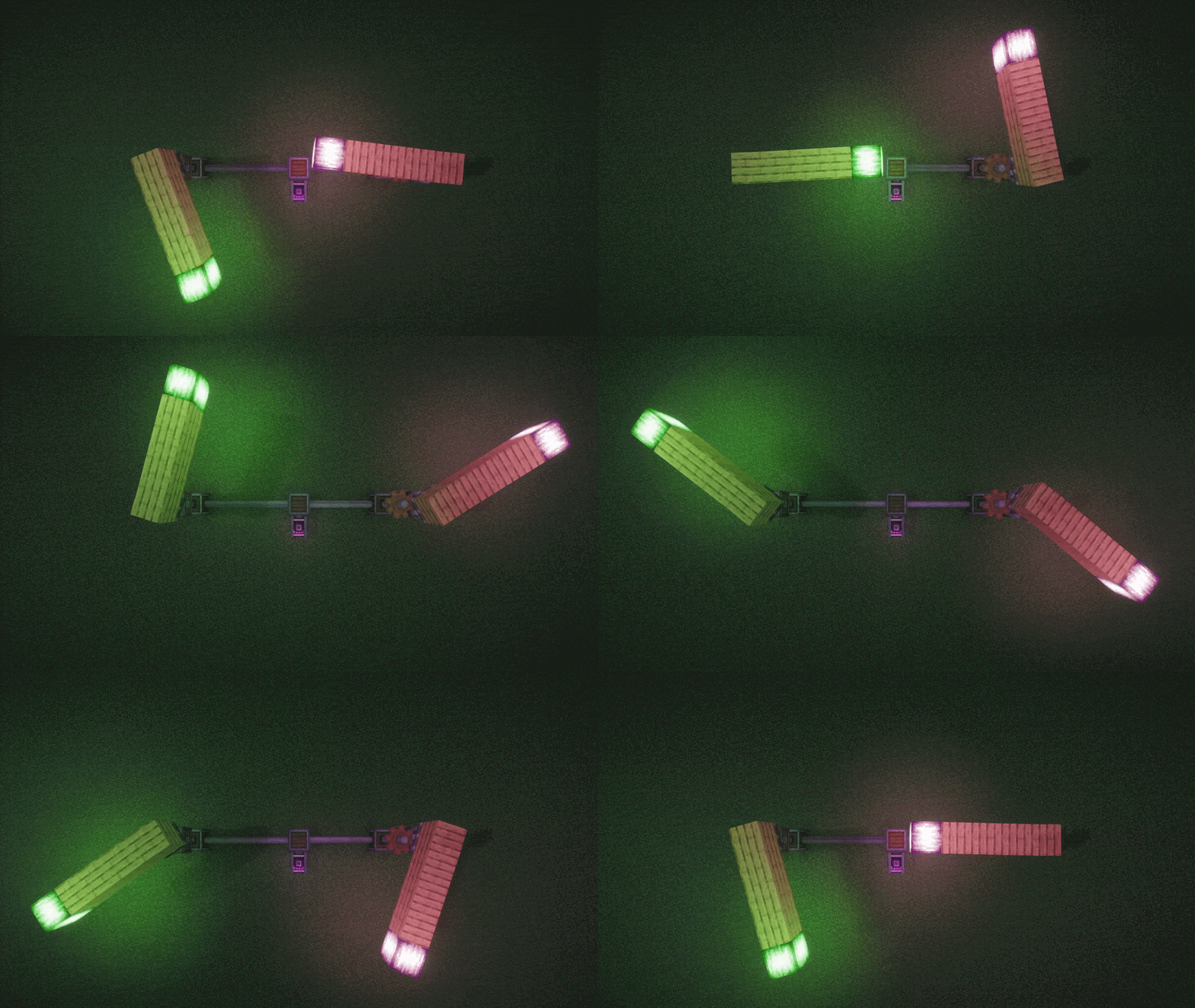
 Structures Lighting the World - With Shaders
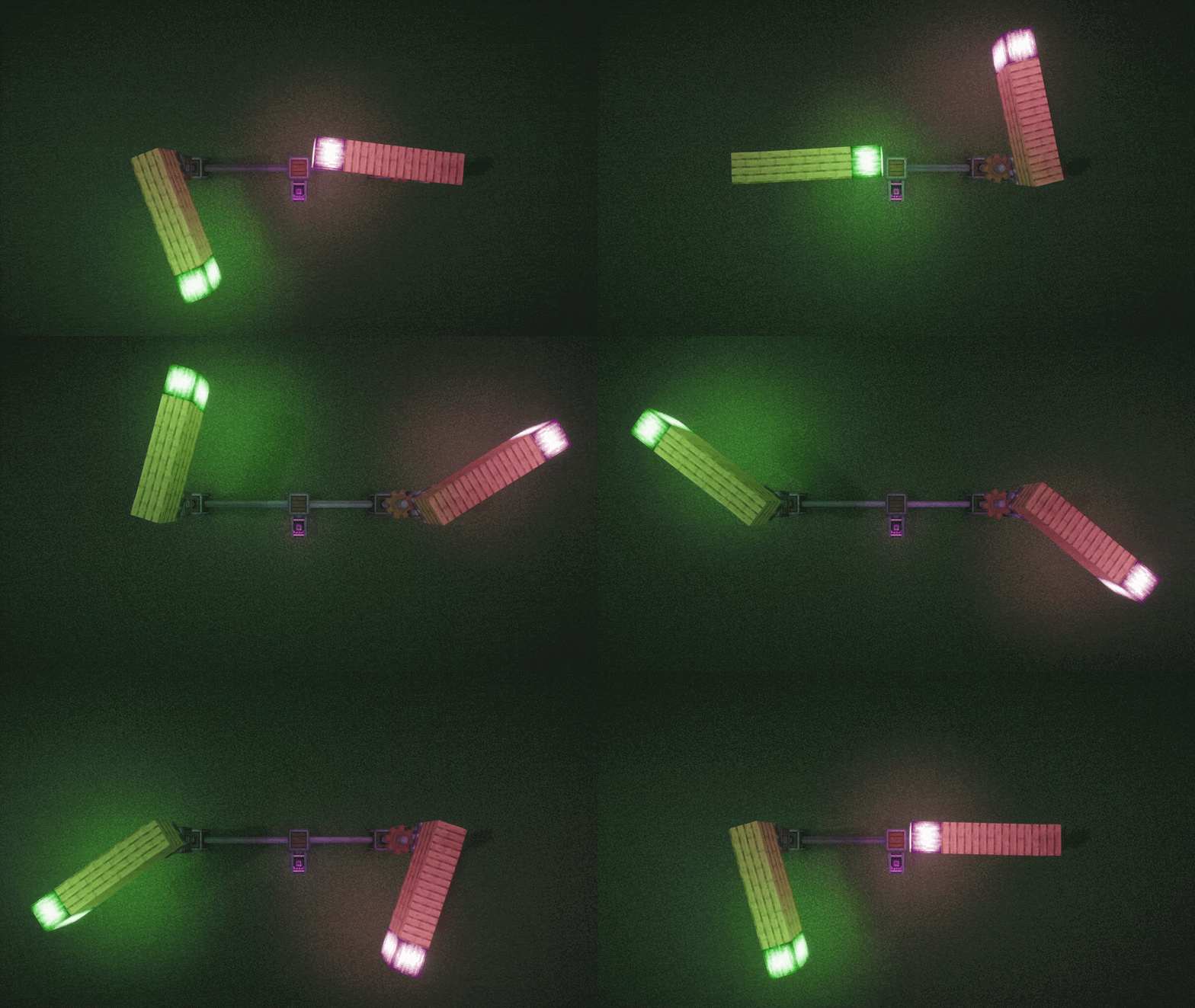
 Structures Lighting the World
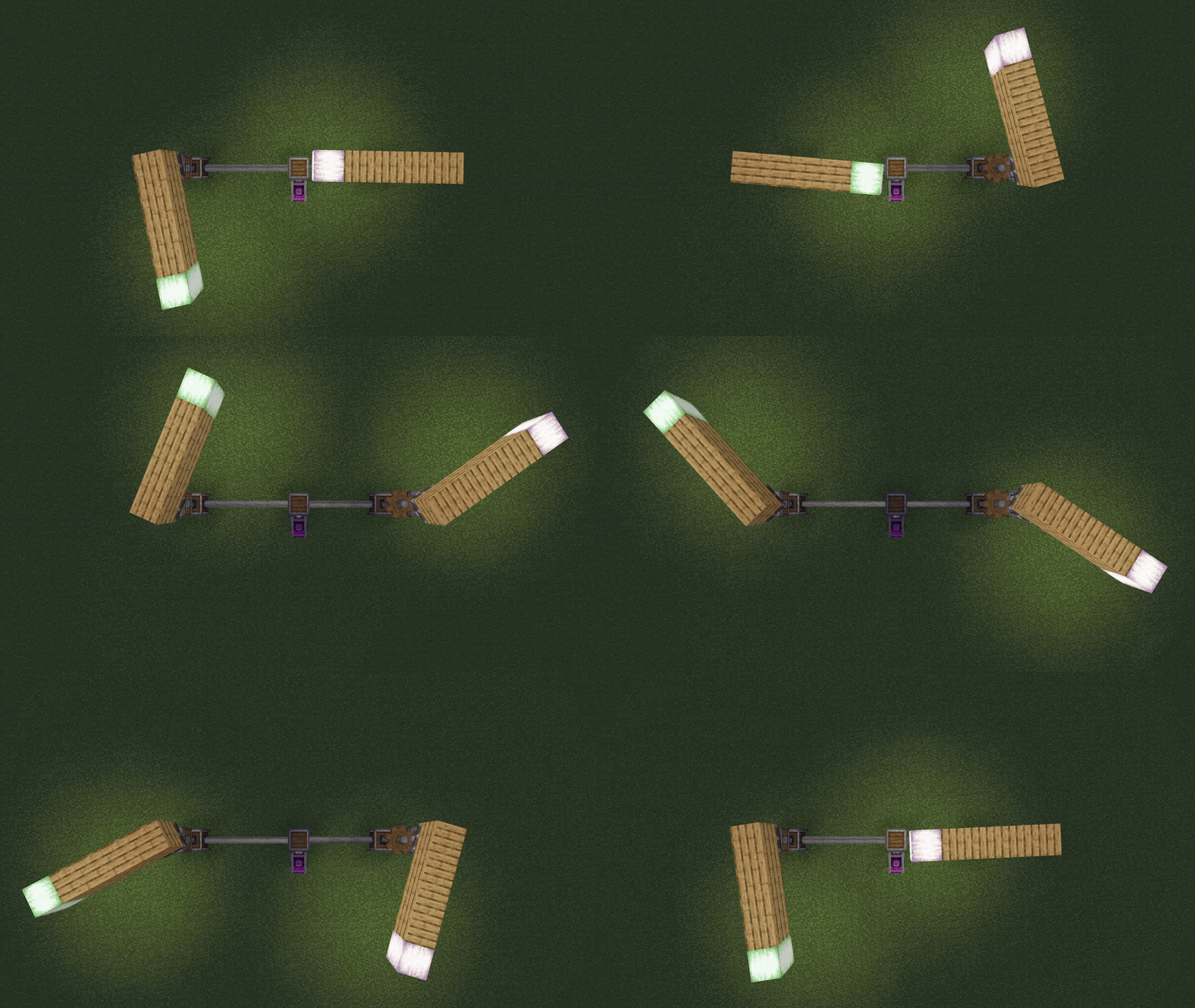
 The World Lighting a Sub-Level
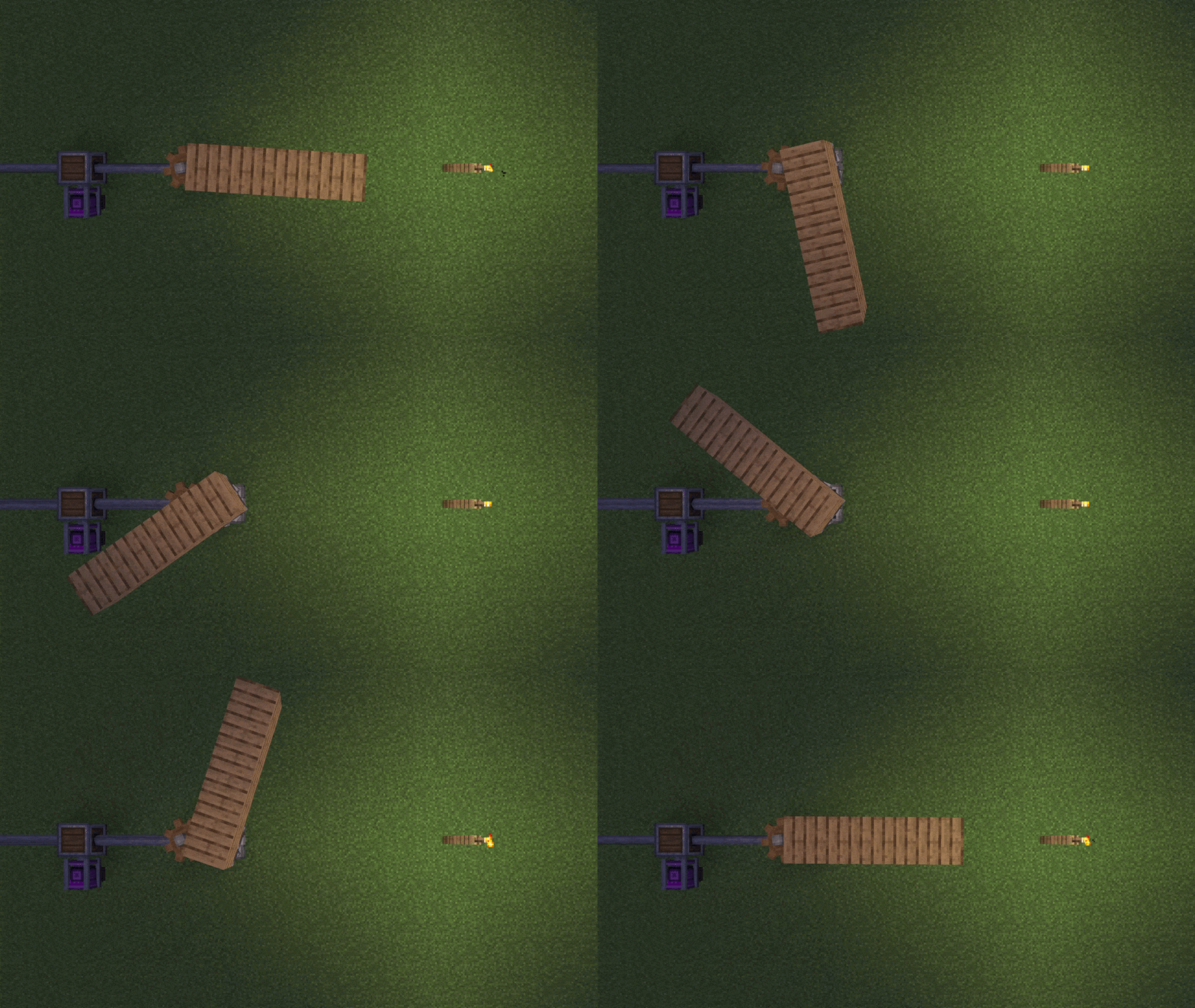
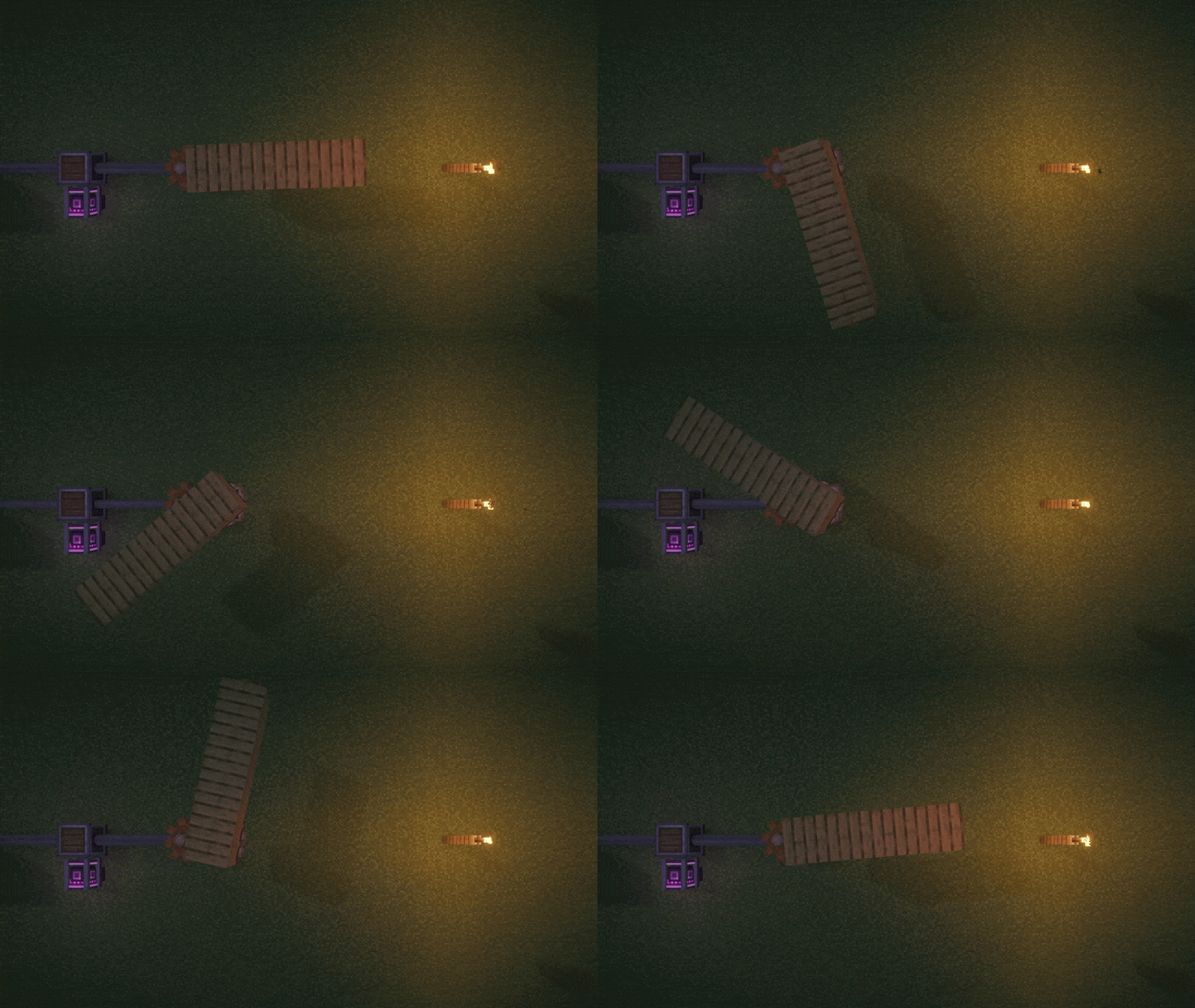 The World Lighting a Sub-Level - With Shaders
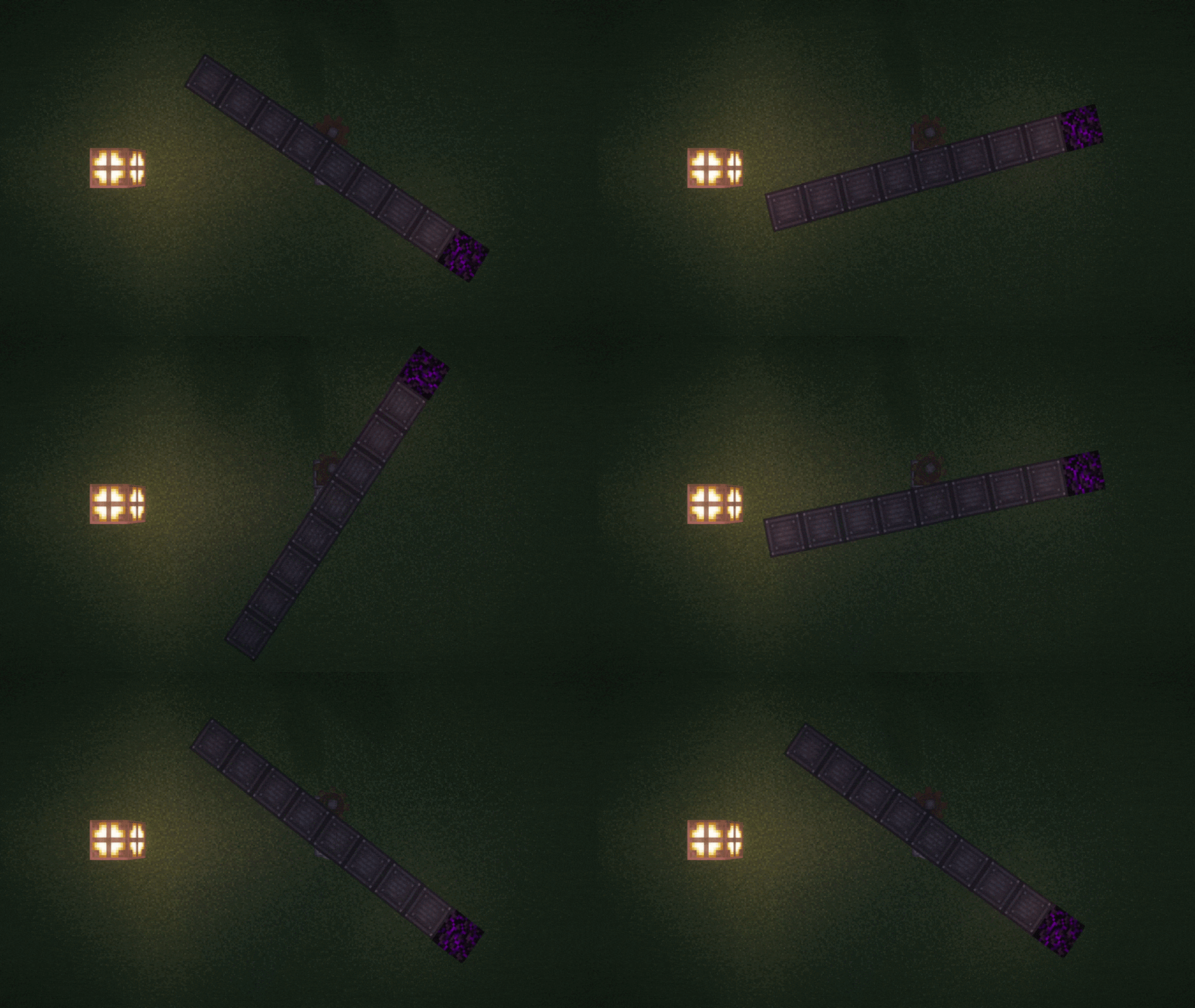 World lighting a Sub-Level and the Sub-Level lighting the world.
Images: Contraption Lights (Bi-directional Coloured Dynamic Lights) on Modrinth, published by the project team.
Setup
Install Contraption Lights (Bi-directional Coloured Dynamic Lights) on your server
The server and players need the same loader and Minecraft version. Back up the world before adding or updating mods.
- 01
Configure
4 GB of RAM is preselected. You choose the term and add-ons and pay by credit card or PayPal.
- 02
Set the loader
In the panel, set the server software to NeoForge and choose the matching Minecraft version, for example 1.21.1.
- 03
Install the mod
Search the mod browser for “Contraption Lights (Bi-directional Coloured Dynamic Lights)” and install the release for your loader. Alternatively, upload the .jar to the mods folder via SFTP. Required dependencies are listed on the project page.
- 04
Connect
Contraption Lights (Bi-directional Coloured Dynamic Lights) is optional on the client. Players connect using the server address from the panel.
- On the server
- Optional
- On the client
- Optional
- Loader
- NeoForge
- Minecraft
- 1.21.1
- License
- LicenseRef-All-Rights-Reserved
The panel
Install mods, find errors.
Real screenshots from the Mado panel. Both come with every Minecraft server.
Mod browser
Modrinth and CurseForge, right in the panel.
The browser filters by your Minecraft version. Install mods with one click, without uploading .jar files.

AI crash analysis
When a mod crashes, the analyzer reads the log.
Mods often fail on a wrong loader version, Java version or missing dependency. The analyzer names a likely cause and suggests a fix.

Releases
Published releases
Pick the file that matches your server’s loader and Minecraft version. The server and players need the same release.
Contraption Lights (Bi-directional Coloured Dynamic Lights) · ModrinthOriginal description by the project author
Contraption Lights


Bi-directional coloured dynamic lights for Create and Sable. Minecraft 1.21.1, NeoForge.
Put a lantern, glowstone or any glowing block on a Create contraption or a Sable sub-level, and its light travels with it as it drives, flies, rotates, tilts or sails. Light crosses between your builds and the world in both directions: a torch on the shore lights a passing ship, and the ship's lanterns light the shore. Every dependency is optional.
What carries light
- Create contraptions and kinetics: anything assembled and moving, plus shafts and cogs drawn by Flywheel.
- Sable sub-levels: physics-driven structures such as ships and dynamic trees.
- Other Flywheel content, such as Vanillin's, with no Create needed.
- Sable Ragdolls limbs: a ragdolled player's torch keeps lighting the scene.
- Hidden lights: glowing blocks inside Create copycats and FramedBlocks frames, items in placards, and lights placed with Offgrid.
How light travels
| Direction | What you see | Default |
|---|---|---|
| Build to world | Light follows every turn of a bearing and roll of a ship. A beacon on a sub-level becomes a steerable searchlight. | On |
| World to build | Torches, lava, glowing mobs, held lights and other mods' flashlights light a passing build. | On |
| Build to build | A lit ship lights a nearby contraption, and a contraption lights nearby kinetics. | Follows the two above |
| Builds riding builds | A lantern on a propeller spinning on a moving ship lights the deck and the world, and is lit by them, wherever it is drawn. | Follows the two above |
A sub-level's walls block light in both directions, so light only gets out of or into a room through its openings, and a closed room is sealed off completely. Solid blocks in the world stop held and moving light too, which still reaches round corners and through doorways.
Coloured light
Turn on enableColoredLight and every glowing block lights in its own colour: a torch warm, a soul lantern blue, a froglight the shade of its texture. Overlapping lights blend and fade smoothly with distance, on blocks, entities, particles, held items and everything the mod moves. Textures that glow on their own stay fully bright. It is off by default, and pauses while a shaderpack is loaded.
Colours come from data files that resource packs and mods can extend, as the wiki explains. For colours on other mods' blocks, add Contraption Lights Compat by DadamaldaDad, which has its own issue tracker.
Modes
| Mode | What you get | Needs |
|---|---|---|
| LAMB (default) | Smooth and cheap, works with shaders, every direction above, full coloured light. | LambDynamicLights |
| VEIL (experimental) | Crisp angled shadows from tilted sub-levels, but build-to-world only. Disables itself under Iris. | Veil |
| Server light blocks | Real light blocks that every player sees, with no client mod. Off by default, meant for server admins. | Nothing on the client |
Setup
Install a backend (LambDynamicLights for almost everyone) and the mods you want lit:
| Mod | Adds |
|---|---|
| Create 0.6+ | Contraptions, kinetics, copycats and placards |
| Sable | Sub-levels, on any mode |
| Sable Ragdolls 0.7+ | A ragdolled player's held light |
| FramedBlocks | Light and colour from glowing frames |
| Sodium 0.8.12+ | The options in Video Settings. Not needed for anything else |
Has specific support for Iris, Chunks Fade In, Entity Texture Features, Snow! Real Magic!, AsyncParticles, Fusion, Copycats+, Amendments, Offgrid, Curios, Accessories, Gadgets & Gizmos and Create Deep Seas.
Options
The defaults suit most players. Options are in the in-game config screen, the config file and Sodium's Video Settings, and every one is explained on the Options wiki page. The ones people look for: mode, enableColoredLight, enableSubLevelOcclusion, and the server's enableContraptionLightBlock and enableSubLevelLightBlock.
FAQ
Which mode should I use?
LAMB. VEIL is experimental and only worth it for shadows on tilted sub-levels.
Do other players need the mod?
For LAMB and VEIL, yes. For server light blocks, only the server.
My Sable sub-levels look flat, too bright, or stay lit underground.
That is how Sable renders whenever Iris is installed. A bundled "Contraption Lights Fixes" mod repairs it when Sable, Iris and Veil are all installed; check the three fixSubLevel... options are on.
Coloured light does nothing.
It is off by default and pauses under a shaderpack. If only one block looks wrong, Contraption Lights Compat may cover it, or give it a colour as the wiki describes.
Light still gets into my cabin.
Only blocks that stop light count as walls. Glass, slabs, stairs, fences and open trapdoors let it through, and light comes in through any opening, dimmer the longer its way round.
Nothing lights up.
Watch the bottom-right corner: if the setup is at fault, the mod says so there. Otherwise check a backend is installed and the build carries a glowing block.
Credits
- Logo by arthursimon900.
License
All Rights Reserved. You may include this mod in modpacks.
FAQ
Contraption Lights (Bi-directional Coloured Dynamic Lights) questions
Question not listed? Ask our team.
Contraption Lights (Bi-directional Coloured Dynamic Lights) server crashes on startup – what to do?
Common causes: the loader or Minecraft version does not match the mod file, a dependency is missing, or RAM is too low. Check the log (latest.log) for “OutOfMemoryError”, “Mixin” or missing mods. At Mado, the AI crash analysis reads the log and suggests a cause. You can change the loader and version in the panel.
Which loader does Contraption Lights (Bi-directional Coloured Dynamic Lights) run on?
According to Modrinth, Contraption Lights (Bi-directional Coloured Dynamic Lights) supports NeoForge for Minecraft 1.21.1.
How much RAM does a server with Contraption Lights (Bi-directional Coloured Dynamic Lights) need?
As guidance, 3–4 GB for a server with this mod. This is an estimate, not a measured minimum. More mods, many players and long view distances need more. The spark profiler shows whether a mod is costing tick time.
Similar mods
Popular mods in the same category
 Client only

Iris Shaders
by coderbot
A modern shader pack loader for Minecraft intended to be compatible with existing OptiFine shader packs
 Client only

[ETF] Entity Texture Features
by Traben
Emissive, Random & Custom texture support for entities in resourcepacks just like Optifine but for Fabric
 Client only

[EMF] Entity Model Features
by Traben
EMF is an, OptiFine format, Custom Entity Model replacement mod available for Fabric and Forge.
 Client only

Not Enough Animations
by tr7zw
Bringing first-person animations to the third-person
Ready for your server with Contraption Lights (Bi-directional Coloured Dynamic Lights)?
4 GB of RAM from €8.00 per month. 35% off your first month with MADO35.