
Discord Integration
This mod links your server chat with a channel on your discord server
Über diese Mod
This mod/plugin links your server (not client!) chat with a channel on your discord server.
Features
- Send chat messages from discord to minecraft and back
- /discord command which sends an invite url to the sender
- Webhook mode
- Commands
- Server crash detection (might not always work!, forge only)
- Player timeout detection (might not always work!, forge only)
- Death and advancement messages
- API for mod developers to send messages and register commands
- Discord <-> Minecraft account linking (with whitelist mode)
- Dynmap Integration
Quick setup guide: https://erdbeerbaerlp.de/projects/discord-integration/quick-setup
Need Help or Support?
You can join my Discord server.

Demo Server
Join the official server! (uses current spigot version)
On the demo server you can also link your minecraft and discord account globally (optional)
mc.erdbeerbaerlp.de
Unsure about Discord Permissions?
The bot needs permissions to modify webhooks, send and read messages and manage channels.
You also need to enable Server Members Intent on the bot creation page
MC Version Support
Mod is temporarily on "life support". Meaning, most updates come from github pull requests. Mostly just minecraft updates to support new versions.
Statistics
(Note: The statistics only contain spigot users until 3.0.6/3.0.7)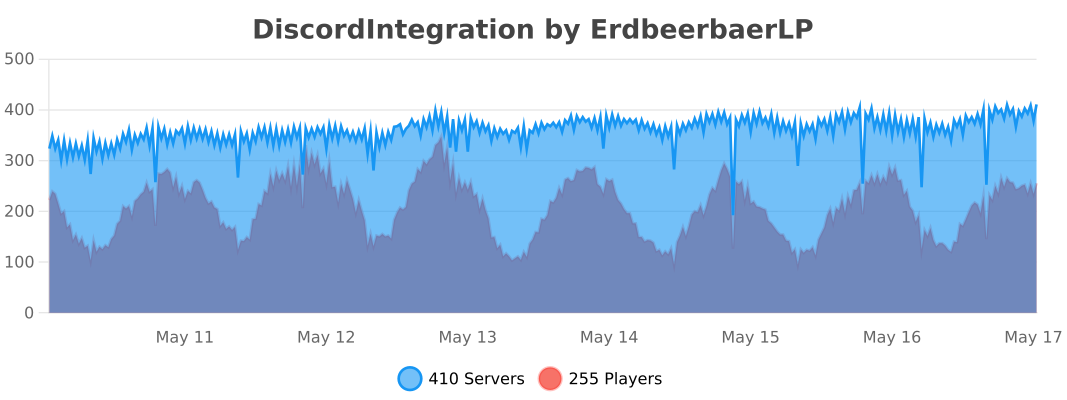
Donate: https://erdbeerbaerlp.de/donate
Verfügbare Versionen
Discord Integration auf dem Server installieren
Server bestellen
Bestelle einen Minecraft Java Server mit mindestens 3 GB RAM (4 GB empfohlen).
fabric Loader setzen
Wähle im Panel unter "Egg" den fabric-Loader und die passende Minecraft-Version (26.2).
Mod installieren
Öffne den Mod-Browser im Dashboard und suche nach "Discord Integration". Klicke "Installieren" – fertig! Alternativ: Lade die .jar via SFTP in den /mods Ordner.
Kompatibilität
Mod-Loader
Minecraft-Versionen
26.2, 26.1.2, 26.1.1 (+25 weitere)
Server-seitig
✓ ErforderlichEmpfohlener RAM
4 GB(min. 3 GB)Häufige Fragen
Discord Integration Server crasht beim Start – was tun?
Häufigste Ursache: falsche fabric-Version oder zu wenig RAM. Prüfe im Server-Log (latest.log), ob ein "OutOfMemoryError" oder "Mixin"-Fehler auftritt. Bei Mado Hosting: Stelle sicher, dass mindestens 3 GB RAM zugewiesen sind und der Loader zur Mod-Version passt (26.2). Über das Panel kannst du den Loader mit einem Klick wechseln.
Ist Discord Integration mit fabric und forge und neoforge und paper und spigot kompatibel?
Discord Integration unterstützt offiziell fabric, forge, neoforge, paper, spigot für Minecraft 26.2, 26.1.2, 26.1.1. Achtung: Forge- und Fabric-Mods sind NICHT untereinander kompatibel – wähle einen Loader und bleibe dabei. Im Mado Dashboard werden inkompatible Loader-Kombinationen automatisch erkannt.
Server laggt mit Discord Integration – wie optimiere ich die Performance?
Empfohlener RAM: 4 GB (+1 GB pro 8 Spieler). Prüfe mit /spark profiler, ob Discord Integration den meisten Tick-Time verbraucht. Häufige Fixes: Server-View-Distance auf 8-10 reduzieren, bei Forge "performant" oder "starlight" als Zusatz-Mod installieren. Bei Mado Hosting läuft dein Server auf NVMe-SSDs mit dedizierten CPU-Kernen für minimale Latenz.
Ähnliche Mods






Modded Server mieten
Installiere Discord Integration mit nur einem Klick auf deinem Server.