
Discord Integration
This mod links your server chat with a channel on your discord server
About this Mod
This mod/plugin links your server (not client!) chat with a channel on your discord server.
Features
- Send chat messages from discord to minecraft and back
- /discord command which sends an invite url to the sender
- Webhook mode
- Commands
- Server crash detection (might not always work!, forge only)
- Player timeout detection (might not always work!, forge only)
- Death and advancement messages
- API for mod developers to send messages and register commands
- Discord <-> Minecraft account linking (with whitelist mode)
- Dynmap Integration
Quick setup guide: https://erdbeerbaerlp.de/projects/discord-integration/quick-setup
Need Help or Support?
You can join my Discord server.

Demo Server
Join the official server! (uses current spigot version)
On the demo server you can also link your minecraft and discord account globally (optional)
mc.erdbeerbaerlp.de
Unsure about Discord Permissions?
The bot needs permissions to modify webhooks, send and read messages and manage channels.
You also need to enable Server Members Intent on the bot creation page
MC Version Support
Mod is temporarily on "life support". Meaning, most updates come from github pull requests. Mostly just minecraft updates to support new versions.
Statistics
(Note: The statistics only contain spigot users until 3.0.6/3.0.7)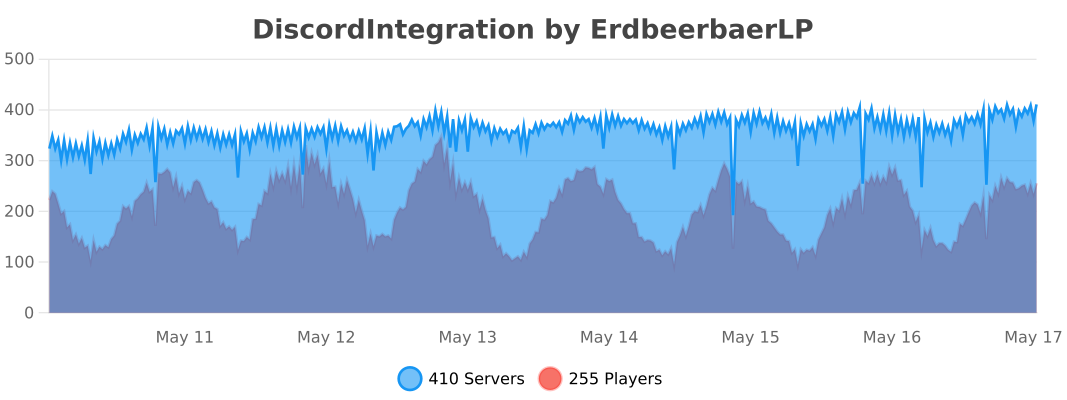
Donate: https://erdbeerbaerlp.de/donate
Available Versions
How to Install Discord Integration on Your Server
Order Server
Order a Minecraft Java server with at least 3 GB RAM (4 GB recommended).
Set fabric Loader
In the panel under "Egg", select the fabric loader and matching Minecraft version (26.2).
Install Mod
Open the mod browser in the dashboard and search for "Discord Integration". Click "Install" – done! Alternatively, upload the .jar via SFTP to the /mods folder.
Compatibility
Mod Loaders
Minecraft Versions
26.2, 26.1.2, 26.1.1 (+25 more)
Server-side
✓ RequiredRecommended RAM
4 GB(min. 3 GB)Frequently Asked Questions
Discord Integration server crashes on startup – what to do?
Most common cause: wrong fabric version or insufficient RAM. Check the server log (latest.log) for "OutOfMemoryError" or "Mixin" errors. With Mado Hosting: ensure at least 3 GB RAM is allocated and the loader matches the mod version (26.2). You can switch loaders with one click in the panel.
Is Discord Integration compatible with fabric and forge and neoforge and paper and spigot?
Discord Integration officially supports fabric, forge, neoforge, paper, spigot for Minecraft 26.2, 26.1.2, 26.1.1. Note: Forge and Fabric mods are NOT cross-compatible – pick one loader and stick with it. The Mado dashboard automatically detects incompatible loader combinations.
Server lagging with Discord Integration – how to optimize performance?
Recommended RAM: 4 GB (per 8 players). Use /spark profiler to check if Discord Integration consumes the most tick time. Common fixes: reduce server view-distance to 8-10, install "performant" or "starlight" as supplementary mods on Forge. With Mado Hosting, your server runs on NVMe SSDs with dedicated CPU cores for minimal latency.
Similar Mods






Rent Modded Server
Install Discord Integration with just one click on your server.