
Display Delight
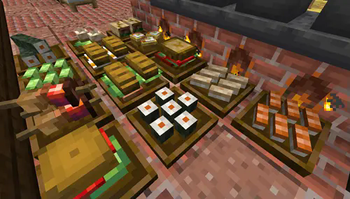
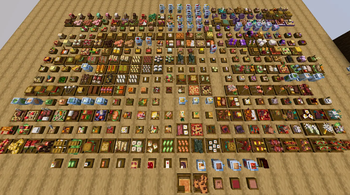
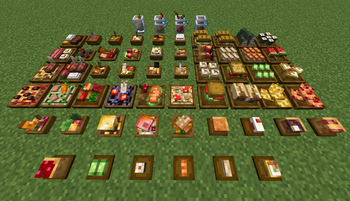
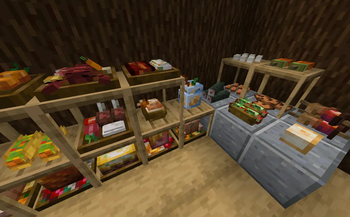
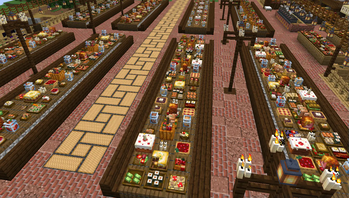
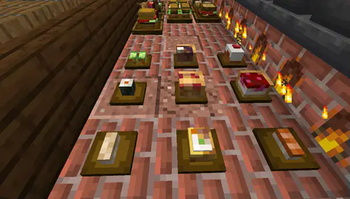
Allows to place every food item in Farmer's Delight in 3D
Screenshots
Über diese Mod
Placeable 3D Foods!
This addon lets you place EVERY food item in Farmer's Delight(and other addons) in 3D!
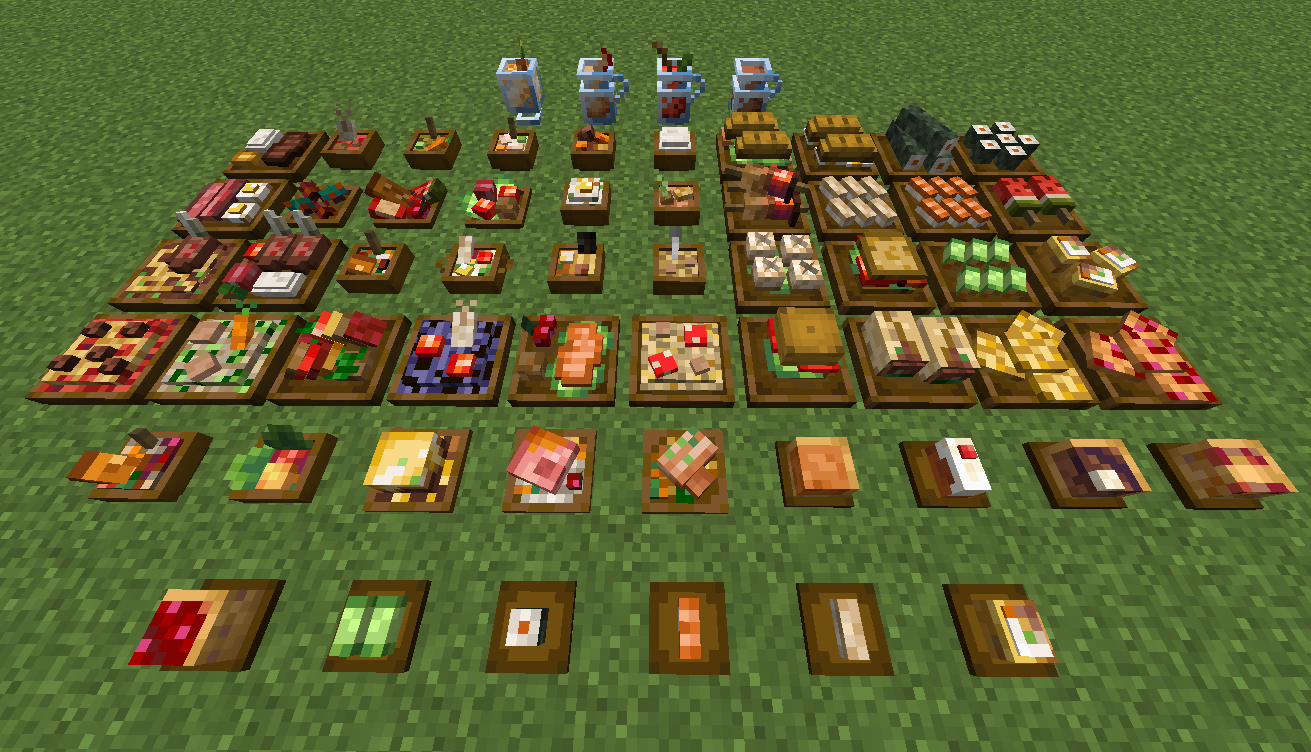
For foods already in containers (bowls, glass bottles, etc.), simply Sneak + Right-click to place them directly on the ground.
All placed food blocks are neither block entities nor entities, which makes them lag-friendly when placed in large amounts.
New Items: Food Plates
Crafted using any wooden slab, plates allow you to display smaller finger foods that don't come in a container.
Some finger foods in the larger plates are stackable. (maximum stack size varies)
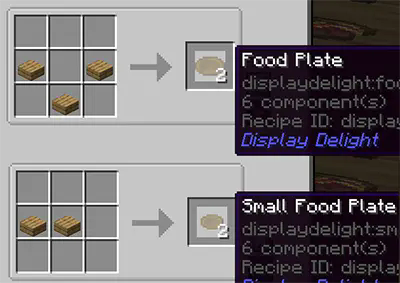
Plate Interactions
- Place All Items: Sneak + Right-click with the food.
- Take One Item: Right-click with an empty hand.
- Take All Items: Sneak + Right-click with an empty hand.
Hiding/showing plates
- Hide the plate: Right-click it with any Axe.
- Show the plate again: Right-click it with a right Food Plate item.
Obtaining Food Block Items in Survival
- Silk Touch: Mine placed foods to drop them as items. (Note: Plated foods must be at maximum stack capacity to drop).
- Wandering Traders: They sell food block items, prioritizing items from add-ons you don't have installed. This is the only way to obtain those specific food blocks in survival
Compatible Addons
- Corn delight - 8 foods
- Expanded Delight - 37 foods
- Delightful - 22 foods
- Pineapple Delight - 6 foods
- Ocean's Delight - 9 foods
- Alex's Delight - 8 foods
- Cultural Delights - 25 foods
- Large Meals - 13 foods
- Festive Delight - 3 foods
- 8 foods from Brewin' and Chewin'
- 15 foods from End's Delight
- 17 foods from Ender's Delight
- 15 foods from Crabber's Delight
- 18 foods from Aquaculture Delight
- 37 foods from My Nether's Delight
- 8 foods from Nether's Delight
- Abnormals Delight - 22 foods
- Miner's Delight+ - 12 foods
- Farmer's Respite - 14 foods
Credits
Farmer's 3D Resource pack by Pder
- Some 3D model designs are originally derived from this resource pack
Verfügbare Versionen
Display Delight auf dem Server installieren
Server bestellen
Bestelle einen Minecraft Java Server mit mindestens 3 GB RAM (4 GB empfohlen).
forge Loader setzen
Wähle im Panel unter "Egg" den forge-Loader und die passende Minecraft-Version (1.21.1).
Mod installieren
Öffne den Mod-Browser im Dashboard und suche nach "Display Delight". Klicke "Installieren" – fertig! Alternativ: Lade die .jar via SFTP in den /mods Ordner.
Kompatibilität
Mod-Loader
Minecraft-Versionen
1.21.1, 1.21, 1.20.1 (+1 weitere)
Server-seitig
✓ ErforderlichEmpfohlener RAM
4 GB(min. 3 GB)Häufige Fragen
Display Delight Server crasht beim Start – was tun?
Häufigste Ursache: falsche forge-Version oder zu wenig RAM. Prüfe im Server-Log (latest.log), ob ein "OutOfMemoryError" oder "Mixin"-Fehler auftritt. Bei Mado Hosting: Stelle sicher, dass mindestens 3 GB RAM zugewiesen sind und der Loader zur Mod-Version passt (1.21.1). Über das Panel kannst du den Loader mit einem Klick wechseln.
Ist Display Delight mit forge und neoforge kompatibel?
Display Delight unterstützt offiziell forge, neoforge für Minecraft 1.21.1, 1.21, 1.20.1. Im Mado Dashboard werden inkompatible Loader-Kombinationen automatisch erkannt.
Server laggt mit Display Delight – wie optimiere ich die Performance?
Empfohlener RAM: 4 GB (+1 GB pro 8 Spieler). Prüfe mit /spark profiler, ob Display Delight den meisten Tick-Time verbraucht. Häufige Fixes: Server-View-Distance auf 8-10 reduzieren, bei Forge "performant" oder "starlight" als Zusatz-Mod installieren. Bei Mado Hosting läuft dein Server auf NVMe-SSDs mit dedizierten CPU-Kernen für minimale Latenz.
Ähnliche Mods

![[ETF] Entity Texture Features](https://cdn.modrinth.com/data/BVzZfTc1/af683d206d50b05258d865b0d6e4aa2f2cee12f2_96.webp)
![[EMF] Entity Model Features](https://cdn.modrinth.com/data/4I1XuqiY/6e5bbd0d06b1741bfdab6c0cfab6de8fdaf0064c_96.webp)



Modded Server mieten
Installiere Display Delight mit nur einem Klick auf deinem Server.
Details
- Lizenz
- GNU Lesser General Public License v3.0 or later
- Server-seitig
- Erforderlich