
Modrinth · Fabric, Forge, NeoForge
Effortless Building auf deinem Minecraft Server
Effortless Building läuft auf Minecraft Servern mit Fabric oder Forge oder NeoForge. Bestell deinen Server, stell den Loader im Panel ein und installiere die Mod mit einem Klick im Mod-Browser.
Makes building easier by providing tools like mirrors, arrays, build modes and a block randomizer. For survival and creative mode.
- Downloads
- 1.7M
- Autor
- Requios
- Loader
- Fabric, Forge, NeoForge
- Minecraft
- 1.19.2 – 26.3
- Aktualisiert
- –
Screenshots
So sieht Effortless Building aus
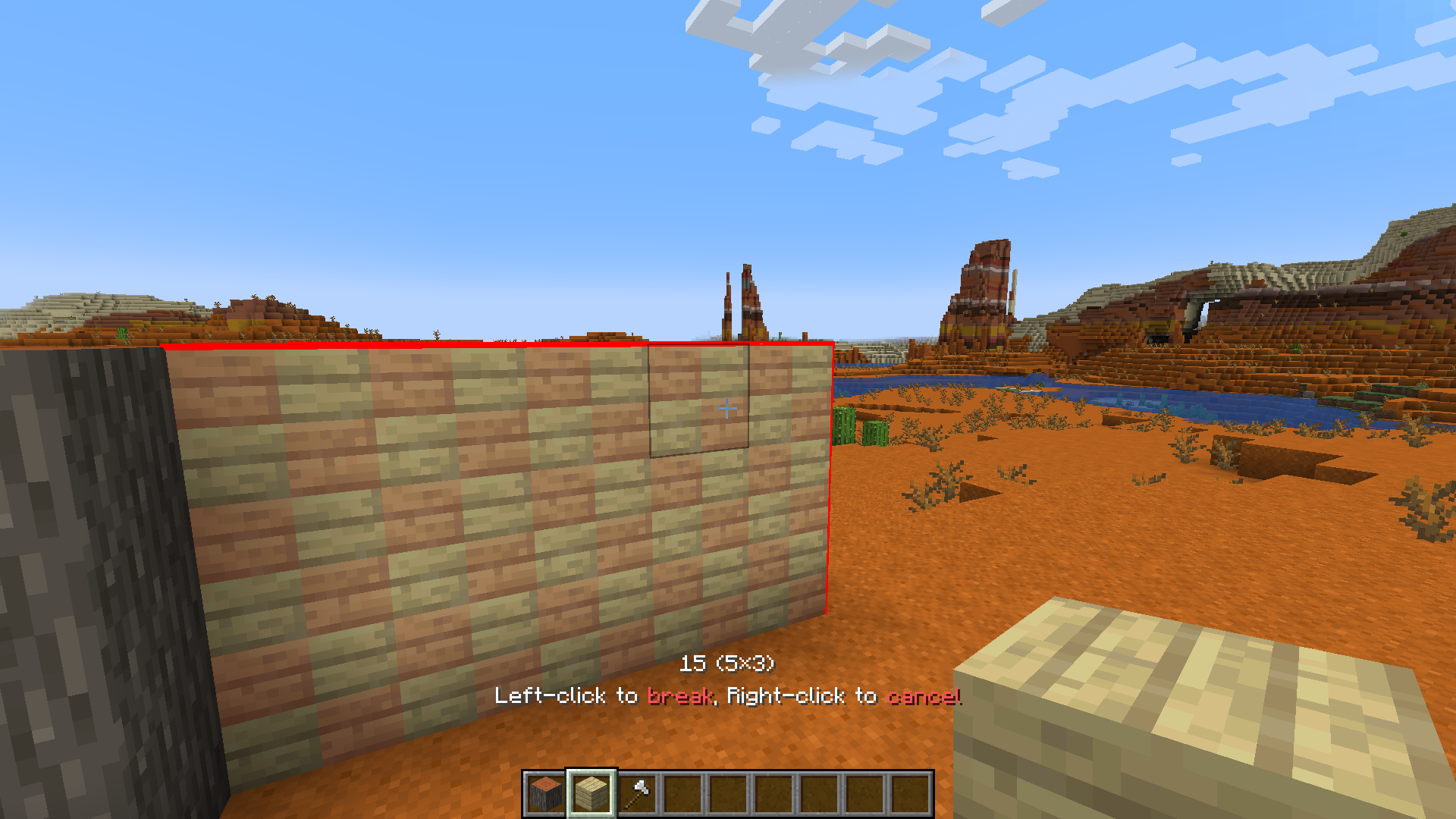
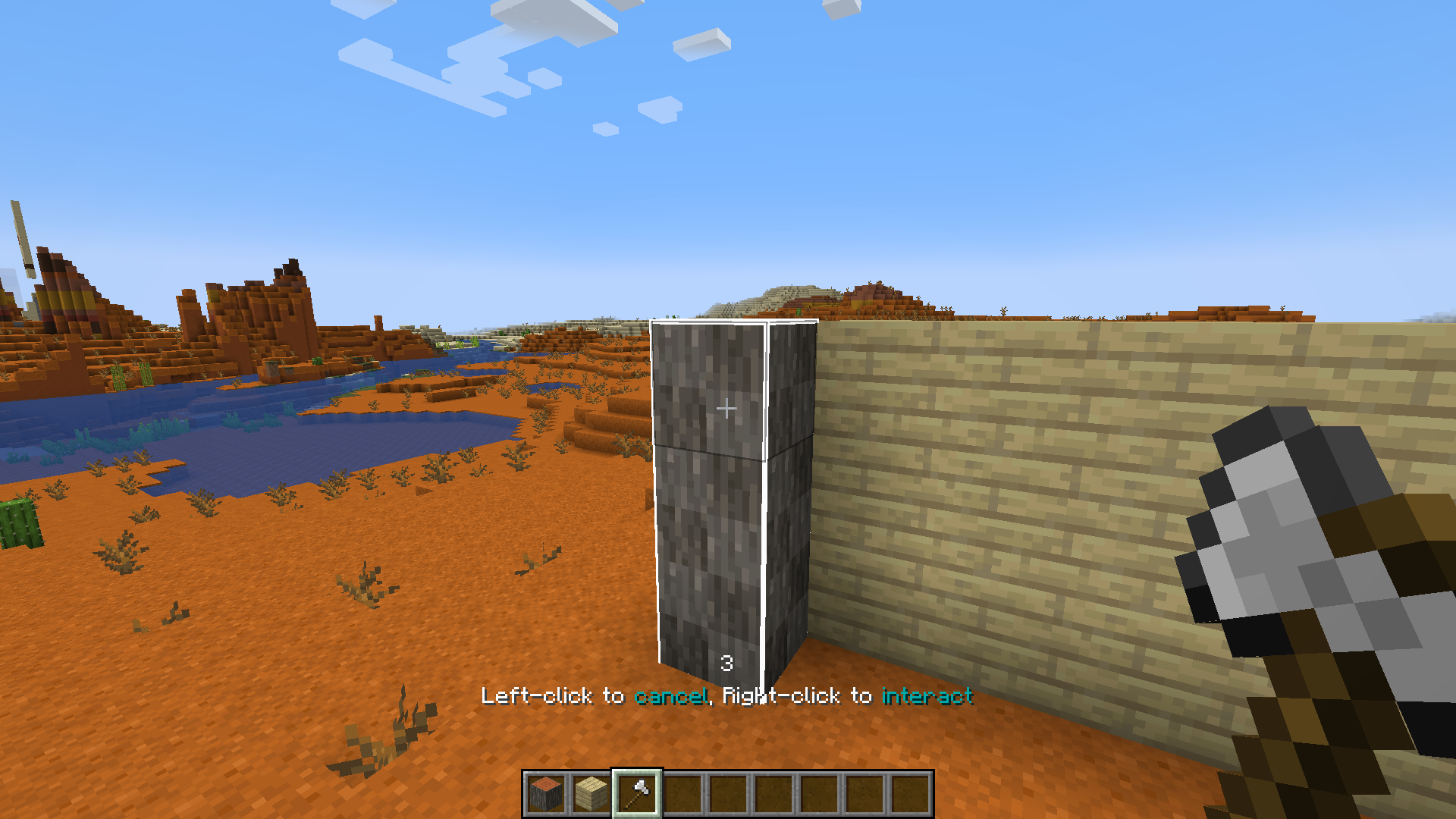
Bilder: Effortless Building auf Modrinth, vom Projektteam veröffentlicht.
Einrichtung
Effortless Building auf dem Server installieren
Server und Spieler brauchen denselben Loader und dieselbe Minecraft-Version. Sichere die Welt, bevor du Mods hinzufügst oder aktualisierst.
- 01
Konfigurieren
4 GB RAM sind vorausgewählt. Laufzeit und Add-ons wählst du selbst, bezahlt wird per Kreditkarte oder PayPal.
- 02
Loader einstellen
Stell im Panel die Serversoftware auf Fabric oder Forge oder NeoForge und wähl die passende Minecraft-Version, zum Beispiel 26.3.
- 03
Mod installieren
Such im Mod-Browser nach „Effortless Building“ und installiere die Version für deinen Loader. Alternativ lädst du die .jar per SFTP in den Ordner mods. Erforderliche Abhängigkeiten stehen auf der Projektseite.
- 04
Verbinden
Alle Spieler installieren Effortless Building in derselben Version lokal und verbinden sich über die Serveradresse aus dem Panel.
- Auf dem Server
- Erforderlich
- Auf dem Client
- Erforderlich
- Loader
- Fabric, Forge, NeoForge
- Minecraft
- 26.3, 26.2, 26.1.2 +6 weitere
- Lizenz
- GNU Lesser General Public License v3.0 only
Das Panel
Mods installieren, Fehler finden.
Echte Screenshots aus dem Mado Panel. Beides ist bei jedem Minecraft Server enthalten.
Mod-Browser
Modrinth und CurseForge direkt im Panel.
Der Browser filtert nach deiner Minecraft-Version. Mods installierst du mit einem Klick, ohne .jar-Dateien hochzuladen.

KI-Crash-Analyse
Wenn ein Mod crasht, liest die Analyse das Log.
Mods scheitern oft an einer falschen Loader-Version, Java-Version oder fehlenden Abhängigkeit. Die Analyse nennt eine wahrscheinliche Ursache und einen Lösungsvorschlag.

Versionen
Veröffentlichte Versionen
Nimm die Datei, die zu Loader und Minecraft-Version deines Servers passt. Server und Spieler brauchen dieselbe Version.
Effortless Building · Modrinth- Effortless Building 4.310. Oktober 2026Minecraft 26.3 · NeoForge
- Effortless Building 4.310. Oktober 2026Minecraft 26.3 · Fabric
- Effortless Building 4.31. August 2026Minecraft 26.2 · Fabric
- Effortless Building 4.31. August 2026Minecraft 26.2 · NeoForge
- Effortless Building 4.31. August 2026Minecraft 26.1.2 · NeoForge
Originalbeschreibung des Projektautors
Many mods make it easier to break blocks, but not many focus on placing them. Even the most experienced players still often place blocks one by one. This mod makes building easier by providing tools like mirrors, arrays, build modes and a block randomizer.
- Place and break multiple blocks at once
- Mirror blocks in realtime
- Place random blocks using the Randomizer Bag
- Undo and redo
- Fully supported in survival mode
Build Modes
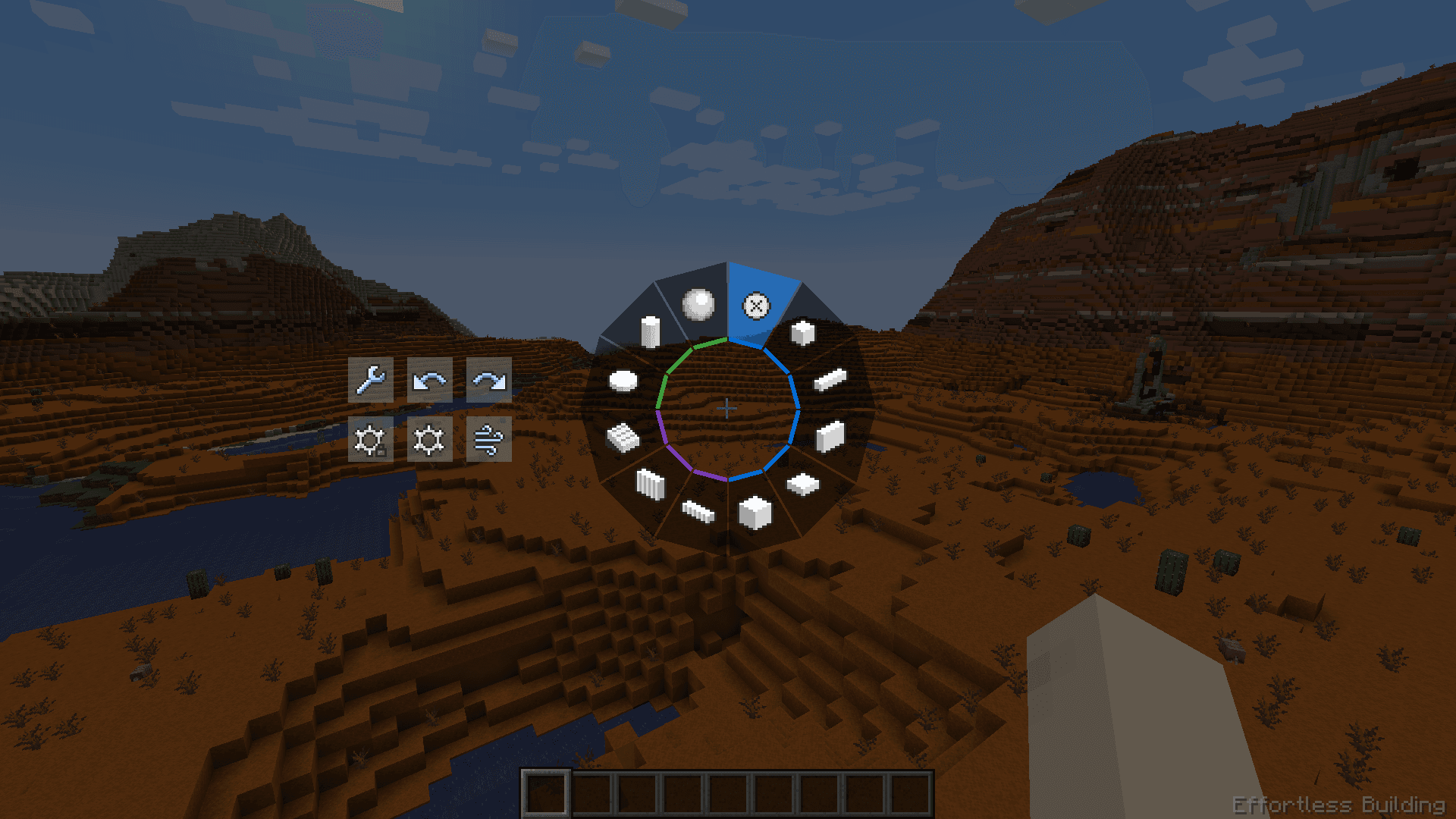
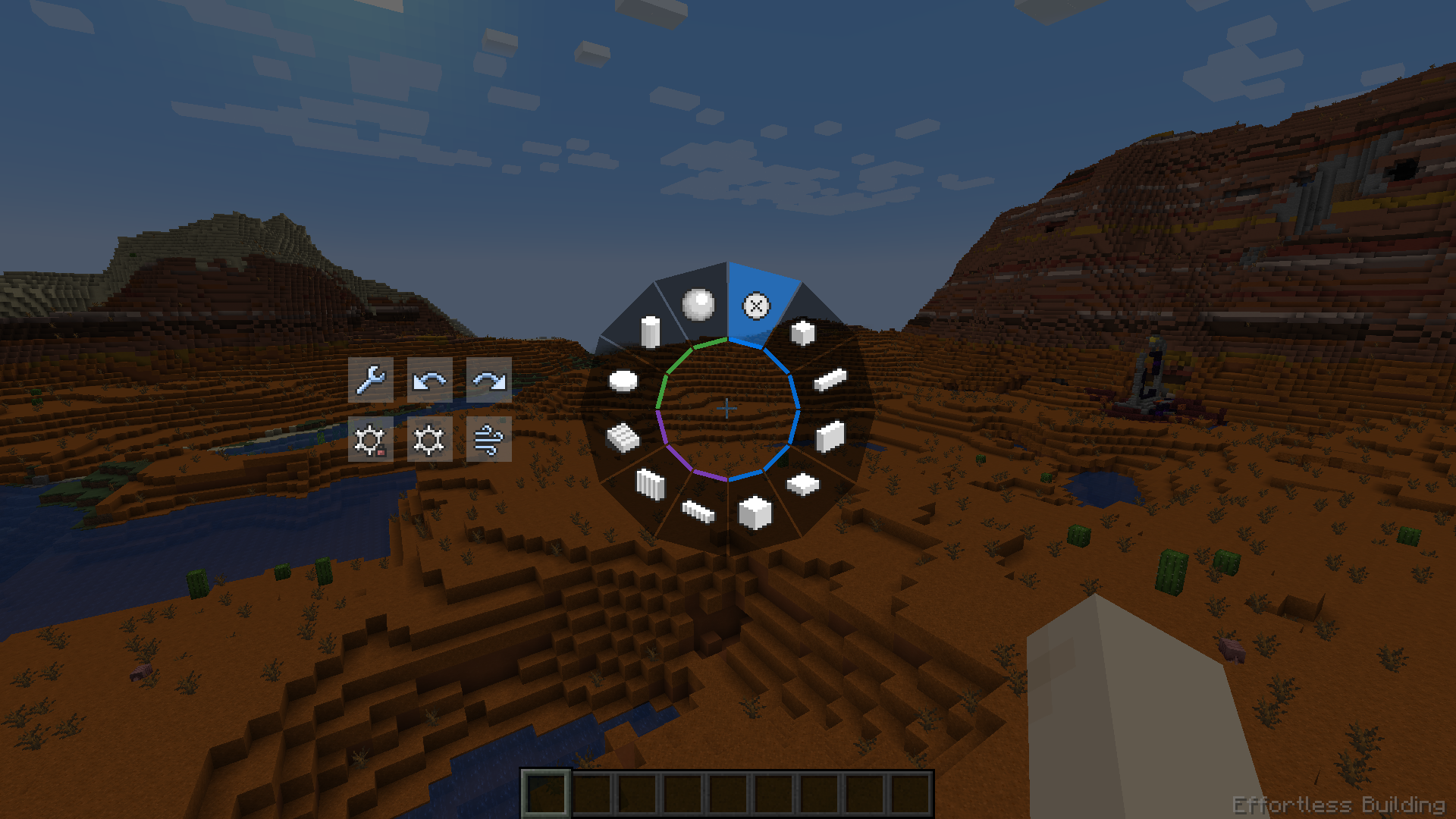
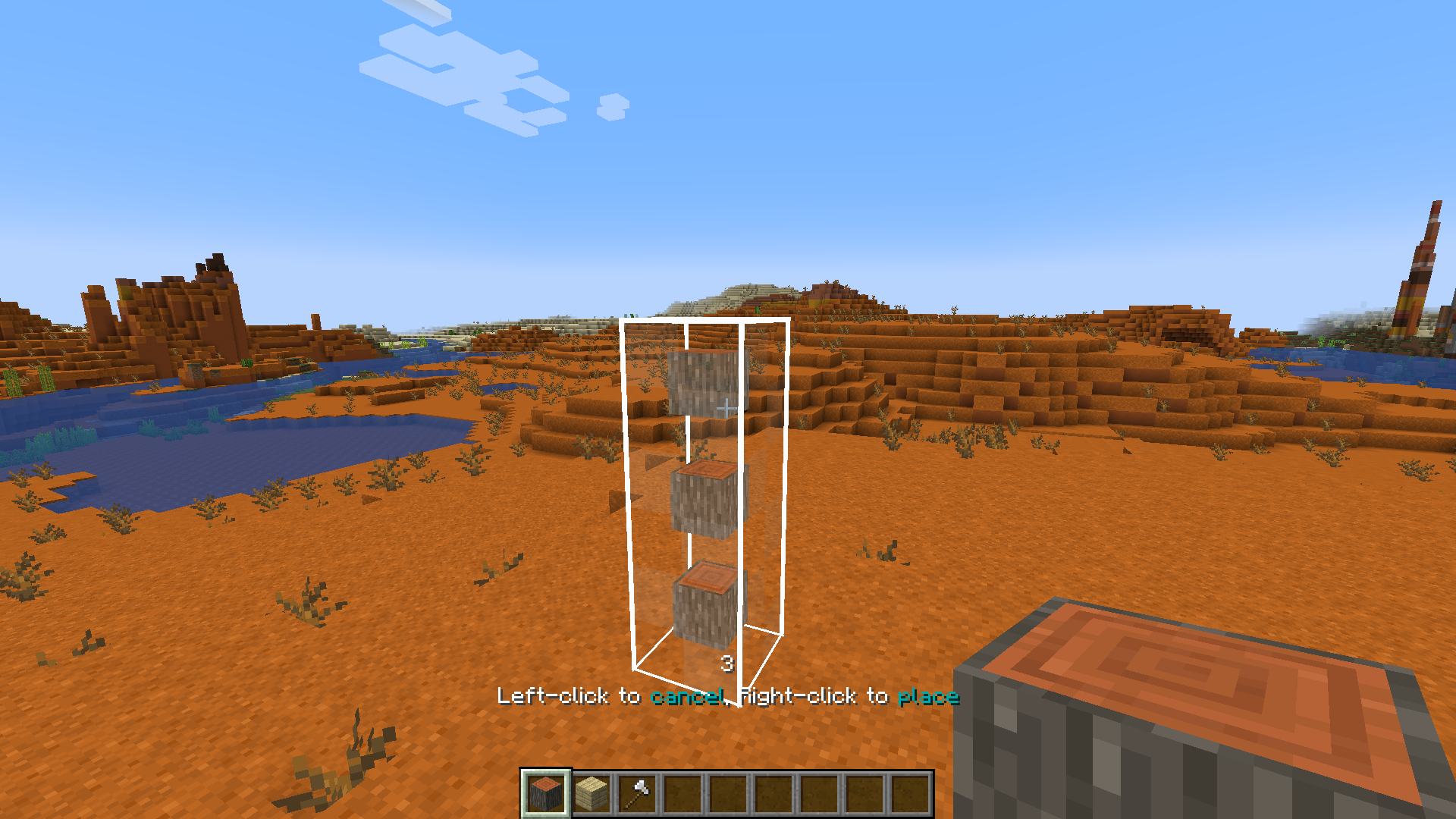
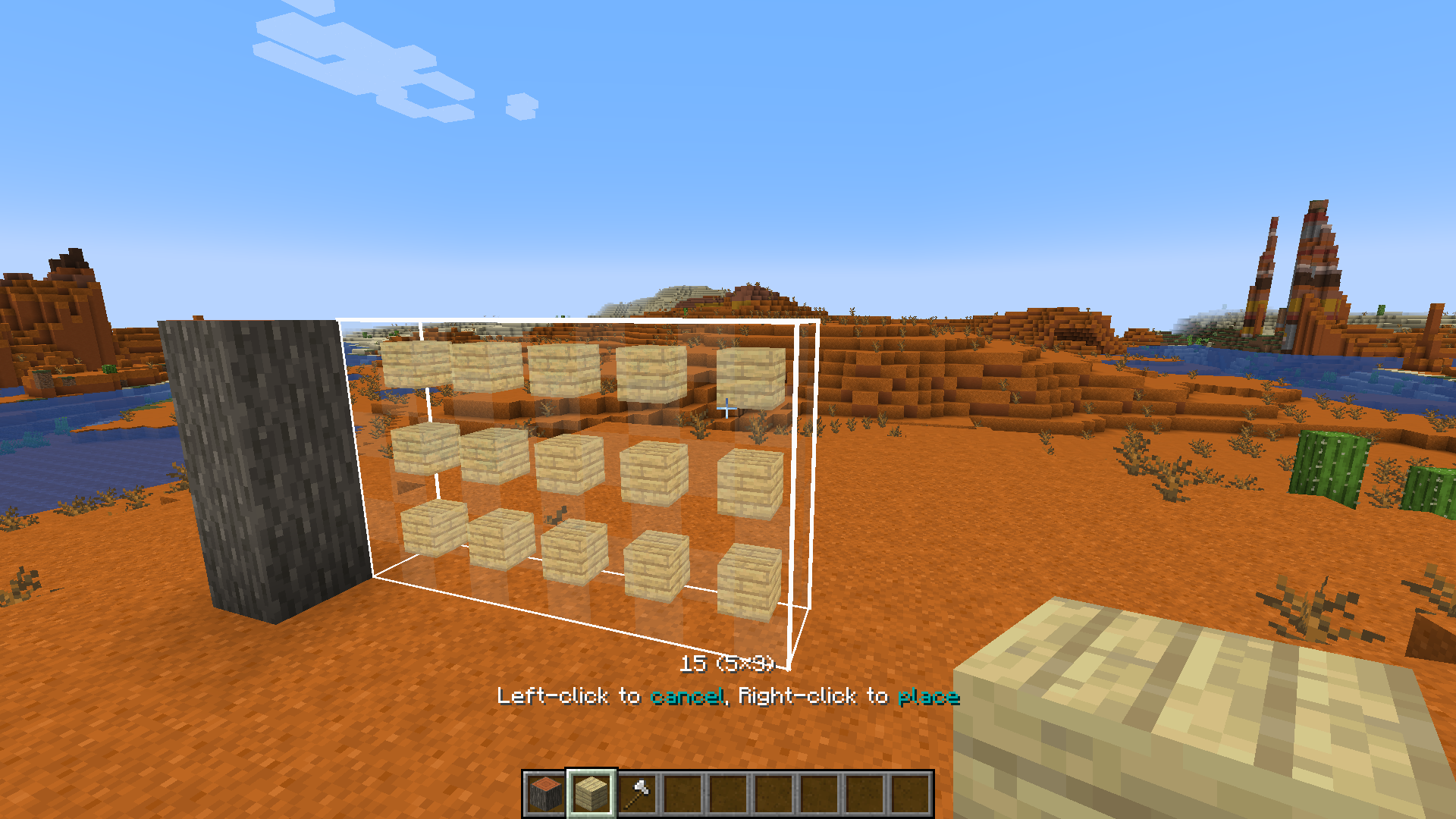
Hold ALT to open the radial menu and select a build mode. With a block in hand, right-click to pick the starting position. Aim somewhere else, then right-click again to build the shape.
Build modes can be used to place blocks, break blocks, and interact with certain blocks. When holding a tool, right-clicking will interact with all the blocks in the shape. For example, stripping logs with an axe, pathing with a shovel, tilling with a hoe, and placing liquids with a bucket.
Available build modes:
- Disabled
- Single
- Line
- Wall
- Floor
- Cube
- Diagonal Line
- Diagonal Wall
- Slope Floor
- Circle
- Cylinder
- Sphere
On the right side of the radial menu you can find additional options for each build mode. On the left side you can find buttons for undo/redo, replace options, opening the modifier settings and config screens.
More videos
Build Modifiers
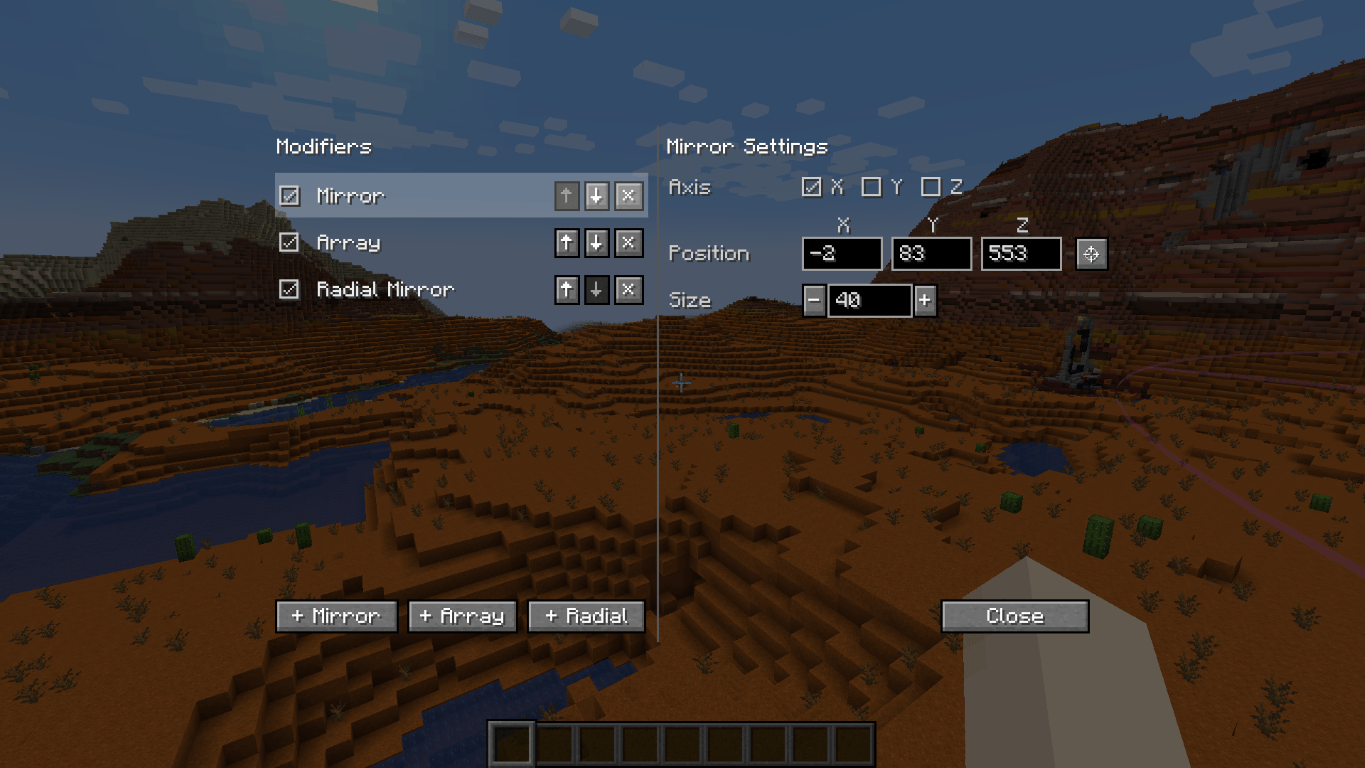
Modifiers can place additional blocks for each block you placed. You can enable any number of modifiers in the modifier settings. Open the modifier settings with the button in the radial menu, or use the keybind (default NUMPAD+).
- Mirror. Place a mirror at a position of a certain size. Each block placed on one side gets mirrored to the other side.
- Array. Copies the block you placed in a certain direction a certain number of times. Useful for repeated builds like tunnels and walls.
- Radial Mirror. Divides an area in slices around a central point. Each slice copies your block placements.
Randomizer Tool
This item allows you to place random blocks. Configure the tool by shift-rightclicking when in hand.
- Use it in combination with build modes and build modifiers.
- While placing a shape, you can open the randomizer tool and change its settings. You can preview those settings in realtime!
- Setting the ratio of an empty slot will cause air gaps to appear in your shape.
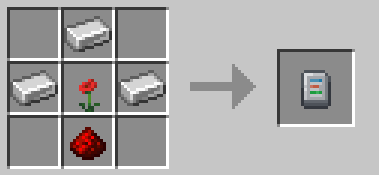
Crafting recipe: 3 iron ingots, 1 redstone dust, 1 any flower.
Replace Options
Use the button to the left of the radial menu to cycle through replace options.
- Replace Only Air: You can only place blocks where there was air. Replaceables such as short grass and ferns can still be replaced.
- Replace Blocks And Air: You can replace blocks and air.
- Replace Only Blocks: You can only replace blocks, not air.
- Filter By Offhand: You can only replace blocks that match the block in your offhand.
Undo and Redo
Press CTRL+Z to undo and CTRL+Y to redo placing blocks.
Survival-friendly
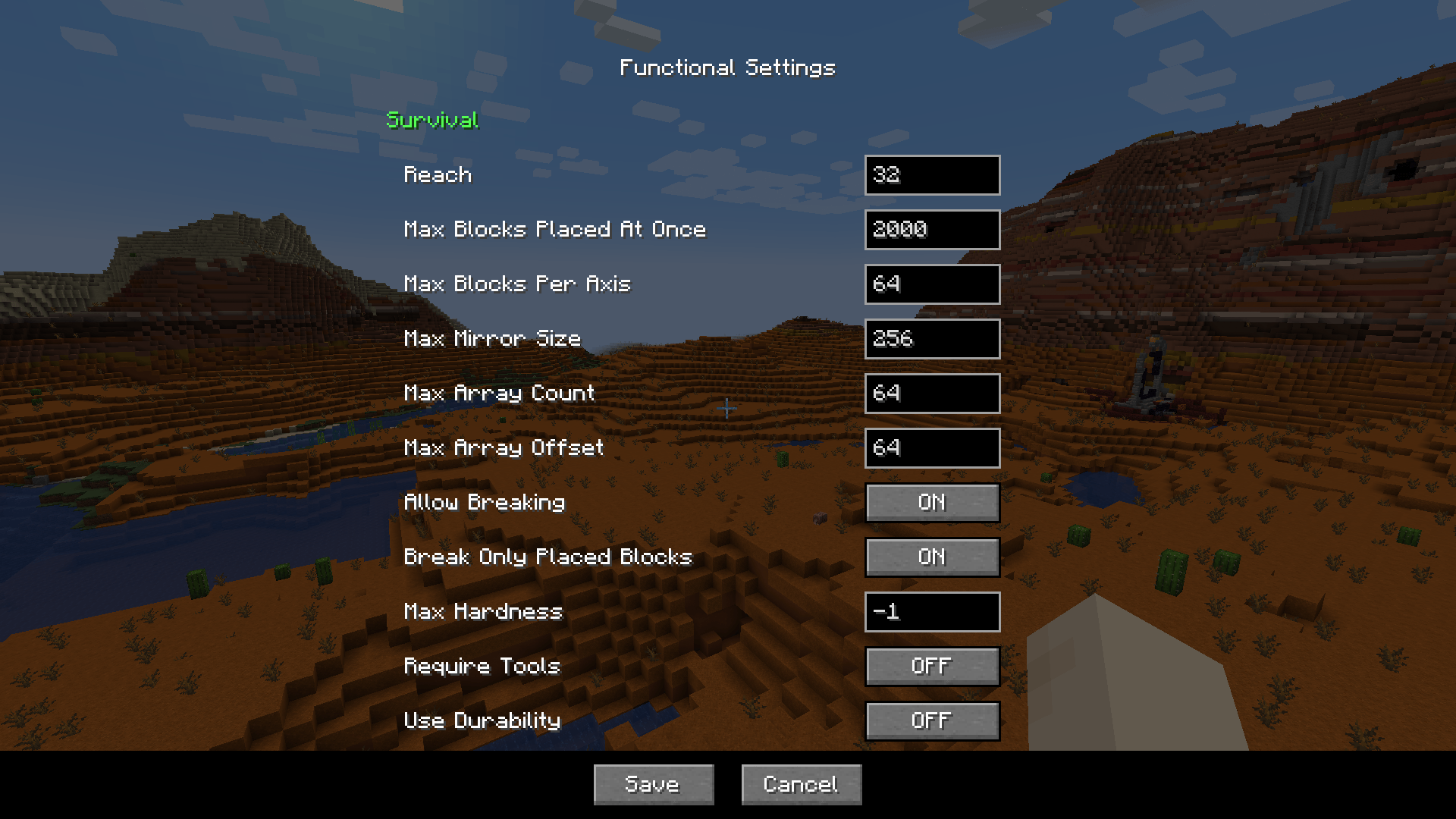
Playing this mod in survival mode is fully supported. All actions consume the right number of blocks from your inventory. It is fully configurable, so you can find settings that feel balanced for you.
Here's a small sample of what you can configure:
- How far away you can place blocks
- The maximum number of blocks placed at once
- The maximum size of the mirror and array
- Whether you can break and replace multiple blocks at once, including if tools are required, if they should use durability, etc. By default, you can break and replace blocks that you placed in the same play session.
The functional settings can be found in the radial menu. On a server, you can only edit functional settings if you are an admin.
FAQ
"Can I add this mod to my modpack?"
Yes, certainly!
"Is this mod available for bedrock edition?"
Yes, ExterLeo made a version that works in Bedrock Edition.
"Is this a client-side only mod?"
No, it needs to be installed on both server and client. The server part places the blocks in bulk. If there was no server part, the client would need to send all the blocks individually, which will overload most servers.
"Am I allowed to make my own version of this mod?"
Yes, as long as you comply with the LGPL-3.0 license (usually this means: link to this page, license your modification under LGPL-3.0, make the code visible and state significant changes).
Mod Spotlights
Mod Spotlights
Credits
Many thanks to Grimmauld for porting to 1.16, Dashos for fixing 'fake player' related crashes and manapart for porting to 1.19!
Radial Menu inspired by Chisels & Bits by AlgorithmX2
Effortless Building Server crasht beim Start – was tun?
Häufige Ursachen: Loader- oder Minecraft-Version passen nicht zur Mod-Datei, eine Abhängigkeit fehlt oder der RAM reicht nicht. Such im Log (latest.log) nach „OutOfMemoryError“, „Mixin“ oder fehlenden Mods. Bei Mado wertet die KI-Crash-Analyse das Log aus und schlägt eine Ursache vor. Loader und Version änderst du im Panel.
Mit welchem Loader läuft Effortless Building?
Laut Modrinth unterstützt Effortless Building Fabric, Forge, NeoForge für Minecraft 26.3, 26.2, 26.1.2. Forge- und Fabric-Dateien sind nicht untereinander austauschbar: Wähl einen Loader für Server und Clients.
Wie viel RAM braucht ein Server mit Effortless Building?
Als Orientierung 3–4 GB für einen Server mit dieser Mod. Das ist eine Schätzung, keine gemessene Mindestanforderung. Weitere Mods, viele Spieler und große Sichtweiten brauchen mehr. Ob eine Mod die Tick-Zeit belastet, siehst du mit dem spark-Profiler.
Ähnliche Mods
Beliebte Mods aus derselben Kategorie
 Nur Client

Iris Shaders
von coderbot
A modern shader pack loader for Minecraft intended to be compatible with existing OptiFine shader packs
 Nur Client

[ETF] Entity Texture Features
von Traben
Emissive, Random & Custom texture support for entities in resourcepacks just like Optifine but for Fabric
 Nur Client

[EMF] Entity Model Features
von Traben
EMF is an, OptiFine format, Custom Entity Model replacement mod available for Fabric and Forge.
 Nur Client

Not Enough Animations
von tr7zw
Bringing first-person animations to the third-person
Bereit für deinen Server mit Effortless Building?
4 GB RAM ab 8,00 € im Monat. 35 % auf den 1. Monat mit MADO35.