
Create: Extended Cogwheels
A small mod to add more cog types to create
Über diese Mod
This mod is an add-on to Create adding new materials to cogwheels to help with decoration and organisation
For more decorations for create check out Dave's building extended, Powderlogy & Illumination and Extended Flywheels
Materials
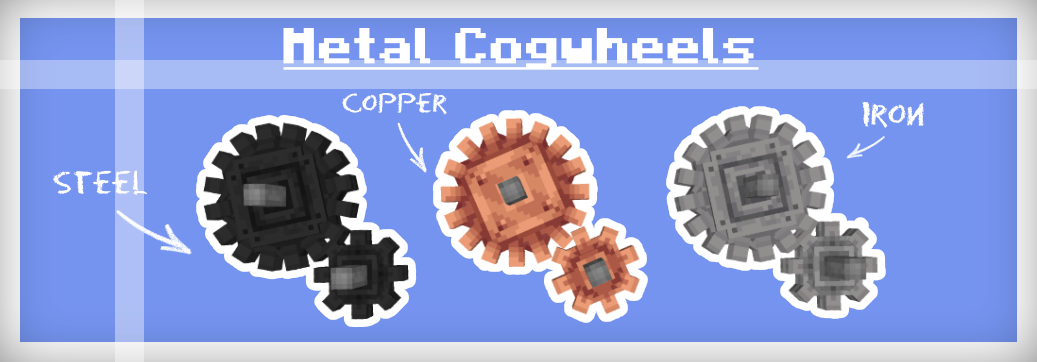
Dont worry there isn't yet another steel ingot implemented in this mod nor does it depend on any other mods that add steel. To make the mod as compatible with existing worlds as possible iron cogwheels can be blasted to turn into steel flywheels, or if steel is in your modpack then they can be crafted like any other cogwheel using steel ingots.
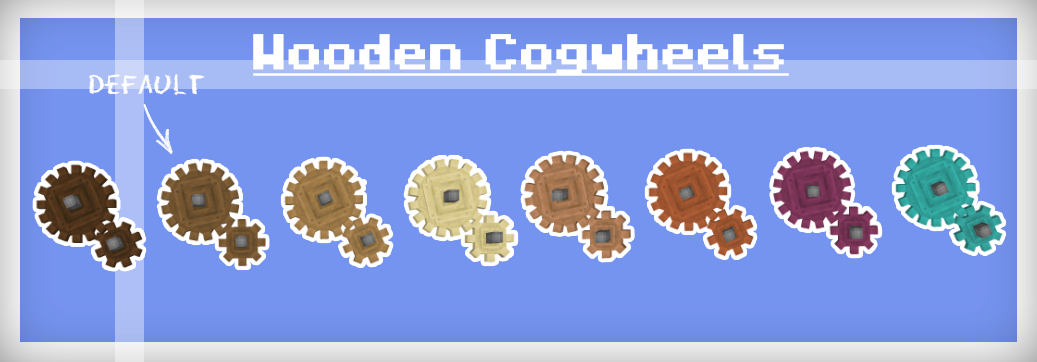
The recipe for regular cogwheels has been changed so that they can only be crafted with spruce planks, all recipes that use cogwheels have also been altered to accept any cogwheel type to prevent incompatibility
Showcase
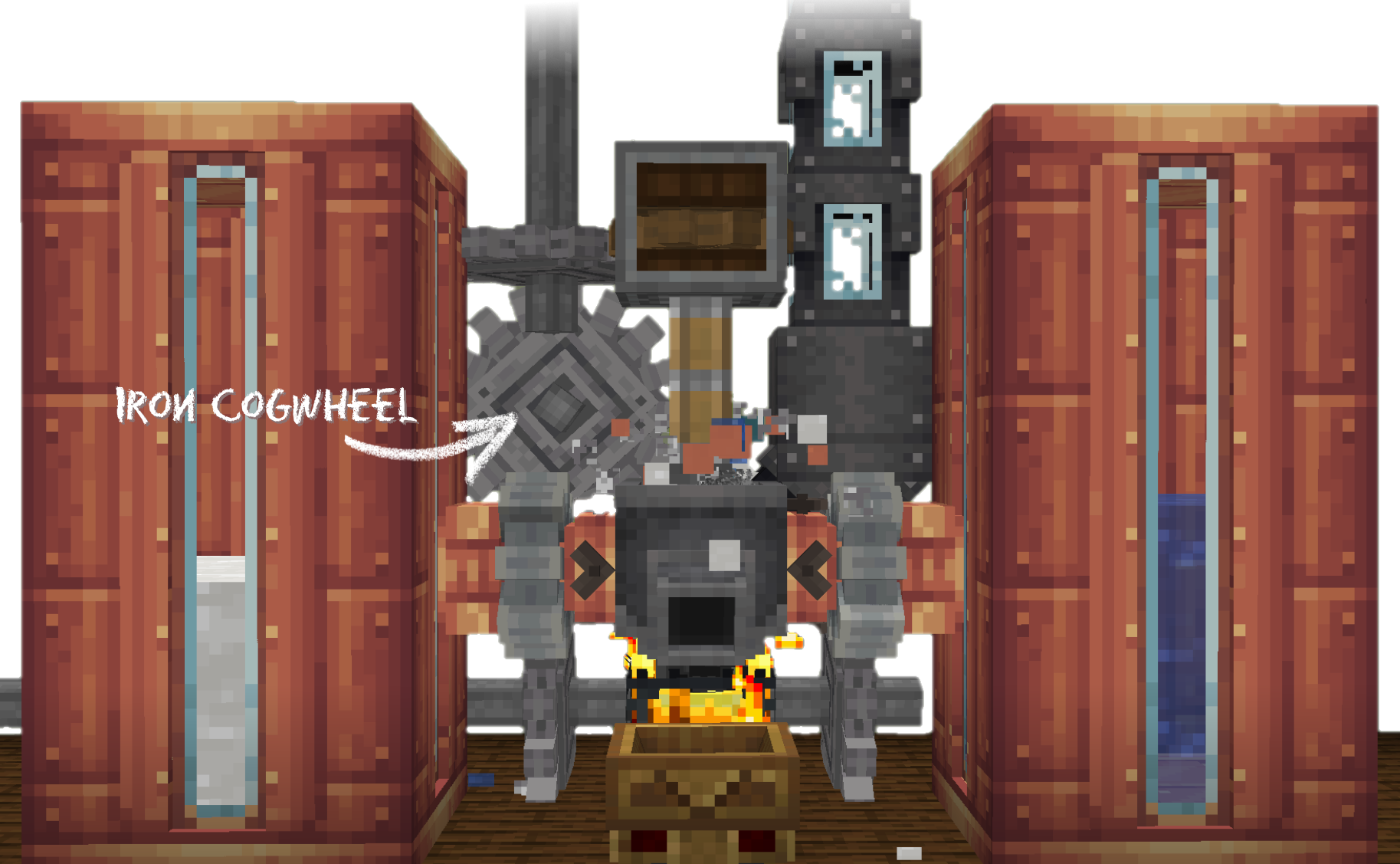
Localization
Localization
If would like to, any help with translation would be highly appreciated
note - some words may be slightly altered or blocks may be missing a name please report them to me so that they can be fixed :)
- en_us
- en_uk
- pl_pl Polish RBus
- de_de German Itzz_Fabi
- nl_nl Dutch Siepert
- ko_kr Korean AsseyGithub
- zh_cn Chinese (Simplified) Junnaturefox
- pt_br Brazilian Portuguese Makzzin
- es_mx Mexican Spanish IceBeam1
- zh_tw Chinese (Traditional) EvanHsieh0415
Issues
If you find any issues or want to suggest a feature you can submit them on GitHub or on our Discord server

Verfügbare Versionen
Create: Extended Cogwheels auf dem Server installieren
Server bestellen
Bestelle einen Minecraft Java Server mit mindestens 4 GB RAM (6 GB empfohlen).
fabric Loader setzen
Wähle im Panel unter "Egg" den fabric-Loader und die passende Minecraft-Version (1.20.1).
Mod installieren
Öffne den Mod-Browser im Dashboard und suche nach "Create: Extended Cogwheels". Klicke "Installieren" – fertig! Alternativ: Lade die .jar via SFTP in den /mods Ordner.
Kompatibilität
Mod-Loader
Minecraft-Versionen
1.20.1, 1.19.2, 1.18.2
Server-seitig
✓ ErforderlichEmpfohlener RAM
6 GB(min. 4 GB)Häufige Fragen
Create: Extended Cogwheels Server crasht beim Start – was tun?
Häufigste Ursache: falsche fabric-Version oder zu wenig RAM. Prüfe im Server-Log (latest.log), ob ein "OutOfMemoryError" oder "Mixin"-Fehler auftritt. Bei Mado Hosting: Stelle sicher, dass mindestens 4 GB RAM zugewiesen sind und der Loader zur Mod-Version passt (1.20.1). Über das Panel kannst du den Loader mit einem Klick wechseln.
Ist Create: Extended Cogwheels mit fabric und forge und neoforge und quilt kompatibel?
Create: Extended Cogwheels unterstützt offiziell fabric, forge, neoforge, quilt für Minecraft 1.20.1, 1.19.2, 1.18.2. Achtung: Forge- und Fabric-Mods sind NICHT untereinander kompatibel – wähle einen Loader und bleibe dabei. Im Mado Dashboard werden inkompatible Loader-Kombinationen automatisch erkannt.
Server laggt mit Create: Extended Cogwheels – wie optimiere ich die Performance?
Empfohlener RAM: 6 GB (+1 GB pro 5 Spieler). Prüfe mit /spark profiler, ob Create: Extended Cogwheels den meisten Tick-Time verbraucht. Häufige Fixes: Server-View-Distance auf 8-10 reduzieren, bei Forge "performant" oder "starlight" als Zusatz-Mod installieren. Bei Mado Hosting läuft dein Server auf NVMe-SSDs mit dedizierten CPU-Kernen für minimale Latenz.
Ähnliche Mods

![[ETF] Entity Texture Features](https://cdn.modrinth.com/data/BVzZfTc1/af683d206d50b05258d865b0d6e4aa2f2cee12f2_96.webp)
![[EMF] Entity Model Features](https://cdn.modrinth.com/data/4I1XuqiY/6e5bbd0d06b1741bfdab6c0cfab6de8fdaf0064c_96.webp)



Modded Server mieten
Installiere Create: Extended Cogwheels mit nur einem Klick auf deinem Server.