
ExtendedAE-Plus
Adds more practical features and auxiliary operations to Applied Energistics 2.
Screenshots

Über diese Mod
ExtendedAE Plus
ExtendedAE Plus is an extension mod for Applied Energistics 2 (AE2) that adds practical functions and auxiliary operations to enhance your automation experience.
Main Features
🚀 Crafting Acceleration
- Multi-level Crafting Accelerators: Provides five tiers of crafting acceleration units: 4x, 16x, 64x, 256x, and 1024x.
- Enhanced Assembly Matrix: Includes Super Speed Cores, Crafting Cores, and Pattern Cores to significantly boost automation efficiency.
📡 Wireless Connectivity
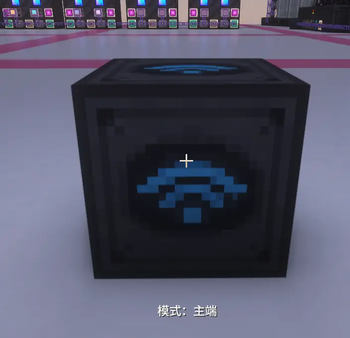
- Wireless Transceiver: Supports connecting your ME Network across vast distances and even across dimensions.
- Channel Cards: Provides wireless channel connectivity capabilities for devices like Pattern Providers.
⚡ Entity Acceleration
- Entity Accelerator: Speeds up the tick rate of surrounding block entities (supports 2x, 4x, 8x, and 16x multipliers).
- Entity Acceleration Cards: Configurable upgrade cards that support blacklisting and customizable energy consumption rates.
🎯 Smart Crafting
- Virtual Crafting Card: Allows Pattern Providers to perform virtual crafting without the need for physical item transfer.
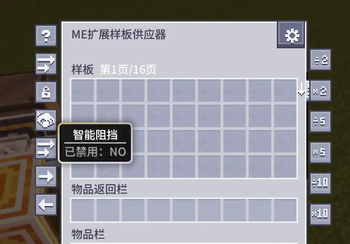
- Intelligent Multiplier: Automatically and intelligently scales pattern output based on demand, supporting polling distribution.
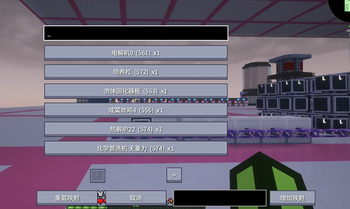
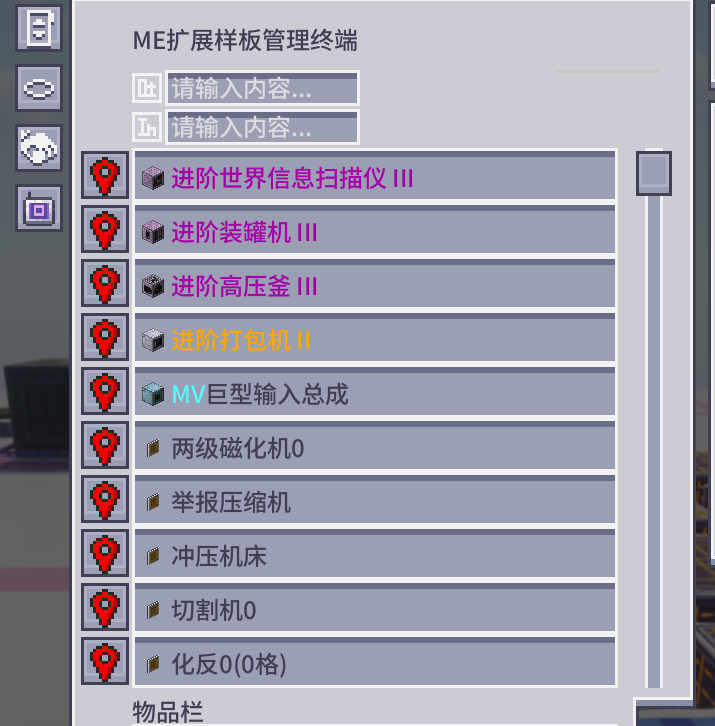
- Network Pattern Controller: Centralized management and control of patterns within the ME Network.
🔧 Convenient Operations
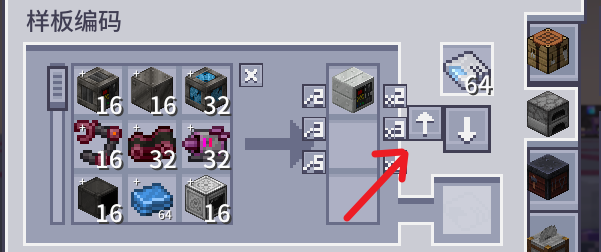
- Pattern Upload Core: Quickly bulk-uploads patterns to the Pattern Provider.
- Infinite Storage Cell: Provides a storage unit with theoretically infinite capacity.
- Enhanced Interface: Improved Pattern Terminal and Provider interfaces supporting more operations.
🔌 Compatibility
- Perfectly compatible with mainstream AE2 extensions like Applied Flux and Mega Cells.
- Supports JEI (Just Enough Items) recipe viewer integration.
- Compatible with the Curios accessory slot system.
Configuration Options
The mod offers extensive configuration options, including:
- Pattern Provider capacity multiplier.
- Wireless connection distance and cross-dimensional settings.
- Entity Accelerator energy consumption and blacklisting.
- Control over Intelligent Multiplier behavior.
Verfügbare Versionen
ExtendedAE-Plus auf dem Server installieren
Server bestellen
Bestelle einen Minecraft Java Server mit mindestens 3 GB RAM (4 GB empfohlen).
forge Loader setzen
Wähle im Panel unter "Egg" den forge-Loader und die passende Minecraft-Version (26.1.2).
Mod installieren
Öffne den Mod-Browser im Dashboard und suche nach "ExtendedAE-Plus". Klicke "Installieren" – fertig! Alternativ: Lade die .jar via SFTP in den /mods Ordner.
Kompatibilität
Mod-Loader
Minecraft-Versionen
26.1.2, 1.21.1, 1.20.1
Server-seitig
✓ ErforderlichEmpfohlener RAM
4 GB(min. 3 GB)Häufige Fragen
ExtendedAE-Plus Server crasht beim Start – was tun?
Häufigste Ursache: falsche forge-Version oder zu wenig RAM. Prüfe im Server-Log (latest.log), ob ein "OutOfMemoryError" oder "Mixin"-Fehler auftritt. Bei Mado Hosting: Stelle sicher, dass mindestens 3 GB RAM zugewiesen sind und der Loader zur Mod-Version passt (26.1.2). Über das Panel kannst du den Loader mit einem Klick wechseln.
Ist ExtendedAE-Plus mit forge und neoforge kompatibel?
ExtendedAE-Plus unterstützt offiziell forge, neoforge für Minecraft 26.1.2, 1.21.1, 1.20.1. Im Mado Dashboard werden inkompatible Loader-Kombinationen automatisch erkannt.
Server laggt mit ExtendedAE-Plus – wie optimiere ich die Performance?
Empfohlener RAM: 4 GB (+1 GB pro 8 Spieler). Prüfe mit /spark profiler, ob ExtendedAE-Plus den meisten Tick-Time verbraucht. Häufige Fixes: Server-View-Distance auf 8-10 reduzieren, bei Forge "performant" oder "starlight" als Zusatz-Mod installieren. Bei Mado Hosting läuft dein Server auf NVMe-SSDs mit dedizierten CPU-Kernen für minimale Latenz.
Ähnliche Mods






Modded Server mieten
Installiere ExtendedAE-Plus mit nur einem Klick auf deinem Server.