
ExtendedAE-Plus
Adds more practical features and auxiliary operations to Applied Energistics 2.
Screenshots

About this Mod
ExtendedAE Plus
ExtendedAE Plus is an extension mod for Applied Energistics 2 (AE2) that adds practical functions and auxiliary operations to enhance your automation experience.
Main Features
🚀 Crafting Acceleration
- Multi-level Crafting Accelerators: Provides five tiers of crafting acceleration units: 4x, 16x, 64x, 256x, and 1024x.
- Enhanced Assembly Matrix: Includes Super Speed Cores, Crafting Cores, and Pattern Cores to significantly boost automation efficiency.
📡 Wireless Connectivity
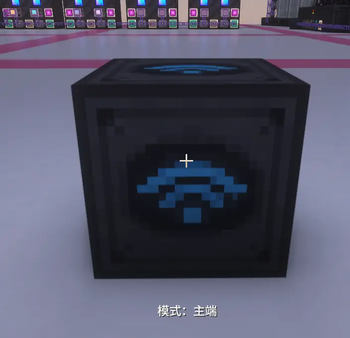
- Wireless Transceiver: Supports connecting your ME Network across vast distances and even across dimensions.
- Channel Cards: Provides wireless channel connectivity capabilities for devices like Pattern Providers.
⚡ Entity Acceleration
- Entity Accelerator: Speeds up the tick rate of surrounding block entities (supports 2x, 4x, 8x, and 16x multipliers).
- Entity Acceleration Cards: Configurable upgrade cards that support blacklisting and customizable energy consumption rates.
🎯 Smart Crafting
- Virtual Crafting Card: Allows Pattern Providers to perform virtual crafting without the need for physical item transfer.
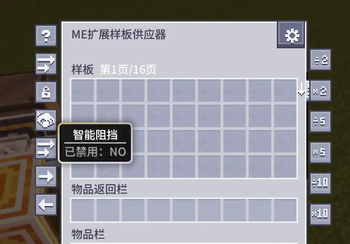
- Intelligent Multiplier: Automatically and intelligently scales pattern output based on demand, supporting polling distribution.
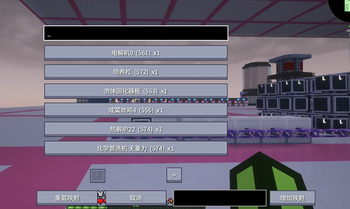
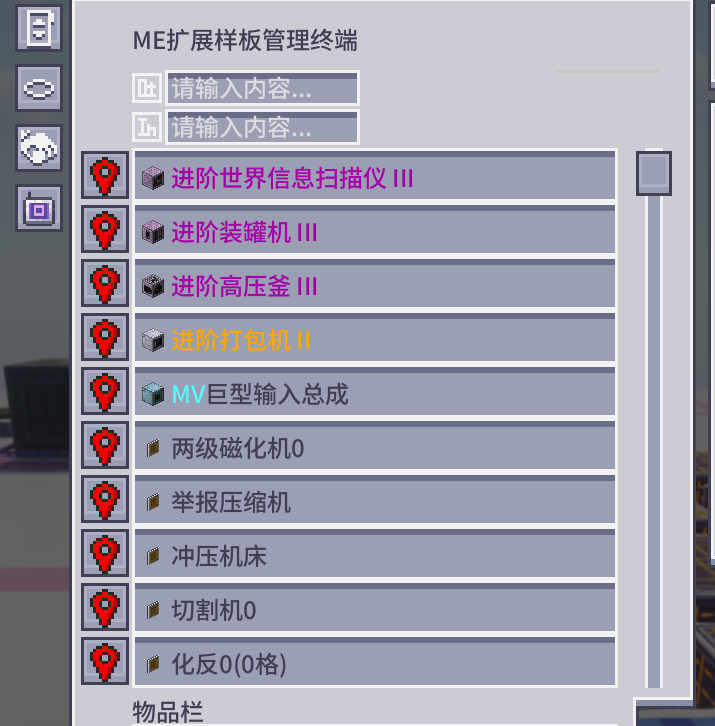
- Network Pattern Controller: Centralized management and control of patterns within the ME Network.
🔧 Convenient Operations
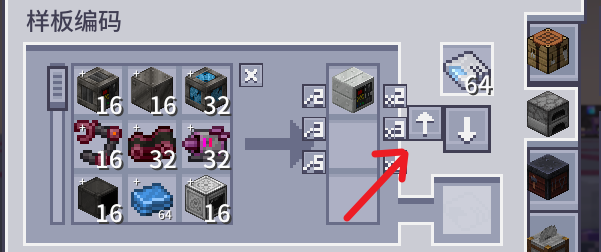
- Pattern Upload Core: Quickly bulk-uploads patterns to the Pattern Provider.
- Infinite Storage Cell: Provides a storage unit with theoretically infinite capacity.
- Enhanced Interface: Improved Pattern Terminal and Provider interfaces supporting more operations.
🔌 Compatibility
- Perfectly compatible with mainstream AE2 extensions like Applied Flux and Mega Cells.
- Supports JEI (Just Enough Items) recipe viewer integration.
- Compatible with the Curios accessory slot system.
Configuration Options
The mod offers extensive configuration options, including:
- Pattern Provider capacity multiplier.
- Wireless connection distance and cross-dimensional settings.
- Entity Accelerator energy consumption and blacklisting.
- Control over Intelligent Multiplier behavior.
Available Versions
How to Install ExtendedAE-Plus on Your Server
Order Server
Order a Minecraft Java server with at least 3 GB RAM (4 GB recommended).
Set forge Loader
In the panel under "Egg", select the forge loader and matching Minecraft version (26.1.2).
Install Mod
Open the mod browser in the dashboard and search for "ExtendedAE-Plus". Click "Install" – done! Alternatively, upload the .jar via SFTP to the /mods folder.
Compatibility
Mod Loaders
Minecraft Versions
26.1.2, 1.21.1, 1.20.1
Server-side
✓ RequiredRecommended RAM
4 GB(min. 3 GB)Frequently Asked Questions
ExtendedAE-Plus server crashes on startup – what to do?
Most common cause: wrong forge version or insufficient RAM. Check the server log (latest.log) for "OutOfMemoryError" or "Mixin" errors. With Mado Hosting: ensure at least 3 GB RAM is allocated and the loader matches the mod version (26.1.2). You can switch loaders with one click in the panel.
Is ExtendedAE-Plus compatible with forge and neoforge?
ExtendedAE-Plus officially supports forge, neoforge for Minecraft 26.1.2, 1.21.1, 1.20.1. The Mado dashboard automatically detects incompatible loader combinations.
Server lagging with ExtendedAE-Plus – how to optimize performance?
Recommended RAM: 4 GB (per 8 players). Use /spark profiler to check if ExtendedAE-Plus consumes the most tick time. Common fixes: reduce server view-distance to 8-10, install "performant" or "starlight" as supplementary mods on Forge. With Mado Hosting, your server runs on NVMe SSDs with dedicated CPU cores for minimal latency.
Similar Mods






Rent Modded Server
Install ExtendedAE-Plus with just one click on your server.