
JSON Paintings
Easily add custom paintings through a json file!
Screenshots
Über diese Mod
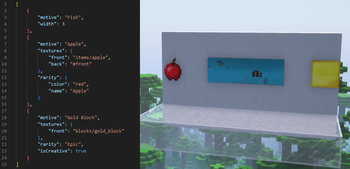
A mod that allows custom paintings to be added through a json file!
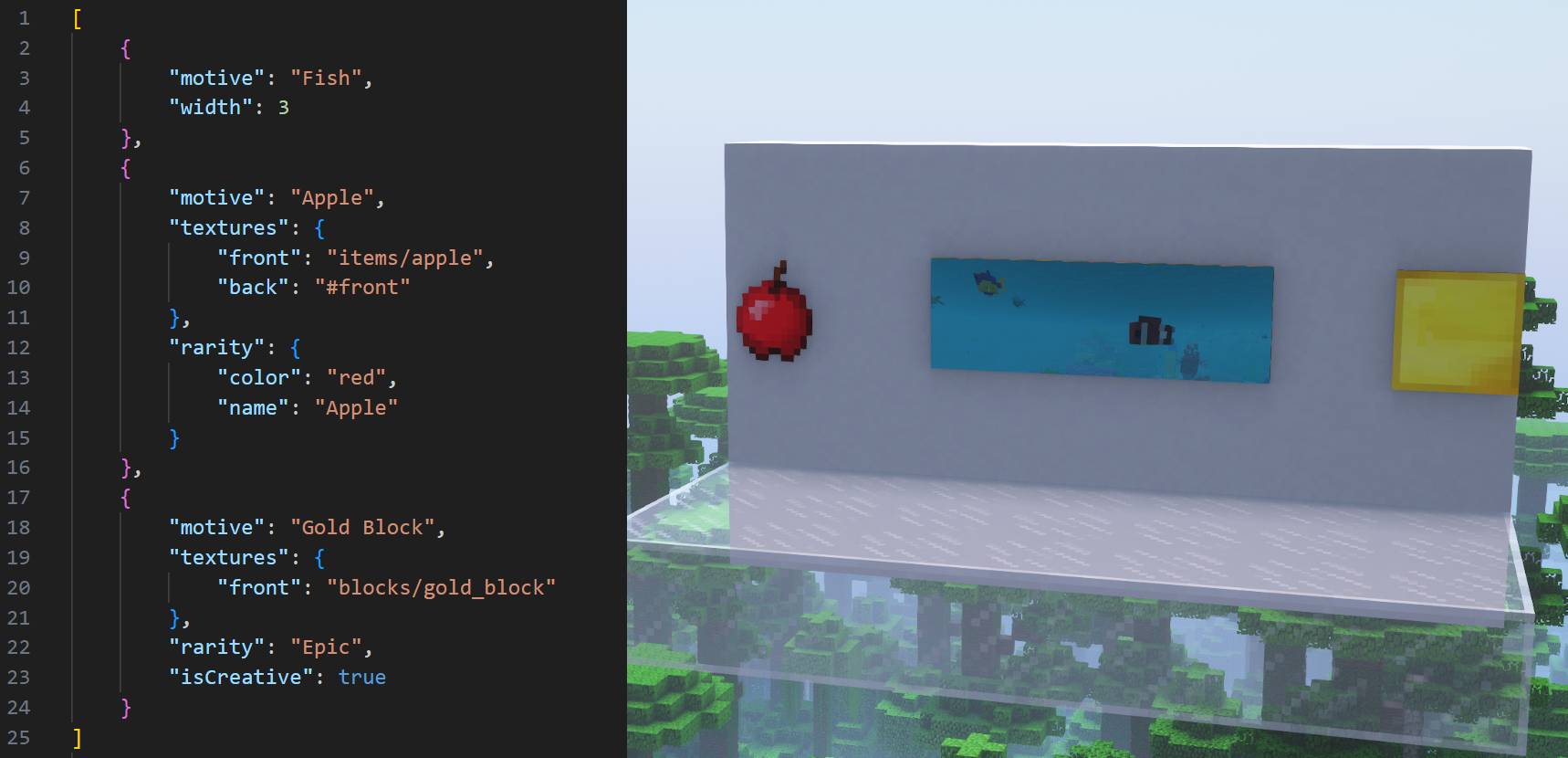


If you're a modpack developer wanting to add JSON Paintings to a modpack distributed outside of CurseForge or Modrinth, use File Director to avoid reuploading JSON Paintings' files.
JSON Paintings doesn't add any new painting entities/items or painting type handlers, but rather expands on vanilla's system, which means that this mod will work nicely with all other mods that don't override how paintings work!
Paintings added through this mod use their own textures instead of being stuck to using vanilla's painting atlas texture! This means that an infinite amount of paintings can be added, and that they can have larger sizes!
Paintings can also have their properties overridden! This could be used for example to give certain vanilla paintings custom item models or back and side textures that match the front.
More info about how to use JSON Paintings, including all possible customizations, can be found under the README.md on this mod's github page.
JSON Paintings added a new feature in v1.5.0 called Painting Packs (more info here), which serve as a convenient way to share your paintings or use paintings made by other players! These also support datapacks and mods for 1.21+ that add paintings! Tested datapacks and mods include:
- Absolem's Base Painting Pack
- Dark Paintings
- Macaw's Paintings (Note: don't use the 1.12 version)
- New Custom Paintings
Captured Paintings:
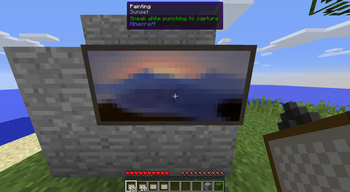
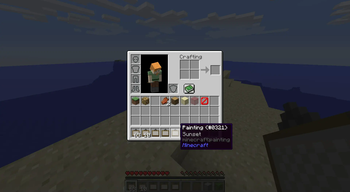
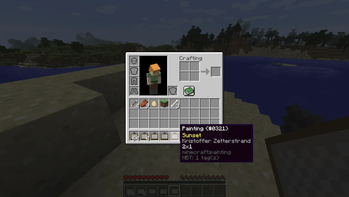
When a player breaks a painting while sneaking, its painting's art type will be captured!
When a player is using the pick-block feature on a painting, they can hold ctrl to capture its art type.
Painting items with a captured art type have a tooltip, similar to 1.21+.
All captured paintings appear in JEI, and in their own designated creative tab.
It's heavily recommended to use the Standalone Paintings++ "Painting Selection Gui" Module along side this, since it makes the process of selecting paintings far easier.
This mod is incompatible with the full Paintings++ mod because it overrides vanilla's painting system, but adding compatibility is planned in the future.
Direct contact: [email protected]
Verfügbare Versionen
JSON Paintings auf dem Server installieren
Server bestellen
Bestelle einen Minecraft Java Server mit mindestens 3 GB RAM (4 GB empfohlen).
forge Loader setzen
Wähle im Panel unter "Egg" den forge-Loader und die passende Minecraft-Version (1.12.2).
Mod installieren
Öffne den Mod-Browser im Dashboard und suche nach "JSON Paintings". Klicke "Installieren" – fertig! Alternativ: Lade die .jar via SFTP in den /mods Ordner.
Kompatibilität
Mod-Loader
Minecraft-Versionen
1.12.2
Server-seitig
✓ ErforderlichEmpfohlener RAM
4 GB(min. 3 GB)Häufige Fragen
JSON Paintings Server crasht beim Start – was tun?
Häufigste Ursache: falsche forge-Version oder zu wenig RAM. Prüfe im Server-Log (latest.log), ob ein "OutOfMemoryError" oder "Mixin"-Fehler auftritt. Bei Mado Hosting: Stelle sicher, dass mindestens 3 GB RAM zugewiesen sind und der Loader zur Mod-Version passt (1.12.2). Über das Panel kannst du den Loader mit einem Klick wechseln.
Ist JSON Paintings mit forge kompatibel?
JSON Paintings unterstützt offiziell forge für Minecraft 1.12.2. Im Mado Dashboard werden inkompatible Loader-Kombinationen automatisch erkannt.
Server laggt mit JSON Paintings – wie optimiere ich die Performance?
Empfohlener RAM: 4 GB (+1 GB pro 8 Spieler). Prüfe mit /spark profiler, ob JSON Paintings den meisten Tick-Time verbraucht. Häufige Fixes: Server-View-Distance auf 8-10 reduzieren, bei Forge "performant" oder "starlight" als Zusatz-Mod installieren. Bei Mado Hosting läuft dein Server auf NVMe-SSDs mit dedizierten CPU-Kernen für minimale Latenz.
Ähnliche Mods

![[ETF] Entity Texture Features](https://cdn.modrinth.com/data/BVzZfTc1/af683d206d50b05258d865b0d6e4aa2f2cee12f2_96.webp)
![[EMF] Entity Model Features](https://cdn.modrinth.com/data/4I1XuqiY/6e5bbd0d06b1741bfdab6c0cfab6de8fdaf0064c_96.webp)



Modded Server mieten
Installiere JSON Paintings mit nur einem Klick auf deinem Server.