
Nekoma's Fixed
Adds many ideas from Nekomas videos
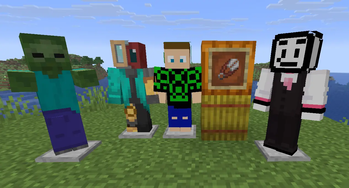
Screenshots
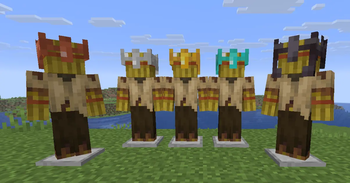
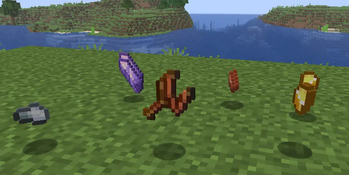

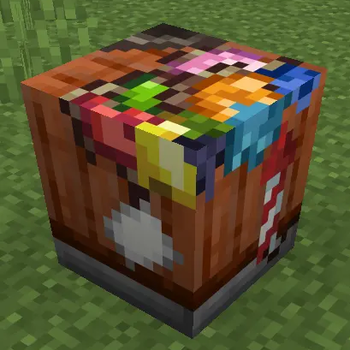
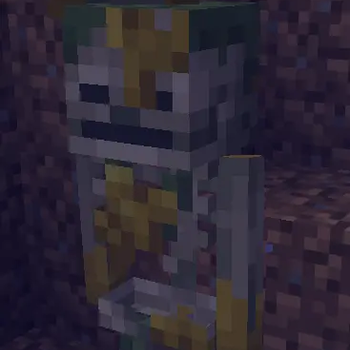
Über diese Mod
Over the past few months, Nekoma has been diving into different parts of Minecraft that he always felt were a bit underwhelming, trying to improve them through new ideas, features, and fixes. Whether it was through giving forgotten items a purpose, reworking old mechanics, or bringing back fan favorite concepts from past mob and biome votes, the goal has always been the same. Keep that vanilla feel while showing how much more the game could be.
This mod is actively been developed by a group of developers.
For more info, join the discord server.
Join the discord server for more info!
A basic Wiki of all the changes
Question: Does it contain all of his ideas?
Answer: We are working on new stuff and the mod is currently under active development.
Based of the videos from Nekomas Youtube Channel such as Features Minecraft DESPERATELY needs
This Mod requires:
Other mods you might like to use:
- Green_Jab's Fixed Mod
- Ectoluminescence (Going to be merged with this mod soon)
Credits:
- Nekoma - Ideas and original videos
- Green_JAB - Owner & Lead Developer
- CyberModder - Developer
- Akshaj - Developer
- VelocyBlue - Artist
- Lebeno - Artist
- Strikey - Developer
- Krisendo - Developer
- Tejty - Developer
- Technicman - Developer
If have you never played modded minecraft before, go to the Fabric Homepage and download the downloader. Run it for the version of your choice, then in your minecraft folder (you can find by pressing open world folder ingame) there should be a mod folder. In it place the .jar file for this mod along with chosen version of the required mods listed above. Launch the game with fabric version selected. Now go create a new world. If you wish to make a server, this is needed on both server and client.
Verfügbare Versionen
Nekoma's Fixed auf dem Server installieren
Server bestellen
Bestelle einen Minecraft Java Server mit mindestens 3 GB RAM (4 GB empfohlen).
fabric Loader setzen
Wähle im Panel unter "Egg" den fabric-Loader und die passende Minecraft-Version (26.3).
Mod installieren
Öffne den Mod-Browser im Dashboard und suche nach "Nekoma's Fixed". Klicke "Installieren" – fertig! Alternativ: Lade die .jar via SFTP in den /mods Ordner.
Kompatibilität
Mod-Loader
Minecraft-Versionen
26.3, 26.2, 26.1.2 (+2 weitere)
Server-seitig
✓ ErforderlichEmpfohlener RAM
4 GB(min. 3 GB)Häufige Fragen
Nekoma's Fixed Server crasht beim Start – was tun?
Häufigste Ursache: falsche fabric-Version oder zu wenig RAM. Prüfe im Server-Log (latest.log), ob ein "OutOfMemoryError" oder "Mixin"-Fehler auftritt. Bei Mado Hosting: Stelle sicher, dass mindestens 3 GB RAM zugewiesen sind und der Loader zur Mod-Version passt (26.3). Über das Panel kannst du den Loader mit einem Klick wechseln.
Ist Nekoma's Fixed mit fabric kompatibel?
Nekoma's Fixed unterstützt offiziell fabric für Minecraft 26.3, 26.2, 26.1.2. Im Mado Dashboard werden inkompatible Loader-Kombinationen automatisch erkannt.
Server laggt mit Nekoma's Fixed – wie optimiere ich die Performance?
Empfohlener RAM: 4 GB (+1 GB pro 8 Spieler). Prüfe mit /spark profiler, ob Nekoma's Fixed den meisten Tick-Time verbraucht. Häufige Fixes: Server-View-Distance auf 8-10 reduzieren, bei Forge "performant" oder "starlight" als Zusatz-Mod installieren. Bei Mado Hosting läuft dein Server auf NVMe-SSDs mit dedizierten CPU-Kernen für minimale Latenz.
Ähnliche Mods

![[ETF] Entity Texture Features](https://cdn.modrinth.com/data/BVzZfTc1/af683d206d50b05258d865b0d6e4aa2f2cee12f2_96.webp)
![[EMF] Entity Model Features](https://cdn.modrinth.com/data/4I1XuqiY/6e5bbd0d06b1741bfdab6c0cfab6de8fdaf0064c_96.webp)



Modded Server mieten
Installiere Nekoma's Fixed mit nur einem Klick auf deinem Server.