
Nekoma's Fixed
Adds many ideas from Nekomas videos
Screenshots
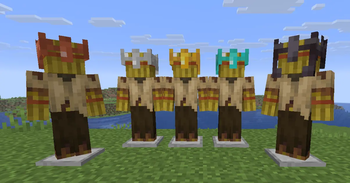
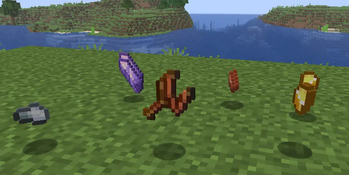

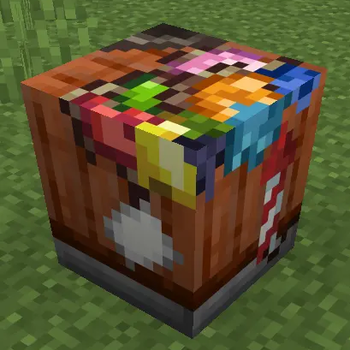
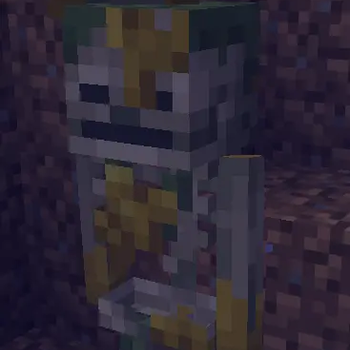
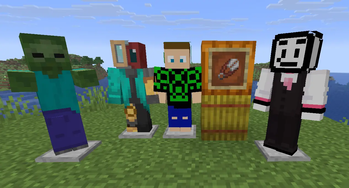
About this Mod
Over the past few months, Nekoma has been diving into different parts of Minecraft that he always felt were a bit underwhelming, trying to improve them through new ideas, features, and fixes. Whether it was through giving forgotten items a purpose, reworking old mechanics, or bringing back fan favorite concepts from past mob and biome votes, the goal has always been the same. Keep that vanilla feel while showing how much more the game could be.
This mod is actively been developed by a group of developers.
For more info, join the discord server.
Join the discord server for more info!
A basic Wiki of all the changes
Question: Does it contain all of his ideas?
Answer: We are working on new stuff and the mod is currently under active development.
Based of the videos from Nekomas Youtube Channel such as Features Minecraft DESPERATELY needs
This Mod requires:
Other mods you might like to use:
- Green_Jab's Fixed Mod
- Ectoluminescence (Going to be merged with this mod soon)
Credits:
- Nekoma - Ideas and original videos
- Green_JAB - Owner & Lead Developer
- CyberModder - Developer
- Akshaj - Developer
- VelocyBlue - Artist
- Lebeno - Artist
- Strikey - Developer
- Krisendo - Developer
- Tejty - Developer
- Technicman - Developer
If have you never played modded minecraft before, go to the Fabric Homepage and download the downloader. Run it for the version of your choice, then in your minecraft folder (you can find by pressing open world folder ingame) there should be a mod folder. In it place the .jar file for this mod along with chosen version of the required mods listed above. Launch the game with fabric version selected. Now go create a new world. If you wish to make a server, this is needed on both server and client.
Available Versions
How to Install Nekoma's Fixed on Your Server
Order Server
Order a Minecraft Java server with at least 3 GB RAM (4 GB recommended).
Set fabric Loader
In the panel under "Egg", select the fabric loader and matching Minecraft version (26.3).
Install Mod
Open the mod browser in the dashboard and search for "Nekoma's Fixed". Click "Install" – done! Alternatively, upload the .jar via SFTP to the /mods folder.
Compatibility
Mod Loaders
Minecraft Versions
26.3, 26.2, 26.1.2 (+2 more)
Server-side
✓ RequiredRecommended RAM
4 GB(min. 3 GB)Frequently Asked Questions
Nekoma's Fixed server crashes on startup – what to do?
Most common cause: wrong fabric version or insufficient RAM. Check the server log (latest.log) for "OutOfMemoryError" or "Mixin" errors. With Mado Hosting: ensure at least 3 GB RAM is allocated and the loader matches the mod version (26.3). You can switch loaders with one click in the panel.
Is Nekoma's Fixed compatible with fabric?
Nekoma's Fixed officially supports fabric for Minecraft 26.3, 26.2, 26.1.2. The Mado dashboard automatically detects incompatible loader combinations.
Server lagging with Nekoma's Fixed – how to optimize performance?
Recommended RAM: 4 GB (per 8 players). Use /spark profiler to check if Nekoma's Fixed consumes the most tick time. Common fixes: reduce server view-distance to 8-10, install "performant" or "starlight" as supplementary mods on Forge. With Mado Hosting, your server runs on NVMe SSDs with dedicated CPU cores for minimal latency.
Similar Mods

![[ETF] Entity Texture Features](https://cdn.modrinth.com/data/BVzZfTc1/af683d206d50b05258d865b0d6e4aa2f2cee12f2_96.webp)
![[EMF] Entity Model Features](https://cdn.modrinth.com/data/4I1XuqiY/6e5bbd0d06b1741bfdab6c0cfab6de8fdaf0064c_96.webp)



Rent Modded Server
Install Nekoma's Fixed with just one click on your server.