
Modrinth · Fabric, Forge · Client-Mod
PackCore
PackCore ist eine clientseitige Mod. Du installierst sie auf deinem Rechner, auf dem Server ist sie nicht nötig.
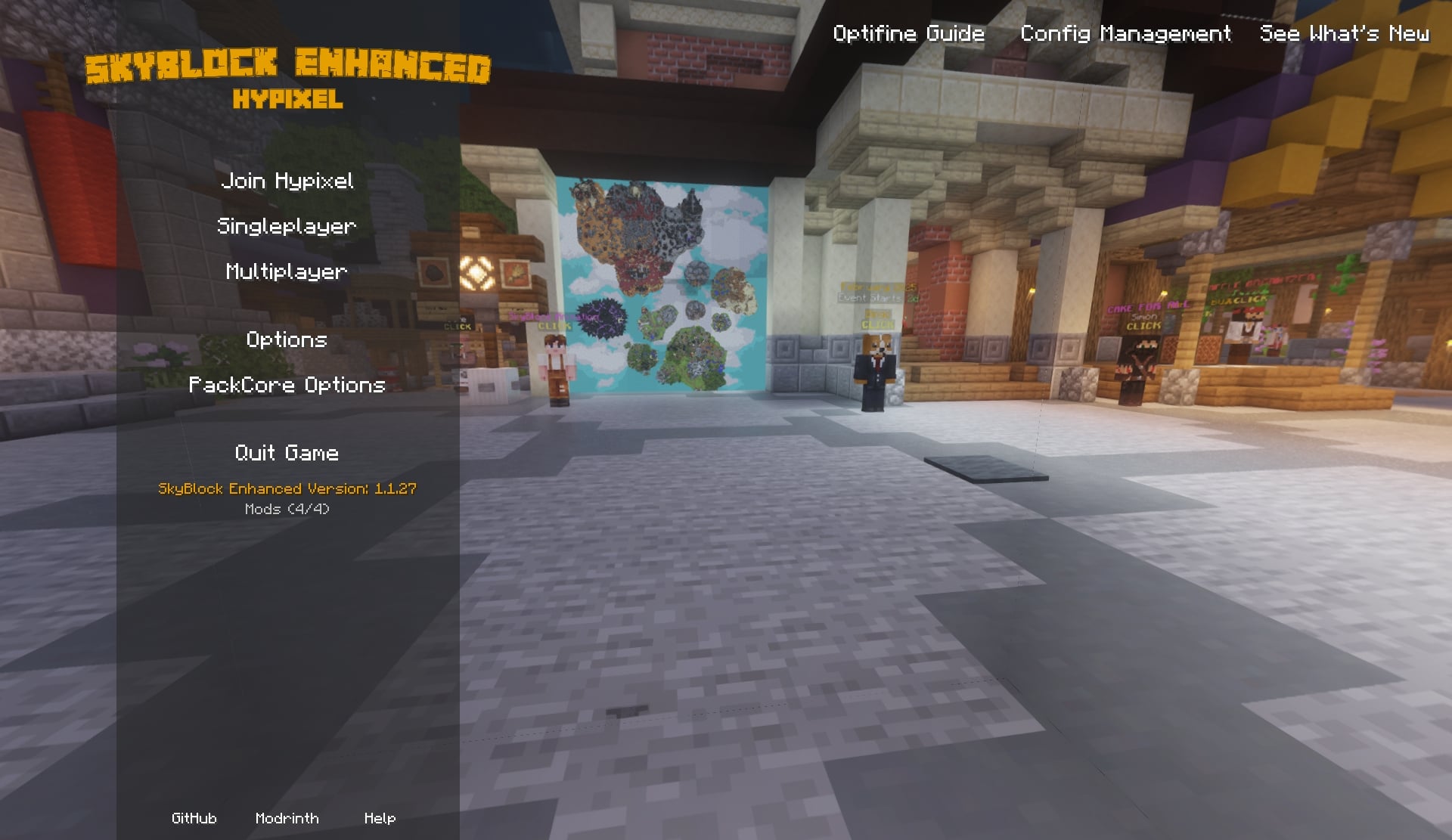
PackCore is a companion mod for SkyBlock Enhanced modpacks, featuring a Hypixel SkyBlock-themed start menu, plus more!
- Downloads
- 1.5M
- Autor
- Kd_Gaming1
- Loader
- Fabric, Forge
- Minecraft
- 1.21.10 – 26.2
- Aktualisiert
- –
Screenshots
So sieht PackCore aus


Bilder: PackCore auf Modrinth, vom Projektteam veröffentlicht.
Einrichtung
PackCore auf deinem Client installieren
Clientseitige Mods laufen nur auf deinem Rechner. Mehr Server-RAM ändert an ihrer Leistung nichts.
- 01
Loader lokal installieren
Installiere Fabric oder Forge für deine Minecraft-Version in deinem Launcher.
- 02
Datei herunterladen
Lade die PackCore-Datei für deinen Loader und exakt deine Minecraft-Version herunter, zum Beispiel 26.2.
- 03
In den Mods-Ordner legen
Lege die .jar-Datei in den lokalen Ordner .minecraft/mods und entferne ältere Duplikate.
- 04
Starten
Starte Minecraft mit dem Loader-Profil. Auf dem Server musst du nichts ändern.
- Auf dem Server
- Nicht nötig
- Auf dem Client
- Erforderlich
- Loader
- Fabric, Forge
- Minecraft
- 26.2, 26.1.2, 26.1.1 +9 weitere
- Lizenz
- LicenseRef-PolyForm-Shield-License-1.0.0
Versionen
Veröffentlichte Versionen
Nimm die Datei, die zu Loader und Minecraft-Version deines Servers passt. Server und Spieler brauchen dieselbe Version.
PackCore · ModrinthOriginalbeschreibung des Projektautors
PackCore


PackCore is the setup + configuration companion mod for SkyBlock-focused modpacks.
It helps you get the right settings quickly, keeps your configs organized, and makes switching presets easy.
What PackCore Does
- First-launch setup wizard with visual previews
- Easy style choices for menu, tab design, storage UI, item backgrounds, and more
- Performance profile picker (from max FPS to quality-focused)
- Optional integrations that appear automatically when compatible mods are installed
- Resource pack selection directly in the wizard
- One-click apply flow with a final review page before changes are made
Screenshots
Spoiler


Support & Community
Found a bug or have a feature request? Come say hi.


Quick Commands (Optional)
For advanced users:
/packcore wizard— reopen the setup wizard/packcore modpack_config— open PackCore config manager/packcore update check— check for updates manually
Made for SkyBlock Enhanced Packs
SkyBlock Enhanced – Modern Edition (1.21+)
Play Hypixel SkyBlock on modern Minecraft with better performance and modern UI options.
→ https://modrinth.com/project/e0oMrxjp
Support the Project
Want to support development? You can do so on Ko-fi. All donations are greatly appreciated and help keep the mod updated.
Server Hosting Partner
Use code SBE for 25% off your first purchase.
→
AI tools were extensively used during the development of this project.
Muss PackCore auf dem Minecraft Server installiert werden?
Nein. Modrinth kennzeichnet PackCore serverseitig als nicht unterstützt. Installiere die Mod nur im lokalen Mods-Ordner. Dein Server kann unverändert bleiben, sofern die Projektseite keine zusätzliche Abhängigkeit nennt.
Welche Version und welchen Loader braucht PackCore?
Nutze eine Datei für Fabric, Forge und exakt deine Minecraft-Version. Unterstützt werden unter anderem 26.2, 26.1.2, 26.1.1. Dateien für verschiedene Loader sind nicht austauschbar.
PackCore funktioniert nicht – was kann ich prüfen?
Prüfe zuerst Minecraft-Version, Loader-Version und erforderliche Abhängigkeiten. Da die Mod clientseitig ist, löst mehr Server-RAM das Problem nicht.
Ähnliche Mods
Beliebte Mods aus derselben Kategorie
 Server-fähig

YetAnotherConfigLib (YACL)
von isxander
A builder-based configuration library for Minecraft!
 Server-fähig

Text Placeholder API
von Patbox
Placeholder and Text manipulation library for your Minecraft mods.
 Nur Client

Dynamic FPS
von juliand665
Reduce resource usage while Minecraft is in the background, idle, or on battery.
 Server-fähig

No Chat Reports
von Aizistral
Makes chat unreportable (where possible)
Mods für deinen eigenen Server gesucht?
Im Katalog findest du Mods, die auf Minecraft Servern laufen.