
Modrinth · Fabric, Forge · Client mod
PackCore
PackCore is a client-side mod. Install it on your computer; the server does not need it.
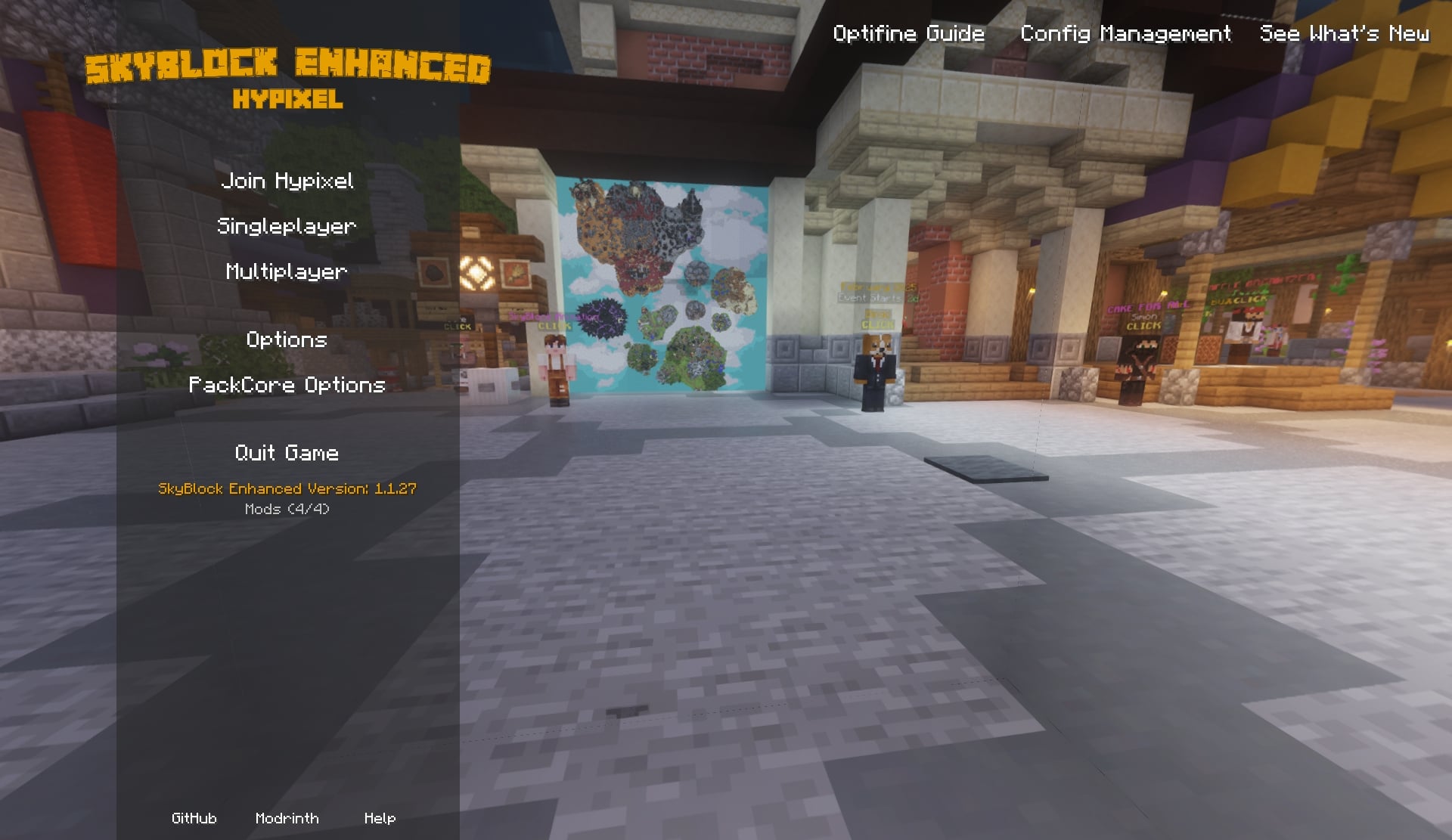
PackCore is a companion mod for SkyBlock Enhanced modpacks, featuring a Hypixel SkyBlock-themed start menu, plus more!
- Downloads
- 1.5M
- Author
- Kd_Gaming1
- Loader
- Fabric, Forge
- Minecraft
- 1.21.10 – 26.2
- Updated
- –
Screenshots
What PackCore looks like


Images: PackCore on Modrinth, published by the project team.
Setup
Install PackCore on your client
Client-side mods only run on your computer. More server RAM does not change their performance.
- 01
Install the loader locally
Install Fabric or Forge for your Minecraft version in your launcher.
- 02
Download the file
Download the PackCore file for your loader and your exact Minecraft version, for example 26.2.
- 03
Add it to the mods folder
Put the .jar file in your local .minecraft/mods folder and remove older duplicates.
- 04
Launch
Launch Minecraft with the loader profile. Nothing needs to change on the server.
- On the server
- Not needed
- On the client
- Required
- Loader
- Fabric, Forge
- Minecraft
- 26.2, 26.1.2, 26.1.1 +9 more
- License
- LicenseRef-PolyForm-Shield-License-1.0.0
Releases
Published releases
Pick the file that matches your server’s loader and Minecraft version. The server and players need the same release.
PackCore · ModrinthOriginal description by the project author
PackCore


PackCore is the setup + configuration companion mod for SkyBlock-focused modpacks.
It helps you get the right settings quickly, keeps your configs organized, and makes switching presets easy.
What PackCore Does
- First-launch setup wizard with visual previews
- Easy style choices for menu, tab design, storage UI, item backgrounds, and more
- Performance profile picker (from max FPS to quality-focused)
- Optional integrations that appear automatically when compatible mods are installed
- Resource pack selection directly in the wizard
- One-click apply flow with a final review page before changes are made
Screenshots
Spoiler


Support & Community
Found a bug or have a feature request? Come say hi.


Quick Commands (Optional)
For advanced users:
/packcore wizard— reopen the setup wizard/packcore modpack_config— open PackCore config manager/packcore update check— check for updates manually
Made for SkyBlock Enhanced Packs
SkyBlock Enhanced – Modern Edition (1.21+)
Play Hypixel SkyBlock on modern Minecraft with better performance and modern UI options.
→ https://modrinth.com/project/e0oMrxjp
Support the Project
Want to support development? You can do so on Ko-fi. All donations are greatly appreciated and help keep the mod updated.
Server Hosting Partner
Use code SBE for 25% off your first purchase.
→
AI tools were extensively used during the development of this project.
Does PackCore need to be installed on the Minecraft server?
No. Modrinth marks PackCore as unsupported on the server side. Install it only in your local mods folder. Your server can stay unchanged unless the project page lists an additional dependency.
Which version and loader does PackCore require?
Use a file for Fabric, Forge and your exact Minecraft version. Supported versions include 26.2, 26.1.2, 26.1.1. Files for different loaders are not interchangeable.
PackCore is not working – what should I check?
First check the Minecraft version, loader version and required dependencies. Because the mod is client-side, more server RAM will not fix it.
Similar mods
Popular mods in the same category
 Server-ready

YetAnotherConfigLib (YACL)
by isxander
A builder-based configuration library for Minecraft!
 Server-ready

Text Placeholder API
by Patbox
Placeholder and Text manipulation library for your Minecraft mods.
 Client only

Dynamic FPS
by juliand665
Reduce resource usage while Minecraft is in the background, idle, or on battery.
 Server-ready

No Chat Reports
by Aizistral
Makes chat unreportable (where possible)
Looking for mods for your own server?
The catalog lists mods that run on Minecraft servers.