
Remove Reloading Bar
Add-on for Remove Reloading Screen that removes the bar as well
Screenshots

Über diese Mod
This mod has been archived as this feature is built-in to Remove Reloading Screen, you have to configure the project in Mod Menu.
Remove Reloading Screen (RRLS) is probably one of my favorite QoL mods out there - it's just so nice to have when you want to switch things up and change your pack. However, one thing that I dislike about it is the loading bar - it's exactly where it doesn't need to be, and feels more intrusive than anything - which is why this mod was created.
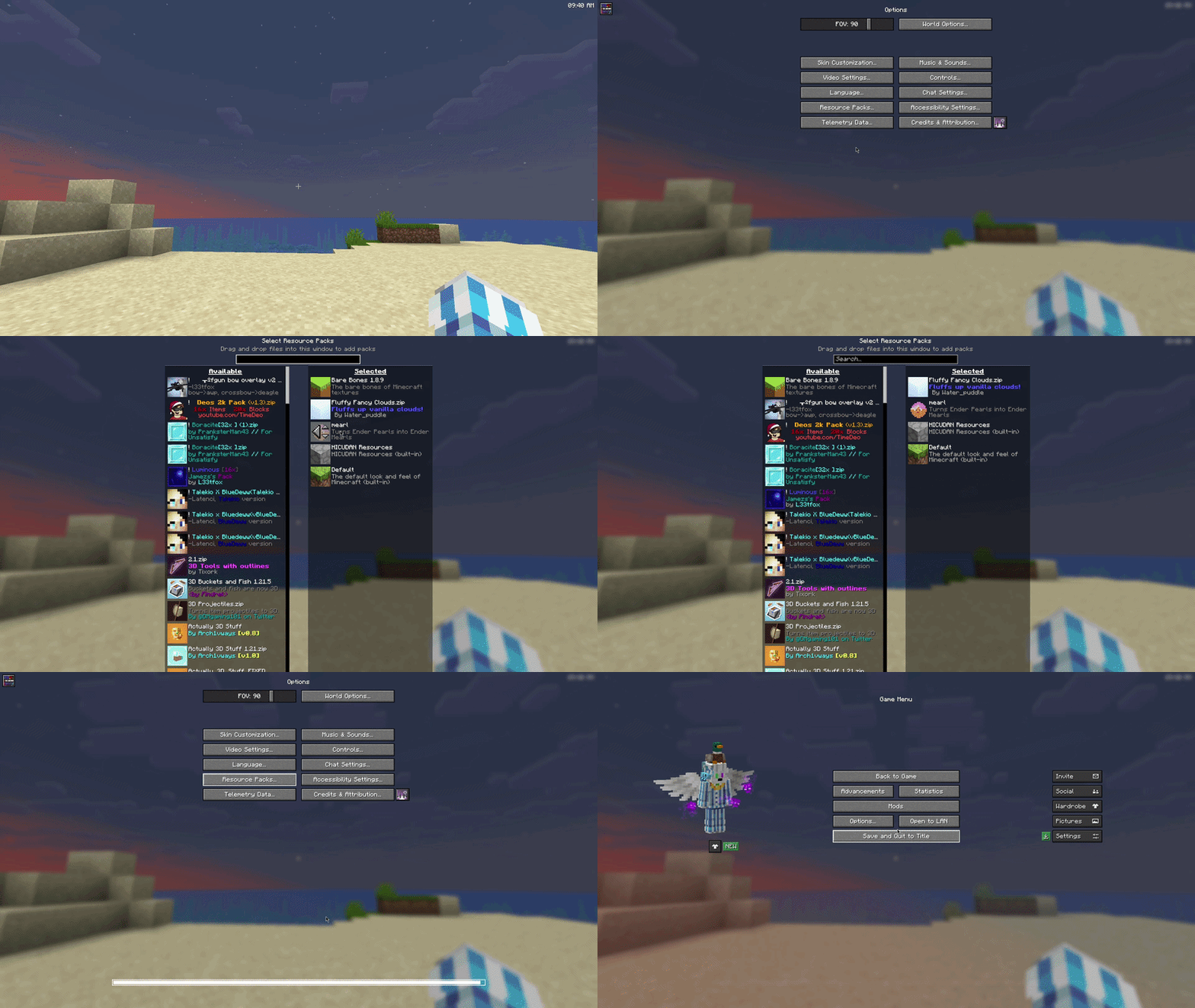
Without Remove Reloading Screen or Remove Resource Loading Bar:
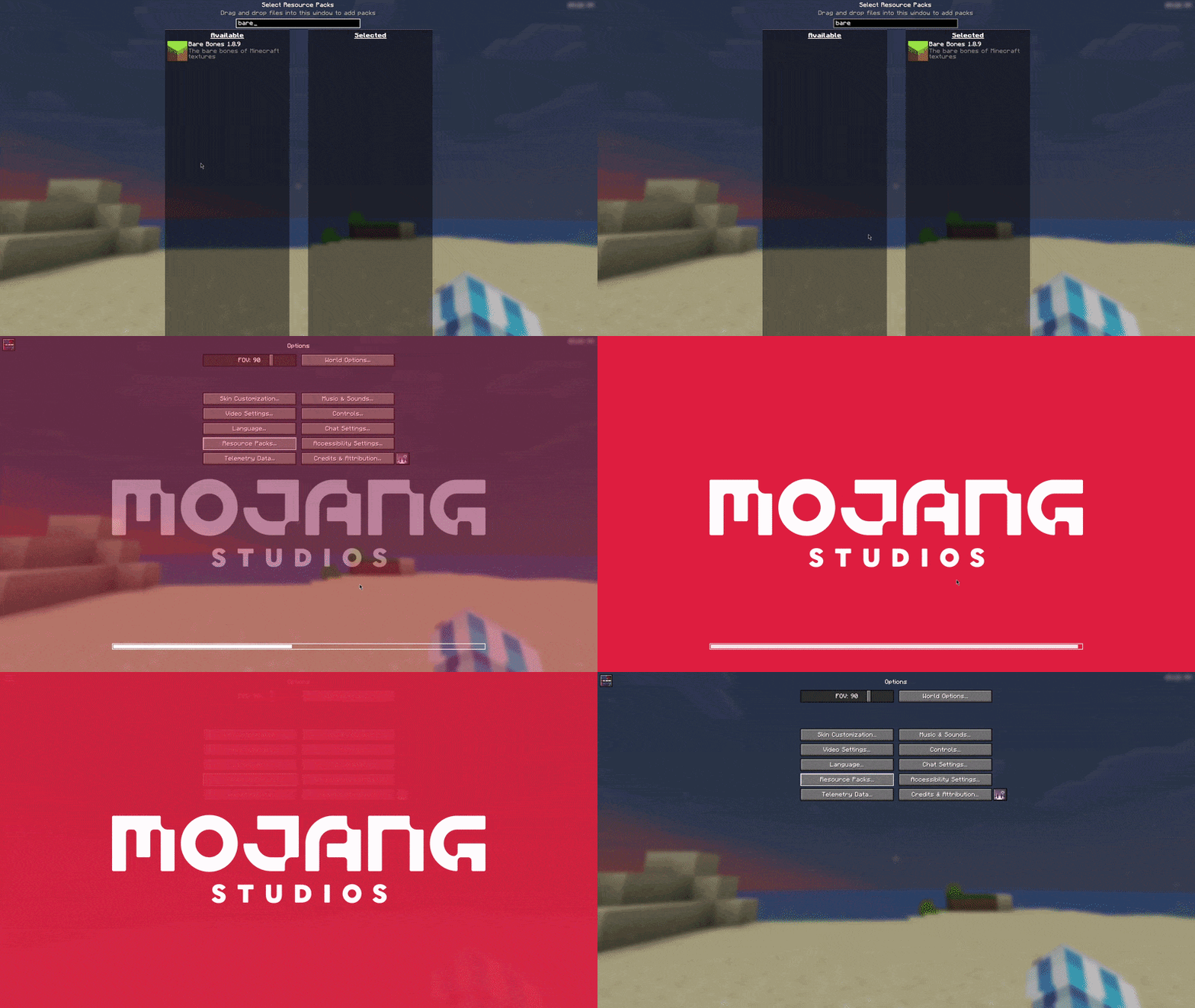
With Remove Reloading Screen but without Remove Resource Loading Bar:
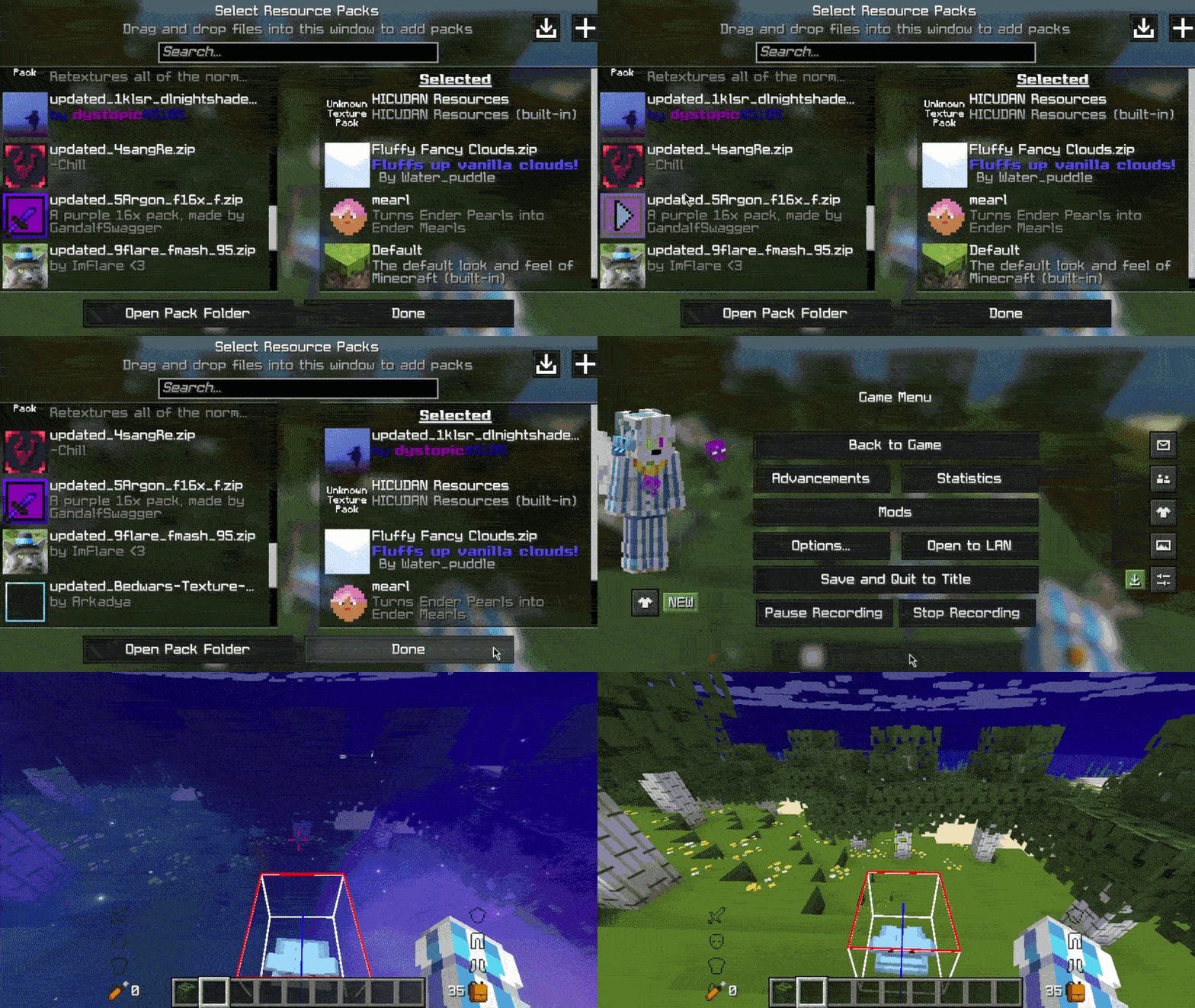
With both Remove Reloading Screen and Remove Resource Loading Bar:
FAQ
Does this mod require RRLS?
Technically, no, and you can use it without RRLS, but it would just look bad. I'd heavily advise using RRLS, but in the end it is your choice.
Neoforge port?
Normally, I don't do Neoforge, but this mod was absurdly simple to make, so yes, it is on its way.
Update: Mod has been ported to Neoforge
What happens if my resource load fails?
Minecraft sends you a toast (the little box with text in the upper right) letting you know that your resource load failed, so you will still be able to see it.
Specific version?
Open an issue on my GitHub for compatibility for a specific version.
Verfügbare Versionen
Remove Reloading Bar auf deinem Client installieren
Mod-Loader lokal installieren
Installiere fabric für deine lokale Minecraft-Version.
Passende Datei herunterladen
Wähle die Remove Reloading Bar-Datei für fabric und Minecraft 26.1.2.
Mod installieren
Lege die .jar-Datei in deinem lokalen .minecraft/mods-Ordner ab und starte Minecraft neu. Eine Installation auf dem Server ist nicht nötig.
Kompatibilität
Mod-Loader
Minecraft-Versionen
26.1.2, 26.1.1, 26.1 (+12 weitere)
Server-seitig
✗ Nicht unterstütztEmpfohlener RAM
4 GB(min. 3 GB)Häufige Fragen
Muss Remove Reloading Bar auf dem Minecraft Server installiert werden?
Nein. Modrinth kennzeichnet Remove Reloading Bar serverseitig als nicht unterstützt. Installiere die Mod nur im lokalen Minecraft-Mods-Ordner. Dein Server kann unverändert bleiben, sofern die Mod-Seite keine zusätzliche Abhängigkeit nennt.
Welche Version und welchen Loader braucht Remove Reloading Bar?
Nutze eine Datei für fabric, neoforge, quilt und exakt deine Minecraft-Version. Unterstützte Versionen sind unter anderem 26.1.2, 26.1.1, 26.1. Loader-Dateien sind nicht untereinander austauschbar.
Remove Reloading Bar funktioniert nicht – was kann ich prüfen?
Prüfe zuerst Minecraft-Version, Loader-Version und erforderliche Abhängigkeiten. Lege die .jar-Datei im lokalen .minecraft/mods-Ordner ab und entferne ältere Duplikate. Da die Mod clientseitig ist, löst mehr Server-RAM dieses Problem nicht.
Ähnliche Mods

![[ETF] Entity Texture Features](https://cdn.modrinth.com/data/BVzZfTc1/af683d206d50b05258d865b0d6e4aa2f2cee12f2_96.webp)
![[EMF] Entity Model Features](https://cdn.modrinth.com/data/4I1XuqiY/6e5bbd0d06b1741bfdab6c0cfab6de8fdaf0064c_96.webp)



Minecraft Server für deine Gruppe
Remove Reloading Bar bleibt auf deinem Client. Hoste dazu eine kompatible Welt für deine Mitspieler.