
Remove Reloading Bar
Add-on for Remove Reloading Screen that removes the bar as well
Screenshots

About this Mod
This mod has been archived as this feature is built-in to Remove Reloading Screen, you have to configure the project in Mod Menu.
Remove Reloading Screen (RRLS) is probably one of my favorite QoL mods out there - it's just so nice to have when you want to switch things up and change your pack. However, one thing that I dislike about it is the loading bar - it's exactly where it doesn't need to be, and feels more intrusive than anything - which is why this mod was created.
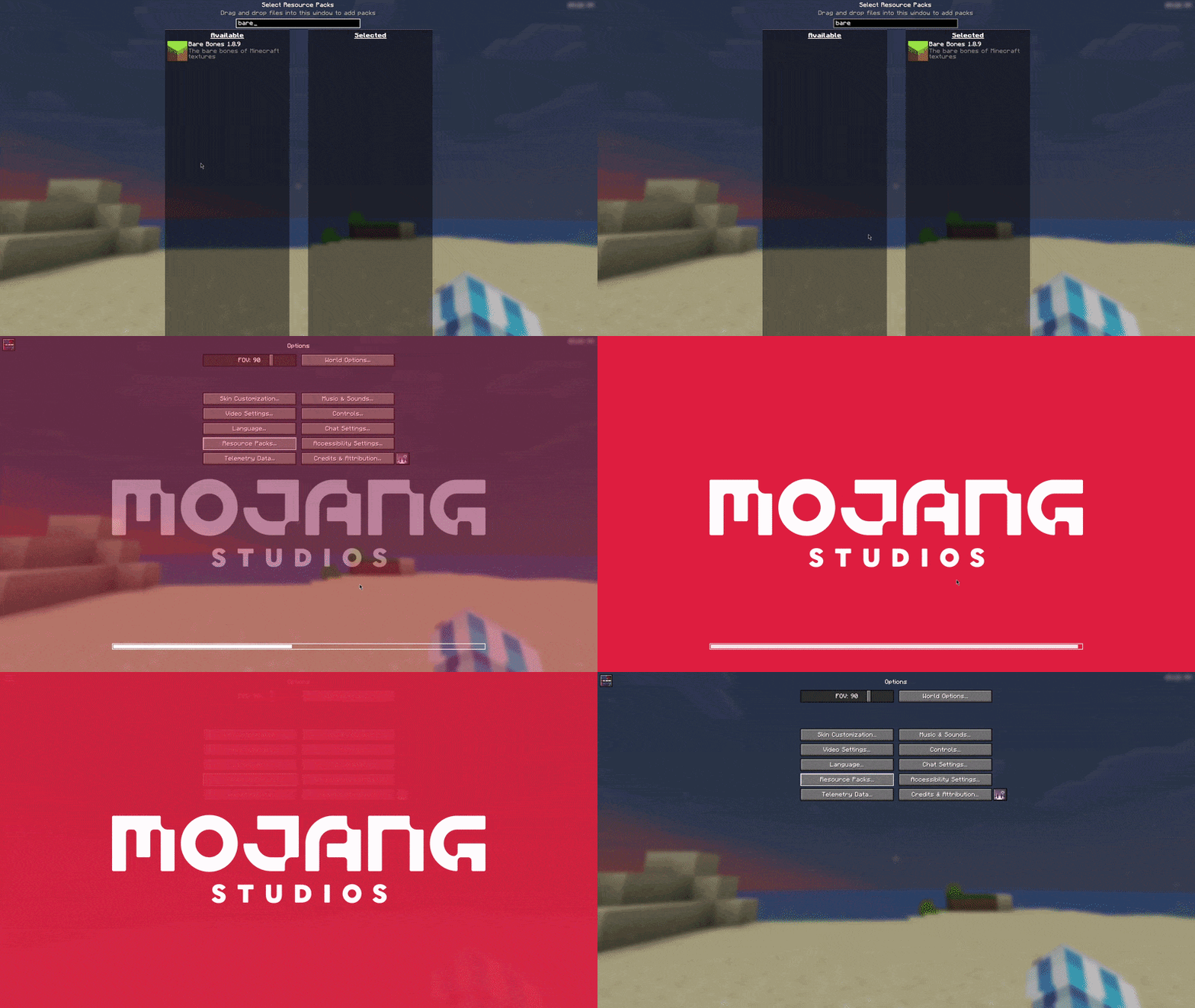
Without Remove Reloading Screen or Remove Resource Loading Bar:
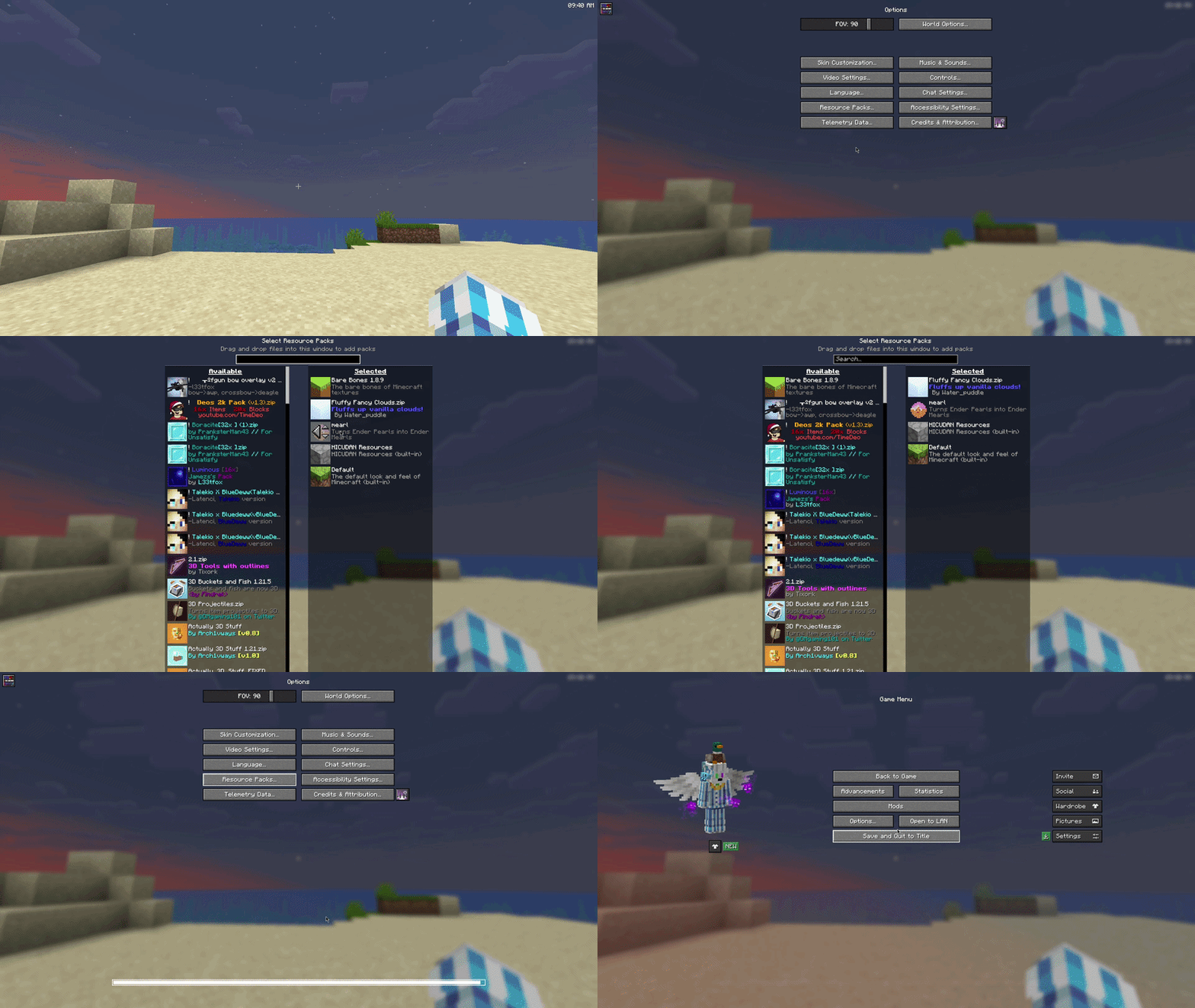
With Remove Reloading Screen but without Remove Resource Loading Bar:
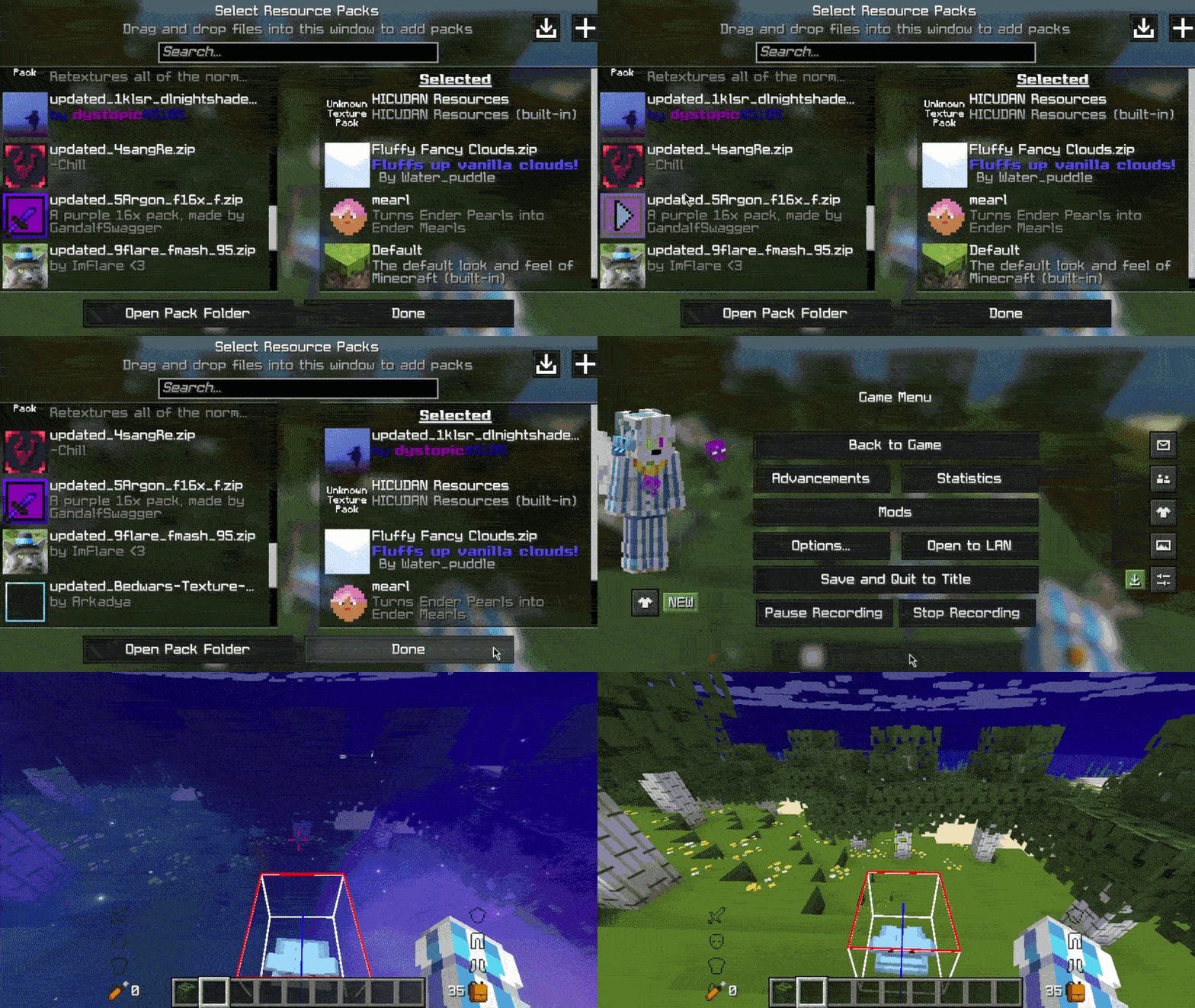
With both Remove Reloading Screen and Remove Resource Loading Bar:
FAQ
Does this mod require RRLS?
Technically, no, and you can use it without RRLS, but it would just look bad. I'd heavily advise using RRLS, but in the end it is your choice.
Neoforge port?
Normally, I don't do Neoforge, but this mod was absurdly simple to make, so yes, it is on its way.
Update: Mod has been ported to Neoforge
What happens if my resource load fails?
Minecraft sends you a toast (the little box with text in the upper right) letting you know that your resource load failed, so you will still be able to see it.
Specific version?
Open an issue on my GitHub for compatibility for a specific version.
Available Versions
How to Install Remove Reloading Bar on Your Client
Install the Mod Loader Locally
Install fabric for your local Minecraft version.
Download the Matching File
Choose the Remove Reloading Bar file for fabric and Minecraft 26.1.2.
Install Mod
Place the .jar file in your local .minecraft/mods folder and restart Minecraft. No server-side installation is required.
Compatibility
Mod Loaders
Minecraft Versions
26.1.2, 26.1.1, 26.1 (+12 more)
Server-side
✗ UnsupportedRecommended RAM
4 GB(min. 3 GB)Frequently Asked Questions
Does Remove Reloading Bar need to be installed on the Minecraft server?
No. Modrinth marks Remove Reloading Bar as unsupported on the server side. Install it only in your local Minecraft mods folder. Your server can remain unchanged unless the mod page lists an additional dependency.
Which version and loader does Remove Reloading Bar require?
Use a file for fabric, neoforge, quilt and your exact Minecraft version. Supported versions include 26.1.2, 26.1.1, 26.1. Files for different loaders are not interchangeable.
Remove Reloading Bar is not working – what should I check?
First check the Minecraft version, loader version and required dependencies. Put the .jar file in your local .minecraft/mods folder and remove older duplicates. Because this mod is client-side, adding server RAM will not fix it.
Similar Mods

![[ETF] Entity Texture Features](https://cdn.modrinth.com/data/BVzZfTc1/af683d206d50b05258d865b0d6e4aa2f2cee12f2_96.webp)
![[EMF] Entity Model Features](https://cdn.modrinth.com/data/4I1XuqiY/6e5bbd0d06b1741bfdab6c0cfab6de8fdaf0064c_96.webp)



Minecraft Server for Your Group
Remove Reloading Bar stays on your client. Host a compatible world for your group.