
Modrinth · Fabric, NeoForge, Quilt · Client-Mod
ScreenshotMetadata
ScreenshotMetadata ist eine clientseitige Mod. Du installierst sie auf deinem Rechner, auf dem Server ist sie nicht nötig.
A Minecraft Fabric mod that automatically adds comprehensive metadata to your screenshots, making them easier to organize and search.
- Downloads
- 1.6K
- Autor
- fentbuscoding
- Loader
- Fabric, NeoForge, Quilt
- Minecraft
- 1.21.1 – 26.3
- Aktualisiert
- –
Screenshots
So sieht ScreenshotMetadata aus
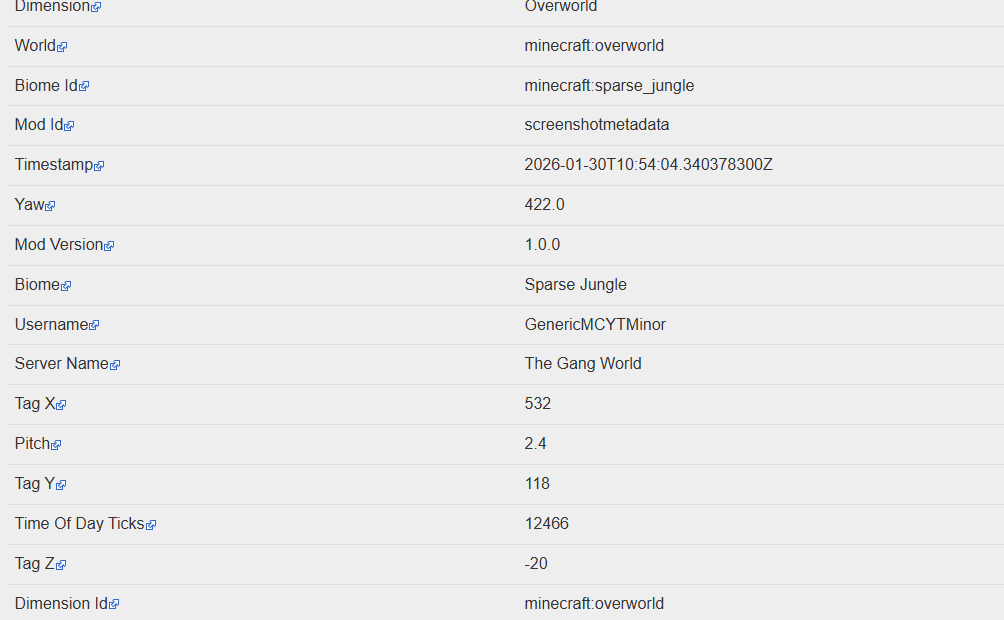
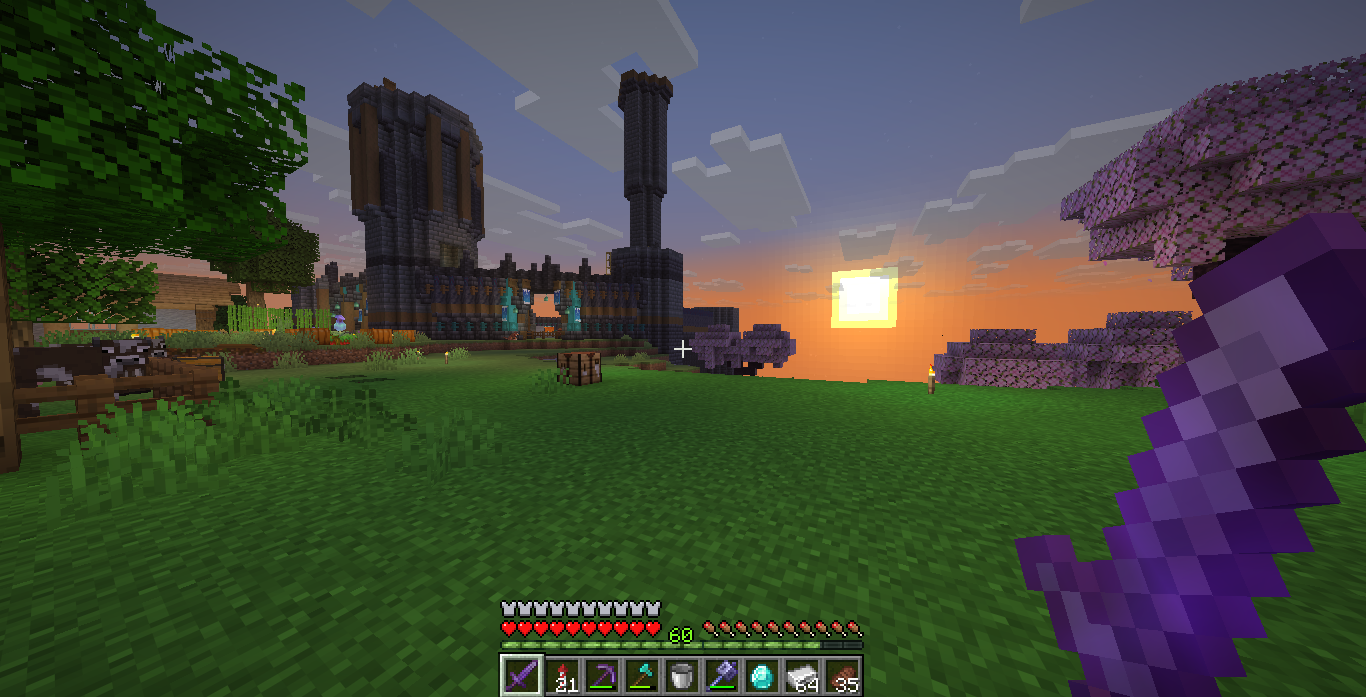
Bilder: ScreenshotMetadata auf Modrinth, vom Projektteam veröffentlicht.
Einrichtung
ScreenshotMetadata auf deinem Client installieren
Clientseitige Mods laufen nur auf deinem Rechner. Mehr Server-RAM ändert an ihrer Leistung nichts.
- 01
Loader lokal installieren
Installiere Fabric oder NeoForge oder Quilt für deine Minecraft-Version in deinem Launcher.
- 02
Datei herunterladen
Lade die ScreenshotMetadata-Datei für deinen Loader und exakt deine Minecraft-Version herunter, zum Beispiel b1.7.3.
- 03
In den Mods-Ordner legen
Lege die .jar-Datei in den lokalen Ordner .minecraft/mods und entferne ältere Duplikate.
- 04
Starten
Starte Minecraft mit dem Loader-Profil. Auf dem Server musst du nichts ändern.
- Auf dem Server
- Nicht nötig
- Auf dem Client
- Erforderlich
- Loader
- Fabric, NeoForge, Quilt
- Minecraft
- b1.7.3, 26.4-snapshot-7, 26.3 +16 weitere
- Lizenz
- MIT License
Versionen
Veröffentlichte Versionen
Nimm die Datei, die zu Loader und Minecraft-Version deines Servers passt. Server und Spieler brauchen dieselbe Version.
ScreenshotMetadata · Modrinth- Screenshot Metadata v1.4.3 (MC 1.21.6)7. November 2026Minecraft 1.21.6 · Fabric, Quilt
- Screenshot Metadata v1.4.3 (MC 1.21.5)7. November 2026Minecraft 1.21.5 · Fabric, Quilt
- Screenshot Metadata v1.4.3 (NeoForge 1.21.11)7. November 2026Minecraft 1.21.11 · NeoForge
- Screenshot Metadata v1.4.3 (MC 1.21.3)7. November 2026Minecraft 1.21.3 · Fabric, Quilt
- Screenshot Metadata v1.4.3 (MC 1.21.1)7. November 2026Minecraft 1.21.1 · Fabric, Quilt
Originalbeschreibung des Projektautors
Screenshot Metadata is a Fabric mod that adds context to your screenshots automatically, so they’re still useful months later.
Every time you press F2, the mod collects information from your current game state and saves it with the screenshot. That can include your username, coordinates, dimension, biome, time, and other optional details depending on your settings. The idea is simple: screenshots should tell you what was happening, not just what it looked like.
You can choose how metadata is stored:
- PNG metadata for info embedded directly in the image
- XMP sidecar for compatibility with image/file tools
- JSON sidecar for easy parsing, scripting, and archive workflows
This makes the mod useful for players who document builds, track exploration, or keep progress logs across worlds and servers. Instead of guessing where a screenshot came from, you can immediately see the important details.
All settings are available in Mod Menu. You can pick output formats, switch capture profiles, and control privacy options (like how sensitive fields are handled). The default behavior is lightweight and automatic, so once it’s installed, you can just play normally and let it handle the metadata in the background.
Muss ScreenshotMetadata auf dem Minecraft Server installiert werden?
Nein. Modrinth kennzeichnet ScreenshotMetadata serverseitig als nicht unterstützt. Installiere die Mod nur im lokalen Mods-Ordner. Dein Server kann unverändert bleiben, sofern die Projektseite keine zusätzliche Abhängigkeit nennt.
Welche Version und welchen Loader braucht ScreenshotMetadata?
Nutze eine Datei für Fabric, NeoForge, Quilt und exakt deine Minecraft-Version. Unterstützt werden unter anderem b1.7.3, 26.4-snapshot-7, 26.3. Dateien für verschiedene Loader sind nicht austauschbar.
ScreenshotMetadata funktioniert nicht – was kann ich prüfen?
Prüfe zuerst Minecraft-Version, Loader-Version und erforderliche Abhängigkeiten. Da die Mod clientseitig ist, löst mehr Server-RAM das Problem nicht.
Ähnliche Mods
Beliebte Mods aus derselben Kategorie
 Server-fähig

YetAnotherConfigLib (YACL)
von isxander
A builder-based configuration library for Minecraft!
 Server-fähig

Text Placeholder API
von Patbox
Placeholder and Text manipulation library for your Minecraft mods.
 Nur Client

Dynamic FPS
von juliand665
Reduce resource usage while Minecraft is in the background, idle, or on battery.
 Server-fähig

No Chat Reports
von Aizistral
Makes chat unreportable (where possible)
Mods für deinen eigenen Server gesucht?
Im Katalog findest du Mods, die auf Minecraft Servern laufen.