Cobblemon - Show Held Items
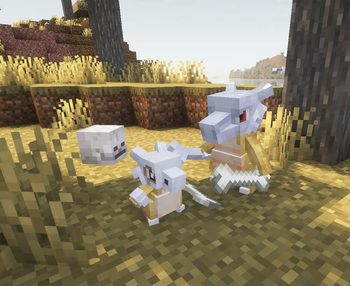
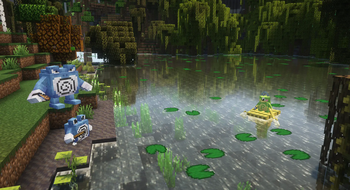
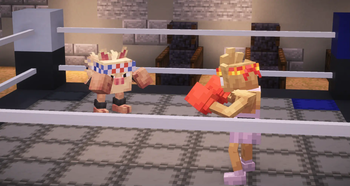
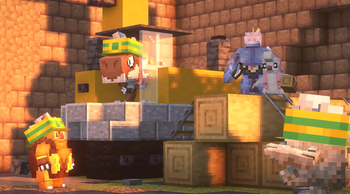
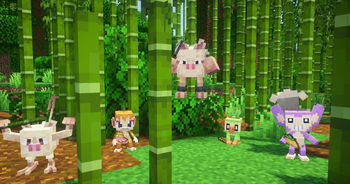
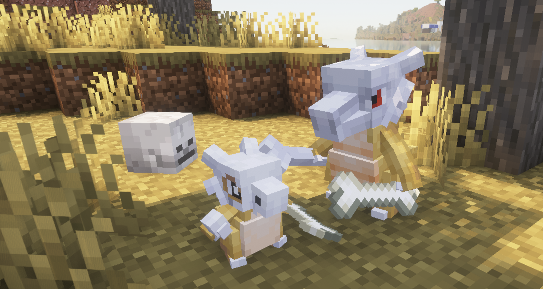
Shows your Pokémon's held items in the world.
Screenshots

Über diese Mod
⚠️ As of Cobblemon 1.7 this mod is no longer supported! ⚠️
The feature the this mod provides has been ported into Cobblemon as of version 1.7! 🎉
Cobblemon - Show Held Items
This is a side mod for Cobblemon so it will not do anything without Cobblemon installed.
This mod allows Pokémon's Held Items render in the world.
When joining a server that does not have this mod installed, only your own Pokémon's items will be rendered.

Technical Information
Server Configuration
The items that are hidden or shown as hats/glasses can be controlled by the server by adding a data pack to the server that replaces the "hidden_items.json", "wearable_eye_items.json" or "wearable_hat_items.json" item tag file. Hidden items will still be visible to the Pokémon's owner.
The path for hidden items is:datapacks\[YOUR_SERVER'S_DATAPACK]\data\show-held-items\tags\item\hidden_items.json
These are the default settings of the file:
{
  "replace": true,
  "values": [
    "#cobblemon:held/is_held_item",
    "#cobblemon:berries"
  ]
}
Any modded or vanilla items can be added here.
The paths for eye items and hats are:datapacks\[YOUR_SERVER'S_DATAPACK]\data\show-held-items\tags\item\wearable_eye_items.jsondatapacks\[YOUR_SERVER'S_DATAPACK]\data\show-held-items\tags\item\wearable_hat_items.json
Here is an example using Villager Hats and Simple Hats:
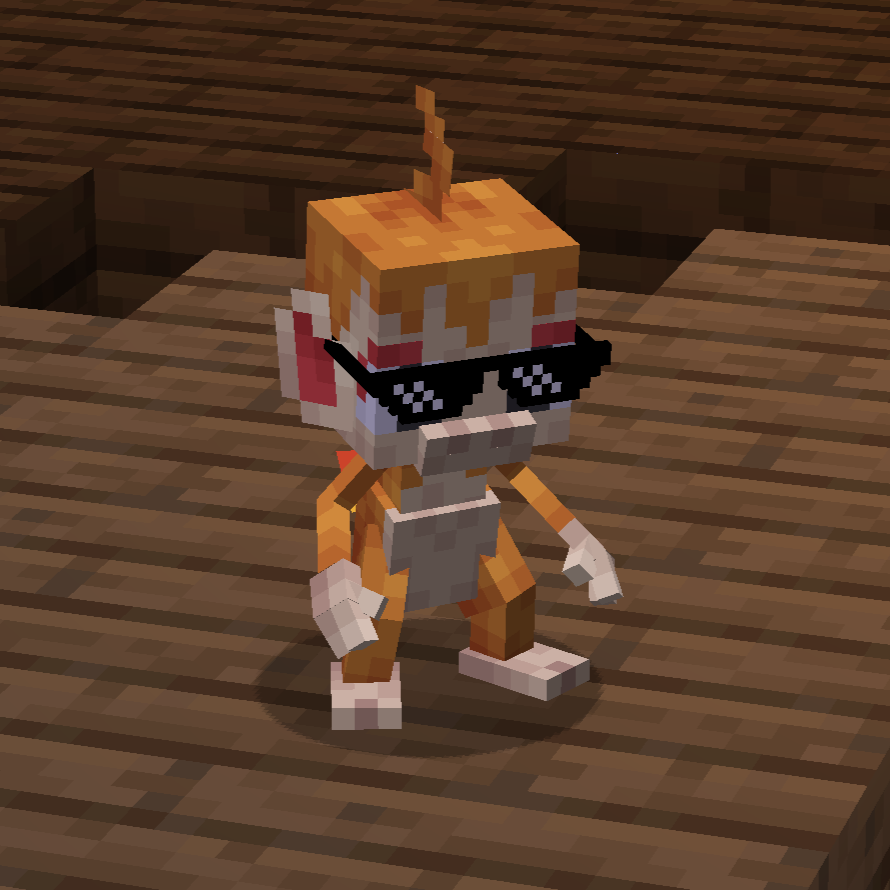
wearable_eye_items.json:
{
  "replace": false,
  "values": [
    "simplehats:clockface",
    "simplehats:sunglasses",
  ]
}
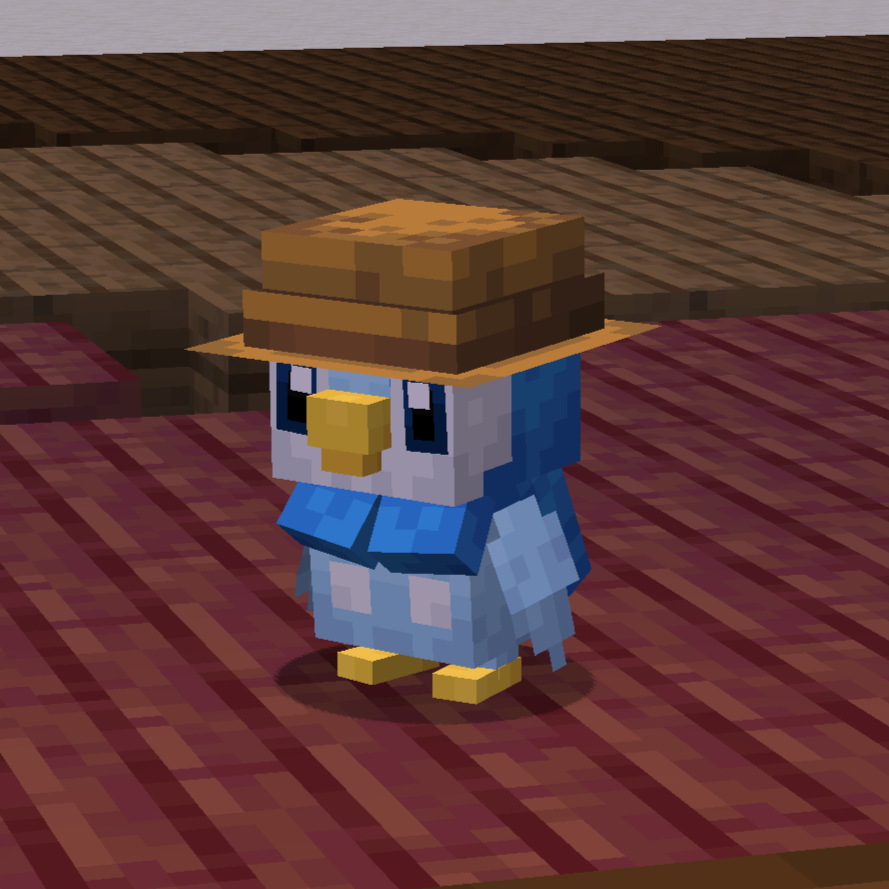
wearable_hat_items.json:
{
  "replace": false,
  "values": [
    "#villagerhats:hats"
  ]
}
Compatibility With Other Models
If there are Pokemon that do not render their held item or if you would like to have custom Fakemon show their held items, you can add a locator in the model named "held_item" or "held_item_fixed".
The "held_item" locator will render held items the same way that players render items. This is most effective for items like the spyglass, trident and other tools.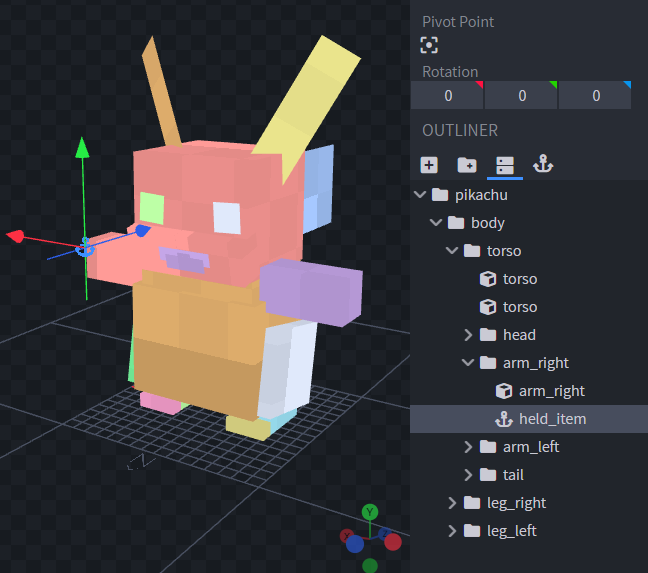
Sometimes it doesnt look quite right to have an item held the same way as the player. So for bird or dog-like pokemon, it may be best to use "held_item_fixed". This will render the flat default item model.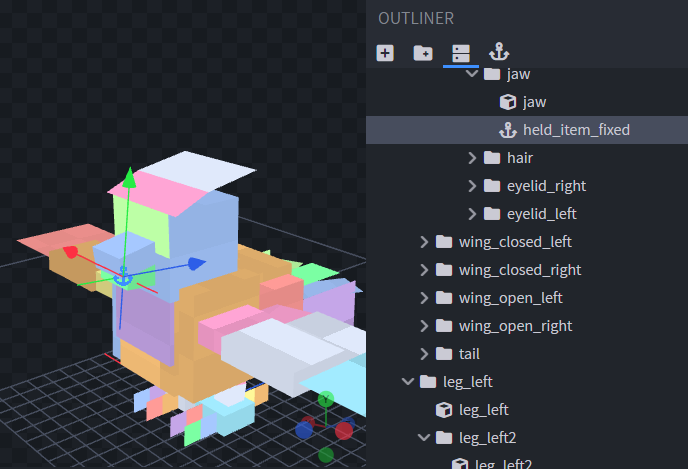
To change the rotation of the item, simply change the rotation of the locator.
To support wearable hat or eye items add locators "held_item_head" and "held_item_eyes" onto the model either near the eyes or on top of the head.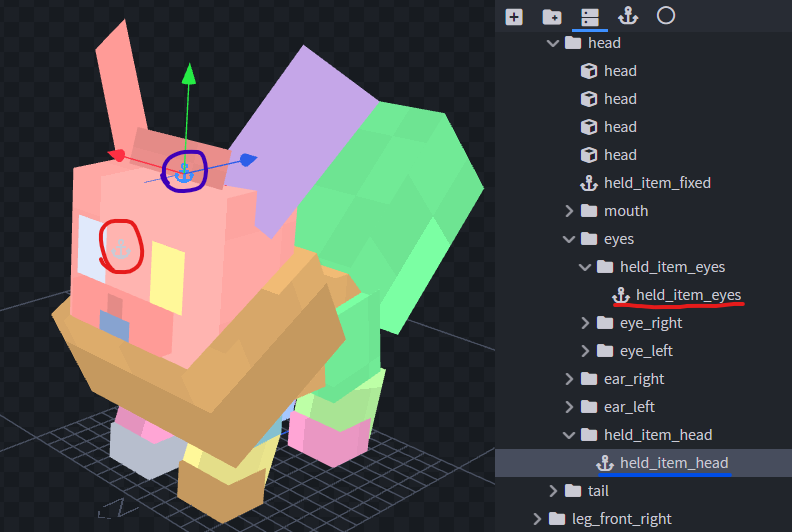
If the held item isn't quite the right size you can add modifiers to the locators using Null Objects. Give the Null Object the name of the locator you wish to modify followed by square brackets and a scale value, e.g., "held_item_head[scale=2.25]".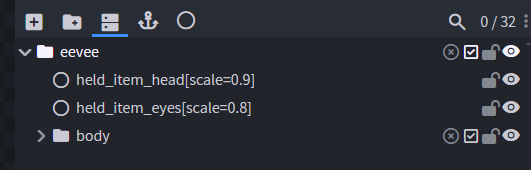
If you have any other concerns or questions, you can inquire here.
Thank you!
Verfügbare Versionen
Cobblemon - Show Held Items auf dem Server installieren
Server bestellen
Bestelle einen Minecraft Java Server mit mindestens 3 GB RAM (4 GB empfohlen).
fabric Loader setzen
Wähle im Panel unter "Egg" den fabric-Loader und die passende Minecraft-Version (1.21.1).
Mod installieren
Öffne den Mod-Browser im Dashboard und suche nach "Cobblemon - Show Held Items". Klicke "Installieren" – fertig! Alternativ: Lade die .jar via SFTP in den /mods Ordner.
Kompatibilität
Mod-Loader
Minecraft-Versionen
1.21.1, 1.20.1
Server-seitig
~ OptionalEmpfohlener RAM
4 GB(min. 3 GB)Häufige Fragen
Cobblemon - Show Held Items Server crasht beim Start – was tun?
Häufigste Ursache: falsche fabric-Version oder zu wenig RAM. Prüfe im Server-Log (latest.log), ob ein "OutOfMemoryError" oder "Mixin"-Fehler auftritt. Bei Mado Hosting: Stelle sicher, dass mindestens 3 GB RAM zugewiesen sind und der Loader zur Mod-Version passt (1.21.1). Über das Panel kannst du den Loader mit einem Klick wechseln.
Ist Cobblemon - Show Held Items mit fabric kompatibel?
Cobblemon - Show Held Items unterstützt offiziell fabric für Minecraft 1.21.1, 1.20.1. Im Mado Dashboard werden inkompatible Loader-Kombinationen automatisch erkannt.
Server laggt mit Cobblemon - Show Held Items – wie optimiere ich die Performance?
Empfohlener RAM: 4 GB (+1 GB pro 8 Spieler). Prüfe mit /spark profiler, ob Cobblemon - Show Held Items den meisten Tick-Time verbraucht. Häufige Fixes: Server-View-Distance auf 8-10 reduzieren, bei Forge "performant" oder "starlight" als Zusatz-Mod installieren. Bei Mado Hosting läuft dein Server auf NVMe-SSDs mit dedizierten CPU-Kernen für minimale Latenz.
Ähnliche Mods

![[ETF] Entity Texture Features](https://cdn.modrinth.com/data/BVzZfTc1/af683d206d50b05258d865b0d6e4aa2f2cee12f2_96.webp)
![[EMF] Entity Model Features](https://cdn.modrinth.com/data/4I1XuqiY/6e5bbd0d06b1741bfdab6c0cfab6de8fdaf0064c_96.webp)



Modded Server mieten
Installiere Cobblemon - Show Held Items mit nur einem Klick auf deinem Server.