
SkinsRestorer
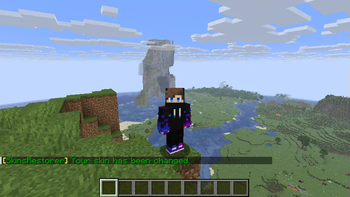
🎨 Ability to restore/change skins on servers! (Offline and Online Mode)
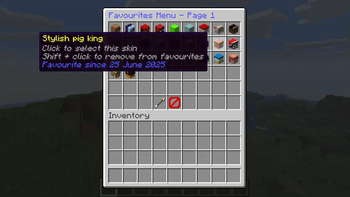
Screenshots
Über diese Mod
SkinsRestorer



What is SkinsRestorer?
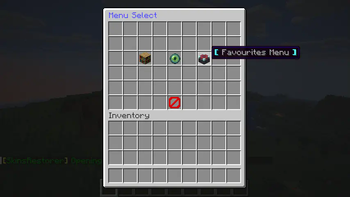
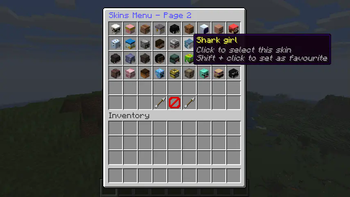
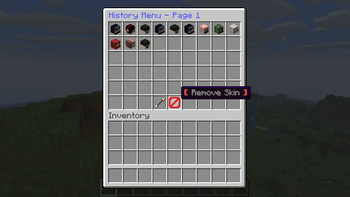
SkinsRestorer is a plugin that restores skins for offline mode servers & networks that gives the players ability to change their skins by typing a single command.
Where can I use SkinsRestorer?







How can I install SkinsRestorer?
It's easy to install SkinsRestorer!
All the steps are detailed in our installation guide.
What are the Commands and Permissions?
Read the official documentation for a list of commands and permissions.
What if I need support?
If you need any support you can join our Discord server,
so we can help you out :)

Meet the Team:
- xknat - Developer
- Pistonmaster - Developer
- SloPlays - Website & backend
- mono21400 - support
Retired Staff
- Logics - Maintainer
- Angel_0 - support
- riflowth - Skinsystem intergration dev
- fezerngodo - Skinsystem intergration dev
- McLive - Retired dev
- Th3Tr0LLeR - Retired Founder
- Blackfire62 - Retired dev
- DoNotSpamPls - Retired dev
- HyperGaming18 - Retired support
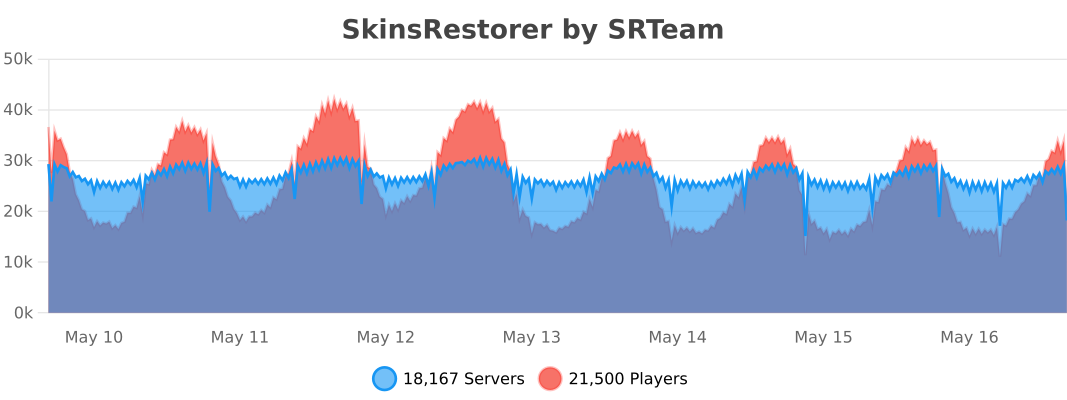
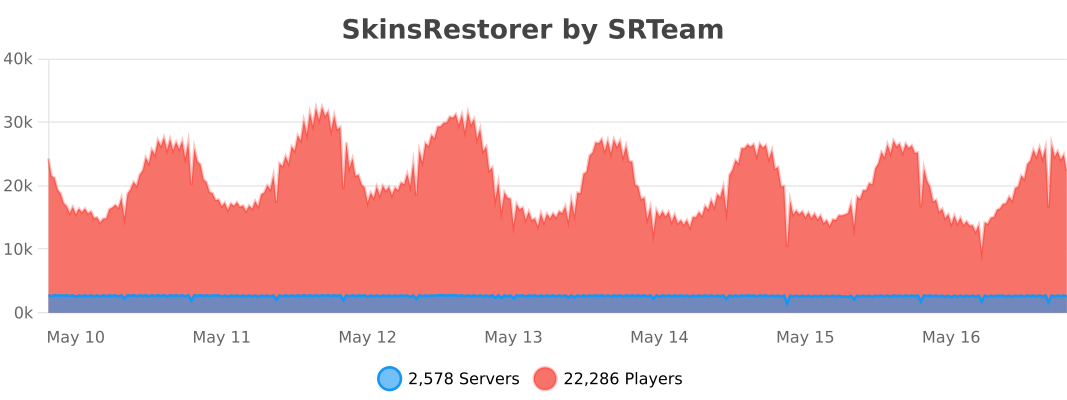
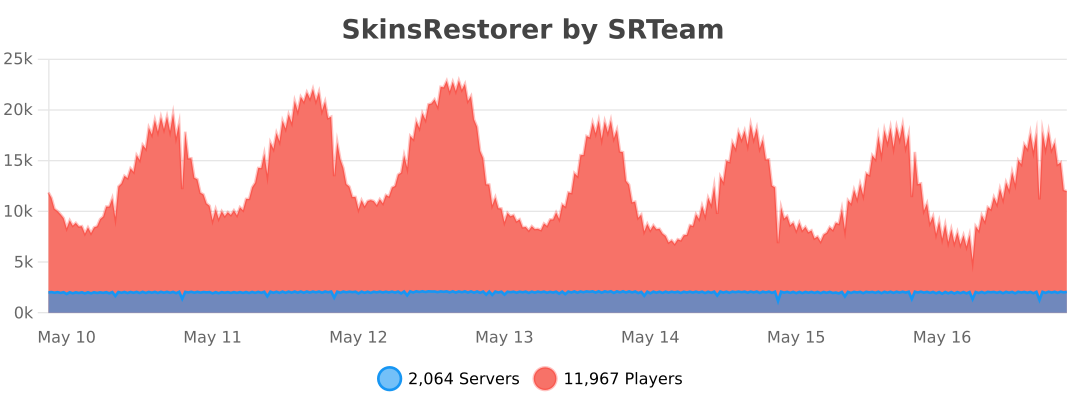
Stats
Bukkit
BungeeCord
Velocity
Want to support us and the plugin?
We have spent much of our time working on SkinsRestorer, we made it free, so that any server could enjoy it.
Please consider donating to us if you would like to thank us. This allows us to continue working on this project.



✨ Are you looking for an advanced administration panel for your server?
EnderDash allows you to manage your existing Minecraft servers using an advanced dashboard by installing a single plugin, batteries included. Run commands (with tab completion), read logs, manage files, invite your whole team, manage players, Ocelot (AI Assistant), works with your existing Infrastructure/Panels and much more.
Check it out: https://enderdash.com
end, no seriously just give us a star already ^w^.
Verfügbare Versionen
SkinsRestorer auf dem Server installieren
Server bestellen
Bestelle einen Minecraft Java Server mit mindestens 3 GB RAM (4 GB empfohlen).
bukkit Loader setzen
Wähle im Panel unter "Egg" den bukkit-Loader und die passende Minecraft-Version (26.3).
Mod installieren
Öffne den Mod-Browser im Dashboard und suche nach "SkinsRestorer". Klicke "Installieren" – fertig! Alternativ: Lade die .jar via SFTP in den /mods Ordner.
Kompatibilität
Mod-Loader
Minecraft-Versionen
26.3, 26.2, 26.1.2 (+72 weitere)
Server-seitig
✗ Nicht unterstütztEmpfohlener RAM
4 GB(min. 3 GB)Häufige Fragen
SkinsRestorer Server crasht beim Start – was tun?
Häufigste Ursache: falsche bukkit-Version oder zu wenig RAM. Prüfe im Server-Log (latest.log), ob ein "OutOfMemoryError" oder "Mixin"-Fehler auftritt. Bei Mado Hosting: Stelle sicher, dass mindestens 3 GB RAM zugewiesen sind und der Loader zur Mod-Version passt (26.3). Über das Panel kannst du den Loader mit einem Klick wechseln.
Ist SkinsRestorer mit bukkit und bungeecord und fabric und folia und neoforge und paper und purpur und spigot und velocity und waterfall kompatibel?
SkinsRestorer unterstützt offiziell bukkit, bungeecord, fabric, folia, neoforge, paper, purpur, spigot, velocity, waterfall für Minecraft 26.3, 26.2, 26.1.2. Im Mado Dashboard werden inkompatible Loader-Kombinationen automatisch erkannt.
Server laggt mit SkinsRestorer – wie optimiere ich die Performance?
Empfohlener RAM: 4 GB (+1 GB pro 8 Spieler). Prüfe mit /spark profiler, ob SkinsRestorer den meisten Tick-Time verbraucht. Häufige Fixes: Server-View-Distance auf 8-10 reduzieren, bei Forge "performant" oder "starlight" als Zusatz-Mod installieren. Bei Mado Hosting läuft dein Server auf NVMe-SSDs mit dedizierten CPU-Kernen für minimale Latenz.
Ähnliche Mods






Modded Server mieten
Installiere SkinsRestorer mit nur einem Klick auf deinem Server.