
Super Factory Manager
A programming language for moving stuff around in Minecraft
Screenshots
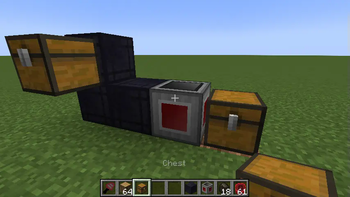
Über diese Mod
Super Factory Manager 4
SuperFactoryManager 4 brings a whole new way to use SFM. Instead of using flowchart GUIs, a new scripting language has been added.
Getting Started
You will need:
1x Factory Manager
1x Program Disk
1x Label Gun
(optional) Inventory Cables
Place your Factory Manager in the world, and connect it to your inventories using Inventory Cables
Place the Program Disk inside the Manager's GUI
Paste your script into the manager GUI using the buttons or by using Ctrl+V
The manager should tell you that the script was loaded
Hover over the disk to see the warnings and errors for your program
Shift-right-click the manager with the label gun in your hand to load the labels from your program
You can now use the scroll wheel while holding shift to change the active label.
Right click blocks in the world to apply or remove the label.
There is also a right-click menu for entering a custom label that may not be in your program yet.
Once you've assigned the labels, right click the manager while NOT holding shift to save the labels to the Program Disk
Your program should now be running without any issues
Original textures by VSWE
Verfügbare Versionen
Super Factory Manager auf dem Server installieren
Server bestellen
Bestelle einen Minecraft Java Server mit mindestens 3 GB RAM (4 GB empfohlen).
forge Loader setzen
Wähle im Panel unter "Egg" den forge-Loader und die passende Minecraft-Version (26.1.2).
Mod installieren
Öffne den Mod-Browser im Dashboard und suche nach "Super Factory Manager". Klicke "Installieren" – fertig! Alternativ: Lade die .jar via SFTP in den /mods Ordner.
Kompatibilität
Mod-Loader
Minecraft-Versionen
26.1.2, 1.21.1, 1.21 (+7 weitere)
Server-seitig
✓ ErforderlichEmpfohlener RAM
4 GB(min. 3 GB)Häufige Fragen
Super Factory Manager Server crasht beim Start – was tun?
Häufigste Ursache: falsche forge-Version oder zu wenig RAM. Prüfe im Server-Log (latest.log), ob ein "OutOfMemoryError" oder "Mixin"-Fehler auftritt. Bei Mado Hosting: Stelle sicher, dass mindestens 3 GB RAM zugewiesen sind und der Loader zur Mod-Version passt (26.1.2). Über das Panel kannst du den Loader mit einem Klick wechseln.
Ist Super Factory Manager mit forge und neoforge kompatibel?
Super Factory Manager unterstützt offiziell forge, neoforge für Minecraft 26.1.2, 1.21.1, 1.21. Im Mado Dashboard werden inkompatible Loader-Kombinationen automatisch erkannt.
Server laggt mit Super Factory Manager – wie optimiere ich die Performance?
Empfohlener RAM: 4 GB (+1 GB pro 8 Spieler). Prüfe mit /spark profiler, ob Super Factory Manager den meisten Tick-Time verbraucht. Häufige Fixes: Server-View-Distance auf 8-10 reduzieren, bei Forge "performant" oder "starlight" als Zusatz-Mod installieren. Bei Mado Hosting läuft dein Server auf NVMe-SSDs mit dedizierten CPU-Kernen für minimale Latenz.
Ähnliche Mods


Modded Server mieten
Installiere Super Factory Manager mit nur einem Klick auf deinem Server.