
TrafficCraft
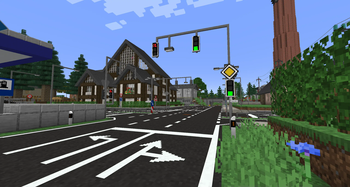
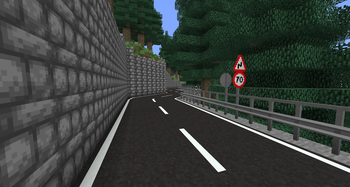
A Minecraft mod that brings roads, traffic signs, traffic lights and much more to your Minecraft world. Build your own cities and roads according to your wishes.
Screenshots
Über diese Mod
🚗 TrafficCraft
TrafficCraft is a Minecraft mod that brings roads, traffic signs, traffic lights and much more to your worlds. Build your own cities and roads according to your wishes.
This mod is inspired by Mapper's RoadStuff Mod, which has been discontinued.



🧩 Dependencies

- Version
>= 1.2.0requires DragonLib to be installed! Older versions<= 1.1.3do NOT require DragonLib! Delete it from your mods folder. Please read this post to see which versions of my other mods are compatible with each other.
Content
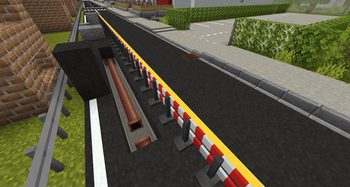
- Road Blocks: Asphalt, Concrete and slopes of the same materials which act like snow layers
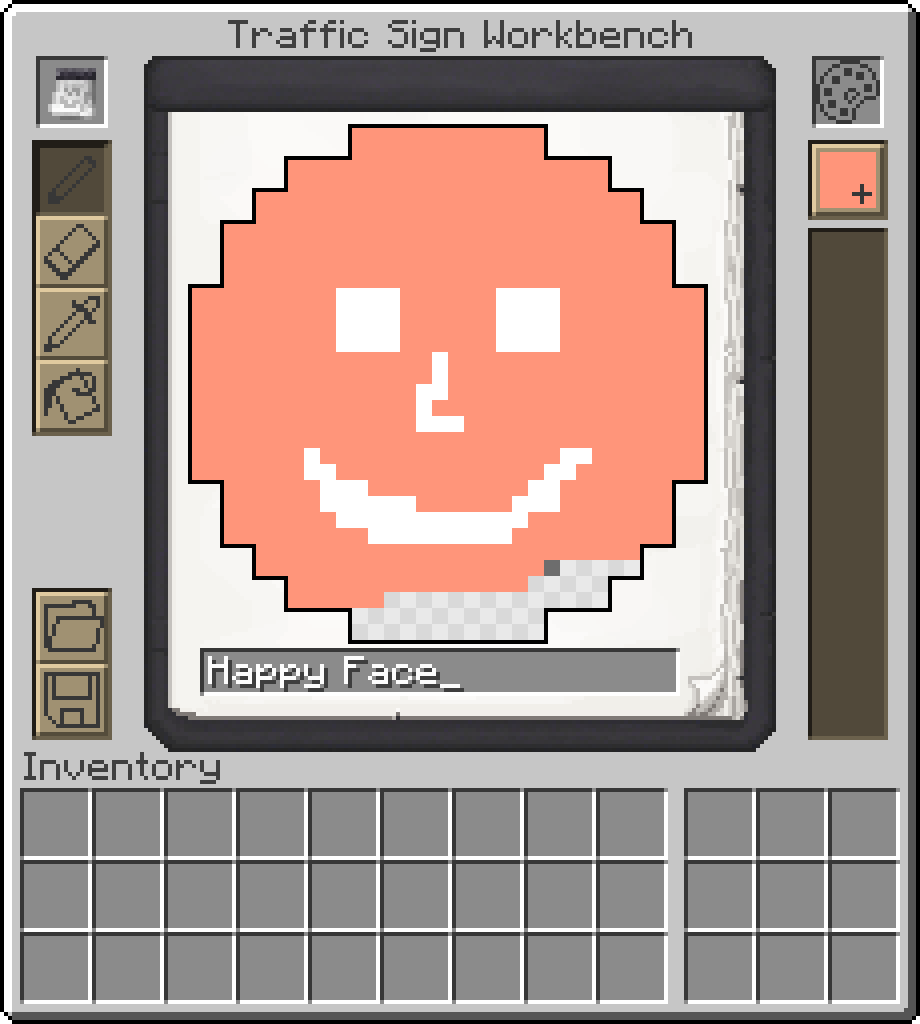
- Traffic Signs: Choose between hunderds of different signs or create your custom one.
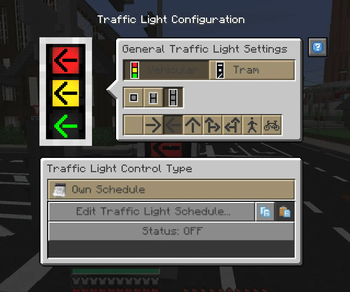
- Traffic Lights: Create fully customizable and working traffic light systems.
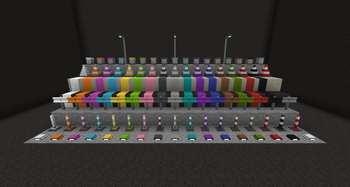
- Paintable blocks: Use a paint brush to paint hundreds of different patterns on your streets in all 16 different colors. Use the brush to color some other blocks of this mod as well.
- Street Lamps: Configure when lights turn on and off
- Writable Signs: Write the name of your steets on Street Name Signs.
- Decorations: Guardrails, Traffic Cones, Road Barrier Fences, Concrete Barriers, ...
- Useful tools: Tired of building large road networks? The mod contains practical tools to make your work easier.
... and more ...
🤝 Contribute
Thanks to all the people who are helping with development and translating the mod into different languages.
This project is open source, so if you'd like to help with development or localization, feel free to create pull requests or issues on GitHub and visit our Crowdin page.


⚠️ Please note!
To protect your worlds, you should always create a backup before installing an update of this mod. Alpha versions in particular may contain critical bugs! I am not responsible for any damage caused to your worlds by this mod if you ignore this warning!
Verfügbare Versionen
TrafficCraft auf dem Server installieren
Server bestellen
Bestelle einen Minecraft Java Server mit mindestens 3 GB RAM (4 GB empfohlen).
fabric Loader setzen
Wähle im Panel unter "Egg" den fabric-Loader und die passende Minecraft-Version (1.21.1).
Mod installieren
Öffne den Mod-Browser im Dashboard und suche nach "TrafficCraft". Klicke "Installieren" – fertig! Alternativ: Lade die .jar via SFTP in den /mods Ordner.
Kompatibilität
Mod-Loader
Minecraft-Versionen
1.21.1, 1.20.4, 1.20.1 (+4 weitere)
Server-seitig
✓ ErforderlichEmpfohlener RAM
4 GB(min. 3 GB)Häufige Fragen
TrafficCraft Server crasht beim Start – was tun?
Häufigste Ursache: falsche fabric-Version oder zu wenig RAM. Prüfe im Server-Log (latest.log), ob ein "OutOfMemoryError" oder "Mixin"-Fehler auftritt. Bei Mado Hosting: Stelle sicher, dass mindestens 3 GB RAM zugewiesen sind und der Loader zur Mod-Version passt (1.21.1). Über das Panel kannst du den Loader mit einem Klick wechseln.
Ist TrafficCraft mit fabric und forge und neoforge kompatibel?
TrafficCraft unterstützt offiziell fabric, forge, neoforge für Minecraft 1.21.1, 1.20.4, 1.20.1. Achtung: Forge- und Fabric-Mods sind NICHT untereinander kompatibel – wähle einen Loader und bleibe dabei. Im Mado Dashboard werden inkompatible Loader-Kombinationen automatisch erkannt.
Server laggt mit TrafficCraft – wie optimiere ich die Performance?
Empfohlener RAM: 4 GB (+1 GB pro 8 Spieler). Prüfe mit /spark profiler, ob TrafficCraft den meisten Tick-Time verbraucht. Häufige Fixes: Server-View-Distance auf 8-10 reduzieren, bei Forge "performant" oder "starlight" als Zusatz-Mod installieren. Bei Mado Hosting läuft dein Server auf NVMe-SSDs mit dedizierten CPU-Kernen für minimale Latenz.
Ähnliche Mods

![[ETF] Entity Texture Features](https://cdn.modrinth.com/data/BVzZfTc1/af683d206d50b05258d865b0d6e4aa2f2cee12f2_96.webp)
![[EMF] Entity Model Features](https://cdn.modrinth.com/data/4I1XuqiY/6e5bbd0d06b1741bfdab6c0cfab6de8fdaf0064c_96.webp)



Modded Server mieten
Installiere TrafficCraft mit nur einem Klick auf deinem Server.