
Wynnventory
View Wynncraft trademarket data, lootrun and raid lootpools!
Screenshots

Über diese Mod
Wynnventory – Your Ultimate Wynncraft Loot Companion
Dive deeper into Wynncraft’s raids and lootruns with real-time data and powerful new in-game tools!
Key Features
- Price Tooltips
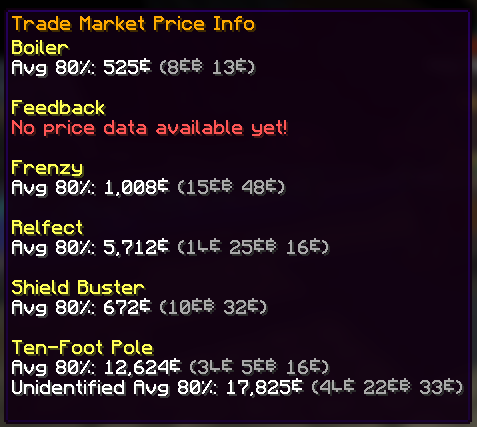
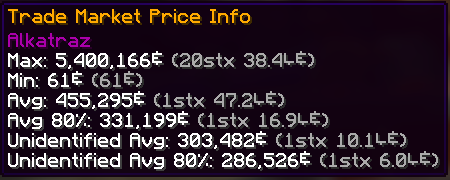
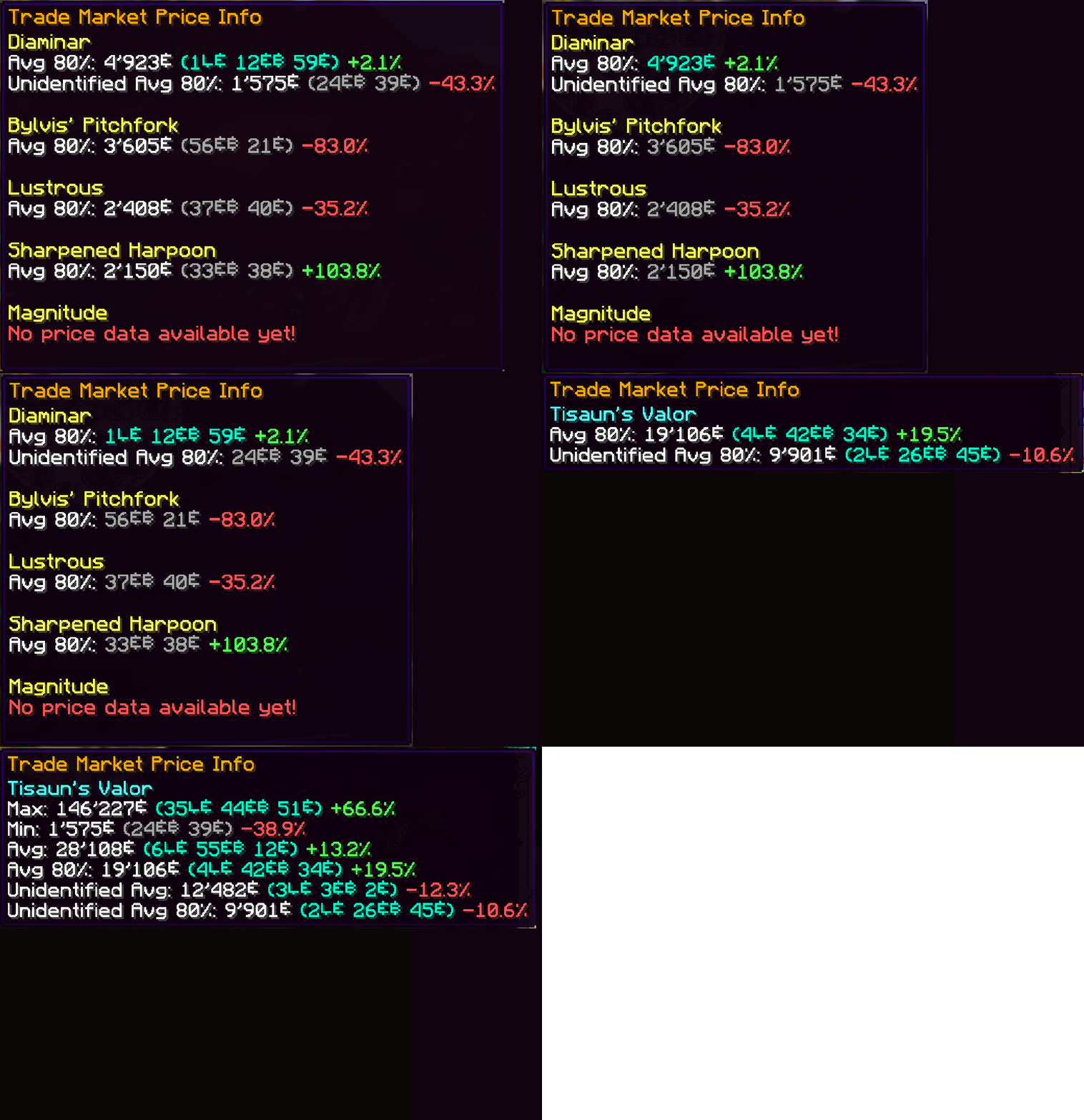
Hover over any item—or even boxed items—to display price information from historic trademarket listings of the last 7 days. Crowdsourced data ensures you always know an item’s true value without leaving your inventory.
- In-Game Raid & Lootrun Screen
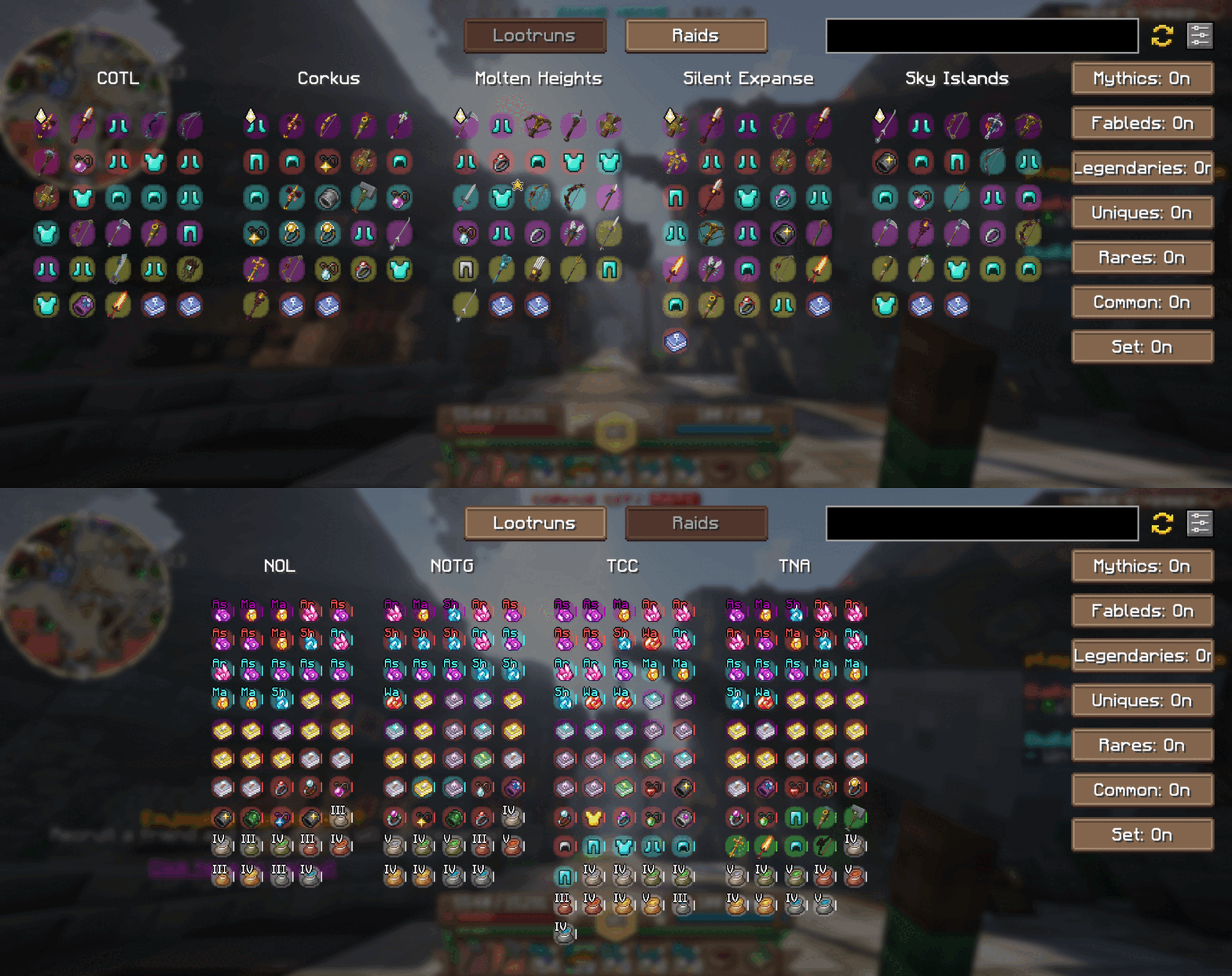
Press your the hotkey "N" to open our brand-new in-game screen from anywhere in the world. Quickly browse the current rewards available from raids and lootruns without tabbing out!
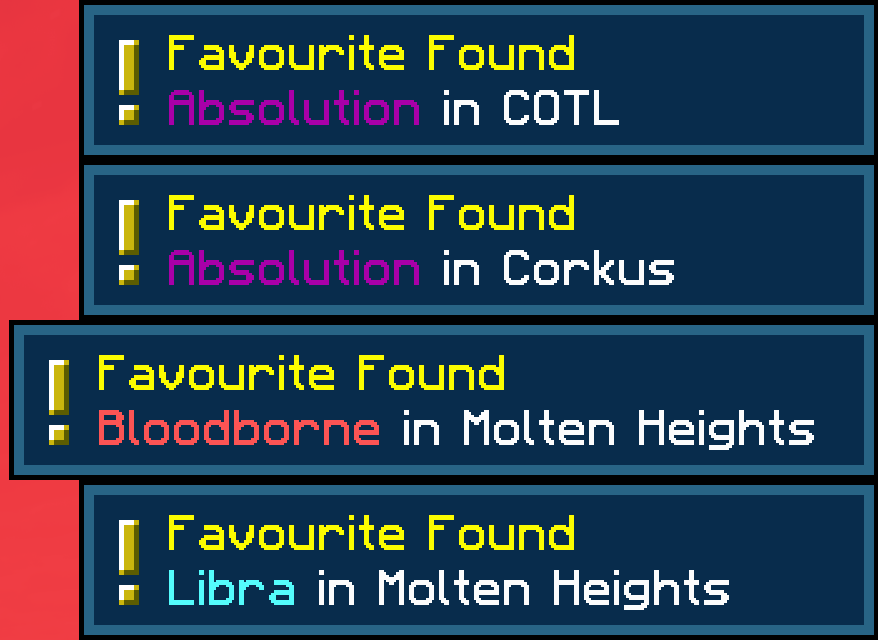
- Favorite Notifier
Get alerts for any of your Wynntils “favorited” items and you’ll receive an instant alert whenever it appears in the active raid or lootrun reward pools. Never miss out on that perfect drop!
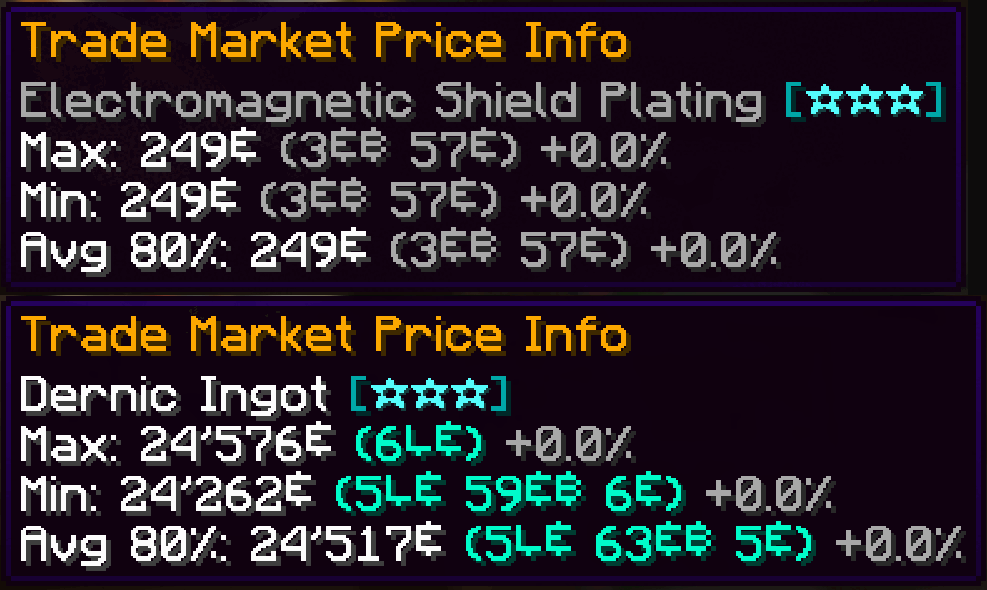
- Material & Ingredient Tooltips
We now support all material and ingredient items used in crafting and brewing. Hover over any ingredient to see recent price trends and demand insights at a glance.
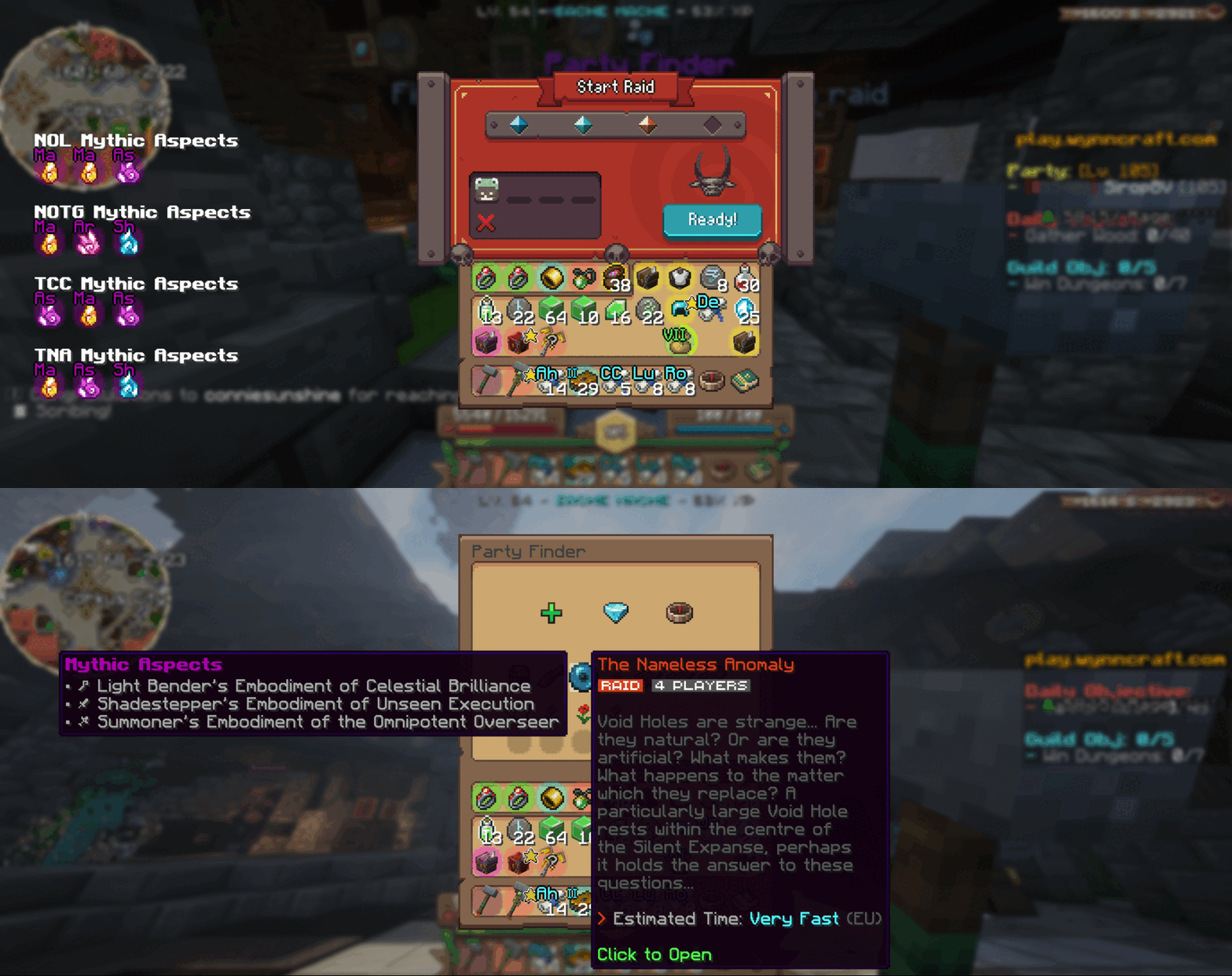
- Aspect Tooltips
Planning your next raid? Hover over any raid in the party finder to view its mythic aspects right there in the tooltip. While queueing, browse the full list of available mythic aspects to pick the perfect challenge.
How It Works
Data Collection
Every time you view the trademarket or inspect raid/lootrun reward chests, your client sends anonymized price and reward‐pool data to our backend. This crowdsourced approach powers both in-game tooltips and our website analytics.Customization
Tailor Wynnventory to your playstyle. Open the configuration menu (hotkey or Esc → Mods → Wynnventory) and choose exactly which stats, tooltips, and notifications you want to see.
Get Even More on wynnventory.com
For deep dives into price histories, trend charts, and community-driven analytics, visit our website at wynnventory.com.
Elevate your trading and raiding experience—install the new Wynnventory update today!
Verfügbare Versionen
Wynnventory auf deinem Client installieren
Mod-Loader lokal installieren
Installiere fabric für deine lokale Minecraft-Version.
Passende Datei herunterladen
Wähle die Wynnventory-Datei für fabric und Minecraft 1.21.11.
Mod installieren
Lege die .jar-Datei in deinem lokalen .minecraft/mods-Ordner ab und starte Minecraft neu. Eine Installation auf dem Server ist nicht nötig.
Kompatibilität
Mod-Loader
Minecraft-Versionen
1.21.11, 1.21.4, 1.21.1 (+1 weitere)
Server-seitig
✗ Nicht unterstütztEmpfohlener RAM
4 GB(min. 3 GB)Häufige Fragen
Muss Wynnventory auf dem Minecraft Server installiert werden?
Nein. Modrinth kennzeichnet Wynnventory serverseitig als nicht unterstützt. Installiere die Mod nur im lokalen Minecraft-Mods-Ordner. Dein Server kann unverändert bleiben, sofern die Mod-Seite keine zusätzliche Abhängigkeit nennt.
Welche Version und welchen Loader braucht Wynnventory?
Nutze eine Datei für fabric, neoforge und exakt deine Minecraft-Version. Unterstützte Versionen sind unter anderem 1.21.11, 1.21.4, 1.21.1. Loader-Dateien sind nicht untereinander austauschbar.
Wynnventory funktioniert nicht – was kann ich prüfen?
Prüfe zuerst Minecraft-Version, Loader-Version und erforderliche Abhängigkeiten. Lege die .jar-Datei im lokalen .minecraft/mods-Ordner ab und entferne ältere Duplikate. Da die Mod clientseitig ist, löst mehr Server-RAM dieses Problem nicht.
Ähnliche Mods


![CobbleDollars [Cobblemon Addon]](https://cdn.modrinth.com/data/s7N7AsqL/684040a264fc1d7f9b856ec5d2da39767398c7ad.png)

Minecraft Server für deine Gruppe
Wynnventory bleibt auf deinem Client. Hoste dazu eine kompatible Welt für deine Mitspieler.