

Modrinth · Fabric
Fantasy Plus server hosting
Your own Fantasy Plus server on AMD Ryzen 9 without a thread limit. The server is ready usually under 60 seconds; then install the pack with one click in the modpack browser.
**Fantasy Plus Modpack** transforms Minecraft into a magical adventure, filled with powerful spells, mythical creatures, and epic quests. Build legendary castles, battle fierce dragons, and explore enchanted realms in this immersive fantasy experience!
- Downloads
- 9.9K
- Followers
- 0
- Loader
- Fabric
- Minecraft
- 1.20.1
- Updated
- –
Screenshots
What Fantasy Plus looks like
 Better Towns & Castles
 Stunning Generation
 Distant Horizons Support
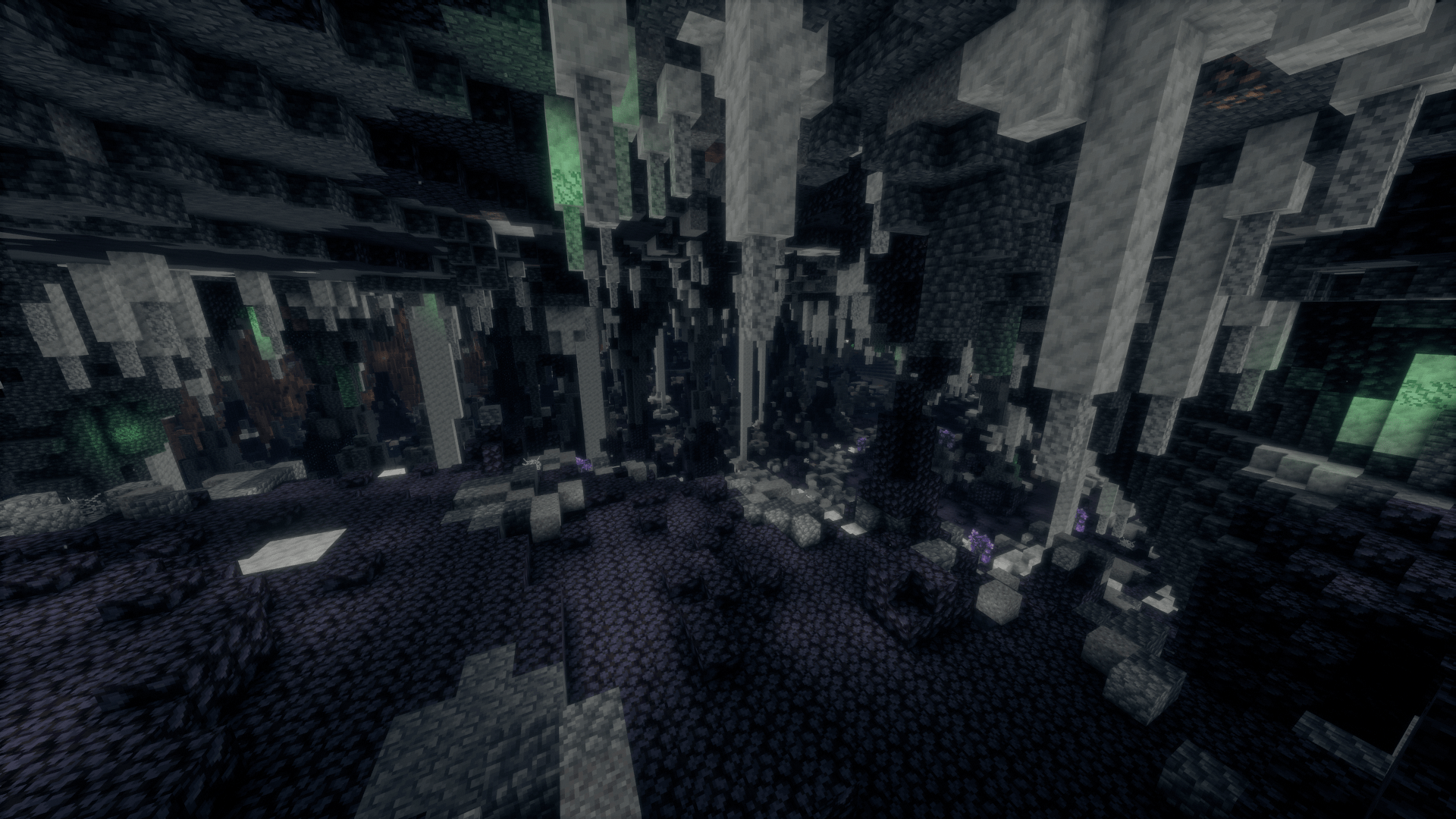 Infinity Caves
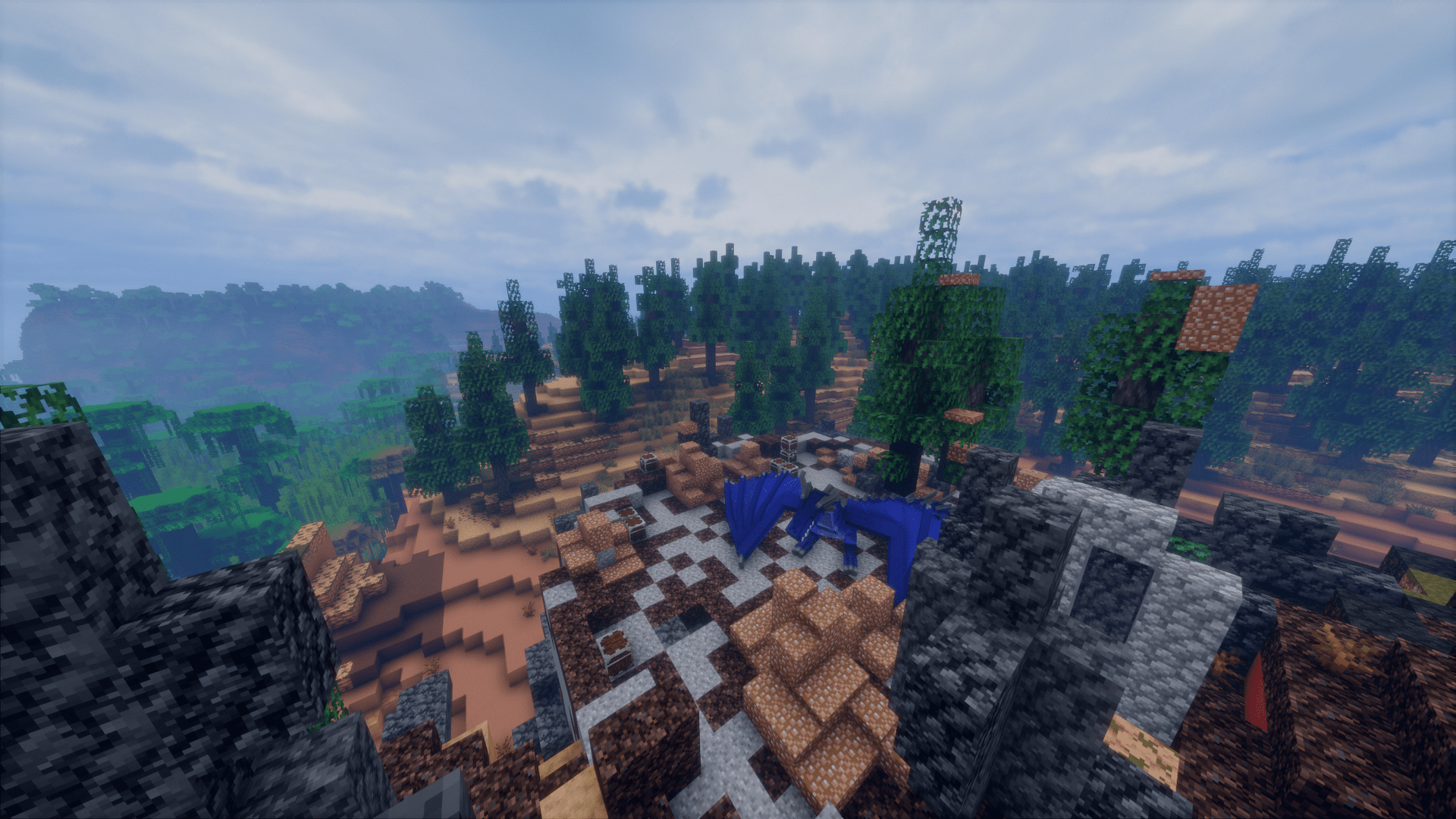 Dragons and Other Monsters
Images: Fantasy Plus on Modrinth, published by the project team.
Setup
Your Fantasy Plus server in four steps
For errors, check startup logs, Java version, loader and dependencies first. Increase RAM when there is evidence of memory pressure. Keep a copy of the working installation before updates.
- 01
Configure
8 GB of RAM is preselected and Fantasy Plus is noted in the configurator. You choose the term and add-ons.
- 02
Pay
By credit card or PayPal. Your server is ready usually under 60 seconds.
- 03
Install the pack
Open the modpack browser in the panel, choose Modrinth, verify the project ID and install your chosen pack release. Back up an existing world first.
- 04
Connect
Every player installs the same pack release in a compatible launcher and connects using the server address from the panel.
Modrinth project ID: TDU8ZoYT
The panel
Install the pack, find errors.
Real screenshots from the Mado panel. Both come with every Minecraft server.
Modpack browser
Modrinth and CurseForge, right in the panel.
Search the pack, choose a release, install. You do not have to upload the loader or server files by hand.

AI crash analysis
When a mod crashes, the analyzer reads the log.
Large modpacks often fail on a single mod, Java version or missing dependency. The analyzer names a likely cause and suggests a fix.

Releases
Published pack releases
The server and players need the same pack release. Pick it in the modpack browser to match your group’s clients.
Fantasy Plus · ModrinthOriginal description by the project author
Step into a world where magic and myth intertwine with adventure! The Fantasy Plus modpack transforms your Minecraft experience into a rich, vibrant fantasy realm filled with epic quests, mythical creatures, and powerful spells. Explore enchanted forests, battle fierce dragons, and uncover hidden treasures in mysterious dungeons. Craft your own spells with an expanded magic system, build castles with intricate designs, and summon legendary creatures to fight by your side. Whether you're wielding a powerful sword or mastering arcane magic, the Fantasy Plus modpack is packed with everything you need for a truly immersive adventure. If you’ve ever wanted to turn Minecraft into your own fantasy adventure, Fantasy Plus will make your dreams come true! Grab your gear and start your epic journey today!
Similar packs
More server-ready modpacks
 Server-ready

Zombie Invade 100 Days
by FlameFire
僵尸入侵 100 天(高版本惊变重制)—— Same as Forge Labs 100 Days Zombie Apocalypse in new Minecraft
 Server-ready

BattleArmory TACZ
by JZ_zhenmeng
厌倦了每次开局都是一样的钻石剑和弓?BattleArmory 让你每场重生都像开盲盒——400+ 现代枪械随机配发,从使命召唤的经典步枪到赛博朋克科幻杀器,配上 CS 经典地图和战术投掷物,开局就是 80 帧+丝滑刚枪。** 这不是模组体验卡,这是完全免费的 1.20.1 战术枪战整合包,下载启动,直接开战。
 Server-ready

Better MC [FABRIC] - BMC2
by SHXRKIE
Version 1.20 | A Proper Vanilla+ Modpack | Don't play Vanilla play this!
 Server-ready

Better MC [FORGE] - BMC4
by SHXRKIE
Version 1.20.1 | A Proper Vanilla+ Modpack | Don't play Vanilla play this!
Ready for your Fantasy Plus server?
8 GB of RAM from €16.00 per month. 35% off your first month with MADO35.