
Hypixel SkyBlock Modpack
Hypixel SkyBlock Modpack for 1.21.1
Screenshots
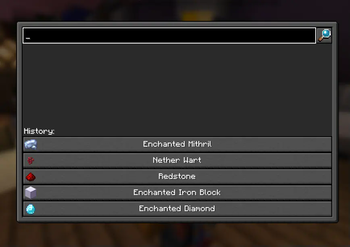
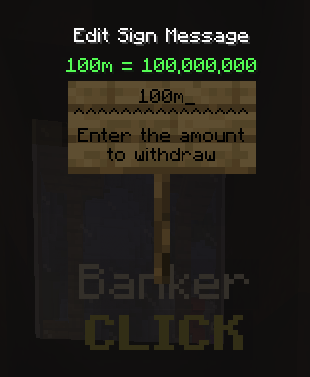
About this Modpack
Skyblock Made Easy: Modpack for easier gameplay on Hypixel Skyblock


Do you want to progress faster on Hypixel Skyblock, but don't want to spend hours farming? This modpack is for you! It was created to make your gameplay easier and allow you to focus on what you really love about Skyblock - building, trading, and exploring.
What does this modpack offer?
- Fast travel: Teleports to important locations on the map to save time and energy.
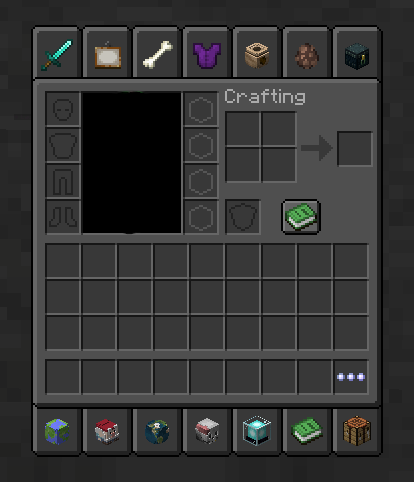
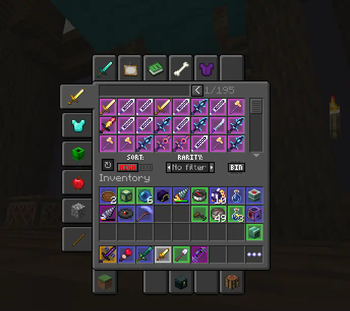
- Convenient features: Item price information, automatic equipment sorting, and many other conveniences.
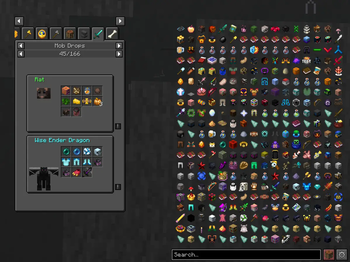
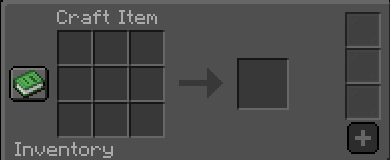
- Additional features: recipes list and more.
This modpack is the perfect solution for:
- New players: Quickly master the basics of the game and start enjoying more advanced gameplay.
- Experienced players: Optimize your time and focus on more challenging aspects of the game.
- Players looking for ease: You don't have to spend hours farming to achieve your goals.
Mods List (50)
[EMF] Entity Model Features by Traben
[ESF] Entity Sound Features by Traben
[ETF] Entity Texture Features by Traben
3D Skin Layers by tr7zw
AdaptiveTooltips
AmbientSounds by creativemd
Architectury API by architectury
Capes by caelthecolher
CITResewnBackwardsCompat by GrahamKracker
Cloth Config API by shedaniel
Clumps by jaredlll08
Clumps-fabric-1.21.1-19.0.0.1.jar
Collective by Serilum
Concurrent Chunk Management Engine by ishland
Continuity by PepperCode1
Controlling by jaredlll08
CreativeCore by creativemd
Dark Loading Screen by A5b84
Default Dark Mode by nebulr
Enhanced Block Entities by FoundationGames
Entity Culling by tr7zw
Entity View Distance by Patbox
Essential Mod by SparkUniverse
Fabric API by modmuss50
Fabric Language Kotlin by modmuss50
FabricSkyboxes by FlashyReese
FerriteCore by malte0811
Firmament for Hypixel SkyBlock by nea89o
ImmediatelyFast by RaphiMC
Indium by comp500
Lithium
by CaffeineMC
MaLiLib by masa
MineMath by Oiha
Mod Menu by Terraformers
Model Gap Fix by MehVahdJukaar
ModernFix by embeddedt
ModpackUtils by UltimatChamp
oωo by Wisp Forest
Presence Footsteps by Sollace
Reese's Sodium Options by FlashyReese
Roughly Enough Items by shedaniel
Searchables by jaredlll08
Simple Menu by Serilum
Skyblock Mod by Kevinthegreat
Skyblocker by Wohlhabend
Sodium by CaffeineMC
Sodium Extra by FlashyReese
Sound Physics Remastered by henkelmax
Tweakeroo by masa
Very Many Players by ishland
YetAnotherConfigLib by isxander
Resourcepack (2)
Default Dark Mode by nebulr 2024.6.0-1.21
Hypixel Plus 0.20.7 by ic22487
Available Versions
How to Set Up a Hypixel SkyBlock Modpack Server
Order Server
Choose at least 6 GB RAM (10 GB recommended for Hypixel SkyBlock Modpack). Based on player count: per 4 players.
Install Modpack in Dashboard
Open the modpack browser in the dashboard, search for "Hypixel SkyBlock Modpack" and click "Install". The fabric loader and Minecraft 1.21.5 are configured automatically.
Start Server & Play
Start the server – all mods are loaded automatically. Share the server IP with friends and play together!
Frequently Asked Questions
Hypixel SkyBlock Modpack server crashes or won't start – what to do?
Most common causes: insufficient RAM or wrong fabric loader. Check latest.log for "OutOfMemoryError" → increase RAM to at least 10 GB. For "Mixin" or "ClassNotFoundException" errors: modpack version and loader don't match. With Mado Hosting, loader and Minecraft version are auto-configured on modpack install – preventing most startup issues.
How much RAM does a Hypixel SkyBlock Modpack server really need?
Minimum 6 GB, recommended 10 GB for stable performance. per 4 players. Important: Minecraft modpacks need more RAM than vanilla – plan extra per additional player. With Mado Hosting, you can scale RAM up live at any time without data loss (from €7.800000000000001/month).
Can I add custom mods to Hypixel SkyBlock Modpack without conflicts?
Yes, but check compatibility: only use mods for the same loader (fabric) and same Minecraft version (1.21.5). Common issues: ID conflicts with recipe mods and incompatible coremod versions. The Mado dashboard mod browser only shows compatible mods and warns about known conflicts.
Hypixel SkyBlock Modpack server lagging – performance tips
1) Increase RAM to 10 GB+. 2) Reduce server view-distance to 8 (server.properties). 3) Pre-generate chunks with the "Chunky" plugin. 4) Use /spark profiler to check which mods consume the most tick time. With Mado Hosting, all servers run on NVMe SSDs with dedicated CPU cores – eliminating hardware as a bottleneck.
Similar Modpacks

![Cobblemon Official Modpack [Fabric]](https://cdn.modrinth.com/data/5FFgwNNP/e7f9ee2e9d361623847853fe2ddce42f519ee64f.png)
![COBBLEVERSE - Pokemon Adventure [Cobblemon]](https://cdn.modrinth.com/data/Jkb29YJU/581ecf54530972afb18a04660afd820f2f24f6c7.png)
![Better MC [FABRIC] - BMC2](https://cdn.modrinth.com/data/shFhR8Vx/a19c2bcb51d38f32f138d3607e91cb2b7b8e387f_96.webp)


Rent Hypixel SkyBlock Modpack Server
Start your own server with automatic modpack installation.
Supported Versions
Start your Hypixel SkyBlock Modpack Server now
From €7.80/month; 10 GB RAM is recommended for best performance.
Configure Server →