
Sugar Optimization
🍬 Vanilla Minecraft modification package aimed at 🔥 Optimization with a sprinkling of 🚀 User Experience Improvements.
Screenshots

About this Modpack
🍭 Sugar

Or you can download the package in CurseForge format from the official project page
🍬 Vanilla Minecraft modification package aimed at 🔥 Optimization with a sprinkling of 🚀 User Experience Improvements.
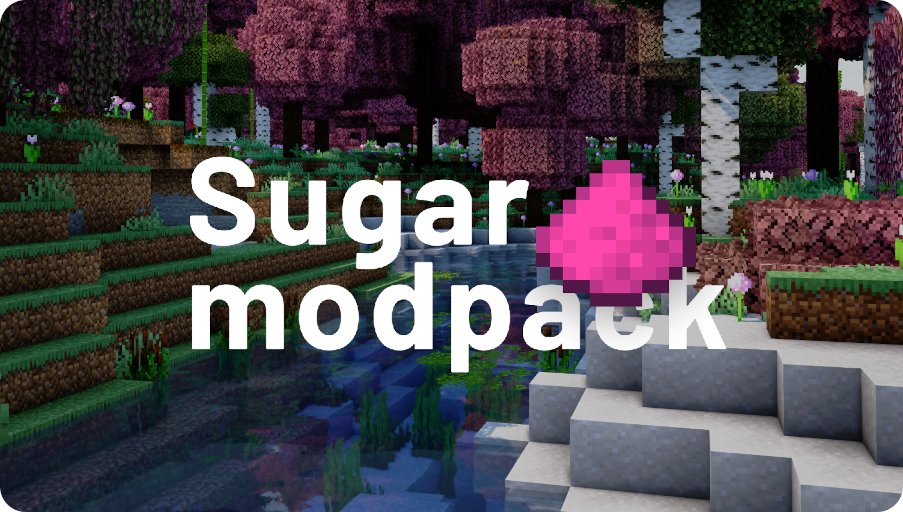
✨ This is a modpack that will make your game much more enjoyable and comfortable than you are used to.
🪄 This modpack gives you great performance on different configurations of personal computers, while allowing you to keep all the things you are so used to: CTM, CIT, Capes, CEM, Zoom and etc from Optifine.
🎀 We strive to make your Minecraft game more immersive by keeping and adhering to the ideas of the game itself without changing the internal mechanics and systems.
Try to make the modpack accessible to everyone by optimizing game systems with well-known and popular modifications.
🎉 And all this is already available and ready to play, you only need to install modpack and enjoy your gameplay!
Thank you 💖 for being there and have a nice game!
To improve performance, try custom JVM arguments:
Set minimum memory allocation equal to maximum memory allocation:
-XX:+UseG1GC -Dsun.rmi.dgc.server.gcInterval=2147483646 -XX:+UnlockExperimentalVMOptions -XX:G1NewSizePercent=20 -XX:G1ReservePercent=20 -XX:MaxGCPauseMillis=50 -XX:G1HeapRegionSize=32M
or for >8GB RAM:
-XX:+UseShenandoahGC -XX:+UnlockExperimentalVMOptions -XX:+AlwaysPreTouch -XX:+UseStringDeduplication -Dfml.ignorePatchDiscrepancies=true -Dfml.ignoreInvalidMinecraftCertificates=true -XX:-OmitStackTraceInFastThrow -XX:+OptimizeStringConcat -Dfml.readTimeout=180
4GB RAM is recommended for 12 chunks, more requires more memory!
📦 Optional Resources
* resources that you can install in the modpack, the settings for these resources are already provided.
Mods
- *AppleSkin
- *First-person Model
- *3D Skin Layers
- *Smooth Swapping
- *Sound Physics Remastered
- *Xaero's World Map
- *Xaero's Minimap
Shader packs
📦 Resources
To use the supplied shader settings, use the Iris tools to import them:
ComplementaryShaders_v4.7.2_NS.zip.txt,Sildur's+Enhanced+Default+v1.15+Fancy.zip.txt
Mods
- Animatica
- AntiGhost
- Blur
- Borderless Mining
- C^2M
- Fabric Capes
- Custom Entity Models
- CITResewn
- Cloth Config API (requires a mod)
- Continuity
- CustomHUD
- Dark Loading Screen
- Don't Clear Chat History
- Debugify
- Dynamic FPS
Enhanced Searchability(wait updates)- EntityCulling
- Entity Texture Features
Exordium(wait updates)- FabricSkyboxes
- Falling Leaves
- ImmediatelyFast
- Indium
- Iris
- Krypton
- LambDynamicLights
- Language Reload
- LazyDFU
- Lithium
- Memory Leak Fix
- Mod Menu
- MoreChatHistory
- More Culling
- Not Enough Animations
- Ok Zoomer
- Presence Footsteps
- Quilt Kotlin Libraries
- Quilt Standard Libraries
- Reese's Sodium Options
- Smooth Boot
- Sodium Extra
- Sodium
- Starlight
- YetAnotherConfigLib
- YOSBR
Resource packs
- Default Dark Mode
- xali's Enhanced Biomes: River & Pond
- xali's Enchanted Books
- xali's Enhanced Jungle Wood
- xali's Enhanced Vanilla
- xali's Potions
Shader packs
Available Versions
How to Set Up a Sugar Optimization Server
Order Server
Choose at least 4 GB RAM (6 GB recommended for Sugar Optimization). Based on player count: per 8 players.
Install Modpack in Dashboard
Open the modpack browser in the dashboard, search for "Sugar Optimization" and click "Install". The quilt loader and Minecraft 1.20.1 are configured automatically.
Start Server & Play
Start the server – all mods are loaded automatically. Share the server IP with friends and play together!
Frequently Asked Questions
Sugar Optimization server crashes or won't start – what to do?
Most common causes: insufficient RAM or wrong quilt loader. Check latest.log for "OutOfMemoryError" → increase RAM to at least 6 GB. For "Mixin" or "ClassNotFoundException" errors: modpack version and loader don't match. With Mado Hosting, loader and Minecraft version are auto-configured on modpack install – preventing most startup issues.
How much RAM does a Sugar Optimization server really need?
Minimum 4 GB, recommended 6 GB for stable performance. per 8 players. Important: Minecraft modpacks need more RAM than vanilla – plan extra per additional player. With Mado Hosting, you can scale RAM up live at any time without data loss (from €5.2/month).
Can I add custom mods to Sugar Optimization without conflicts?
Yes, but check compatibility: only use mods for the same loader (quilt) and same Minecraft version (1.20.1). Common issues: ID conflicts with recipe mods and incompatible coremod versions. The Mado dashboard mod browser only shows compatible mods and warns about known conflicts.
Sugar Optimization server lagging – performance tips
1) Increase RAM to 6 GB+. 2) Reduce server view-distance to 8 (server.properties). 3) Pre-generate chunks with the "Chunky" plugin. 4) Use /spark profiler to check which mods consume the most tick time. With Mado Hosting, all servers run on NVMe SSDs with dedicated CPU cores – eliminating hardware as a bottleneck.
Similar Modpacks

![Cobblemon Official Modpack [Fabric]](https://cdn.modrinth.com/data/5FFgwNNP/e7f9ee2e9d361623847853fe2ddce42f519ee64f.png)
![COBBLEVERSE - Pokemon Adventure [Cobblemon]](https://cdn.modrinth.com/data/Jkb29YJU/581ecf54530972afb18a04660afd820f2f24f6c7.png)
![Better MC [FABRIC] - BMC2](https://cdn.modrinth.com/data/shFhR8Vx/a19c2bcb51d38f32f138d3607e91cb2b7b8e387f_96.webp)


Rent Sugar Optimization Server
Start your own server with automatic modpack installation.
Details
- License
- Creative Commons Attribution 4.0 International
- Server-side
- Unsupported
- Client-side
- Required
Supported Versions
Start your Sugar Optimization Server now
From €5.20/month; 6 GB RAM is recommended for best performance.
Configure Server →