
Accurate Block Placement Reborn
Makes block placement smarter by timing it for you.
Screenshots
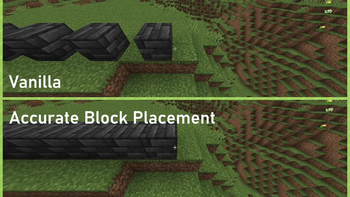
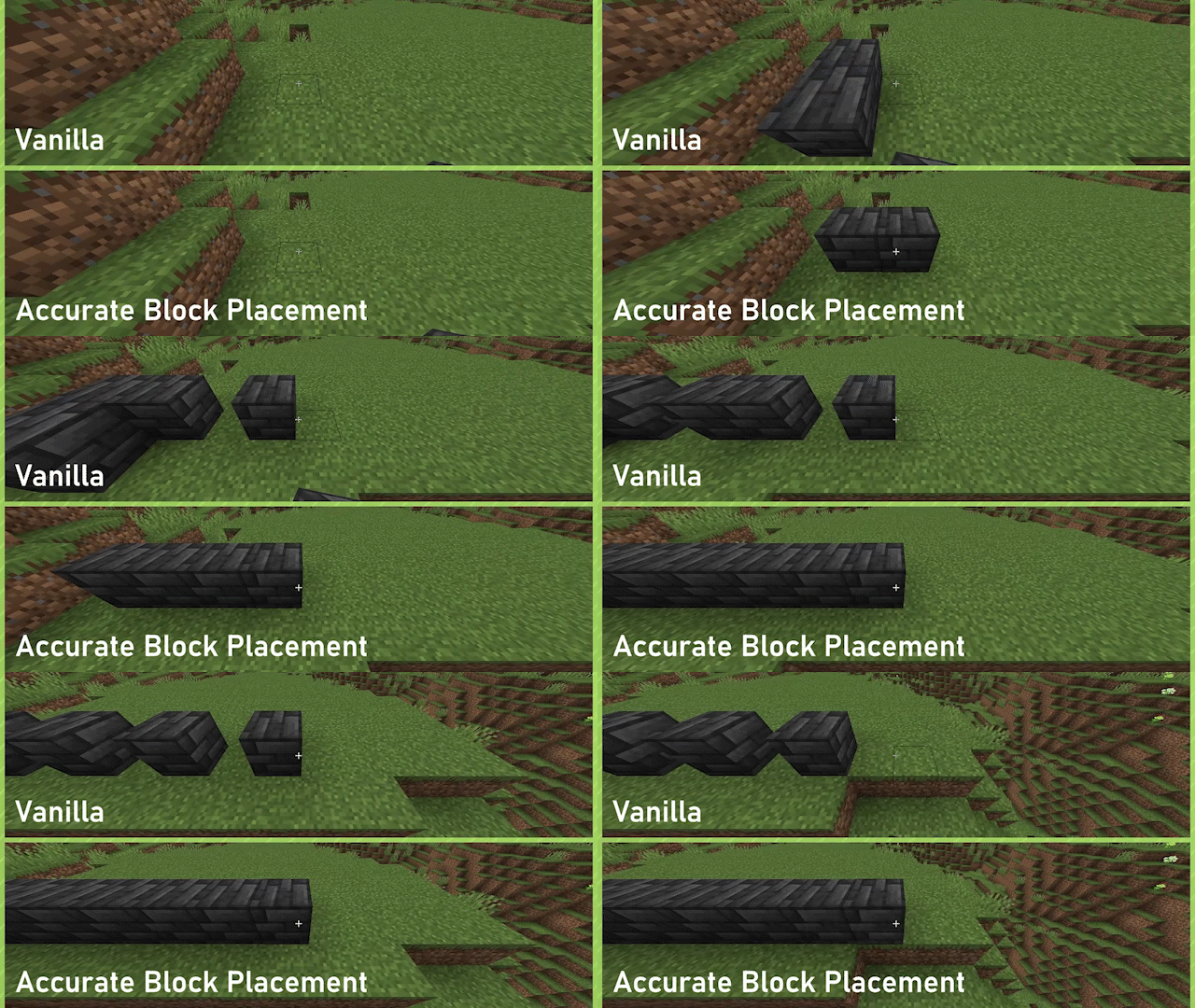
About this Mod
Accurate Block Placement: Reborn






AccurateBlockPlacement: Reborn is a client-side mod for Fabric.
Fabric API is required, Mod Menu and Cloth Config API are optional, but strongly recommended.
Although many experienced minecraft players know exactly how to time their clicks in order to rapidly place blocks with no mistakes, why should it be that difficult? In this mod, if you hold your 'use key' (usually RMB) and look at a new block it will automatically place it no matter how fast you move. No more need to time when you click or look in order to accurately place blocks quickly!
Features
WARNING: This mod may be considered a "cheat" on some servers (and detected as such)! Please check the server's rules before using this mod. Use this at your own risk.
Accurate Block Placement
Accurate Block Placement makes placing blocks a smooth and reliable process when holding right click. The best way to explain it is the following GIF:
Enabled by default, can be toggled on or off through the config or by way of a configurable keybind (default: Not Bound).
Fast Block Breaking (v1.3.0+ for 1.21.3+)
Fast Block Breaking makes breaking blocks much easier and more consistent, by removing the Mining Cooldown when breaking blocks.
No GIF for this one yet :(, essentially haste insta-mining but for creative mode
Disabled by default, can be toggled on or off through the config or by way of a configurable keybind (default: Not Bound).
License
Accurate Block Placement: Reborn is provided under the MIT License.
Available Versions
How to Install Accurate Block Placement Reborn on Your Client
Install the Mod Loader Locally
Install fabric for your local Minecraft version.
Download the Matching File
Choose the Accurate Block Placement Reborn file for fabric and Minecraft 26.3.
Install Mod
Place the .jar file in your local .minecraft/mods folder and restart Minecraft. No server-side installation is required.
Compatibility
Mod Loaders
Minecraft Versions
26.3, 26.2, 26.1.2 (+27 more)
Server-side
✗ UnsupportedRecommended RAM
4 GB(min. 3 GB)Frequently Asked Questions
Does Accurate Block Placement Reborn need to be installed on the Minecraft server?
No. Modrinth marks Accurate Block Placement Reborn as unsupported on the server side. Install it only in your local Minecraft mods folder. Your server can remain unchanged unless the mod page lists an additional dependency.
Which version and loader does Accurate Block Placement Reborn require?
Use a file for fabric and your exact Minecraft version. Supported versions include 26.3, 26.2, 26.1.2. Files for different loaders are not interchangeable.
Accurate Block Placement Reborn is not working – what should I check?
First check the Minecraft version, loader version and required dependencies. Put the .jar file in your local .minecraft/mods folder and remove older duplicates. Because this mod is client-side, adding server RAM will not fix it.
Similar Mods






Minecraft Server for Your Group
Accurate Block Placement Reborn stays on your client. Host a compatible world for your group.